

Attendance Tracker
Track actual attendance against scheduled shifts and maintain accurate workforce visibility across every location.
Interactive preview of the Heyshift schedule board with publish controls, same pattern as the homepage hero.
Schedule published
Push to Hannah, Owen, Marcus +7, new shifts live on mobile.
Mon
4
Tue
5
Wed
6
Thu
7
Fri
8
Sat
9
Sun
10
Open shifts
8 slots
12–2p
Open
4–9p
Approve
9–5p
10–6p
12–2p
Open
9–5p
4–9p
Approve
Hannah Cole
22h · 5
9–5p
10–6p
9–5p
4–9p
Approve
9–5p
Owen Blake
16h · 4
9–5p
9–5p
10–6p
9–5p
Maria Santos
20h · 5
9–5p
4–9p
Approve
9–5p
10–6p
Jordan Rivera
14h · 3
9–5p
4–9p
Approve
9–5p
10–6p
Emily Nash
30h · 6
9–5p
9–5p
10–6p
9–5p
4–9p
Approve
9–5p
Marcus Reid
12h · 3
9–5p
4–9p
Approve
10–6p
9–5p
9–5p
Leo Carter
14h · 3
9–5p
4–9p
Approve
9–5p
10–6p
9–5p
Next steps
Start a 30-day free trial, book a walkthrough anytime.
Try Heyshift on your own grid, or see the workflow live with our team, same next steps either way.
Clarity on fit before you buy
Three checkpoints buyers use to sanity-check fit, before procurement drills into edge cases and rollout detail.
Ideal customer
Business outcome
Where it lives
Evaluation highlights
The outcomes and guardrails buyers validate first, reuse the same bullets when stakeholders ask for a tight recap.
Real-time attendance visibility
Monitor present, absent, late, break, and overtime status from one dashboard.
Accurate shift-time tracking
Track clock-in, clock-out, breaks, and worked-hour variance with precision.
Smart filters and controls
Filter attendance by employee, branch, department, role, date, and shift type instantly.
Payroll-ready reporting
Export attendance, overtime, break, and productivity reports in Excel or PDF.
Attendance Tracker
Real-time workforce time, break, and overtime visibility
Smart Employee Attendance Tracking for Modern USA Businesses
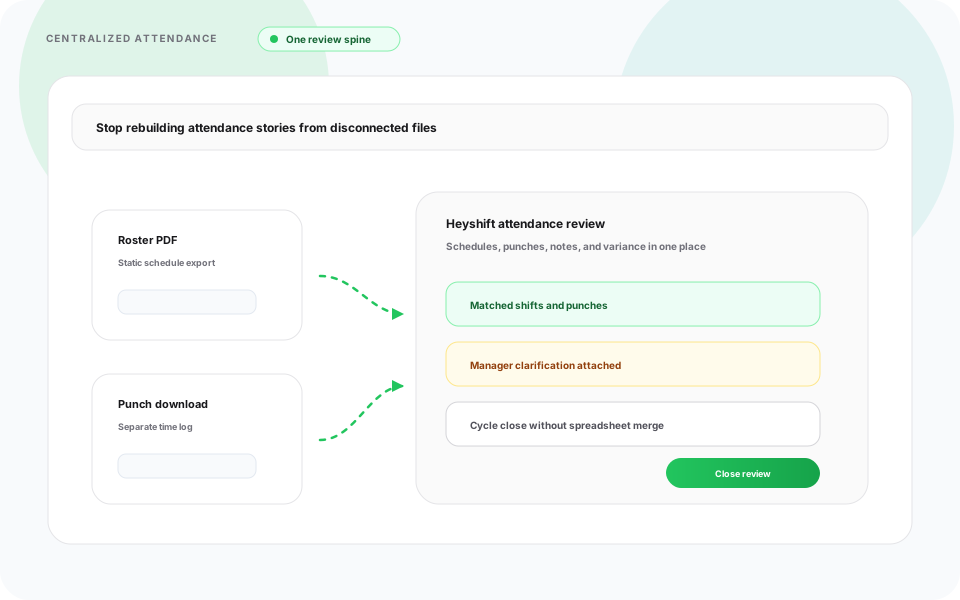
Monitor workforce time with precision across locations, departments, and shift types. Heyshift tracks working hours, breaks, overtime, attendance status, and daily workforce activity in real time, so managers always see what is happening on the floor.
Built for growing operations, Heyshift Attendance Tracker helps teams reduce payroll errors, improve accountability, and run daily staffing decisions with complete attendance visibility.
Real-Time Attendance Visibility
Heyshift response
Get a live overview of workforce activity from one centralized dashboard to make faster staffing decisions.
Managers can instantly track:
- Present employees
- Absent staff
- Late arrivals
- Early exits
- Employees on break
- Overtime status
- Leave and holidays
- Actual working hours
This helps managers improve operational control in real time.
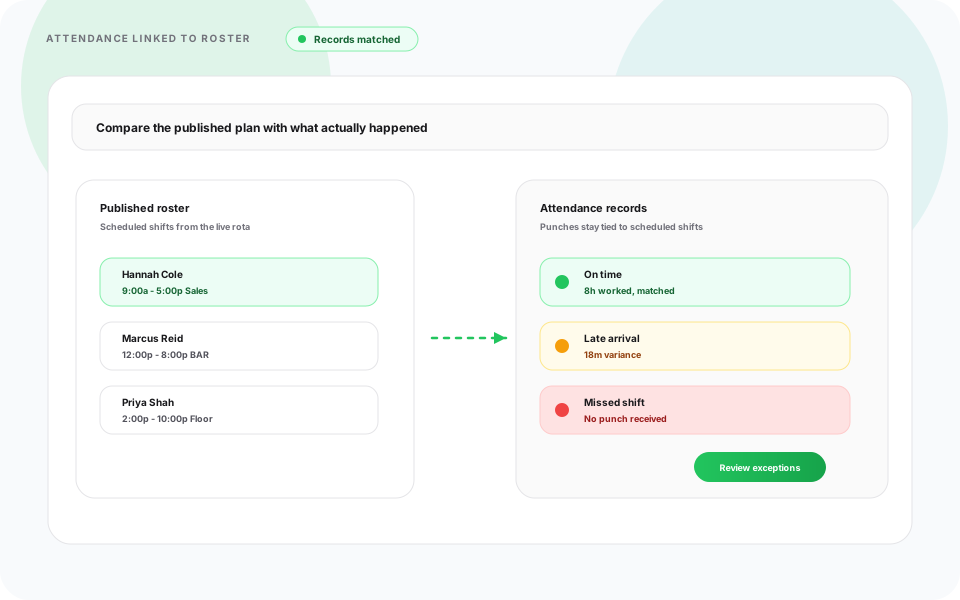
Accurate Clock In & Clock Out Tracking
Heyshift response
Track employee punches with precision across mobile, web, kiosk, tablet, and biometric attendance methods.
Supported Attendance Methods
- Mobile attendance
- Web clock-in and clock-out
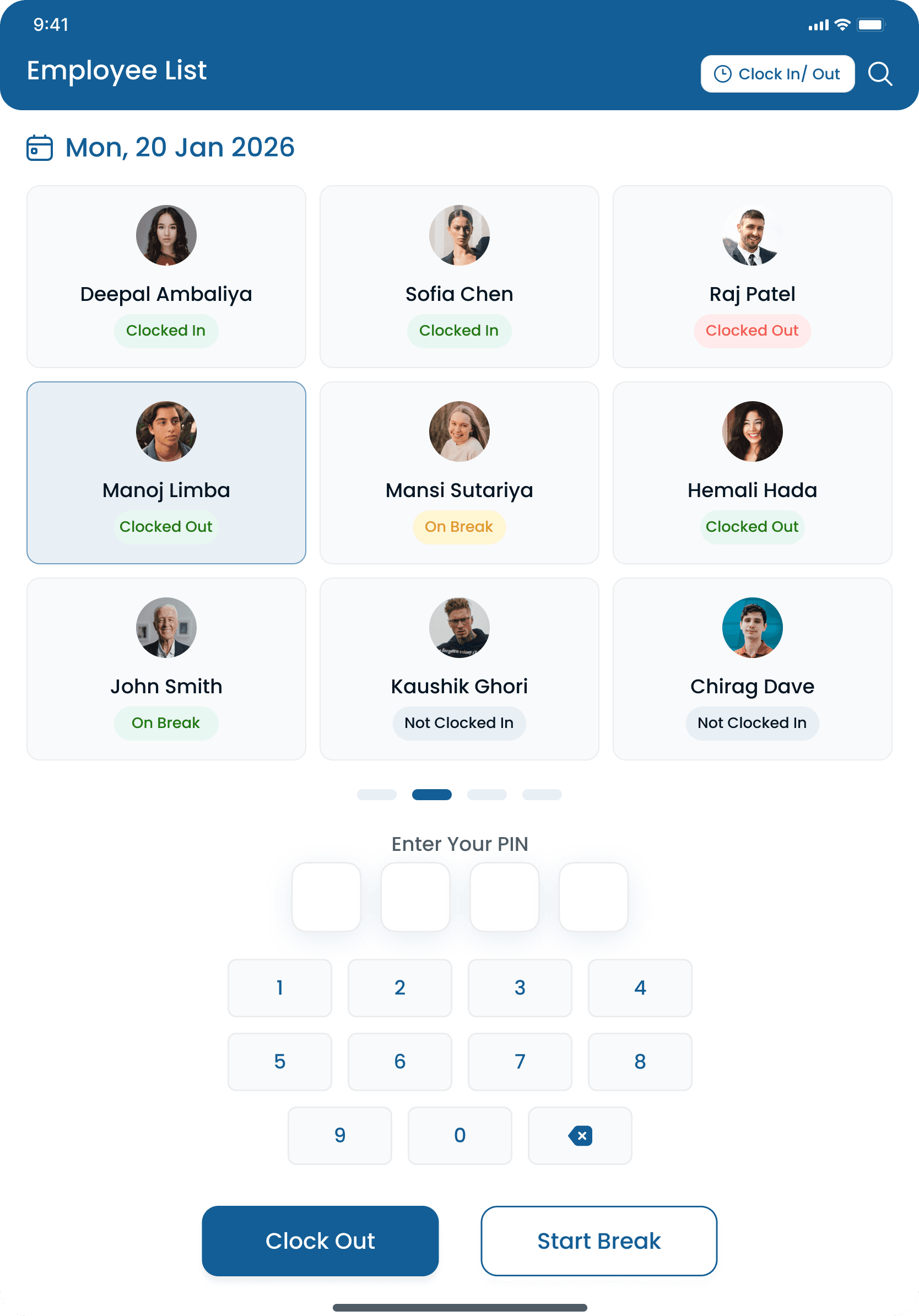
- Tablet kiosk
- Shared devices
- Biometric devices
Employees can clock in securely from approved devices while managers monitor attendance in real time.
Shift-Based & Open Attendance Modes
Heyshift response
Support different workforce operations with flexible attendance modes for assigned or open shifts.
Attendance Modes
- Shift-based attendance
- Open attendance without assigned shifts
- Fixed schedule attendance
- Flexible workforce attendance
- Multi-shift operations
Perfect for rotating schedules, field staff, and dynamic shift planning.
Smart Work Hour Calculation
Heyshift response
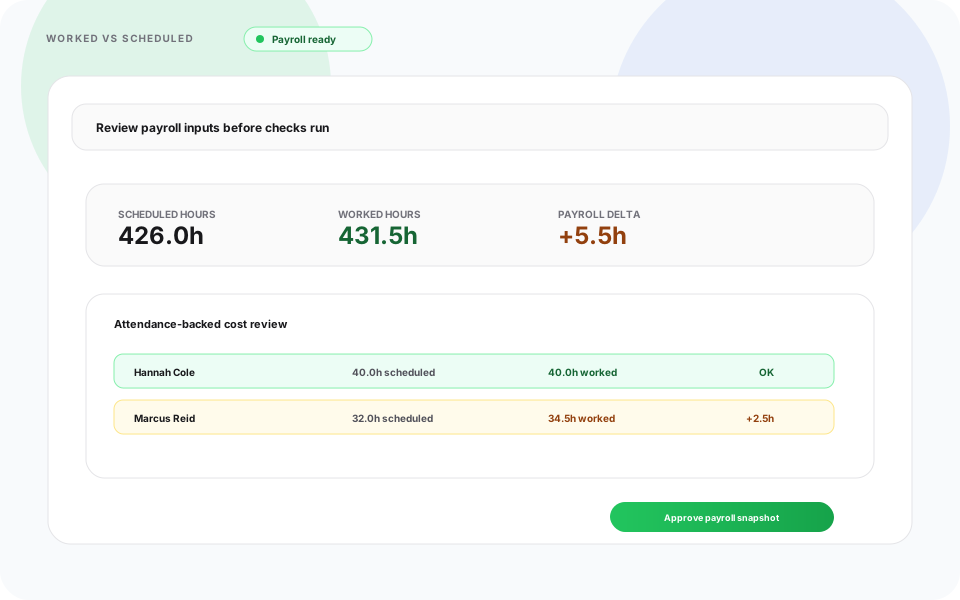
Calculate worked hours, break time, overtime, and time variance automatically for better payroll accuracy.
Automatically calculate:
- Actual worked hours
- Scheduled vs worked variance
- Break time
- Overtime hours
- Late arrival duration
- Early exit time
- Unscheduled working hours
Reduce manual calculations and improve payroll accuracy.
Break & Overtime Tracking
Heyshift response
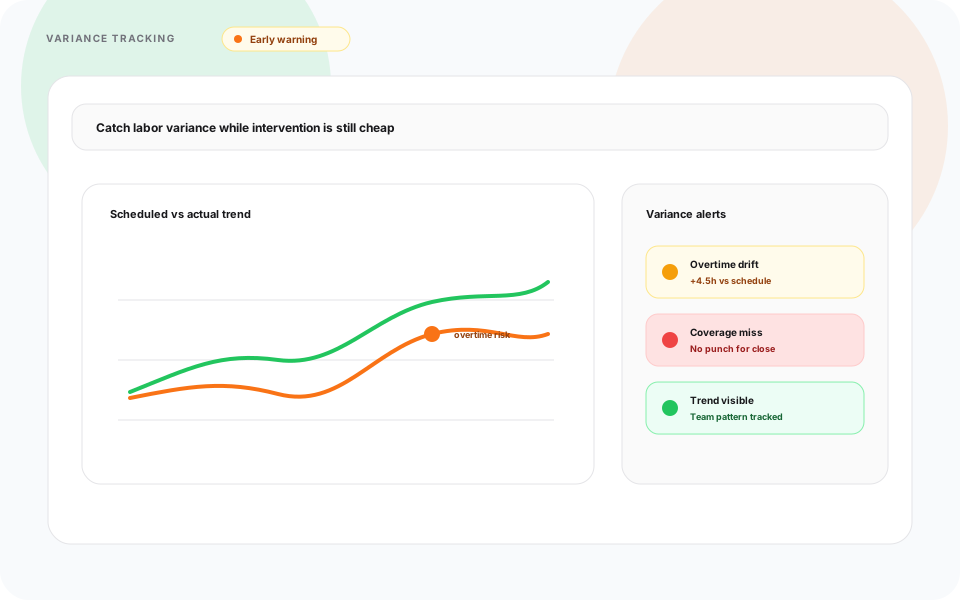
Monitor break activity and overtime directly in attendance workflows to improve labor visibility and control costs.
Features
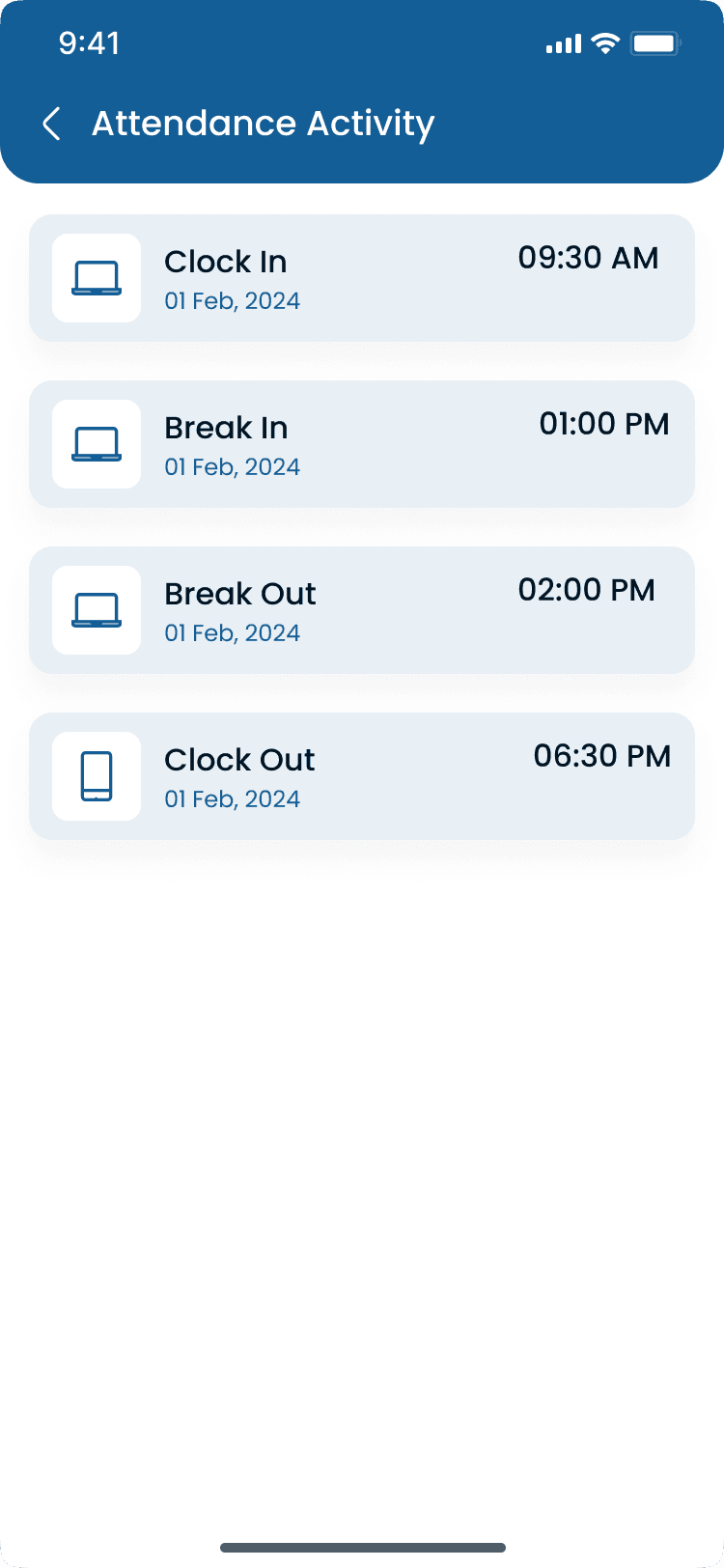
- Break in and out tracking
- Paid and unpaid break visibility
- Overtime monitoring
- Holiday overtime tracking
- Day-off working records
- Comp-off eligible tracking
This helps businesses improve labor visibility while controlling overtime costs.
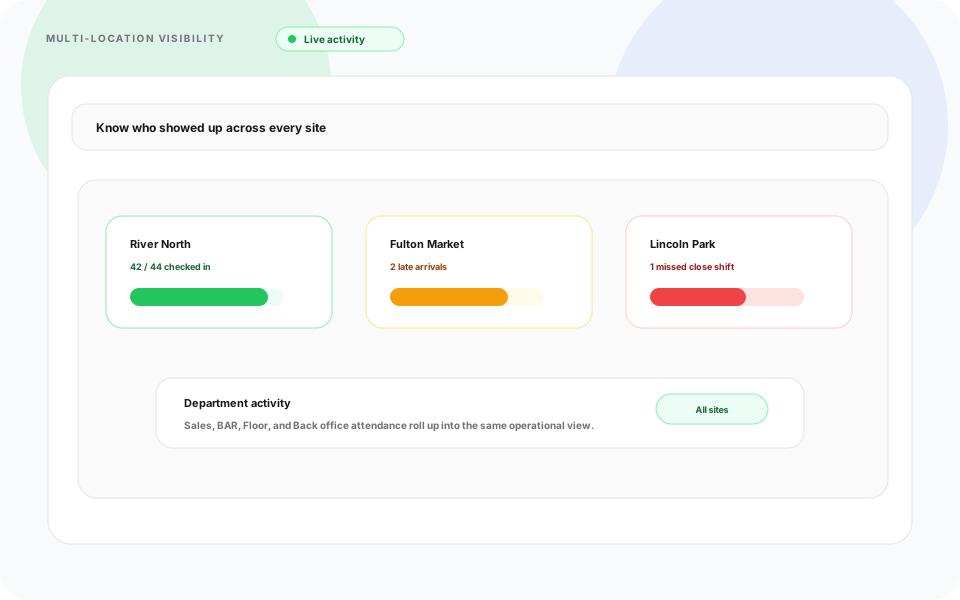
Late Arrival & Early Exit Monitoring
Heyshift response
Improve workforce accountability with automated late and early-exit behavior tracking.
Features
- Late arrival reports
- Early exit tracking
- Grace time configuration
- Attendance penalties
- Attendance exception alerts
- Repeated violation monitoring
Managers can identify patterns and reduce manual supervision.
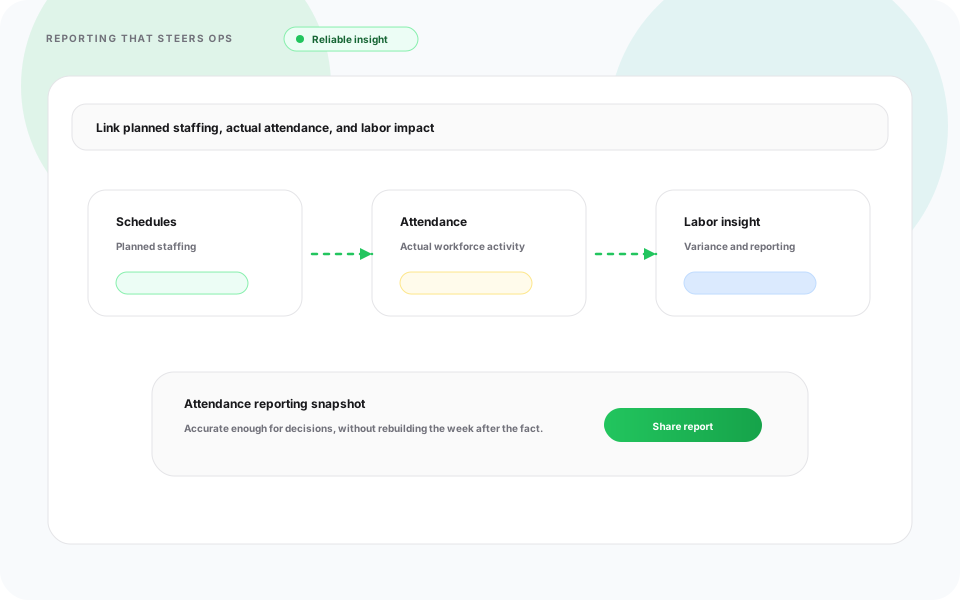
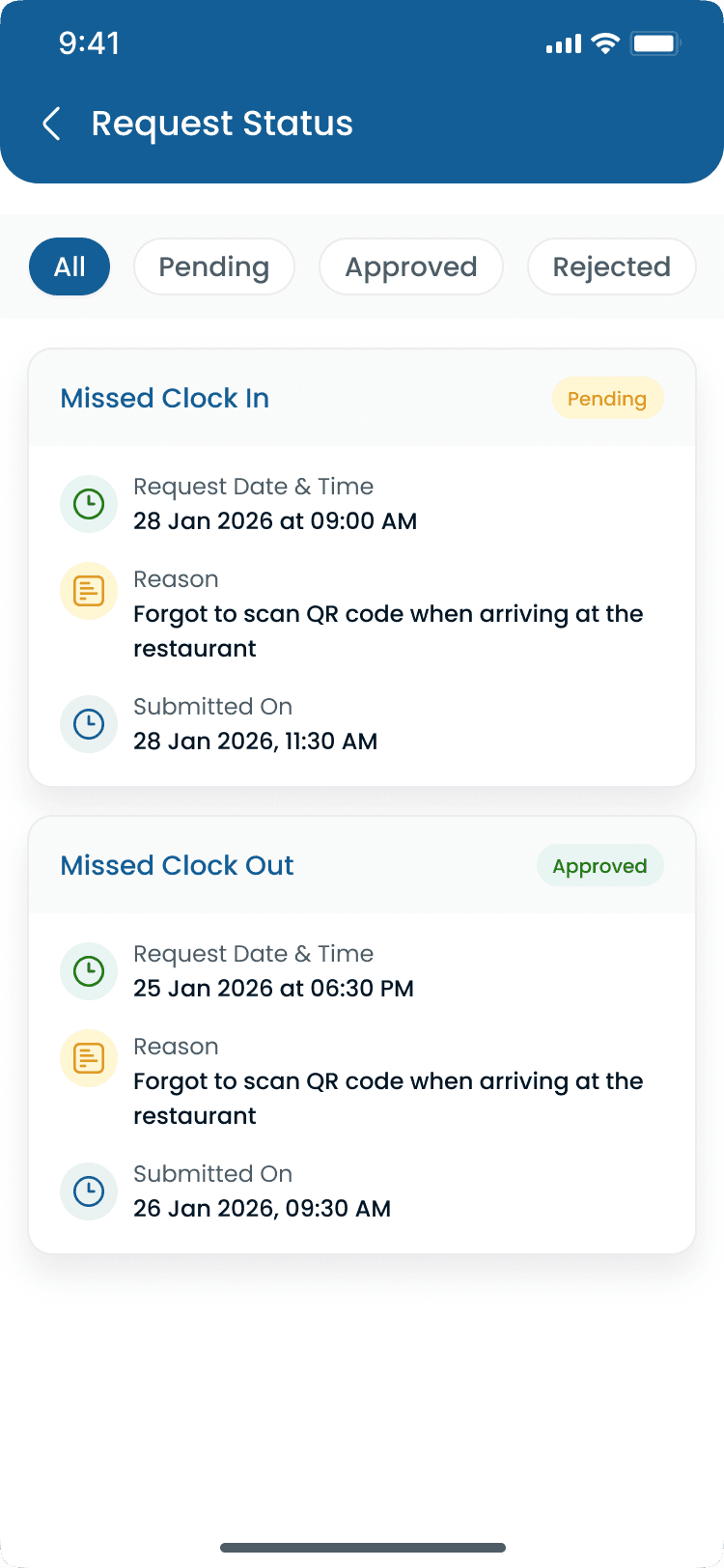
Attendance Corrections & Requests
Heyshift response
Let employees submit attendance-related requests directly while managers approve with transparent workflows.
Request Types
- Forgot clock-in requests
- Forgot break punch requests
- Overtime requests
- Attendance edit requests
- Shift correction requests
Approval Workflow
- Manager approval process
- Attendance regularization
- Request history tracking
- Multi-level approvals
This improves transparency while reducing HR workload.
Workforce Visibility Across Locations
Heyshift response
Track attendance across branches, departments, teams, and roles with centralized workforce oversight.
Track attendance across:
- Multiple branches
- Departments
- Teams
- Roles
- Job positions
- Locations
Managers can filter attendance instantly for better operational oversight.
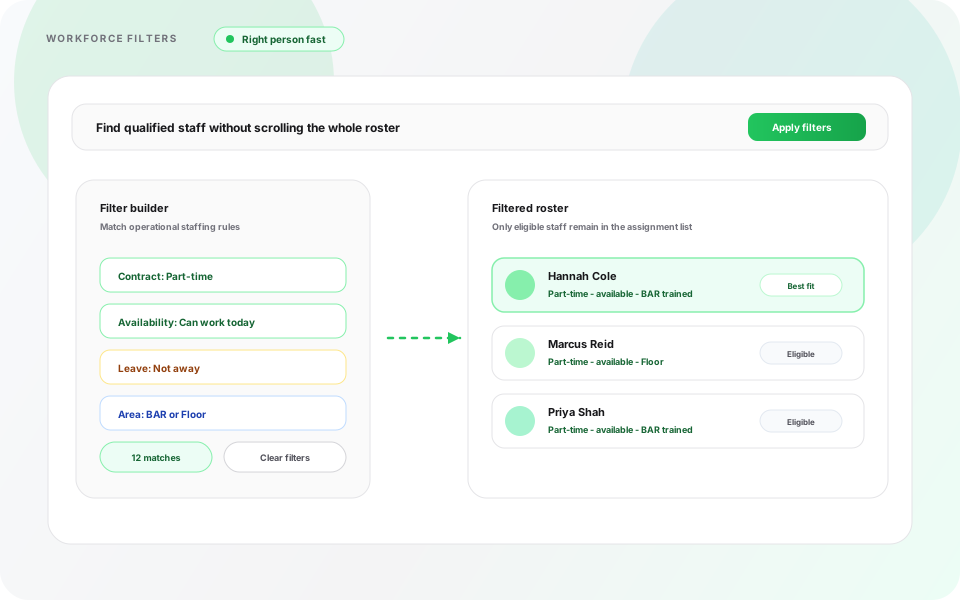
Smart Attendance Filters
Heyshift response
Search and filter workforce attendance data quickly for large and complex operations.
Advanced Filters
- Employee name
- Branch and location
- Department
- Job role
- Attendance status
- Date range
- Shift type
- Overtime records
Perfect for managers handling large workforce operations.
Payroll-Ready Attendance Reports
Heyshift response
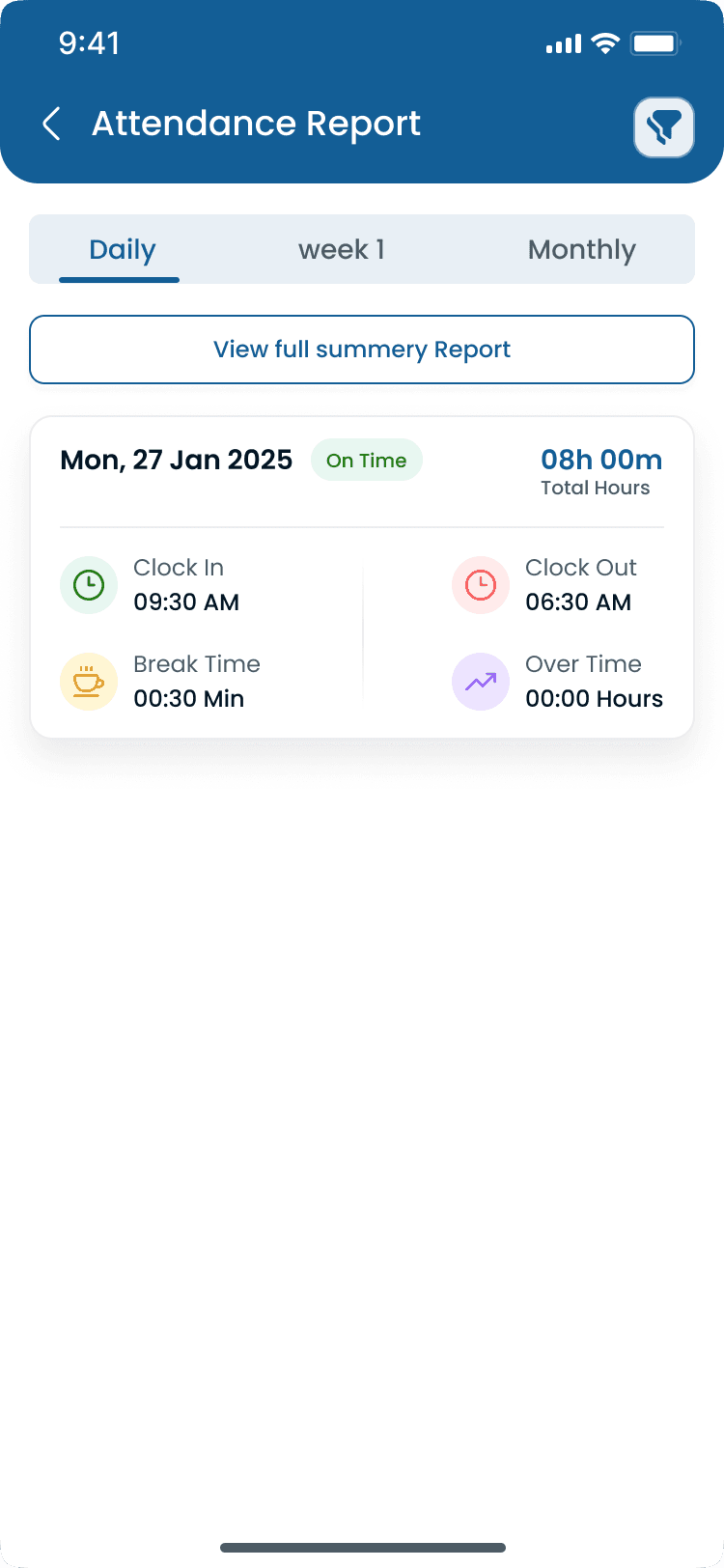
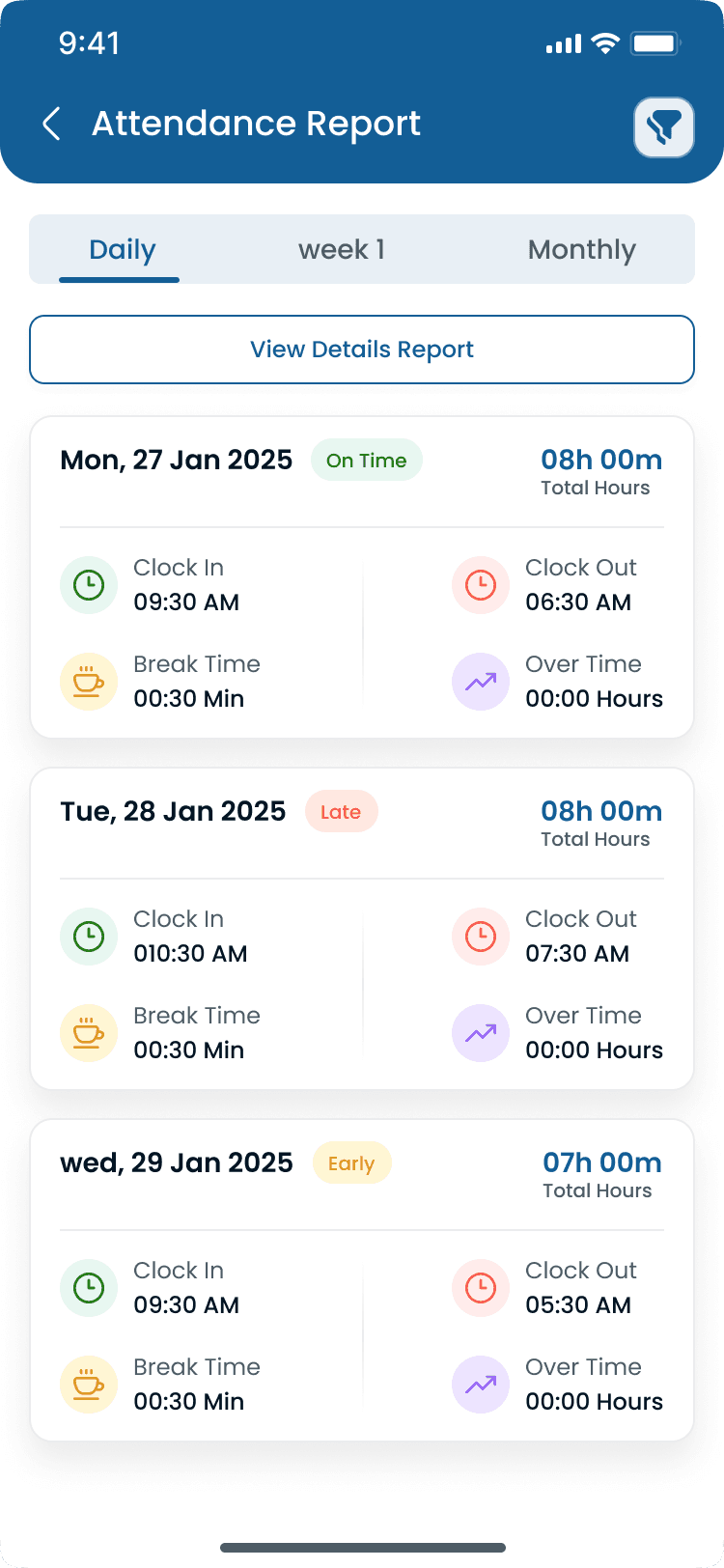
Generate accurate attendance reports and exports for payroll processing and workforce analysis.
Reports Available
- Daily attendance reports
- Monthly summaries
- Overtime reports
- Break time reports
- Late arrival reports
- Leave and absence tracking
- Workforce productivity insights
Export Options
- Excel export
- PDF download
- Payroll-ready reports
Reduce payroll processing time and improve reporting accuracy.
Mobile Attendance Experience
Heyshift response
Employees can manage attendance directly from mobile to improve communication and day-to-day experience.
Employee Mobile Features
- Clock in and out
- View attendance history
- Submit correction requests
- Track overtime
- Check leave balances
- View schedules
- Monitor working hours
This improves workforce communication and employee experience.
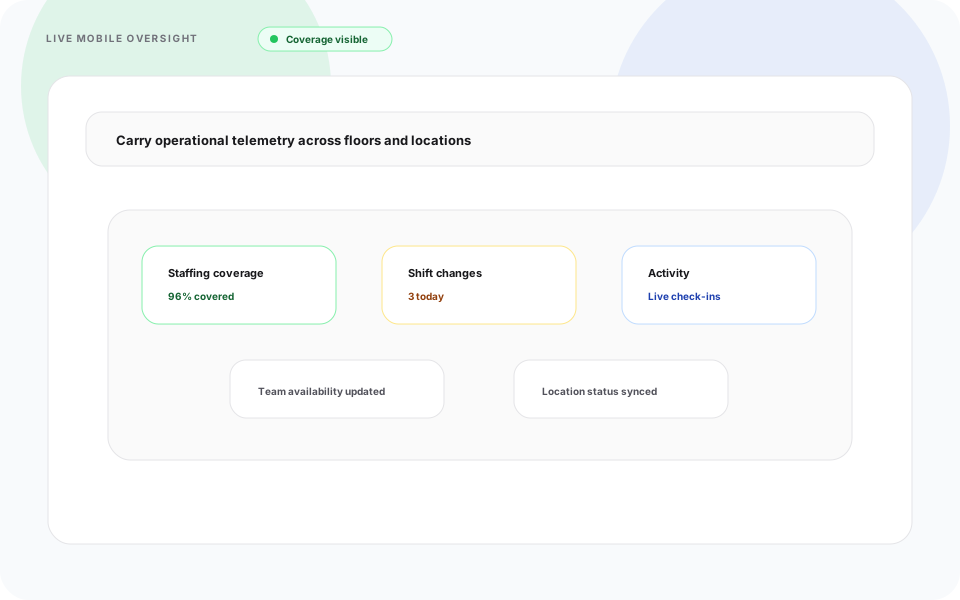
Multi-Location Attendance Management
Heyshift response
Manage attendance operations across growing sites from one centralized system.
Multi-Location Features
- Branch-specific attendance rules
- Department-based tracking
- Shared workforce management
- Centralized reporting
- Cross-location visibility
Manage attendance operations from one centralized system.
Why Businesses Choose Heyshift Attendance Tracker
Heyshift response
Teams adopt Heyshift to improve accountability, visibility, and workforce efficiency with less manual effort.
Benefits
- Reduce payroll errors
- Improve workforce accountability
- Track attendance in real time
- Simplify overtime management
- Improve operational visibility
- Reduce manual HR work
- Increase workforce efficiency
- Support growing multi-location businesses
Smarter Attendance Tracking Starts Here
Heyshift response
Heyshift helps businesses manage workforce time and improve operational accuracy from one modern platform.
Heyshift Attendance Tracker helps businesses manage workforce time, improve operational accuracy, and gain complete visibility into employee attendance from one modern workforce management platform.

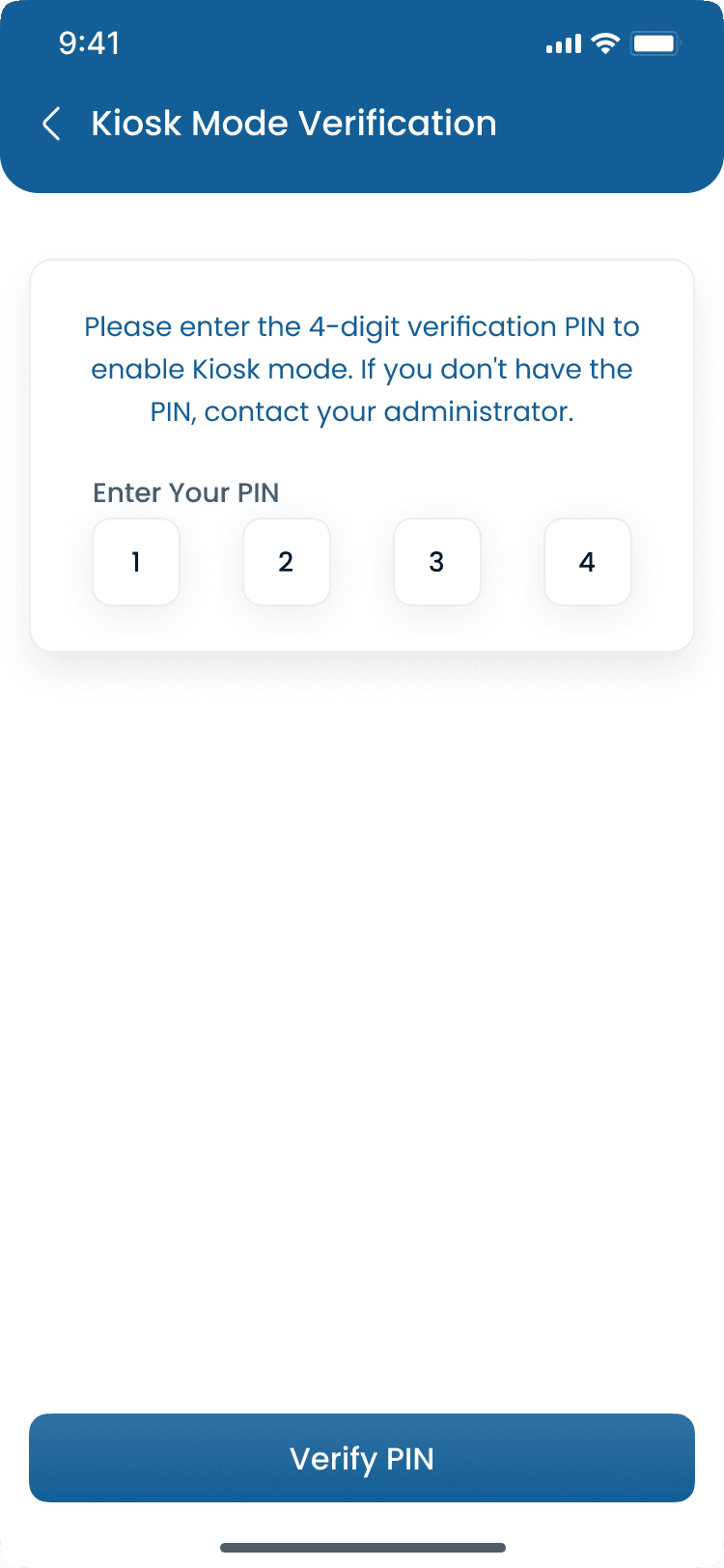
Attendance on mobile
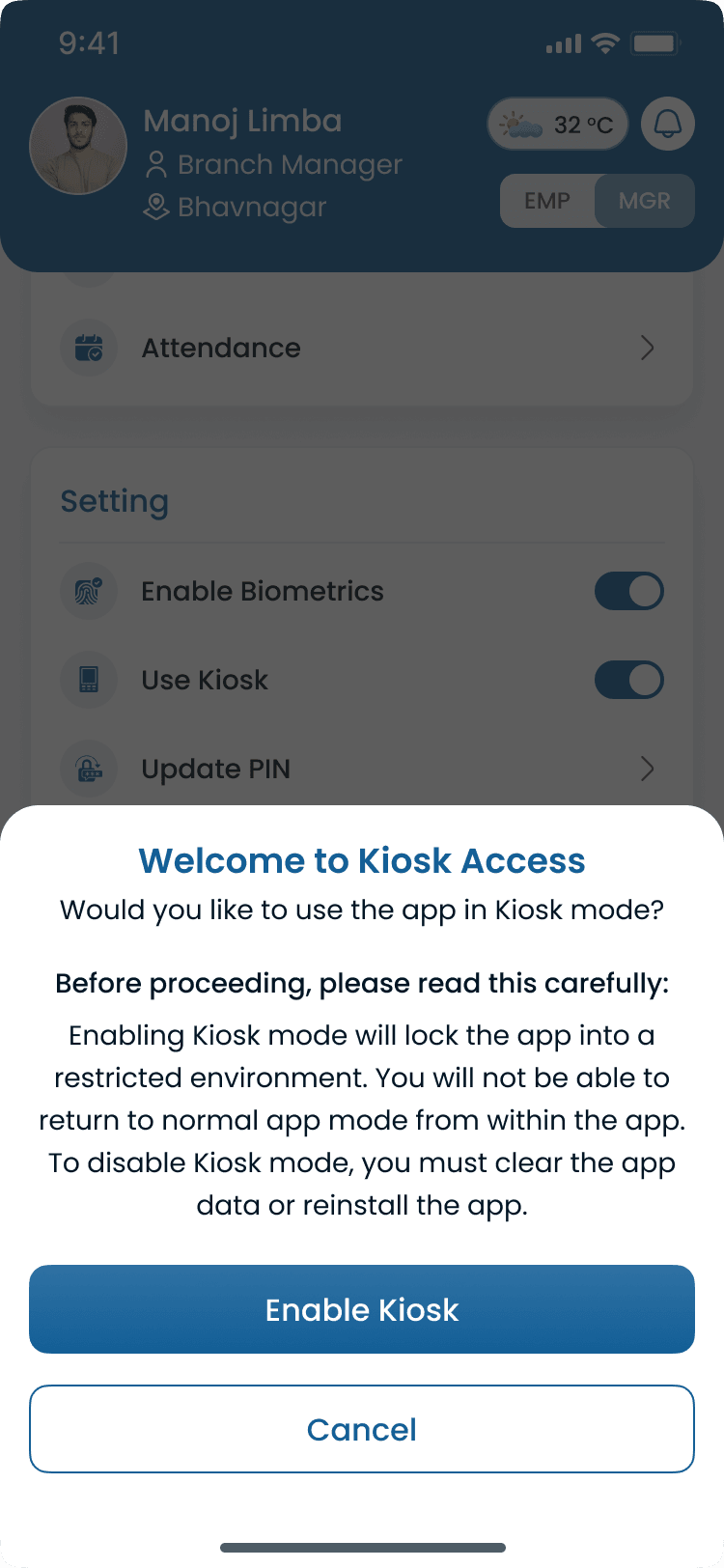
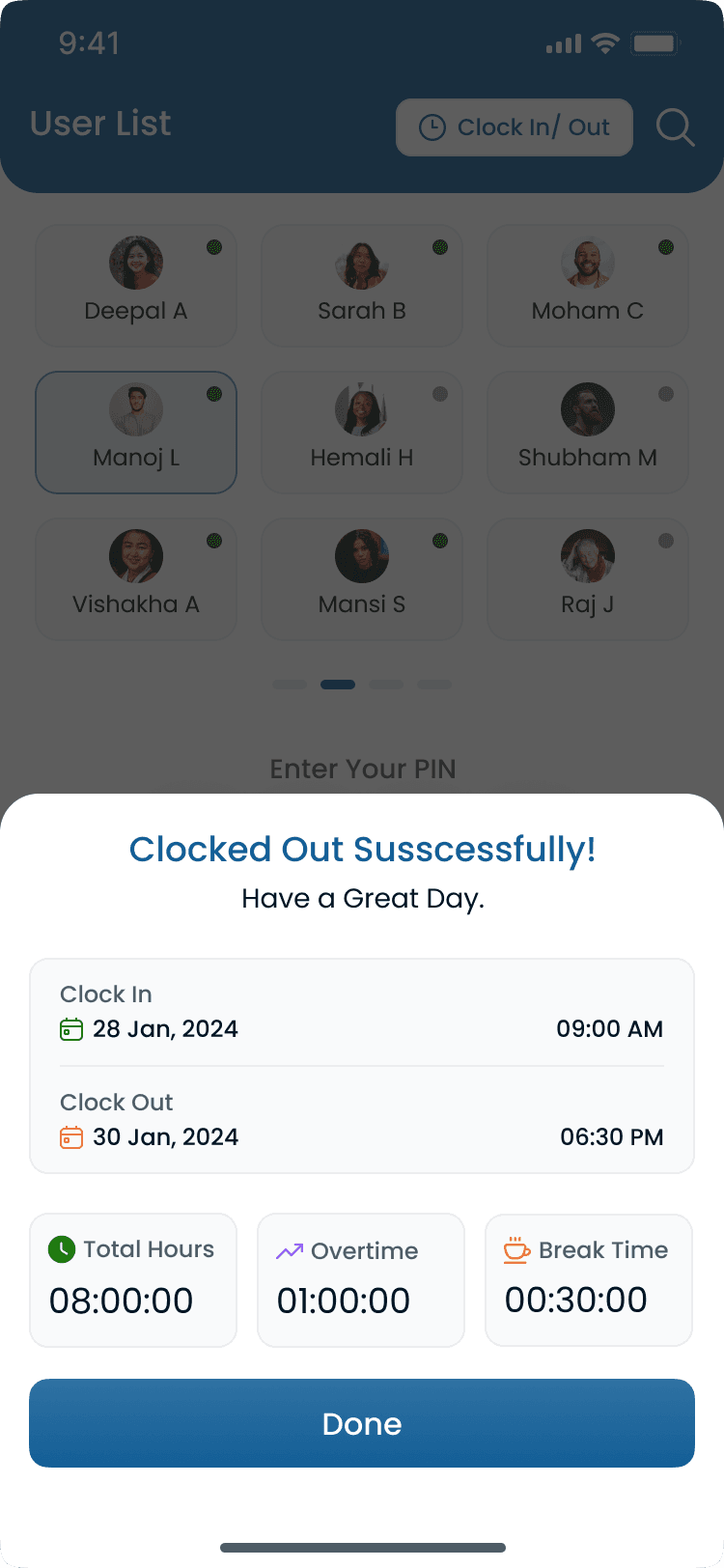
Staff clock-in, manager review, and kiosk mode. Each flow matches the Heyshift app screens tied to the published rota.
Attendance flow Staff
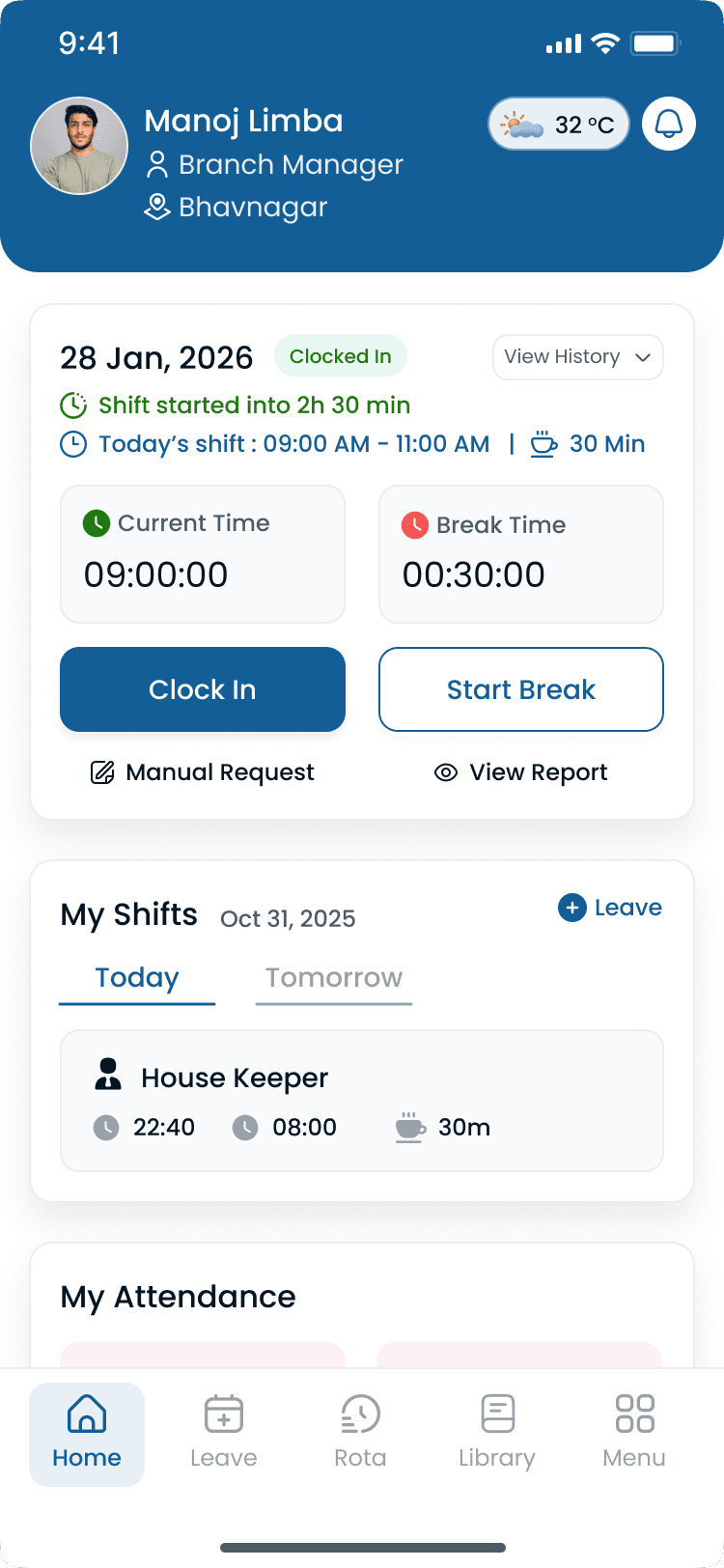
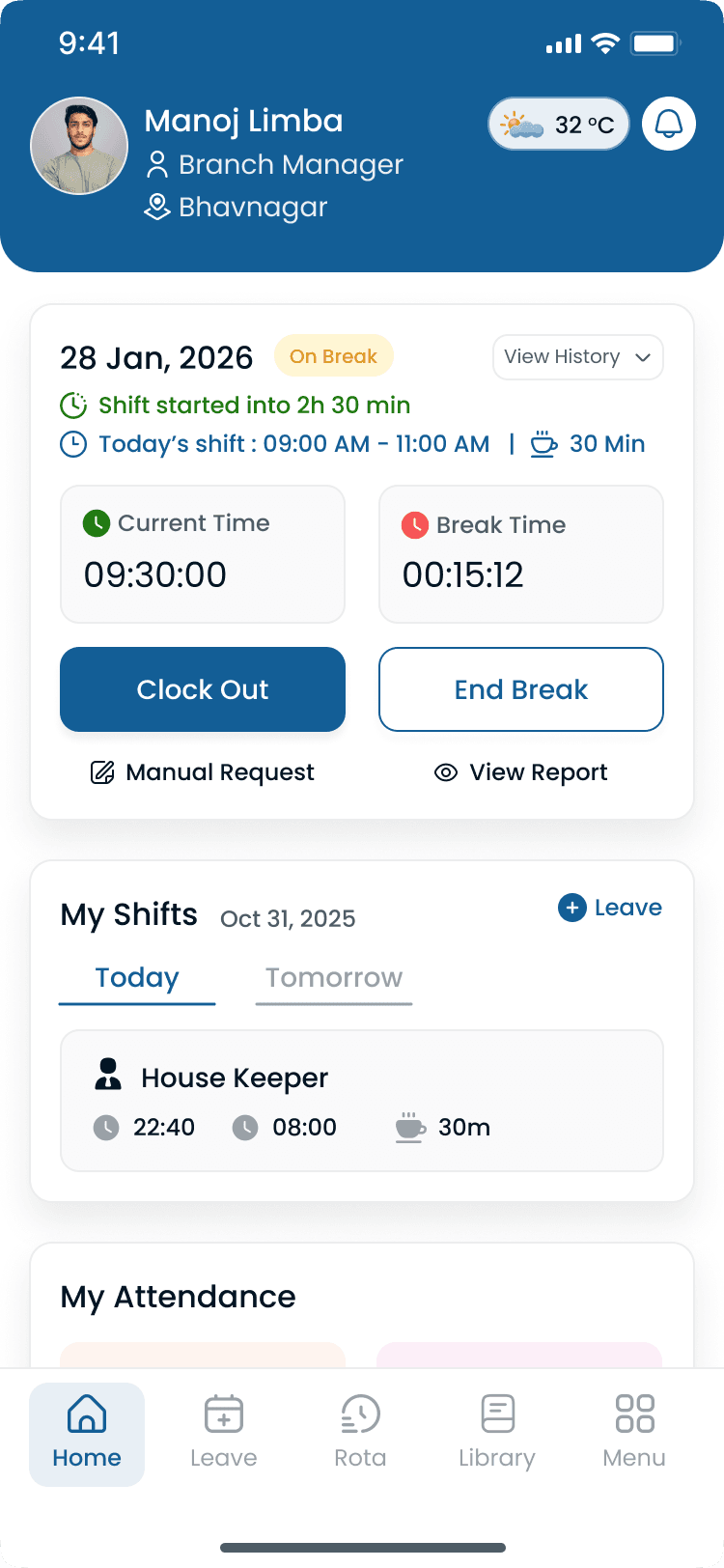
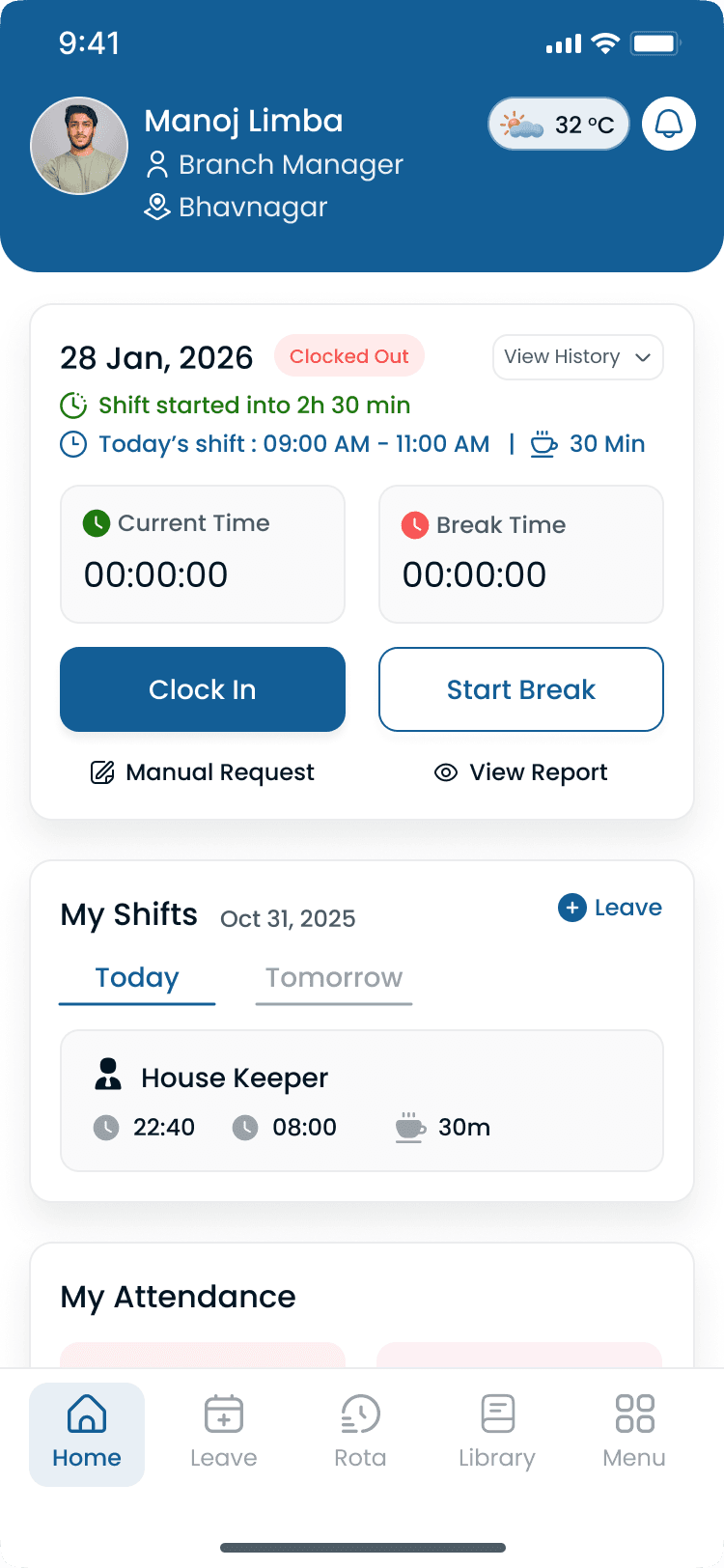
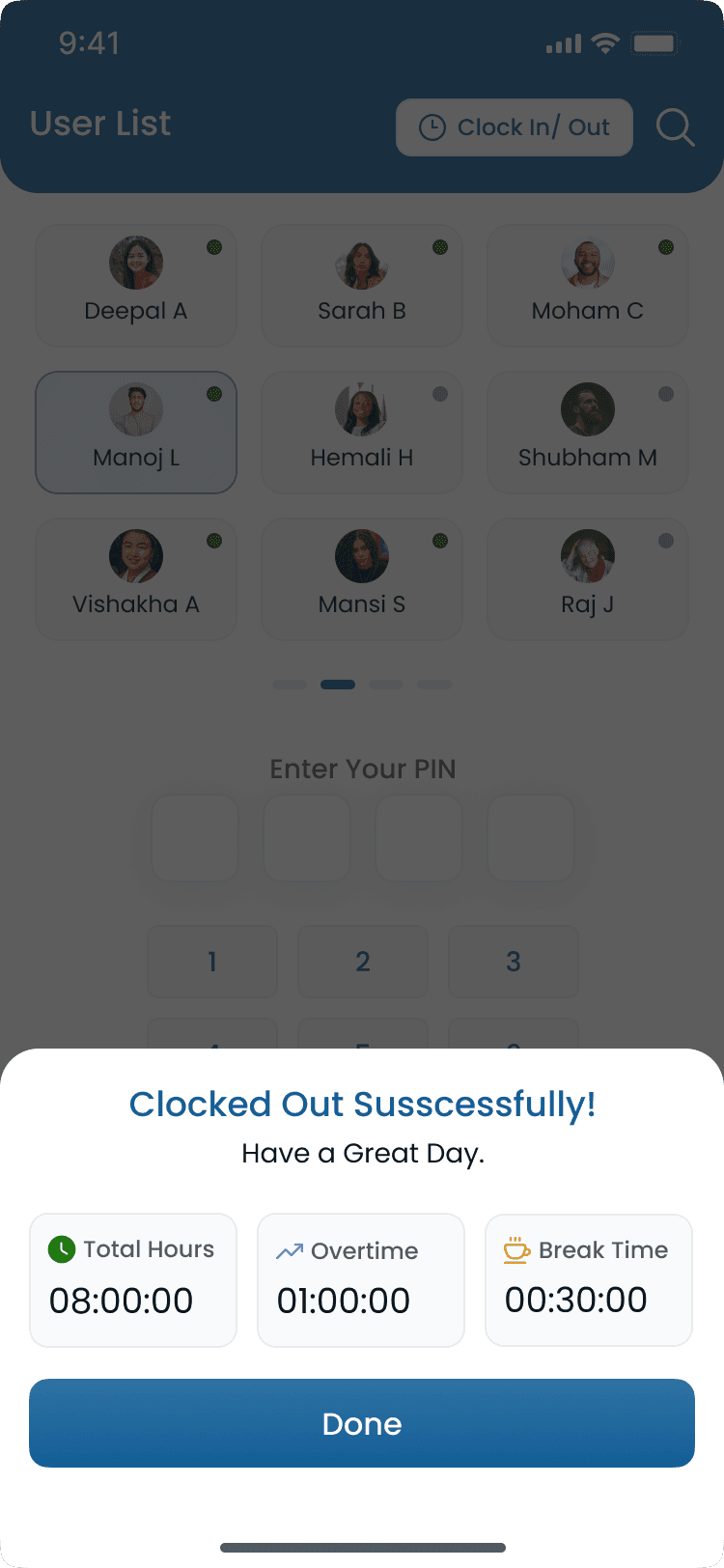
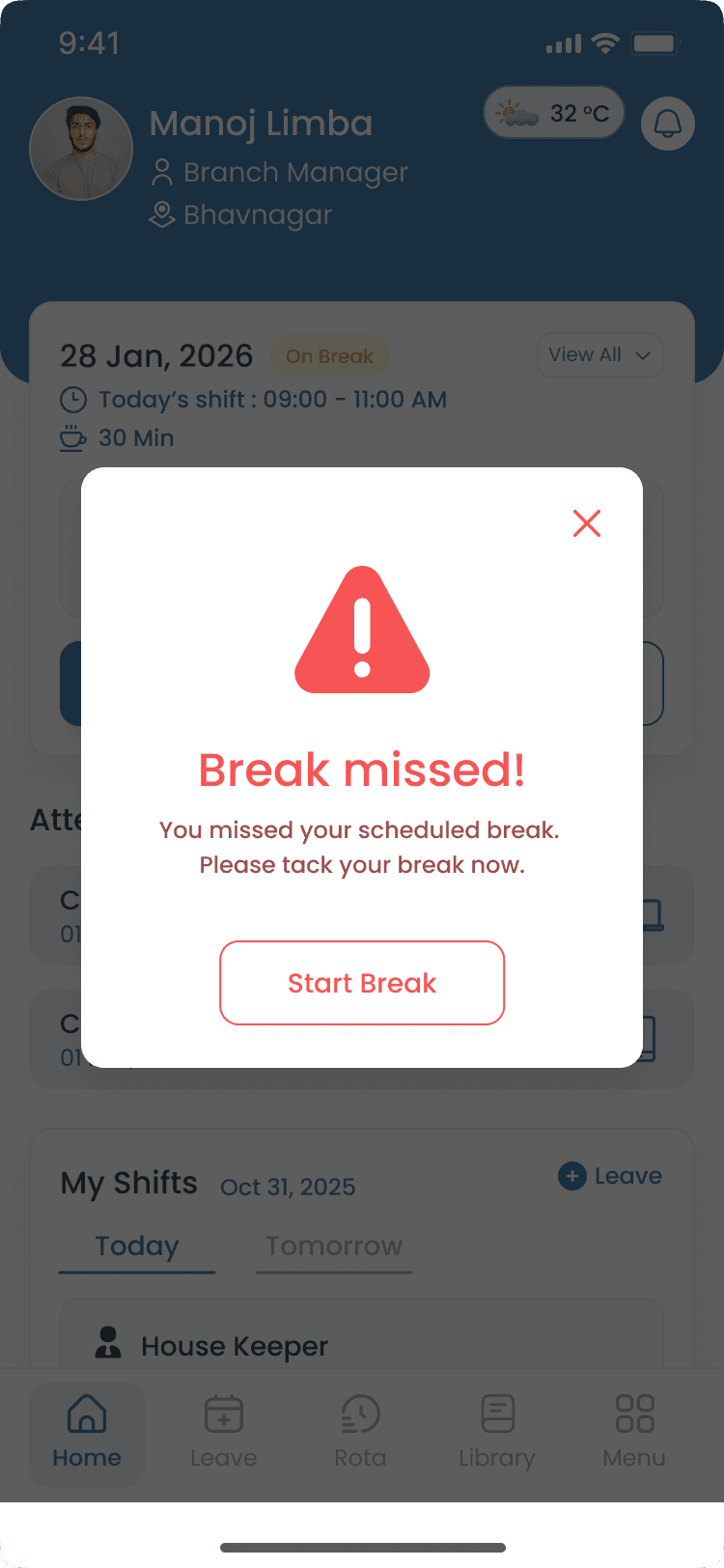
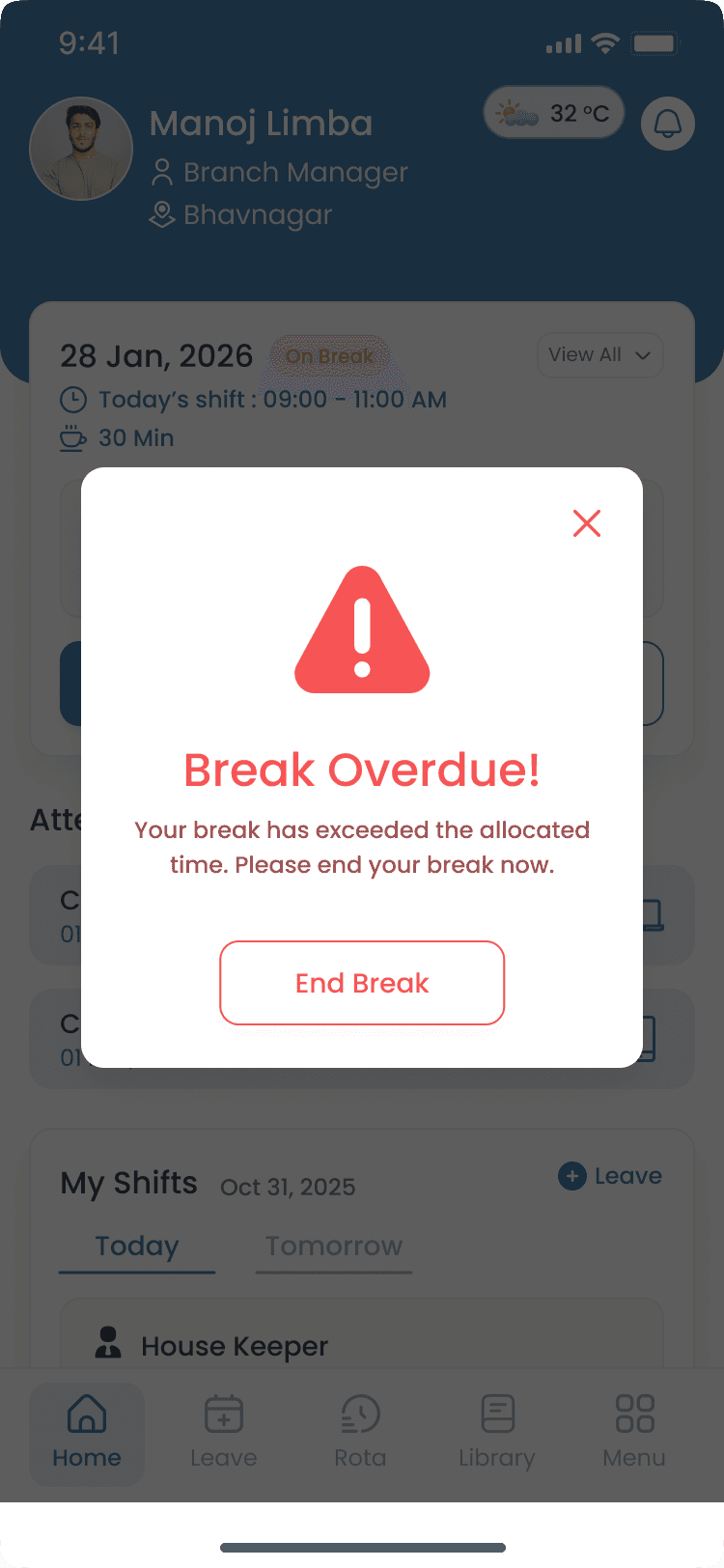
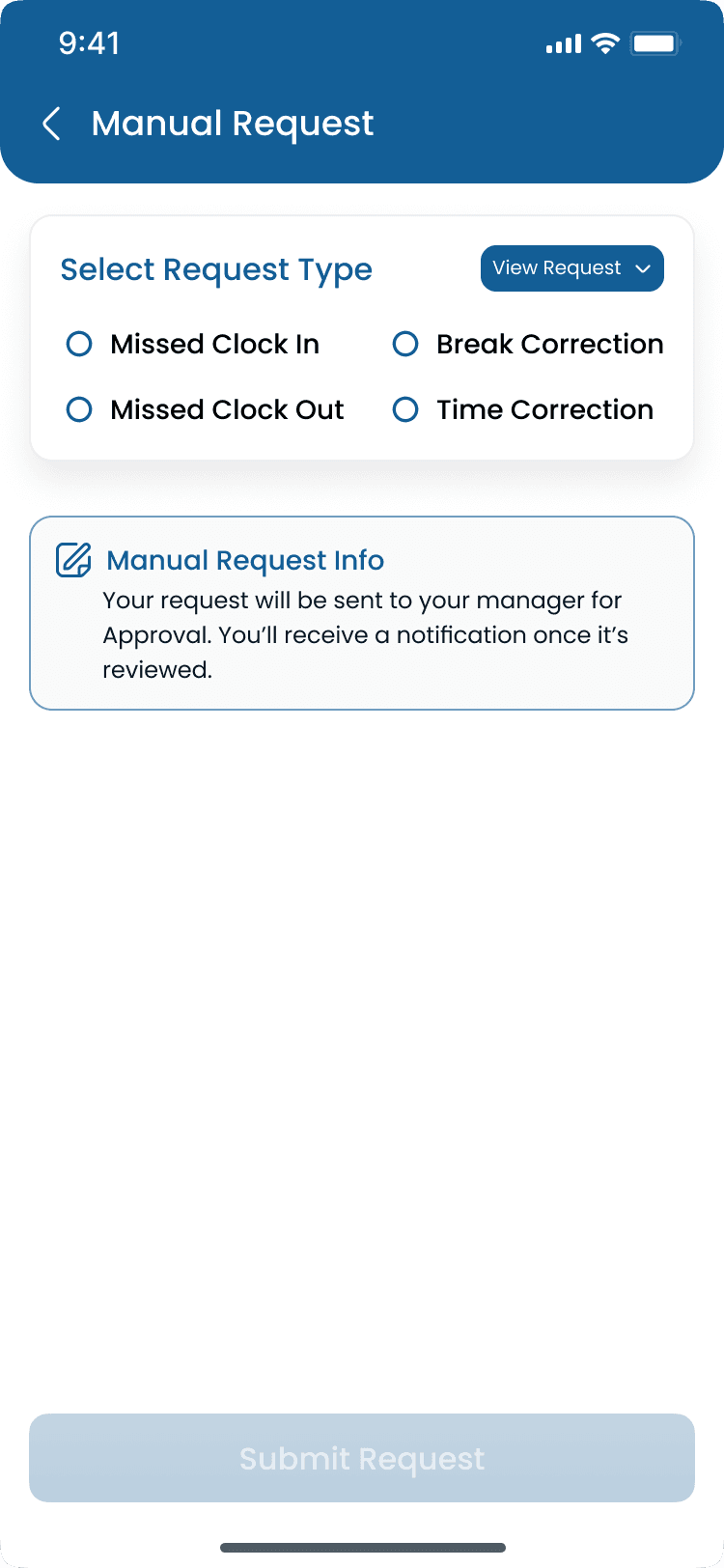
Manager Attendance Flow
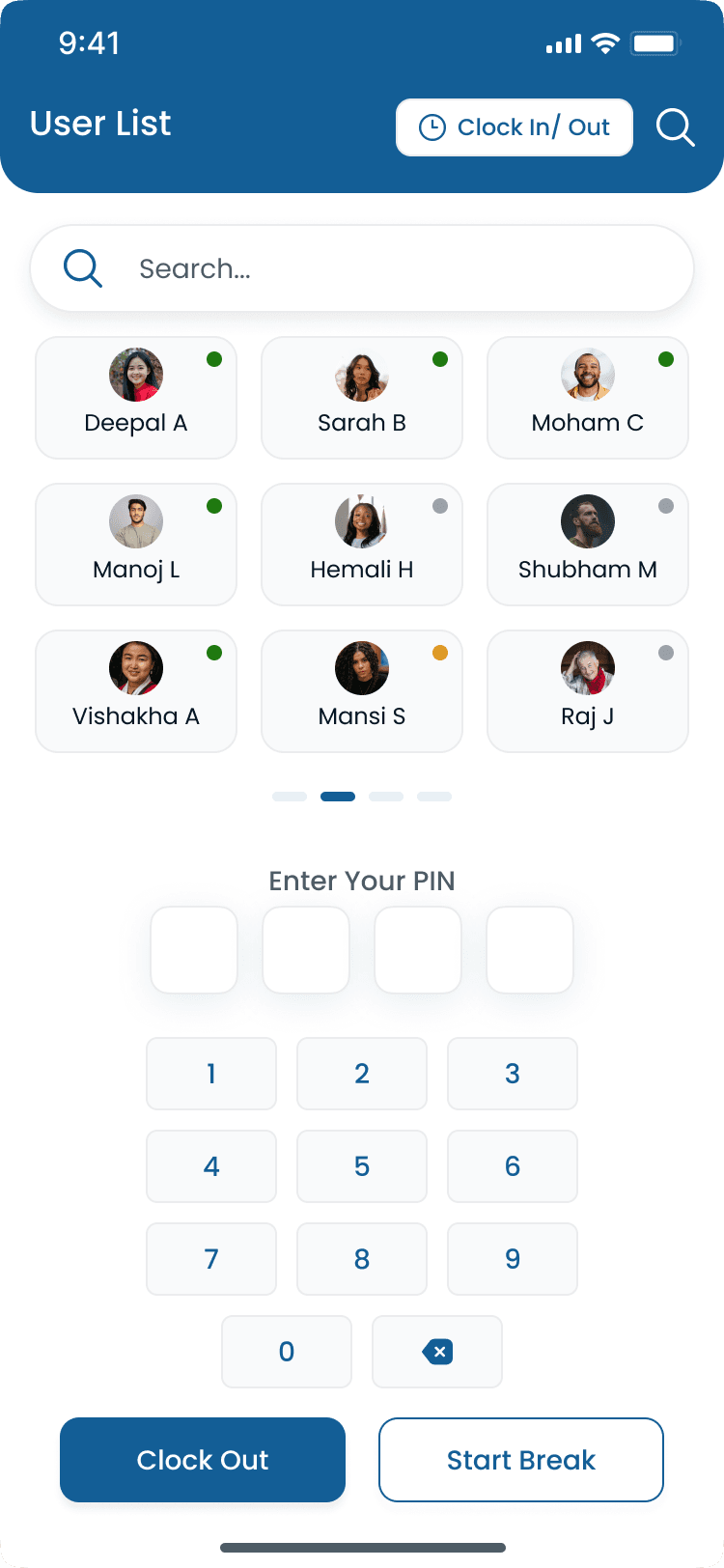
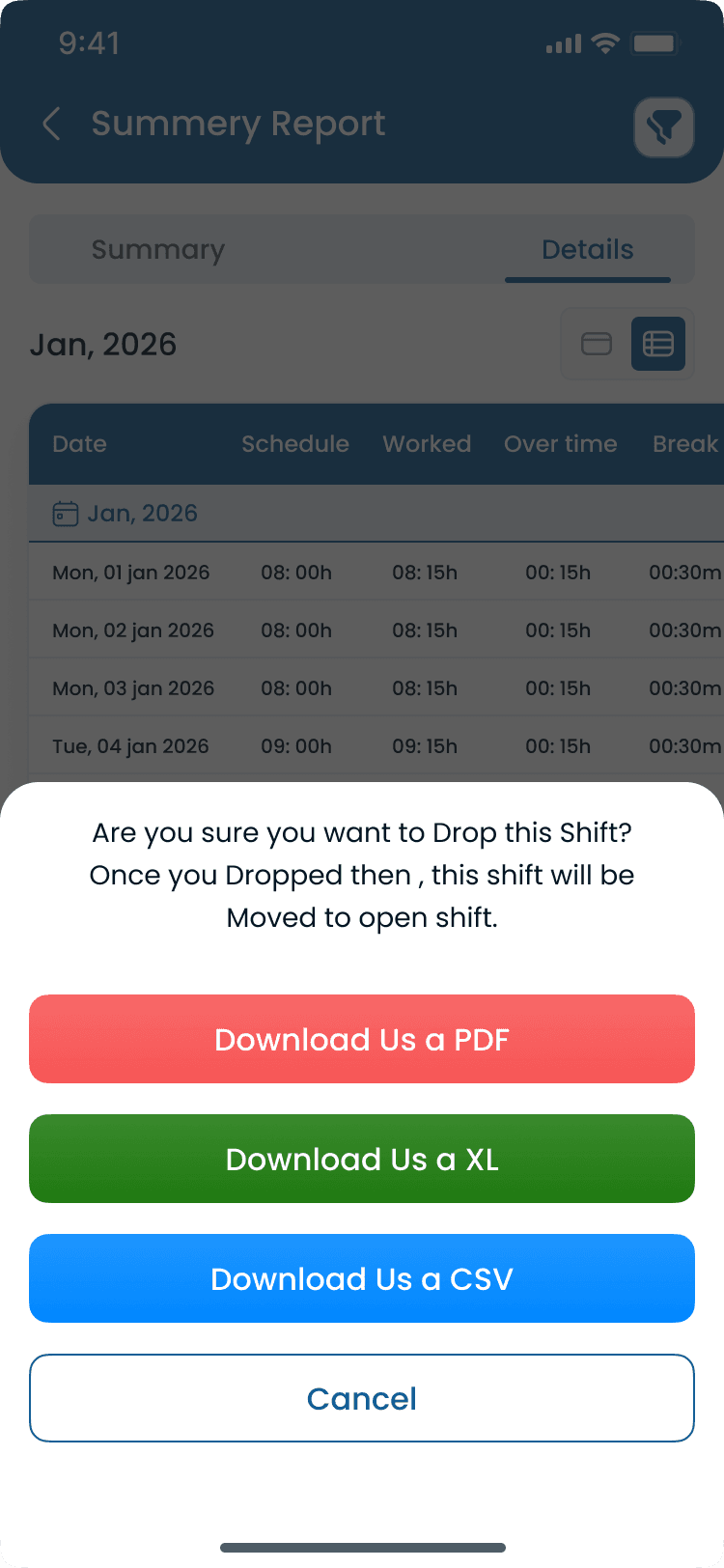
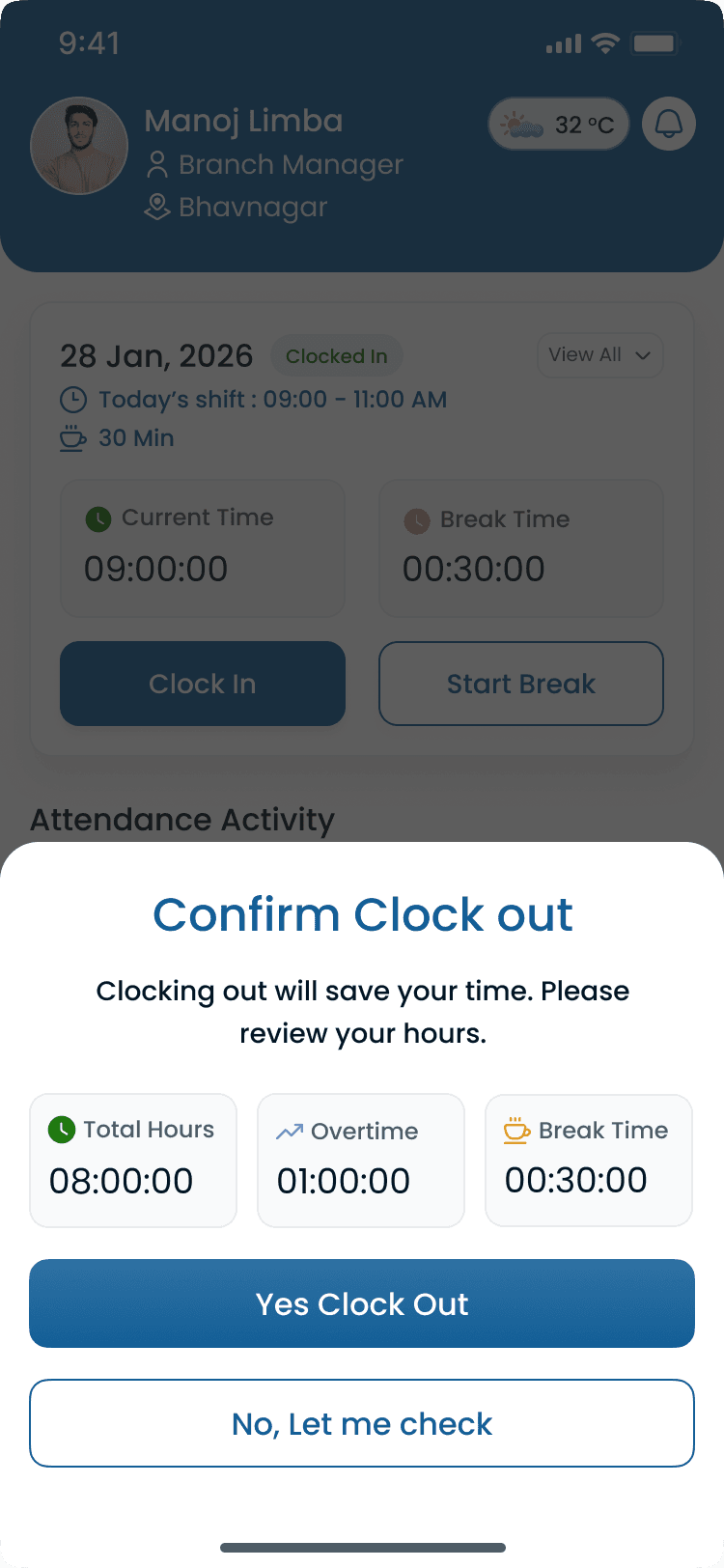
Kiosk Mode
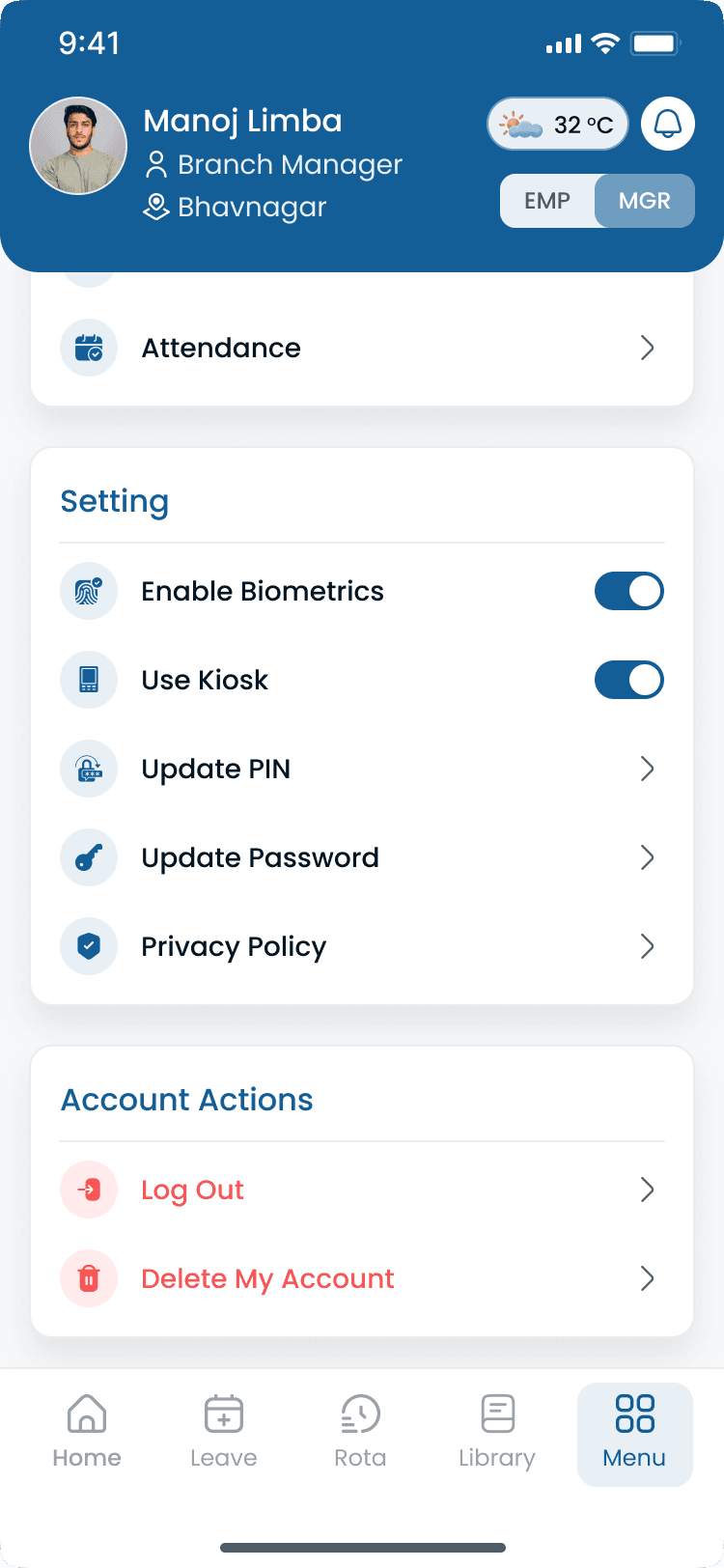
Walkthrough
Match Attendance Tracker to how you publish today
Bring your locations and publish rules, we walk the grid against them, not a canned deck.
Complete the picture
Often rolled out together
Most evaluations span multiple capabilities, jump to what's next on your checklist.
Cost Insights
Labor Cost & Attendance Insights
Track labor costs, compare scheduled hours with actual attendance, and make staffing decisions with financial visibility built into the rota.
Explore capabilityCost Insights
Payroll
Carry finance-week labor totals from Heyshift into payroll runs with fewer exports, reconciliations, and late surprises.
Explore capabilityScheduling core
Shift scheduling
Multi-view schedules, areas, copy weeks, bulk publish, and cost-aware shift creation.
Explore capabilityAnswers before you commit for Attendance Tracker
Rollout, pricing, and fit for Attendance Tracker, straight answers in the same voice as the capability sections above.