

Food & beverage
Restaurants
Peak-hour coverage, open shifts, and kitchen vs floor areas
- Peak-hour coverage
- Open shifts
- Kitchen vs floor
Employee scheduling and shift planning for USA businesses with multi-site rosters and finance-week aware coverage.
Operational workforce scheduling
Create shifts, manage attendance, control labor costs, and coordinate multi-location teams from one easy platform. Heyshift is employee scheduling software for operators who need shift visibility, not a full HRMS rollout. For coverage and hours before publish, see workforce scheduling software.
Built for healthcare, restaurants, retail, hospitality, warehouses and operational teams.
30-day free trial on every plan, then Starter from $4/seat per month ($3.60 billed yearly). Mobile access included for staff and managers. View pricing.
Manual scheduling creates friction every week. Teams searching for employee shift scheduling software usually want one authoritative roster, not five versions of the same week scattered across tools.
Before
Spreadsheets & chat apps
Manual updates with no single source of truth.
After
One published roster
Web and mobile share the same official version.
fx=VLOOKUP(D4, OLD_SHEET!A:Z, 3, FALSE)
Coverage conflict on Thursday close
Excel lists Hannah; ops chat lists Owen. Two staff affected.
24 staff notified
Swaps and pickups in one queue
Labor visible
Planned vs worked before payroll close
Read across4 operational fixesEach row moves from weekly friction to a workflow managers can run from one platform.
Missed shifts when updates live in chats and shared tabs
One publish alerts staff, so everyone works from the official roster on web and mobile
Overtime surprises discovered after payroll cutoff
Scheduled hours and labor signals show while you plan, not after payroll close
Staffing conflicts from unclear availability and leave
Availability, leave, and open shifts stay on the same live grid
Communication gaps when only one manager knows the latest version
Every supervisor shares one roster, with no shadow spreadsheets or side threads
Heyshift helps managers create, publish, and update employee schedules from web and mobile. Your team scheduling software stays tied to locations, availability, attendance, and labor context, so supervisors coordinate from one operational platform instead of rescue mode every Sunday night.
Heyshift is employee scheduling software built around how shift-based teams actually operate: planning, publishing, mobile updates, and attendance in one path.
Build day, week, and finance-week rotas with templates, copy-week tools, and one publish path so managers stop rebuilding coverage from scratch.
Learn moreSee who is available, on leave, or prefers certain days before you lock shifts. Availability sits on the roster, not in a side spreadsheet.
Learn morePublish open shifts staff can pick up from mobile. Coverage gaps surface early instead of through last-minute group chats.
Learn moreEmployees request swaps from the app; managers approve in one queue. No screenshot threads or untracked handoffs.
Learn moreRun locations, areas, and supervisor views from one account. Compare coverage and publish readiness across sites.
Learn moreManagers adjust rotas and staff view official schedules on iOS and Android, the same roster version as desktop, not a PDF export.
Learn moreConnect published shifts to punches, breaks, and overtime. Planned hours stay beside worked time for cleaner payroll handoff.
Learn moreReview scheduled hours and labor signals while you plan, not after the week closes. Finance-week context lives beside the grid.
Learn moreGrowing operators need team scheduling software that respects real structure: locations, areas, supervisors, and coverage rules, not a single flat list of names.
Locations and areas in one account
Structure each site with named areas that match how supervisors walk the floor: serving, kitchen, warehouse zones, or clinical pods.
Supervisor visibility without shadow schedules
District and area leads review publish readiness, open shifts, and approval queues without maintaining parallel spreadsheets.
Centralized coverage decisions
Move staff across locations when you need backup coverage, with the same roster rules and audit trail as single-site teams.
Comparable patterns across sites
Copy successful week templates between locations so multi-site operators scale scheduling discipline, not chaos.
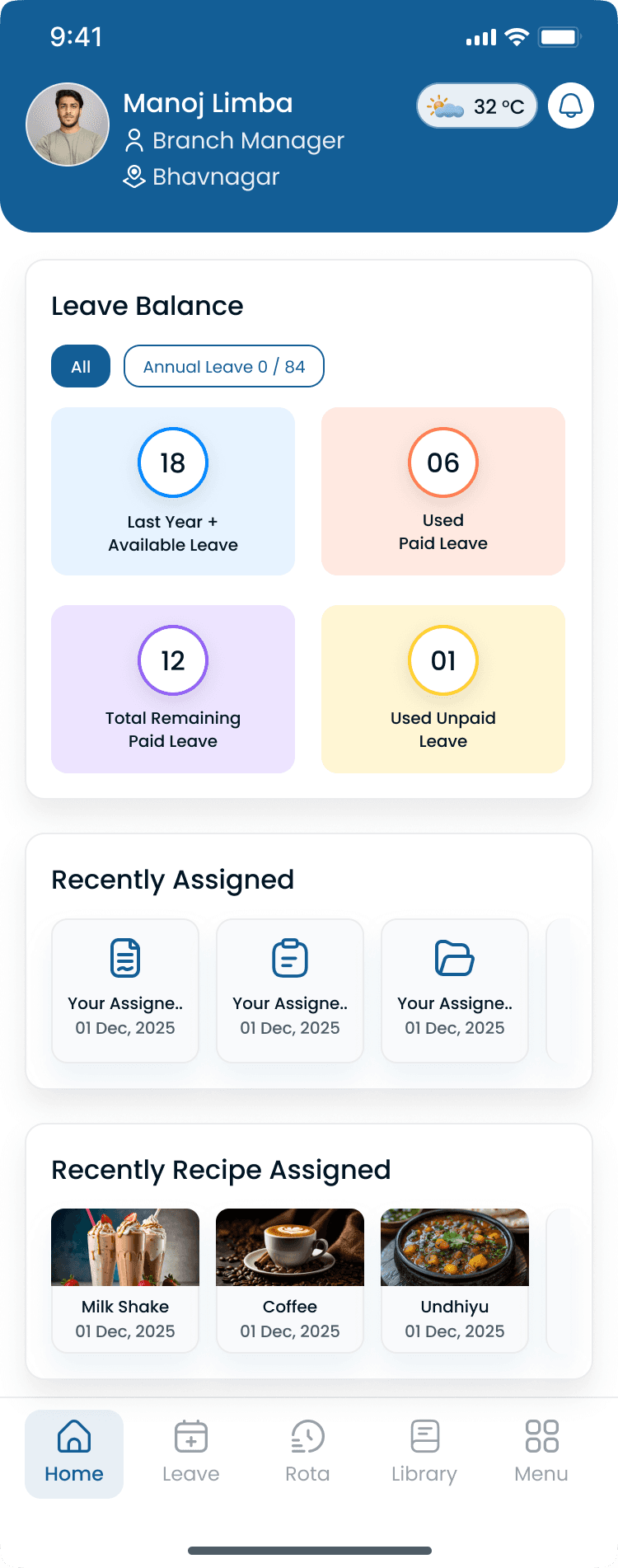
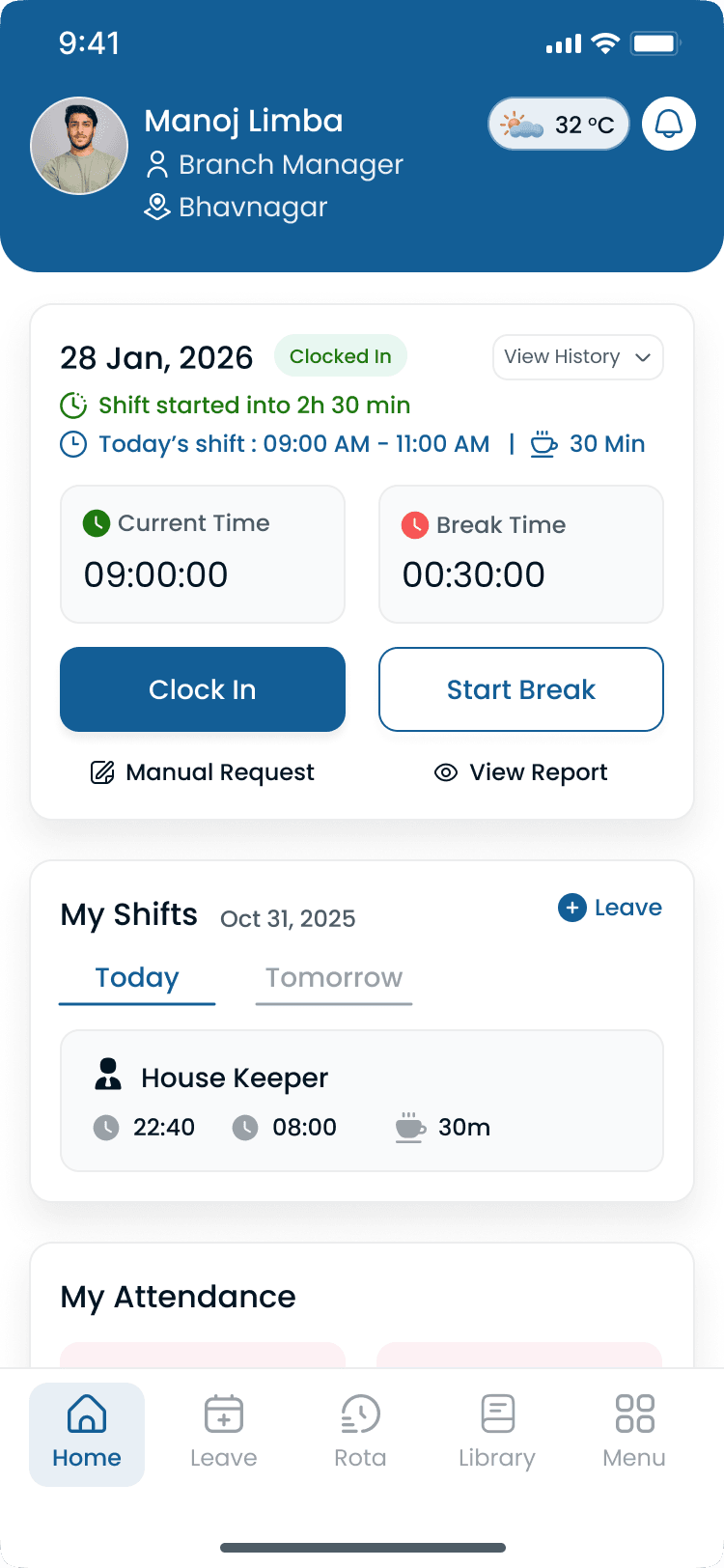
Buyers comparing staff scheduling software often ask whether attendance is included. Heyshift connects shift planning to time tracking so planned vs worked hours stay visible for managers and finance. See attendance management software for the full punch and correction workflow.
Time tracking tied to published shifts
Clock events reference the schedule managers published, so variance conversations start from one official plan.
Attendance beside the roster
See who is in, late, or on break without switching to a separate attendance system for daily ops.
Overtime visibility before close
Spot hours trending over plan while there is still time to adjust coverage, not during payroll rescue mode.
Planned vs worked hours
Compare scheduled time to actual punches for cleaner labor reporting and fewer end-of-week disputes.
Heyshift is scheduling software for small business teams and regional operators alike. Any environment where coverage, mobile updates, and labor discipline matter every week.
Food & beverage
Peak-hour coverage, open shifts, and kitchen vs floor areas
Stores & districts
Multi-store rotas, seasonal staffing, and floor coverage
Fulfillment
Shift blocks, zone coverage, and overtime control
Stay & events
Event peaks, multi-venue coordination, and mobile updates
Clinical ops
Clinical support teams, leave visibility, and compliance-friendly records
Field services
Route-based sites, supervisor sign-off, and mobile clock-in
Explore how operators roll out scheduling by segment for multi-site teams.
The best employee scheduling app is the one managers actually publish from. Outcomes matter more than feature checklists.
01
Templates, copy-week, and bulk publish cut the hours managers spend rebuilding rotas every cycle.
02
Availability, leave, and open shifts stay on the same grid, with fewer double-bookings and last-minute scrambles.
03
Punches and exceptions sit next to the published schedule so daily ops and payroll share one story.
04
Scheduled hours and labor signals appear while you plan, not only after export to finance.
05
Swaps, approvals, and publish alerts move through one workflow instead of scattered chats.
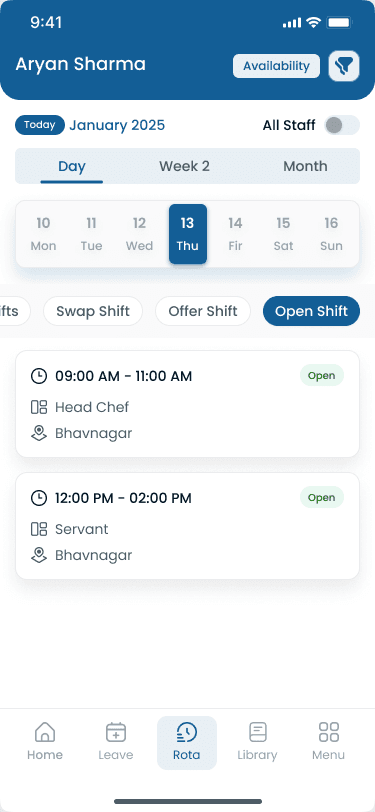
Heyshift is employee scheduling software for operational teams, not HRMS software. You get modern shift coordination without importing every HR module your business will never use.
Start from how you already plan weeks: locations, areas, and publish, without a six-month HRIS implementation.
A scheduling surface built for weekly ops, not a legacy enterprise module buried in admin menus.
Seat-based pricing, 30-day free trial, and rollout paths sized for growing operators, not only global HR teams.
Staff and managers act from the app when shifts change; desktop stays the planning command center.
Common questions from teams evaluating shift scheduling apps, mobile access, and multi-location rollout.
Get started
Start a 30-day free trial or book a walkthrough tailored to shift planning, publish discipline, and mobile roster access for growing hourly teams.