

Typical warehouse stack
Four tools, one weekly rebuild
- Weekly Excel schedule for receiving and outbound
- Coverage changes by radio or group text
- Clock-ins in a separate time clock
- No live view of hours vs the published roster
Employee scheduling and shift planning for USA businesses with multi-site rosters and finance-week aware coverage.
Publish receiving, pick-pack, and outbound coverage, then see clock-ins and hours on the same official roster.
Built for distribution centers, fulfillment floors, cold storage, 3PL docks, and multi-site warehouse networks.
30-day free trial on every plan, then Starter from $4/seat per month ($3.60 billed yearly). Mobile access included for staff and managers. View pricing.
Supervisors rebuild the week when a trailer lands late, a picker calls off, or outbound volume jumps. Spreadsheets, radio, and a separate time clock do not stay in sync. Heyshift keeps the published roster and clock-ins together so leads spend less time chasing coverage.
Warehouse scheduling should match the floor: shift bands, zones, and clock-ins on one roster. Heyshift is for ops teams that need coverage plus attendance without a heavy WMS or HRMS rollout.
01
Coverage gaps on receiving or pick lanes during peak windows
Zone-based templates and one publish path so every shift band sees the same week, not a photo in a group chat
02
Attendance that does not match the schedule supervisors approved
Clock-ins, breaks, and worked hours linked to published shifts for planned-vs-worked reviews
03
Extra hours that show up after the week is already paid
Scheduled vs worked hours while you still staff Fri-Sun outbound, not only at payroll export
04
Staffing shortages with no shared open-shift list
Open shifts and availability on the grid so leads fill gaps before pallets stack up
05
Schedule changes lost between shift leads and the office
Publish once; updates hit mobile and web so pickers and loaders chase the official roster
Spreadsheets, radio calls, and a separate time clock force supervisors to rebuild the week every time receiving, pick-pack, or outbound changes. Heyshift keeps the published roster, clock-ins, and zone coverage in one workflow.
Typical warehouse stack
Four tools, one weekly rebuild
On Heyshift
Floor coverage and attendance in one place
Publish receiving, pick-pack, and outbound coverage by shift band (AM, PM, and overnight) from one official roster.
Clock-ins, breaks, and worked hours sit beside the published shift so supervisors see planned vs actual on the floor.
See which dock door, pick aisle, or packing lane is short-staffed before the shift starts.
Scheduled hours and extra-hour risk sit beside the grid while leads still have time to move people between zones.
How it connects
One surface for dock and floor supervisors
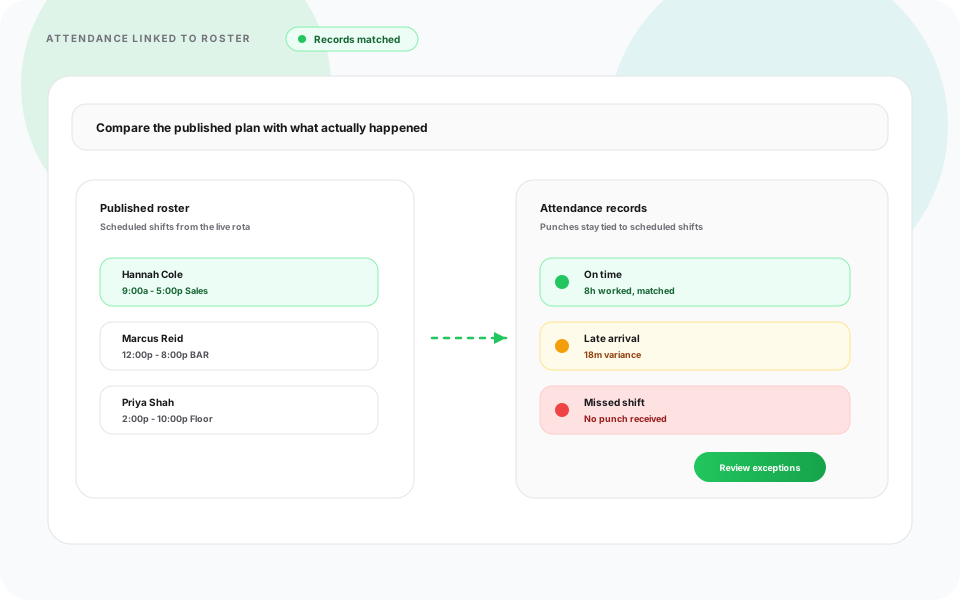
Shift bands, time off, clock-ins, and multi-DC coverage belong on one published roster, not Excel plus a standalone time clock.
Build receiving, pick-pack, and outbound lanes with templates, copy-week, and one publish for the floor.
ViewSchedule around PTO and availability before you lock weekend and peak outbound headcount.
ViewTrack clock-ins, breaks, and worked hours beside the shift supervisors published.
ViewSee which dock, pick aisle, or packing lane is short before the shift starts.
ViewRun schedules across warehouses and DCs from one account, without a separate file per site.
ViewPickers, packers, and dock crews see the same official roster on tablet and phone as desktop.
ViewA late inbound or a call-off on the pick line should not leave a dock door empty. Heyshift shows open lanes, hours, and clock-ins while supervisors still have time to move people.
See open dock doors and pick-lane headcount while building the week, not after the shift starts.
Availability and PTO sit on the same grid before you publish peak outbound windows.
Scheduled vs worked hours stay visible while leads can still move associates between zones.
Clock-ins tied to the published shift for planned vs actual on the floor.
Publish once. Pickers, packers, and loaders get the update on phone and web.
Coverage looks different on a high-volume DC, a fulfillment floor, a plant warehouse, a freezer, and a 3PL dock. Heyshift keeps receiving, pick-pack, and outbound on one published roster so each environment still staffs by zone and shift band.

High-volume DCs
Staff receiving, putaway, pick, pack, and shipping so trailers still leave on time. Balance AM, PM, and overnight headcount, then fill open shifts before pallets stack up.

Order volume
Order volume swings through the day. Staff pick and pack to the wave, keep carriers on cutoff, and push roster updates to the floor instead of reprinting the board.

Production support
Keep raw materials and finished goods moving so the line does not wait. Schedule operators, inventory, and dock crews around production windows.

Continuous ops
Freezer and cooler zones need coverage around the clock. Rotate AM, PM, and overnight crews so dock and storage stay staffed without burning the same people every week.

Multi-client 3PL
3PL sites often run more than one client on the same dock. Publish coverage by building and client without a separate spreadsheet per account.
Explore logistics scheduling for transportation and delivery teams, or compare warehouse software options.
A DC week needs more than one generic “warehouse associate” row. Schedule supervisors, pickers, packers, forklift operators, and dock crews on the same published roster, whether you run one building or several DCs.
Roles you can put on one roster
Supervisors balance inbound trailers, pick waves, outbound cutoffs, and headcount every day. Heyshift keeps AM, PM, and overnight coverage on one roster so the week does not get rebuilt from scratch.
What breaks on the floor
With Heyshift
Managers need a schedule that does not slow the floor down. Heyshift cuts weekly rebuild work, keeps receiving, pick-pack, and outbound staffed, and shows hours before extra time hits payroll.
Top outcome
Build and publish the week in minutes with templates, copy-week, and bulk publish instead of another spreadsheet rebuild.
Keep receiving, pick-pack, and outbound staffed, and fill open shifts without radio-only coverage.
Monitor clock-ins and worked hours beside the roster supervisors published.
See scheduled vs worked hours while leads still have time to move people between zones.
Coordinate warehouses and distribution centers from one dashboard without a separate file per site.
Floor mobile roster
Floor associates view published shifts and updates in the Heyshift mobile app.
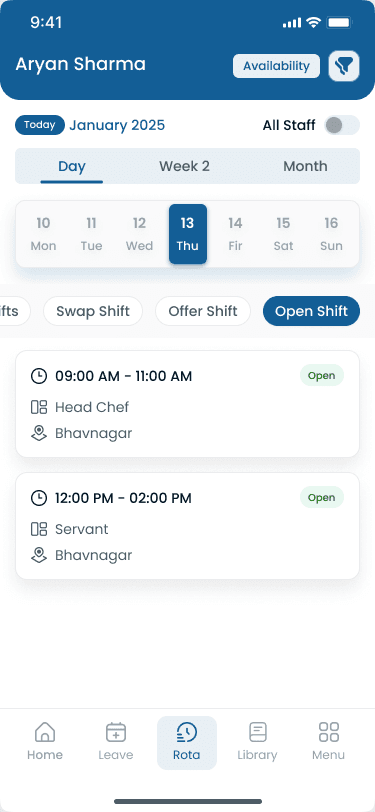
Many supervisors still build the week in Excel, then chase coverage by radio and keep clock-ins in a separate time clock. That breaks once you staff more than one zone or building.
| Capability | Manual scheduling | Heyshift |
|---|---|---|
| Weekly schedule updates | Versioned Excel files for receiving and outbound | Templates and copy-week for AM, PM, and overnight |
| Shift changes | Radio or group text when a picker calls off | Publish once; the official roster updates on phone and web |
| Coverage notifications | Phone trees with no record of who was asked | Open-shift alerts to available associates |
| Multi-location schedules | A separate file per warehouse | One dashboard across DCs and fulfillment sites |
| Staffing visibility | Hard to see who is scheduled vs who clocked in | Headcount and clock-ins beside the grid |
| Scheduling accuracy | Parallel versions for pick, pack, and dock | One publish path for every zone |
Supervisors plan receiving, pick-pack, and outbound on desktop. Floor crews see the official roster on their phone, and clock-ins stay tied to the published shift.
Supervisors build receiving, pick-pack, and outbound lanes on one grid, then publish a single official week. Copy-week and templates cut rebuild time when holiday volume or a late inbound wave hits mid-pay period.
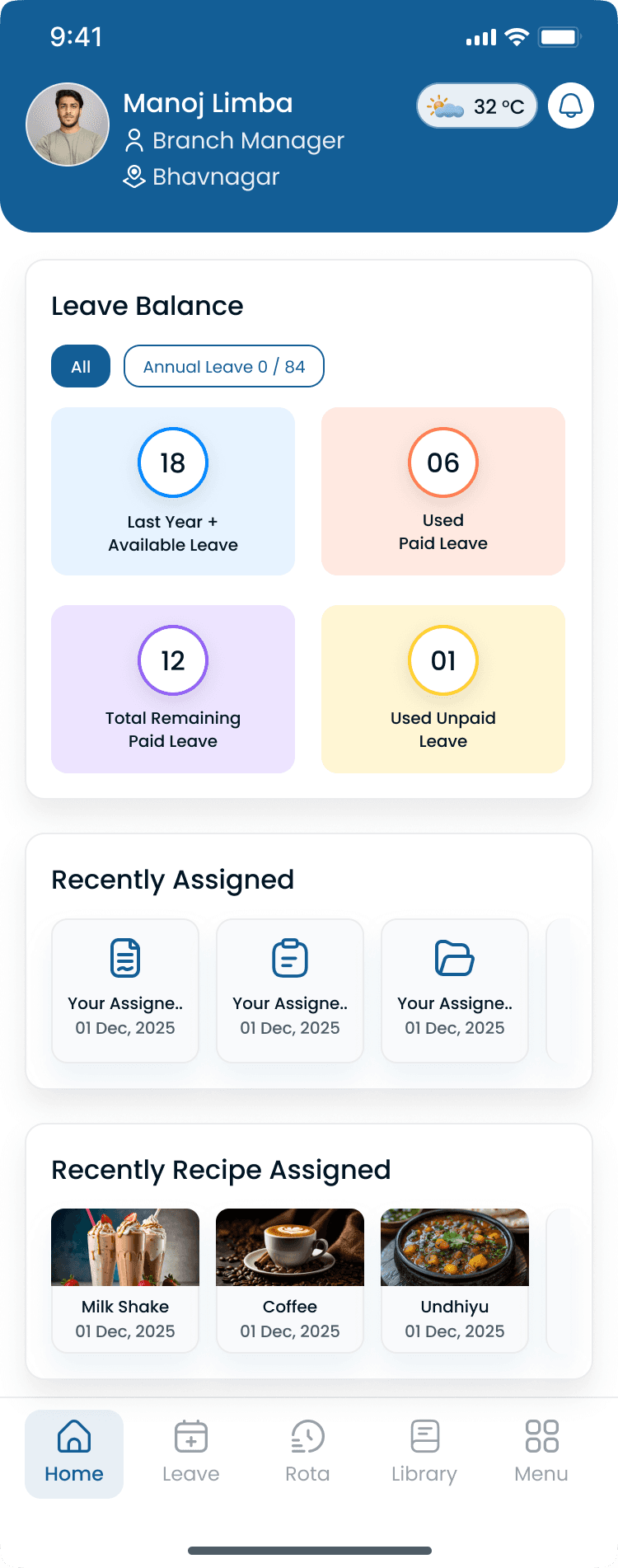
Pickers, packers, and dock crews see the same roster supervisors publish on desktop. That cuts no-shows from outdated printouts and keeps multi-site floors on one official week.
Holiday volume, promotions, and peak outbound weeks need more pickers, packers, and dock crews. Heyshift helps supervisors add seasonal associates and extra shift bands without a second spreadsheet.
How supervisors prep for peak
Receiving, pick, pack, and outbound do not need the same headcount at 6a and 6p. Schedule each zone on one roster so inbound trailers and outbound cutoffs stay covered.
Zones and departments on one roster
Pick a tool supervisors will actually publish every week. It should handle zone coverage, open shifts, clock-ins next to the roster, and more than one DC without another Excel file.
What warehouse buyers should look for
Questions from warehouse supervisors, shift leads, and ops directors who staff docks and floors.
Get started
Start a 30-day free trial or book a walkthrough for dock and floor coverage, clock-ins, extra-hour visibility, and multi-DC scheduling without Excel.