

1
Spreadsheets and group chats for every change
One schedule with locations, areas, and publish controls
1
Spreadsheets and group chats for every change
One schedule with locations, areas, and publish controls
Employee scheduling and shift planning for USA businesses with multi-site rosters and finance-week aware coverage.
Plan shifts, track attendance, manage labor costs, and run multi-location teams from one platform.
After trial, billing is per seat · Staff mobile included · pricing & seats
Interactive surface · illustrative week
Managers shouldn’t stitch coverage across spreadsheets, chats, and last-minute calls. Heyshift matches how you actually plan, areas, availability, and finance-week context in the same view.
Read across3 paired outcomesEach row moves from daily friction to weekly clarity, schedules, leave, and labor in one place.
Spreadsheets and group chats for every change
One schedule with locations, areas, and publish controls
Spreadsheets and group chats for every change
One schedule with locations, areas, and publish controls
Surprise leave and unclear coverage
Time off, holidays, and availability on the grid
Surprise leave and unclear coverage
Time off, holidays, and availability on the grid
Labor cost discovered after the week is over
Scheduled hours, attendance, and cost signals in context
Labor cost discovered after the week is over
Scheduled hours, attendance, and cost signals in context
Shift scheduling, multi-location coverage, people and availability, labor visibility, and mobile access in one platform for USA hourly teams.
Scheduling core
Core01/09Multi-view schedules, areas, copy weeks, bulk publish, and cost-aware shift creation.
What scheduling teams get:
One live roster: plans, pickups, swaps—mirrored on mobile.
Swaps & offers
3 liveTue · Cole ↔ Reid
Swap pending · manager approves once.
Open shift · Dinner
Floor pool notified.
Wong · prep filled
Grid + app in sync.
Sales-ready continuity
Schedules, offers, swaps—one system for managers and crews.
Location Controls
Core02/09Manage unlimited business locations, custom work areas, preferred staff, scheduling views, notes, weather planning, and exports from one centralized workforce platform.
Make every site legible:
Named areas roll up cleanly—schedulers mirror the floor, finance cites the same site labels.
Flagship · Chicago
High volume
Floor alignment
In syncDrag order
Area list matches how managers walk the line.
Preferred staff
Surfaced per area when you assign.
One publish path
Same names in grid, exports & mobile.
Expand without losing clarity
Add sites and areas—teams still see one consistent map of how you operate.
People & Availability
Core03/09Manage real-time staff availability, workforce visibility, and smart staff filters from one scheduling workspace.
See people before you promise coverage:
Day-off, holidays, leave, availability, and each person’s recurring pattern—same roster while you drag shifts.
Bar lead · pref. openings
Kitchen
Floor
While you assign
Same gridAvailability layer
Availability & day-off prefs before you promise coverage.
Leave in view
Company holidays, leave & scheduled day-off—no side calendar hunt.
Recurring patterns
Per-employee work rhythm & shift patterns beside availability.
Truth before you publish
Filters for contract, availability, leave & patterns keep coverage honest—fewer fixes after publish.
Cost Insights
04/09Track labor costs, compare scheduled hours with actual attendance, and make staffing decisions with financial visibility built into the rota.
Put labor next to revenue:
Scheduled hours vs attendance-based cost alongside revenue context—finance week aligned.
Scheduled
412h
Attendance $
$9.2k
Cost signals
InsightLabor vs revenue
Tight-week snapshots beside the grid.
Fewer export passes
Context before another spreadsheet hop.
Finance-week aware
Rollups schedulers recognize.
Decisions with labor context
Put hours and cost next to demand—sell operations and finance on the same picture.
People & Availability
Core05/09Configure meal and rest break rules, manage leave and time off, and keep workforce compliance visible inside one scheduling platform.
Stop surprise gaps:
Policies and approvals your teams recognize—surfaced while shifts are drafted, not after publish chaos.
Policy lane
ClearPTO approvals
Rules managers already recognize.
Filters respect leave
Scheduling view hides people on approved time off.
Surprise gaps ↓
Coverage visible while shifts move.
Leave sells with the schedule story
Procurement sees policies on-canvas—not “we’ll bolt PTO on later.”
Cost Insights
Core06/09Track actual attendance against scheduled shifts and maintain accurate workforce visibility across every location.
Reconcile before payroll argues:
Actual hours anchored to published shifts—variance explanations before payroll argues.
Tied to published rota—not a rogue sheet.
Payroll lane
ExplainableAnchored actuals
Worked vs what was scheduled.
Cost comparisons
Without yet another spreadsheet pass.
Hand-off ready
Variance you can defend in Ops + Finance meetings.
Calm payroll conversations
Show worked vs planned with policy-friendly OT—not mystery exports.
People & Availability
07/09Organize employees, roles, contracts, and workforce access in one system, with LogsBook for daily shift income and expenses such as sales and operating costs.
Keep headcount manageable:
Daily shift sales and expenses in LogsBook, plus contracts and roles planners trust, scoped so sites only see the people they manage.
Hannah Cole
Contract okFloor lead · FT
Marcus Reid
Kitchen · PT
Dana Kim
Bar · FT
Trust rails
GovernedShift sales logged
Register, delivery, and tips in LogsBook.
Shift expenses
Supplies, petty cash, and vendor costs.
Bulk-ready filters
Rosters past dozens stay scannable.
Roster plus shift closeout in one place
LogsBook captures daily sales and expenses while staff, contracts, and filters stay tied to scheduling.
Communication & Mobility
Core08/09Keep crew updates inside Heyshift with location channels, tags, reactions, replies, action messages, voice notes, and images, so managers stop chasing group chats across sites.
Keep crews aligned by site:
Tags, reactions, replies, action messages, voice notes, and images stay scoped to this site.
Closing handoff
#urgentCooler temp logged. Need AM confirm before open.
Action · Confirm temp check
Rich updates
Voice · 0:18
Image attached
Threaded reply keeps handoff context readable.
Location channels, not group-chat chaos
Crew updates stay inside Heyshift with tags, reactions, and accountable actions.
Communication & Mobility
Core09/09Manage schedules, shifts, and workforce communication from anywhere with dedicated mobile access for both staff and managers.
Meet staff where they work:
Same published roster in-pocket: alerts, swaps, offers, and approvals with policy guardrails.
Evening · Bar
4pm – 11pm
Offer · opens to qualified floor staff
Field signals
ReadyPublish & change alerts
Email & push when rosters move.
Offers & swaps
Guardrails wired to policy—not side texts.
Manager pulse
Live staffing checks away from the desk.
Frontline-ready continuity
Buyers see crews stay informed—fewer ghost shifts and frantic group chats post-publish.
Also in the product
Attendance tracking, labor compliance, time clocks, kiosk clock-in, and payroll sit in the same platform as your published schedule.
Attendance
Enable flexible attendance tracking across mobile, kiosks, tablets, shared devices, and secure terminals with real-time visibility.
Open featureAttendance
Manage attendance adjustments, missed punches, overtime requests, and approval workflows from one centralized system.
Open featureScheduling & Coverage
Track shift time in real time, compare worked vs scheduled hours, and keep payroll-ready records tied to published shifts.
Open featureAttendance
Get complete real-time workforce visibility across locations with live staffing, attendance, overtime, leave, and coverage insights.
Open featureAttendance
Automate attendance rules, policy enforcement, and workforce controls with configurable settings across shifts, roles, and locations.
Open featureAttendance
Turn attendance data into workforce insights with payroll-ready reports, overtime analytics, and real-time operational dashboards.
Open featureAttendance
Coming soon: secure location-based attendance controls with geo-fencing, device validation, and workforce attendance security across locations.
Open featureScheduling & Coverage
Stay compliant with changing USA labor regulations while simplifying scheduling, break, leave, and workforce operations.
Open featureCost Insights
Carry finance-week labor totals from Heyshift into payroll runs with fewer exports, reconciliations, and late surprises.
Open featureScheduling core
Signal-aware draft shifts you can review, edit, and publish, schedulers stay accountable.
Open featureScheduling core
Ask questions in plain language about schedules, labor context, and how features work, without leaving Heyshift.
Open featureOne publish-first roster for healthcare, restaurants, retail floors, warehouses, field crews, and multi-site operators. Pick your industry to see how Heyshift fits your peaks, ratios, and payroll rhythm.

Healthcare & medical
Shift patterns, float pools, and compliance visibility.
Explore scheduling
Restaurants & cafés
Kitchen, bar, and floor coverage through peak nights.
Explore scheduling
Retail
District templates with store-level overrides.
Explore scheduling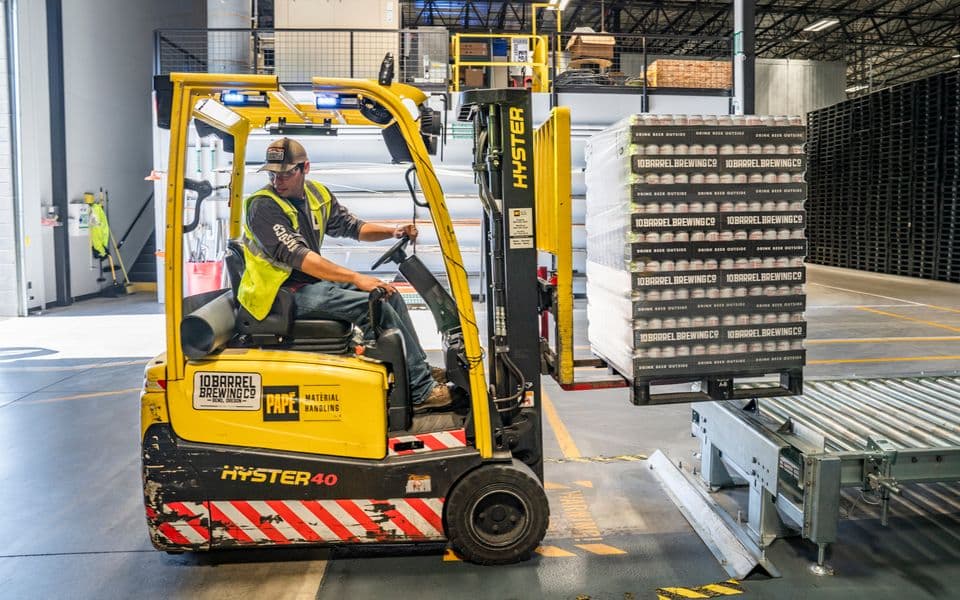
Warehouse & logistics
Dock windows, crew minimums, and inbound peaks.
Explore scheduling
Hospitality
Housekeeping waves, desks, and event overlays.
Explore scheduling
Manufacturing
Production lines, plants, and overtime guardrails.
Explore scheduling
Cleaning
Route-based crews across client sites.
Explore scheduling
Construction
Job sites, trades, and project-week coverage.
Explore scheduling
Property management
Maintenance routes and multi-property staffing.
Explore schedulingPublish the schedule once, notify people when shifts actually change, then compare worked hours to what you planned, without hopping tools, exporting sheets, or chasing chats to see who saw the update. Same three loops managers already understand; Heyshift keeps them in one place.
Step 01
01Build by area or member, copy weeks, and bulk publish when ready.
1/3Starts your coverage story
Step 02
02Email and push nudges keep open shifts, swaps, and approvals moving.
2/3Keeps the grid honest
Step 03
03Compare scheduled hours to attendance and labor vs income signals.
3/3Closes the loop with finance
Proof
Faster rebuilds, fewer scramble shifts, finance-ready hours, all on one published grid.
Planning
Publish once
Copy weeks, adjust fast, one roster everyone opens.
Coverage
Spot gaps early
Leave beside shifts, before Monday, not in chat.
Labor
Hours beside plan
Worked time next to scheduled, finance signs off faster.
Use practical calculators to model staffing ROI, labor risk, and coverage health before making scheduling changes.
Estimate yearly savings from replacing manual scheduling and timesheets.
Run calculatorTrack labor spend as a percentage of sales by location and week.
Run calculatorForecast overtime exposure before publishing the next roster.
Run calculatorScale when you add locations. Try Starter, Pro, or Business free for 30 days with all features unlocked, then keep the seat plan that matches your rollout.
30 days free
Small teams replacing spreadsheets
$4/seat/mo
Then $4/seat/mo
Most popular
Growing operators adding approvals and attendance controls
$6/seat/mo
Then $6/seat/mo
Best value
Mid-size teams needing payroll, analytics, and control
$9/seat/mo
Then $9/seat/mo
Unlimited employees, locations, and areas on every plan. Staff mobile access is included. (USD excl. all applicable taxes)
Same scheduling headaches, from single-site favorites to multi-location operators. If coverage, leave, and labor live in different tabs today, you’re who we built Heyshift for.
Operator marks


Trial, seats, coverage, and rollout, the questions buyers ask first.
Get started
Start a 30-day free trial. We'll tailor it to multi-location, area-based planning and finance-week visibility. Browse customer stories by industry when you're ready.
Schedule published
Push to Hannah, Owen, Marcus +7, new shifts live on mobile.
Mon
4
Tue
5
Wed
6
Thu
7
Fri
8
Sat
9
Sun
10
Open shifts
8 slots
12–2p
Open
4–9p
Approve
9–5p
10–6p
12–2p
Open
9–5p
4–9p
Approve
Hannah Cole
22h · 5
9–5p
10–6p
9–5p
4–9p
Approve
9–5p
Owen Blake
16h · 4
9–5p
9–5p
10–6p
9–5p
Maria Santos
20h · 5
9–5p
4–9p
Approve
9–5p
10–6p
Jordan Rivera
14h · 3
9–5p
4–9p
Approve
9–5p
10–6p
Emily Nash
30h · 6
9–5p
9–5p
10–6p
9–5p
4–9p
Approve
9–5p
Marcus Reid
12h · 3
9–5p
4–9p
Approve
10–6p
9–5p
9–5p
Leo Carter
14h · 3
9–5p
4–9p
Approve
9–5p
10–6p
9–5p


