


Inpatient & acute care
Hospitals
Coordinate hospital employee scheduling across departments, shifts, and facilities without a separate spreadsheet per unit.
- Department lanes
- Rotating shifts
- Coverage monitoring
- Real-time updates
Employee scheduling and shift planning for USA businesses with multi-site rosters and finance-week aware coverage.
Clinics & care teams
Build better healthcare staff schedules without the spreadsheet headache
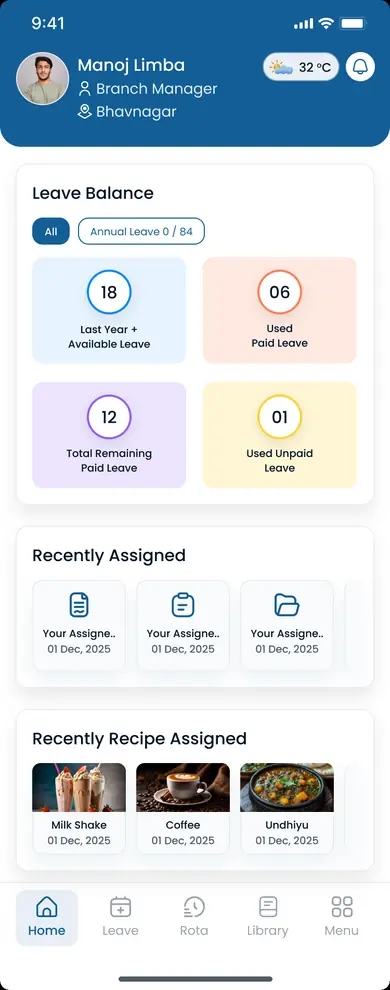
Create, manage, and update healthcare employee schedules from one centralized platform. Manage availability, open shifts, shift swaps, attendance, and workforce hours while keeping hospital, clinic, and caregiver teams aligned.
30-day free trial on every plan, then Starter from $4/seat per month ($3.60 billed yearly). Mobile access included for staff and managers. View pricing.
Healthcare staff scheduling software has to handle more than a weekly grid. Care teams operate around the clock, across departments, roles, locations, and changing employee availability. When those workflows live in spreadsheets, messages, and separate tools, even a simple schedule change creates extra administrative work.
Heyshift brings healthcare staff scheduling, availability, open shifts, swaps, attendance, and hours together so supervisors spend less time reconciling systems.
01
Day, evening, and overnight shifts live in different files
One published schedule by department and shift band so nursing and admin check the same official week
02
Employee availability and time-off requests sit in inboxes
Availability and approved leave sit on the same grid you use to assign shifts
03
Open shifts and call-outs move through phone trees
Uncovered shifts stay visible so eligible staff can see what still needs coverage
04
Shift swaps happen in texts with no manager review
Employees request changes and managers approve before the official roster updates
05
Working hours and overtime only show up after payroll
Scheduled hours and overtime signals appear while you still have time to adjust the week
Employee scheduling for healthcare should cover the week and the exceptions. Heyshift keeps staffing requirements, availability, coverage, and hours on one workflow instead of a patchwork of spreadsheets and messaging apps.
Create and publish schedules based on staffing requirements, employee availability, roles, departments, and locations.
Know when employees are available or unavailable before assigning hospital, clinic, or caregiver shifts.
Identify uncovered shifts and make them visible to eligible employees.
Let employees request shift changes while keeping managers involved in the approval process.
Keep approved time off visible when building healthcare staff schedules.
Compare scheduled shifts with actual attendance for nursing and support teams.
Monitor employee working hours alongside the published schedule.
Review working hours before assigning additional shifts.
Manage healthcare teams across multiple facilities while keeping location-level organization.
Shift coverage
Healthcare operations depend on having the right staff available at the right time. Heyshift helps managers reduce scheduling gaps, improve workforce coverage, monitor attendance, and respond to staffing changes quickly.
Surface open shifts and availability while building the week, not only after a no-show.
Align nursing, admin, and support lanes on one grid with clear shift bands.
Clock data and scheduled shifts in one view for supervisors and ops leads.
Publish updates once. Teams get mobile and web alerts on the official schedule.
Hospitals, clinics, and home healthcare teams staff differently. The platform should still give every organization one official schedule, availability, and change process.
Inpatient & acute care
Coordinate hospital employee scheduling across departments, shifts, and facilities without a separate spreadsheet per unit.

Clinical coverage
Manage nurse schedules, availability, shift changes, and coverage for RNs, LPNs, and nursing assistants on one roster.

Field caregivers
Coordinate caregivers and nurses across patient assignments and service locations from one published week.

Outpatient care
Manage physicians, nurses, medical assistants, and administrative teams on a predictable clinic week that can still absorb demand spikes.

Variable volume
Coordinate employees across extended operating hours and changing staffing requirements without rebuilding the entire schedule.

Programs & sites
Manage clinical and support teams across programs and locations with one official roster.

Chair-side teams
Coordinate dentists, hygienists, assistants, and administrative employees on one practice schedule.
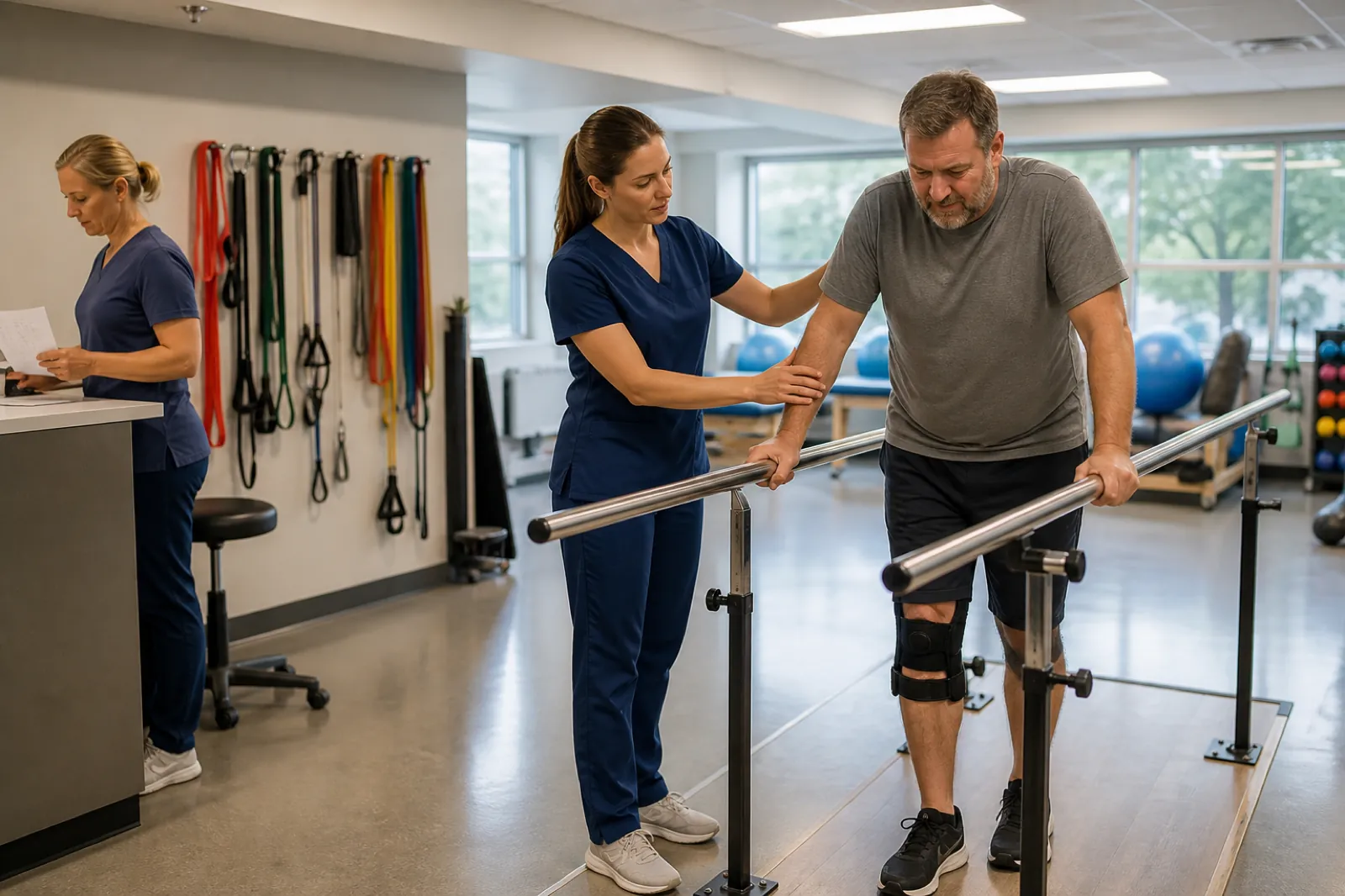
Therapy centers
Manage therapists, assistants, and support teams around appointments and coverage needs.
Each care setting has different coverage rules. The scheduling workflow stays the same: one official roster, availability, and a manager-controlled change process.
How it works
Healthcare workforce scheduling software should follow the week, not a pile of disconnected tasks. This is the path most care teams use once the roster lives in one place.
Organize employees by role, department, and location.
Employees communicate when they can and cannot work.
Managers assign employees based on staffing requirements.
Identify shifts that still need coverage.
Manage call-outs, shift swaps, and other changes on the official week.
Compare scheduled and actual working hours.
Monitor hours, overtime, attendance, and coverage.
Healthcare organizations rely on many roles working together throughout the day. Instead of separate files for each department, Heyshift keeps healthcare employee scheduling software on one roster, whether you manage a 20-person clinic or several hundred staff across facilities.
Roles you can schedule on one roster
Healthcare scheduling is more than assigning employees to shifts. Managers balance staffing requirements, employee availability, patient demand, and labor costs every day. A dedicated platform helps hospital and clinic teams stop rebuilding rotas from scratch each week.
Common healthcare scheduling challenges
With Heyshift
Usually split across
On Heyshift
The value is the workflow, not another generic feature list. Plan the week, coordinate changes, track what happened, then scale to more employees, departments, and locations.
01
Create schedules based on staffing requirements and availability.
02
Manage open shifts, shift swaps, leave, and schedule changes.
03
Monitor attendance and working hours beside the published roster.
04
Understand overtime, coverage, and workforce activity before the next week.
05
Support additional employees, departments, and locations as the organization grows.
A spreadsheet may work well when the team is small, schedules are predictable, there is one location, and schedule changes are uncommon. It becomes harder to run when you have larger teams, multiple departments or locations, frequent call-outs, open shifts, shift swaps, complex availability, rising overtime, or more than one scheduling manager. See healthcare scheduling software vs Excel for that transition in more detail.
| Capability | Manual spreadsheets | Heyshift |
|---|---|---|
| Schedule creation | Manual schedule creation each week | Create schedules with templates and copy-week |
| Shift changes | Version confusion when the file is emailed again | Updates land on one official published roster |
| Employee notifications | Phone calls and text messages with no audit trail | Notifications on web and mobile |
| Multi-department coverage | No centralized scheduling across units | Departments and sites in one account |
| Workforce visibility | Limited view of who is scheduled and who is in | Scheduled, in, and open coverage beside the grid |
| Scheduling accuracy | Parallel spreadsheet versions drift apart | One publish path for the official week |
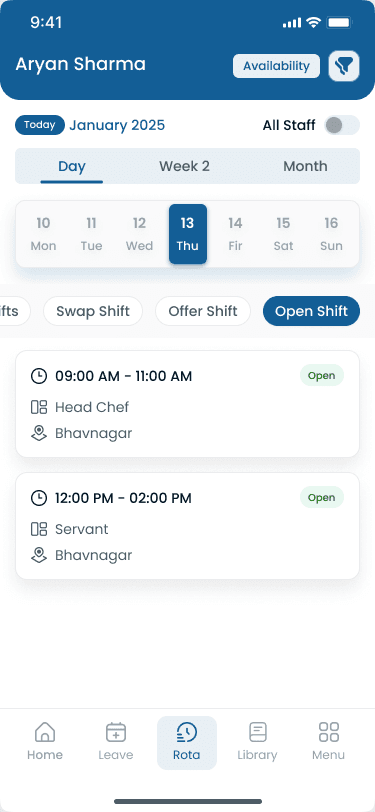
A schedule should show who is working. Managers also need the workflows that change the week after it is published.
Managers need visibility into scheduled hours, actual hours, additional shifts, open shifts, and potential overtime. That helps them make more informed staffing decisions. Heyshift does not automatically eliminate overtime. It makes hours visible while you still have time to adjust. Read healthcare overtime management for the operational habits that sit beside the roster.
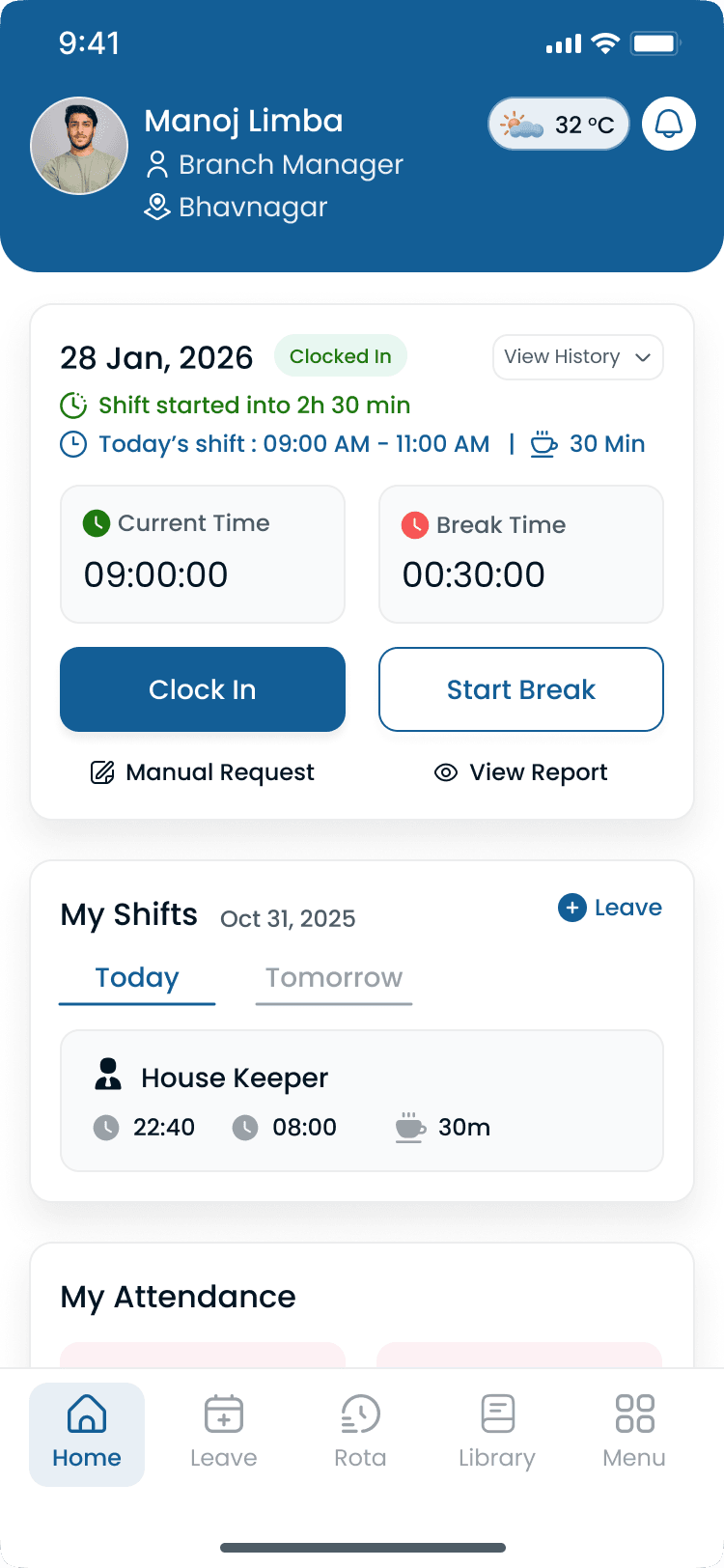
The schedule is the plan. Attendance is what actually happened. If someone is scheduled 7:00 AM to 3:00 PM and clocks 7:15 AM to 3:30 PM, that difference can affect working hours and overtime. A connected scheduling and attendance workflow gives managers better visibility. See healthcare staff attendance tracking.
A call-out can create an uncovered shift. A structured process helps managers identify the open shift, review availability and existing schedules, check working hours, consider overtime, find coverage, approve the assignment, and update the official week. See healthcare open shift management.
Employees sometimes need to change shifts. Instead of managing swaps through texts and phone calls, a structured workflow can run request, employee accept, manager review, approval, then schedule updated. See healthcare shift swapping.
Organizations may operate multiple clinics, hospitals, urgent care centers, specialty facilities, or home healthcare branches. Each location can have different staffing requirements. Managers need location-level control. Leadership needs a wider workforce view. See multi-location healthcare workforce management.
Use this as a short checklist when you compare staff scheduling software for healthcare teams.
| Feature | What it helps with |
|---|---|
| Employee scheduling | Create and publish staff schedules |
| Availability | Understand when employees can work |
| Open shifts | Manage uncovered shifts |
| Shift swaps | Coordinate schedule changes |
| Leave management | Track approved time off |
| Attendance | Compare planned vs actual work |
| Time tracking | Monitor working hours |
| Overtime visibility | Review additional working hours |
| Multi-location | Manage multiple facilities |
| Mobile access | Give employees schedule access |
| Reporting | Review workforce information |
The right medical staff scheduling software should support current operations and still work when you add employees, departments, or locations. Ask whether the vendor can handle department structure, mobile roster access, and attendance beside scheduling so you are not reconciling three systems every payroll cycle.
Look for software that offers
Questions from clinic managers, nursing supervisors, and ops leads evaluating healthcare staff scheduling software.
Get started
Create better schedules, manage availability, coordinate open shifts, handle schedule changes, and improve workforce visibility from one platform.