


Employee attendance tracking: everything small businesses need to know
Employee attendance tracking gives small businesses accurate work records, fewer payroll disputes, and real visibility into lateness, absences, and overtime before close.
Why attendance tracking matters for small businesses
Managing employee attendance tracking is one of the most practical jobs on an operator's list. Whether you run a retail store, restaurant, clinic, warehouse, cleaning route, or field crew, attendance shapes productivity, labor cost, customer service, and payroll accuracy.
Many small businesses still rely on paper sign-in sheets, spreadsheets, text threads, or memory at the end of the week. That works until the team grows, sites multiply, or payroll disputes start eating manager time.
Modern attendance tracking software gives you real-time visibility into who is working scheduled hours, who is late, and where hours are drifting before finance closes the period. This guide covers what attendance tracking is, why it matters, common failure modes, and how growing USA teams move to a system that scales.
For multi-site depth, see attendance management software for multi-location teams. For correction discipline before close, see our attendance corrections workflow playbook. When attendance must sit beside mobile scheduling and field communication, see mobile workforce management.
What is employee attendance tracking?
Employee attendance tracking is the process of recording when people start work, end work, take breaks, arrive late, leave early, or miss scheduled shifts.
It is not only about clock-in and clock-out. It is about maintaining accurate workforce records while keeping daily operations efficient.
Operators typically monitor:
- Scheduled shift start and end
- Actual punch or check-in times
- Breaks and meal periods
- Absences, no-shows, and late arrivals
- Early departures and overtime buildup
The goal is simple: accurate workforce visibility without adding admin work every Friday night.
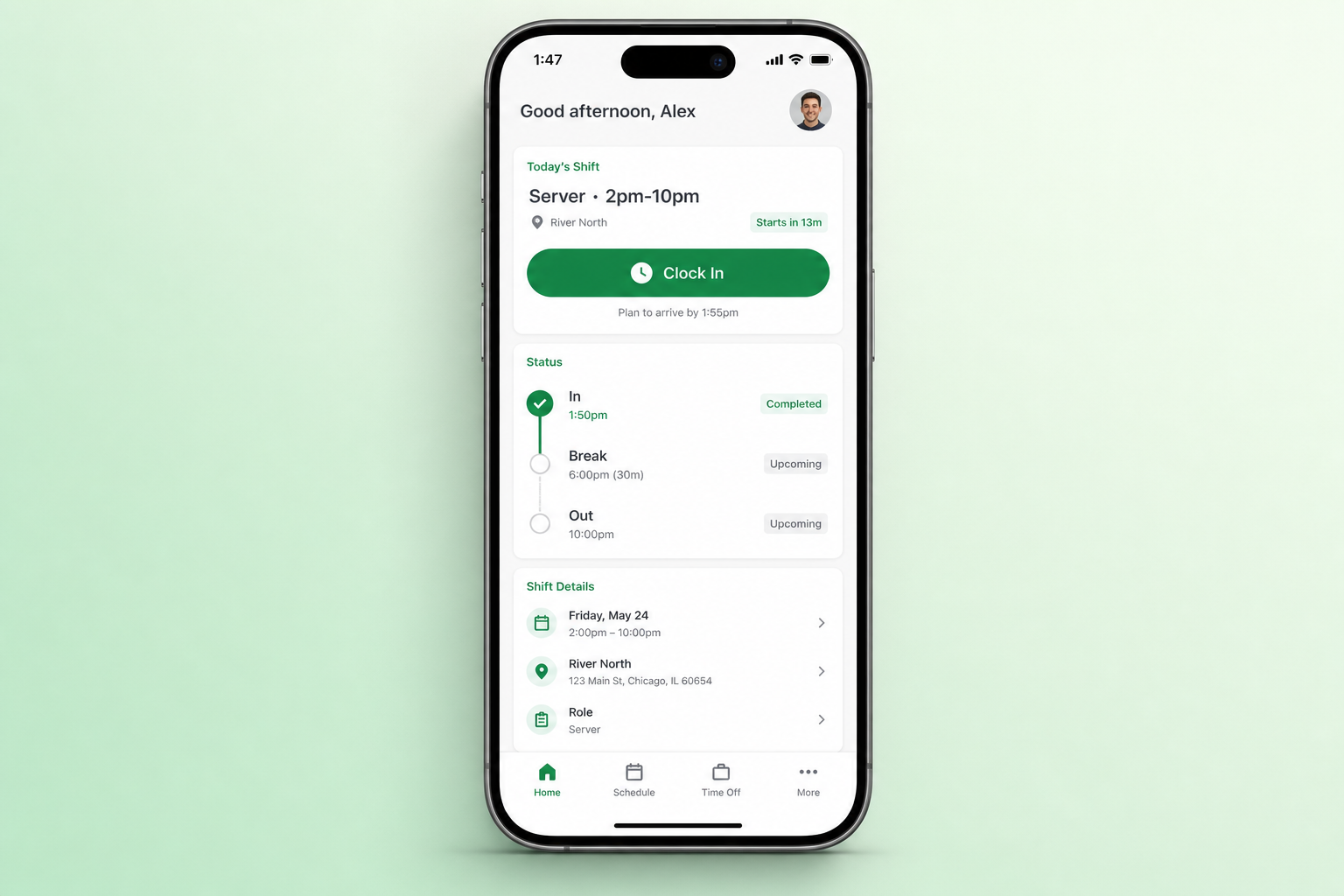
Mobile attendance works best when clock events reference the shift managers already published.
Why attendance tracking matters
Small attendance gaps create outsized operational pain. Even one missed punch or unapproved late arrival can ripple into payroll, coverage, and customer experience.
Strong attendance tracking helps businesses:
| Outcome | What operators gain |
|---|---|
| Payroll accuracy | Fewer disputes and less end-of-week spreadsheet rescue |
| Accountability | Staff know attendance is recorded consistently |
| Time theft reduction | Visibility into buddy punching and off-schedule hours |
| Overtime control | Hours surface while managers can still adjust coverage |
| Workforce planning | Attendance trends inform scheduling decisions |
Attendance data is the foundation for labor decisions. Without it, scheduling stays reactive and payroll stays noisy.
Common attendance challenges for small businesses
Most teams do not fail because they lack effort. They fail because the process does not match how work actually happens.
Manual time tracking: Paper sheets get lost, rewritten, or stored in different drawers per manager.
Buddy punching: One employee clocks in for another when there is no reliable punch path or supervisor check.
Spreadsheet drift: Exports from multiple tools never match the roster staff were told to follow.
Multiple locations: Each site invents its own habit when there is no shared record.
Mobile and field teams: Crews on the move are hard to monitor without a phone-first punch tied to location or shift context.
If any of these sound familiar, the fix is usually structure, not more reminders in group chat.
Signs your attendance process needs improvement
You may need a better system if:
- Payroll disputes happen every period
- Late arrivals are common but rarely documented
- Managers spend hours reconciling timesheets
- Records differ by location or supervisor
- Overtime costs keep climbing without early signals
- You employ field workers with no punch audit trail
Treat these as operational signals, not HR noise. Fixing attendance early prevents expensive habits as you grow.
Types of attendance tracking (and where each breaks)
| Method | Best for | Weak spot |
|---|---|---|
| Paper timesheets | Very small, single-site teams | Errors, loss, no audit trail |
| Spreadsheets | Temporary bridge | Manual entry, version drift |
| Physical time clocks | Fixed-site hourly staff | Limited context vs published shifts |
| Mobile attendance apps | Deskless and multi-task roles | Needs schedule linkage to stay trusted |
| GPS or geo-aware punches | Field service and remote sites | Policy clarity and employee communication |
Most growing businesses outgrow paper and spreadsheets first, then choose mobile or kiosk paths that feed one record per employee and shift.
Learn how mobile and kiosk attendance can share one timeline, and how attendance tracking tied to shifts keeps punches aligned with what was published.
Benefits of modern attendance tracking software
Real-time visibility: Supervisors see who is in, late, or missing without calling every site.
Automated records: Less manual copying between roster, punch log, and payroll prep.
Payroll alignment: Planned vs worked hours stay visible before close (see planned vs worked hours).
Compliance support: Consistent records for audits, disputes, and internal reviews.
Workforce insights: Patterns in lateness, absence, and overtime inform next week's schedule.
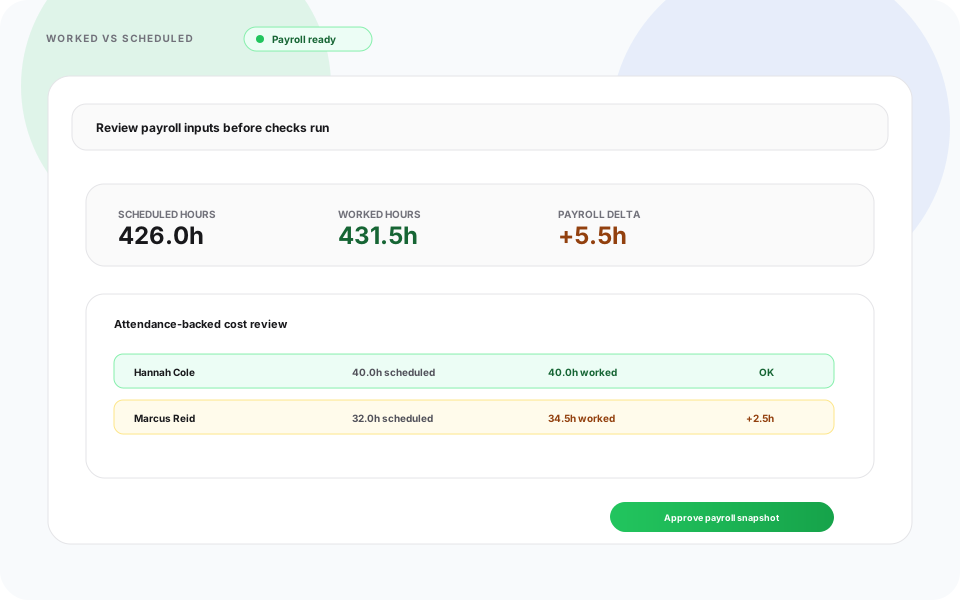
When scheduled and worked time share one view, corrections happen during the week, not after payroll.
Pair visibility with prevent overtime before payroll so hour spikes surface while coverage can still change.
Attendance tracking for multi-location businesses
Growth adds complexity fast. Leadership needs visibility into:
- Multiple sites and shift patterns
- Employees who float between locations
- Labor utilization by store, route, or department
- Exceptions that used to be "handled locally"
Centralized employee attendance tracking keeps one operating model across sites instead of six unofficial versions of the truth.
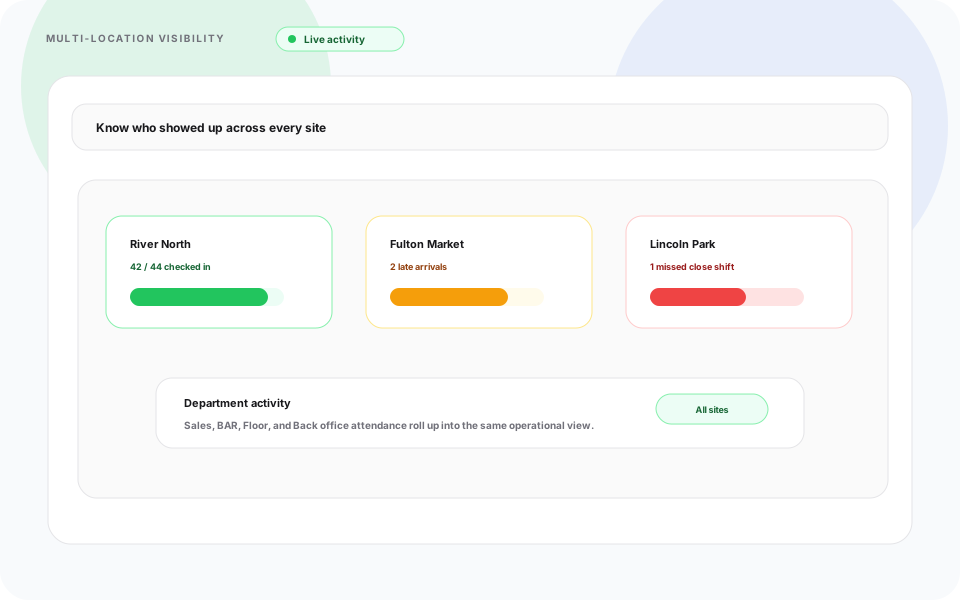
District leads should review attendance roll-ups without exporting separate files from every manager.
For product depth, see attendance management software for operational teams and multi-location scheduling software when schedules and punches must stay linked.
Industries that benefit most
Hourly and shift-based businesses feel attendance pain first:
| Industry | Typical attendance pressure |
|---|---|
| Retail | Peak-hour coverage and part-time turnover |
| Restaurants and hospitality | Split shifts, breaks, and late rushes |
| Healthcare | Coverage minimums and credential-sensitive roles |
| Cleaning and field service | Mobile crews across client sites |
| Warehousing and logistics | Shift handoffs and overtime at scale |
| Security | Client-site accountability |
The pattern is the same: if labor is your largest variable cost, attendance visibility pays back quickly.
Attendance tracking vs time tracking
These terms overlap, but operators use them differently.
Attendance tracking focuses on presence, absences, punctuality, and scheduled vs worked alignment.
Time tracking often adds task duration, project codes, or billable hours for client work.
Many USA small businesses need attendance first, then add time-tracking depth where billing or job costing requires it. Heyshift prioritizes shift-based attendance tied to published schedules, not standalone project timers.
How attendance visibility reduces labor cost
Businesses that improve attendance records often see:
- Lower overtime surprises
- Fewer payroll corrections
- Better staffing decisions from real hour data
- Less manager time spent chasing missing punches
Attendance is not a compliance checkbox. It is the input scheduling and finance both depend on.
When corrections are still manual, use Attendance Corrections so requests, approvals, and history stay in one workflow.
How Heyshift supports attendance tracking
Heyshift connects scheduling and attendance for USA hourly teams:
- Mobile clock-in with shift context on iOS and Android
- Kiosk punches where shared tablets fit the site
- Planned vs worked hours before payroll close
- Correction requests with approver routing and audit history
- Multi-location roll-up for supervisors overseeing more than one site
- Reporting for attendance trends and exception review
Managers keep accurate records without maintaining a parallel spreadsheet every week.
Explore the full attendance management software overview, or Start 30-day free trial with your real locations and roles.
Frequently asked questions
What is employee attendance tracking?
It is the process of monitoring work attendance, absences, lateness, breaks, and scheduled hours so payroll and operations run on accurate records.
Why is attendance tracking important for small businesses?
It improves payroll accuracy, accountability, workforce planning, and labor cost control without adding a heavy HR stack on day one.
Can attendance tracking reduce overtime?
Yes. When hours accumulate against published shifts in real time, managers can adjust coverage or approve overtime before the pay period closes.
Is attendance tracking useful for field employees?
Yes. Mobile attendance with shift and location context gives visibility for crews that rarely pass a fixed time clock.
What industries use attendance tracking software?
Retail, restaurants, healthcare, warehousing, security, cleaning, logistics, and field service businesses with hourly or shift-based staff.
Final thoughts
Employee attendance tracking is more than recording clock-in and clock-out. It is how small businesses improve visibility, reduce labor waste, and support better scheduling decisions as teams grow.
Organizations that fix attendance early spend less time disputing payroll and more time running the week they planned. That is the habit worth building before the second location opens.
One line to keep: publish the schedule, track attendance against it, and fix exceptions before close, not after payday.
Continue with related topics
Pulled from shared tags when possible, otherwise the newest notes from the blog.
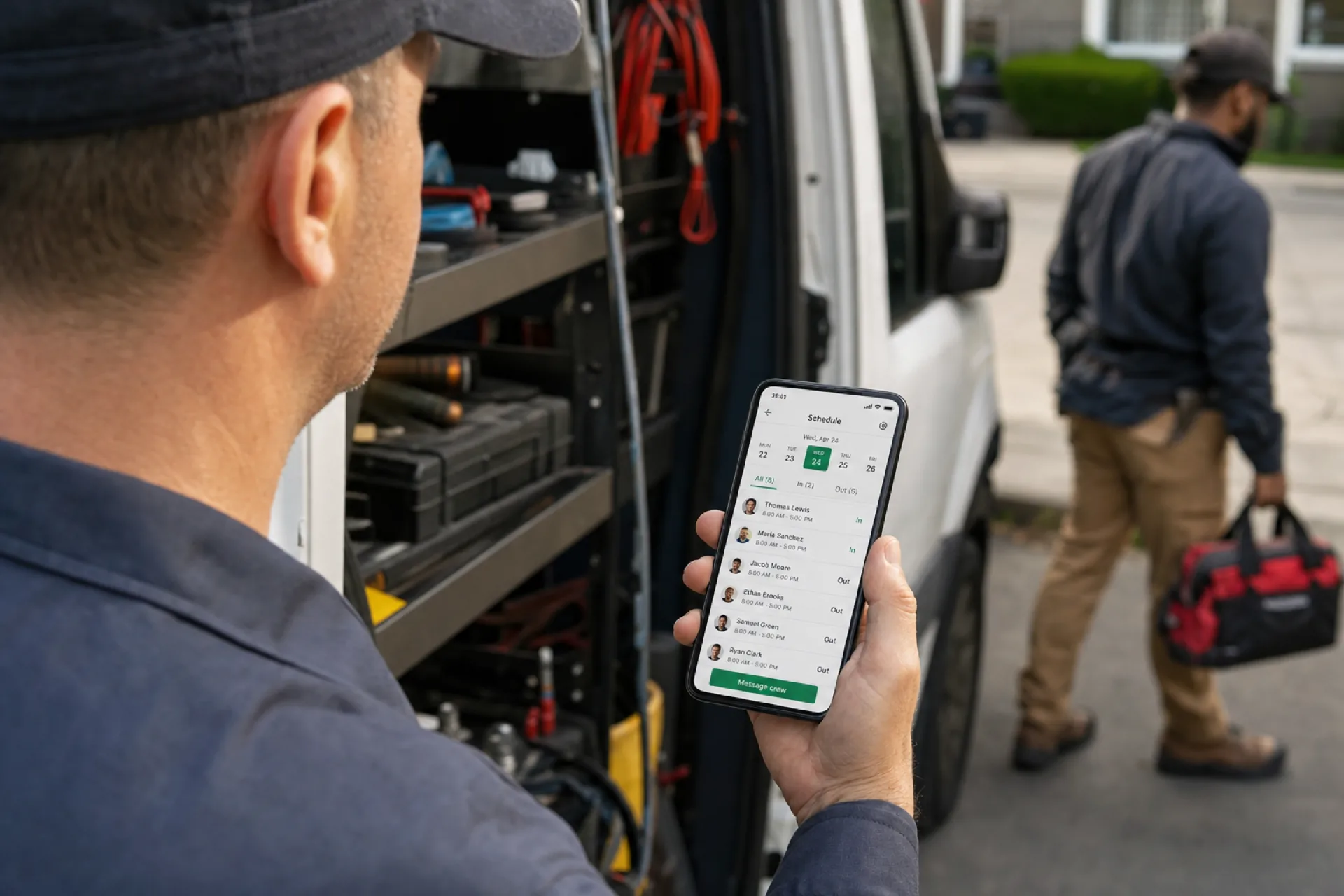
Mobile workforce management: schedule, track, and communicate with deskless teams
Mobile workforce management connects scheduling, attendance, and communication for deskless and field teams so USA operators manage distributed staff from one platform.
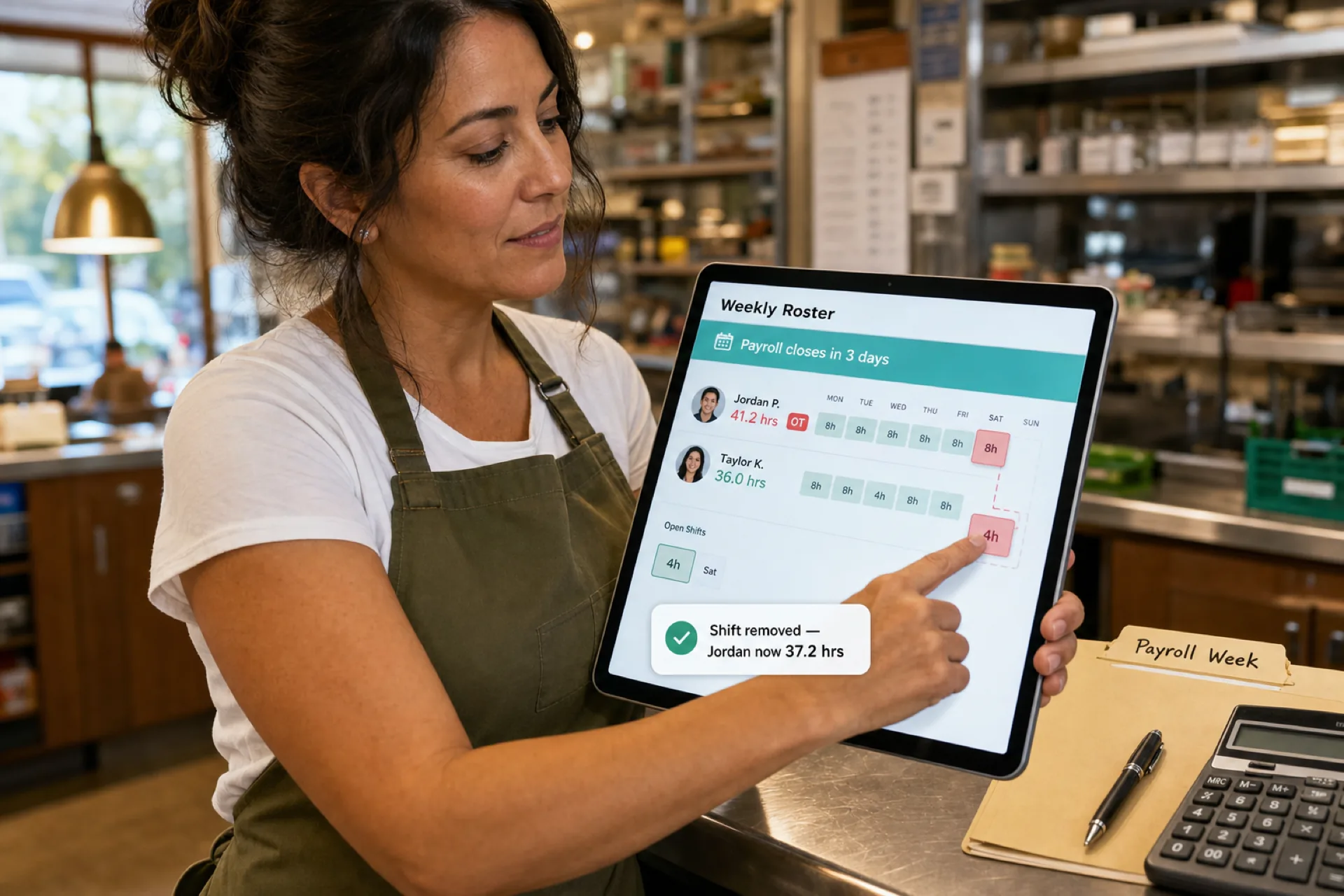
How to prevent overtime before payroll (2026 guide)
Learn how to prevent overtime before payroll with weekly hour monitoring, labor budgets, swap controls, and workforce scheduling visibility for growing USA teams.
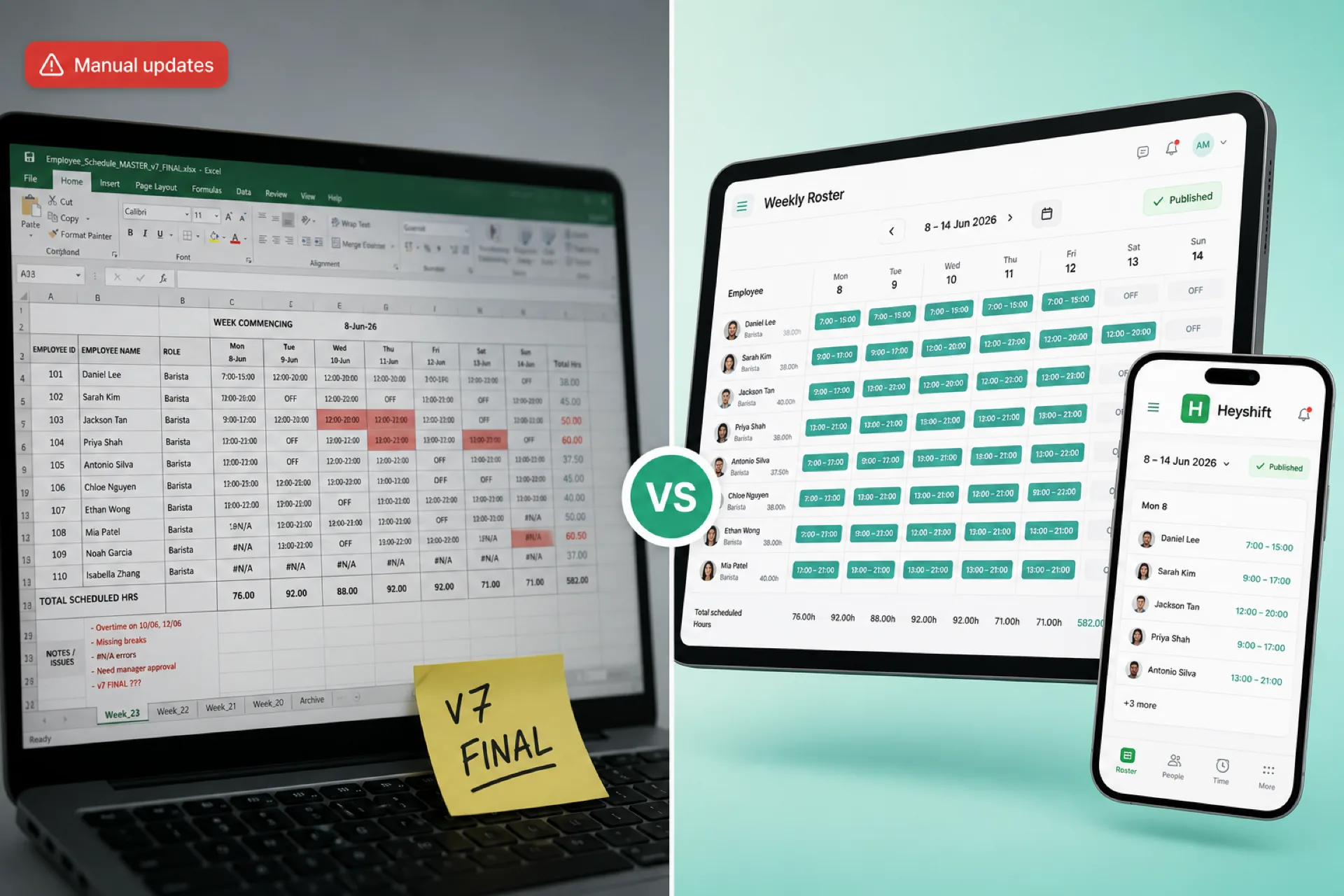
Workforce scheduling software vs Excel for growing businesses
Excel works for tiny teams, but growing businesses need publish-first scheduling software with mobile alerts, swap approvals, and labor visibility Excel cannot match.