

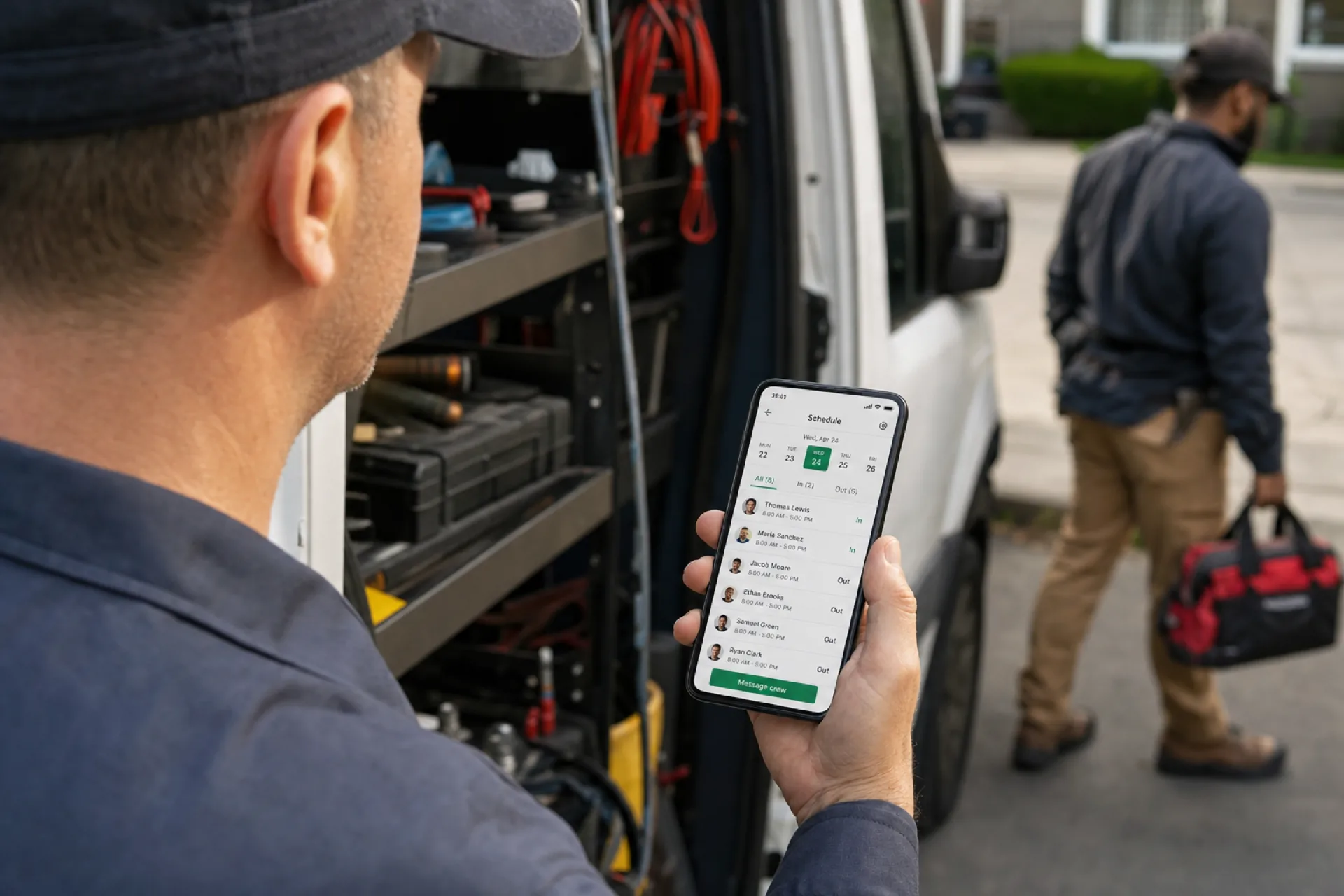
Mobile workforce management: schedule, track, and communicate with deskless teams
Mobile workforce management connects scheduling, attendance, and communication for deskless and field teams so USA operators manage distributed staff from one platform.
Why deskless teams need mobile workforce management
Hourly staff rarely work from a desk. They cover floors, routes, client sites, warehouses, and pop-up locations. When scheduling lives in a spreadsheet, attendance in a separate export, and updates in group chat, mobile workforce management becomes a daily rescue mission instead of a system.
Field workforce management and deskless workforce management share the same problem: leadership cannot see who is working, where they are assigned, or whether hours match the plan until someone manually reconciles the week.
Modern mobile workforce software puts scheduling, attendance, and team communication in one workflow so managers run distributed teams without juggling three unofficial tools.
For scheduling-only depth, see shift scheduling mobile app for startups and small businesses. For attendance fundamentals, see employee attendance tracking for small businesses.
What is mobile workforce management?
Mobile workforce management is how businesses coordinate deskless and field employees across locations: who works which shift, when they clock in, how changes are communicated, and how supervisors review activity without calling every site.
It typically includes:
| Capability | Operator outcome |
|---|---|
| Employee scheduling | One published roster staff can trust on mobile |
| Attendance tracking | Clock events tied to scheduled shifts |
| Field employee management | Visibility for crews that move between sites |
| Team communication | Shift updates without screenshot chains |
| Reporting | Planned vs worked hours before payroll close |
Workforce management software for mobile teams is not a single feature. It is the operating layer that keeps hourly work visible when people are not in front of a desktop planner.
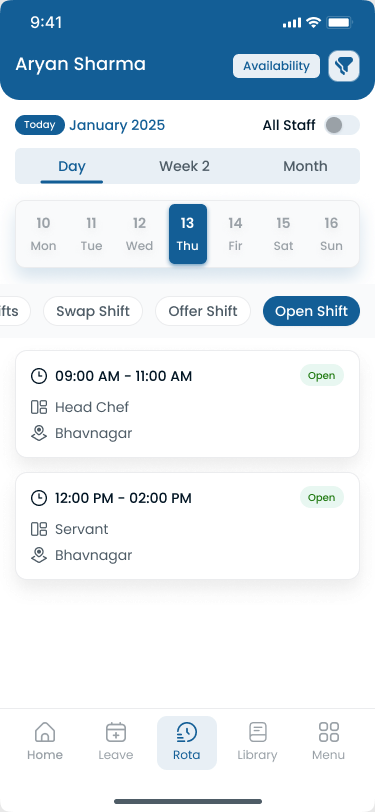
A mobile workforce app should show the published week, not a screenshot from last Tuesday.
Why mobile workforce management matters
Distributed teams create cost and coverage risk when systems do not match how work happens.
Strong mobile workforce management helps businesses:
- Reduce no-shows and confusion when staff see the official schedule on their phone
- Improve attendance accuracy with mobile clock-in tied to shifts
- Speed up approvals for swaps, open shifts, and corrections from the floor
- Control labor cost with hour visibility before payroll
- Scale past one location without every site inventing its own process
If your labor line is mostly hourly, mobile visibility is not a perk. It is how the business runs.
Common challenges managing field and deskless teams
Version drift: Managers publish one roster while staff follow a chat thread or photo.
Attendance blind spots: Field crews punch late, miss breaks, or forget clock-out with no supervisor context.
Slow communication: Last-minute coverage changes take ten messages instead of one official update.
Multi-site chaos: Each location uses different tools when leadership needs one roll-up.
Manager overload: Floor leaders spend hours reconciling instead of running the shift.
These are structure problems. The fix is one mobile workforce software stack built around publish-first scheduling and attendance on the same record.
What to look for in mobile workforce software
Evaluate workforce management software for mobile teams on daily use, not demo dashboards.
Employee scheduling software on mobile
Staff need the published week, open shifts, availability, and swap paths on iOS or Android. Managers need to publish once and stop re-sending photos.
See employee scheduling software for the full scheduling story and shift scheduling for publish-first workflow detail.
Attendance tracking software in the field
Attendance tracking software should record punches against published shifts, not a standalone timer disconnected from the roster.
Mobile clock-in, optional kiosk punches, and correction requests belong in one timeline. Learn more in attendance management software and attendance tracking tied to shifts.
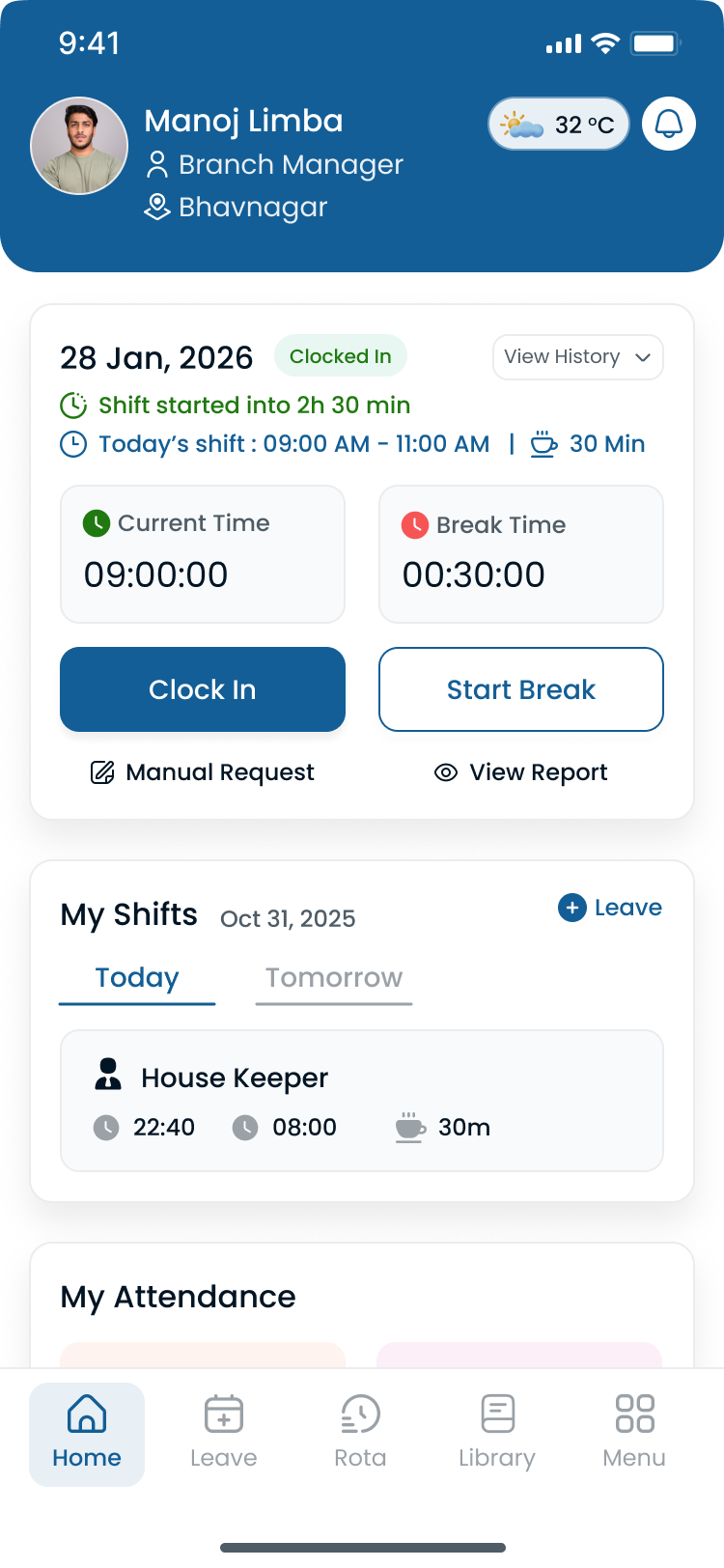
Field and floor teams need attendance beside the shift they were scheduled to work.
Communication without chat chaos
Shift changes, open shift posts, and approval outcomes should notify staff through the same mobile workforce app they already check for schedules. That reduces "which message is official?" friction every week.
Explore the Heyshift mobile app for how staff and managers stay aligned on the published roster.
Field workforce management vs deskless workforce management
Operators use both terms. The distinction is useful when you buy software.
| Term | Typical teams | Priority |
|---|---|---|
| Field workforce management | Cleaning routes, security, construction crews, delivery, property visits | Location context, route coverage, client-site accountability |
| Deskless workforce management | Retail floors, restaurants, warehouses, clinics | Shift swaps, breaks, peak-hour coverage, kiosk or mobile punch |
Most USA small and mid-size businesses need both patterns inside one account: schedule the week, track attendance against it, and give supervisors mobile visibility.
For multi-site operators, pair this guide with multi-location scheduling software and attendance management for multi-location teams.
Mobile workforce management across multiple locations
Growth adds sites, floating staff, and district oversight. Mobile workforce management at scale means:
- Separate rosters per location inside one account
- Supervisors who approve from mobile while on the floor
- Attendance roll-up for area and regional leads
- One export path for payroll instead of merged spreadsheets
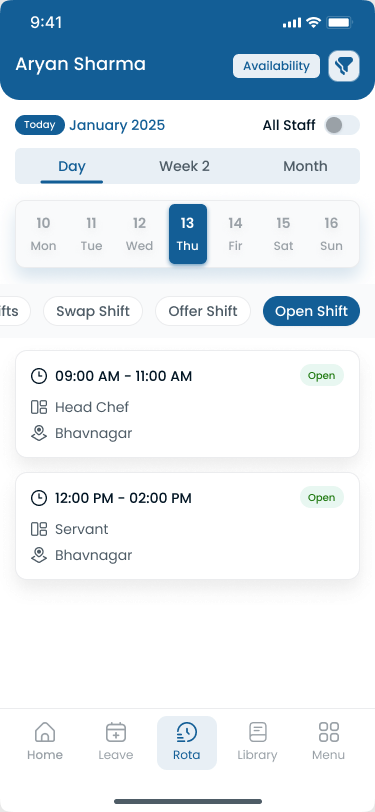
District leads should review mobile workforce activity without calling every site manager.
Heyshift multi-location areas and mobile kiosk attendance support mixed punch paths when some sites use phones and others use shared tablets.
Industries that rely on mobile workforce management
| Industry | Mobile workforce pressure |
|---|---|
| Field service and cleaning | Routes, client sites, proof of coverage |
| Retail and hospitality | Floor staff, peak hours, swap volume |
| Healthcare and home care | Credential-sensitive shifts, float pools |
| Warehousing and logistics | Handoffs, overtime, shift minimums |
| Security | Client-site attendance accountability |
| Construction and trades | Crew assignments across job sites |
If people do not sit at a desk to do their job, field employee management belongs in the same platform as scheduling.
How Heyshift supports mobile workforce management
Heyshift gives USA operators mobile workforce management without a heavy HRMS rollout:
- Shift scheduling with publish-first discipline on web and mobile
- Mobile app for staff schedules, open shifts, swaps, and notifications
- Attendance tracking linked to published shifts
- Kiosk option where shared tablets fit the site
- Correction and approval workflows with audit history
- Multi-location visibility for supervisors overseeing distributed teams
Managers schedule employees, track attendance, improve communication, and manage distributed teams from one platform instead of three disconnected habits.
Start 30-day free trial with your real locations and roles, or book a demo to map your first mobile workforce week.
Frequently asked questions
What is mobile workforce management?
It is the practice of scheduling, tracking attendance, and communicating with employees who work away from a central desk, usually through a mobile workforce app and supervisor tools.
What is the difference between mobile workforce software and employee scheduling software?
Employee scheduling software focuses on building and publishing shifts. Mobile workforce software adds attendance, field visibility, approvals, and communication for deskless teams.
Is mobile workforce management only for large enterprises?
No. Small businesses with hourly, field, or floor staff often feel the pain first because one manager still carries every scheduling mistake.
Can mobile workforce management reduce payroll errors?
Yes. When attendance and scheduling share one record, planned vs worked hours stay visible before payroll close.
What is deskless workforce management?
It is workforce coordination for employees who do not use a desktop as their primary workplace: retail, hospitality, warehouses, clinics, and field crews.
Does Heyshift work for field employee management?
Yes. Heyshift supports mobile scheduling, attendance tied to shifts, multi-location roll-up, and manager approvals for distributed USA teams.
Final thoughts
Mobile workforce management is how deskless and field teams stay aligned when spreadsheets, texts, and separate attendance exports stop scaling.
Publish one roster, track attendance against it, communicate changes through the same app, and fix exceptions before payroll. That is the habit that keeps distributed teams efficient as you add sites and headcount.
One line to keep: if your team works on the move, your workforce system should too.
Continue with related topics
Pulled from shared tags when possible, otherwise the newest notes from the blog.

Employee attendance tracking: everything small businesses need to know
Employee attendance tracking gives small businesses accurate work records, fewer payroll disputes, and real visibility into lateness, absences, and overtime before close.

Employee shift swapping best practices for growing teams (2026 guide)
Learn employee shift swapping best practices for growing USA teams: clear policy, manager approval, labor checks, and scheduling software that keeps coverage honest.

Multi-location workforce management guide for growing businesses (2026)
Learn multi-location workforce management for growing USA businesses: centralized scheduling, attendance, communication, labor control, and staffing across every site.