

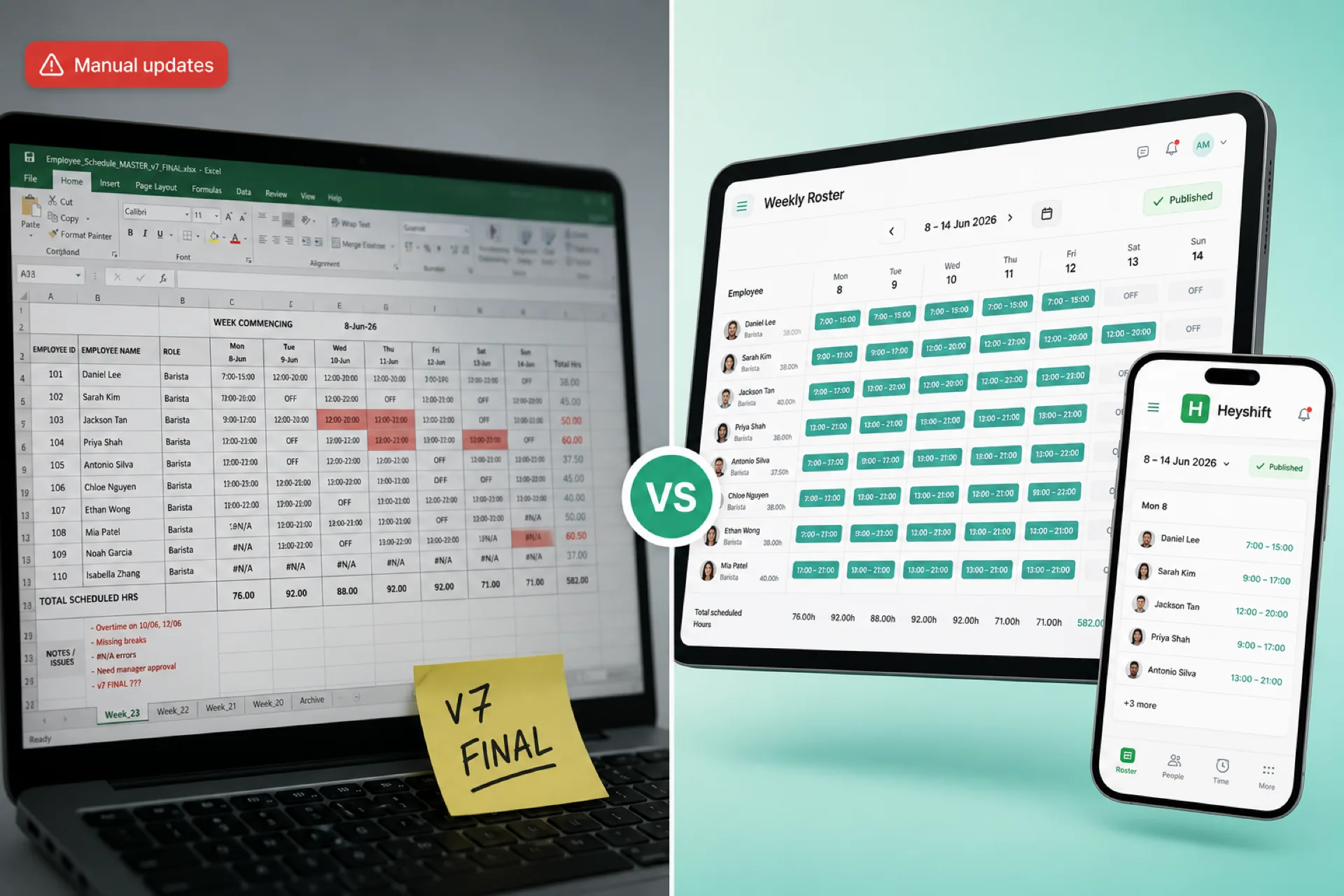
Workforce scheduling software vs Excel for growing businesses
Excel works for tiny teams, but growing businesses need publish-first scheduling software with mobile alerts, swap approvals, and labor visibility Excel cannot match.
Workforce scheduling software vs Excel in 2026
Excel has been the default employee scheduling spreadsheet for years. It is familiar, flexible, and often already on the desktop. For a handful of predictable shifts, that can feel like enough.
Growth changes the question. You coordinate availability, swaps, attendance, overtime, multiple locations, and real-time updates. A team of five can become twenty or fifty without adding a second ops lead. At that point the real choice is not "spreadsheet or software" in the abstract. It is whether Excel still saves time or quietly taxes every week.
This post compares workforce scheduling software vs Excel for growing USA businesses: where Excel still wins, where it breaks, what software does differently, and when to switch.
For spreadsheet pain in detail, see why spreadsheets fail for workforce scheduling. For evaluation criteria without a vendor shootout, see best employee scheduling software for small businesses. If you still plan in Excel, use structured shift pattern templates starting with the rotating shift schedule hub, then 8-hour, 10-hour, 2-2-3 Panama, or 4-on 4-off downloads instead of a blank grid.
Why many businesses start with Excel
Excel and Google Sheets are easy to access and cheap to start.
Common reasons operators stay on spreadsheets:
- No new license on day one
- Familiar grid layout
- Custom templates managers can tweak
- Fast setup for a first weekly roster
For very small teams with stable shifts, that is reasonable. Complexity arrives with swaps, part-time availability, a second manager seat, or a second location. If you are already feeling that friction, read employee scheduling software for growing teams.
Pros of Excel for employee scheduling
Excel is not useless. Acknowledging strengths makes the switch decision clearer.
| Excel strength | What it gives you |
|---|---|
| Low initial cost | Often bundled with existing office tools |
| Flexibility | Any column, color, or formula you invent |
| Familiarity | Most managers know basic spreadsheet edits |
| Small-team fit | Few employees, little weekly change |
The tradeoff appears when coordination work exceeds what a grid was built to carry.
Where Excel falls short for growing teams
Version control
Managers update for absences, time off, swaps, and coverage gaps. Files travel by email, chat, and printouts. Schedule_v7_FINAL sits beside yesterday's PDF. Staff work from different versions. Managers mediate "I thought I was off" instead of planning ahead.
No real-time employee notifications
Excel does not push alerts when the roster changes. Every update needs a text, call, or group message. As headcount grows, missed messages become missed shifts.
Shift swaps and open shifts
Swaps happen in side conversations. Managers track who asked, who accepted, and whether coverage is approved on the official week. Administrative load rises with every exception.
Overtime and labor visibility
Labor is often your largest controllable cost. Spreadsheets show cells, not always overtime risk at publish time. Problems surface at payroll, not when you could still rebalance the week.
Multi-location scheduling
Each site gets its own file or tab. Leaders lose cross-site visibility into availability, gaps, and labor allocation. See multi-location employee scheduling software for USA teams for what changes when sites multiply.
Weak mobile experience for hourly staff
Hourly workers do not live at a desk. Screenshots age within hours. A dedicated employee scheduling app tied to one publish action fixes that loop, as covered in our shift scheduling mobile app guide.
What workforce scheduling software does differently
Workforce scheduling software is built for publish discipline, mobile access, and workforce operations, not generic grids.
| Capability | Operator outcome |
|---|---|
| Faster schedule creation | Plan against availability, roles, and locations in one account |
| Real-time updates | Staff see the same published week after changes |
| Employee self-service | Time off, availability, open shifts, and swap requests in app |
| Attendance integration | Hours tied to scheduled shifts, fewer payroll disputes |
| Labor visibility | Spot thin coverage and overtime risk before publish |
| Multi-location support | One platform, site-level views |
Heyshift shift scheduling centers a publish-first habit: build on web, notify hourly staff on mobile, approve swaps on the official roster. For swap discipline specifically, see open shifts and swap approvals.
Workforce scheduling software vs Excel: comparison table
| Feature | Excel / Google Sheets | Workforce scheduling software |
|---|---|---|
| Schedule creation | Manual grid edits | Templates, roles, faster rebuilds |
| Official published week | Depends on who sent last | One publish everyone trusts |
| Employee notifications | Manual texts and email | Automatic from the roster |
| Shift swaps | Side deals and chats | Request, approve, audit |
| Attendance tracking | Separate file or none | Integrated with scheduled shifts |
| Mobile access | Screenshots and links | App notifications on the official week |
| Labor cost monitoring | Limited formulas | Hours and risk at publish time |
| Real-time updates | No | Yes, on the published roster |
| Multi-location | Multiple files | One account, site views |
| Employee self-service | No | Yes |
| Scalability | Fragile past ~15-50 hourly staff | Built for growing ops |
For a broader 2026 buyer lens, pair this table with best employee scheduling software for small businesses.
The hidden cost of spreadsheet scheduling
Spreadsheets look free until you count manager hours and labor mistakes.
| Hidden cost | Typical impact |
|---|---|
| Weekly rebuild time | 4-5 hours maintaining tabs and versions |
| Payroll corrections | Disputes from outdated or verbal swaps |
| Overtime leakage | Hours you only catch after payroll |
| Communication tax | Repeating the same schedule changes in chat |
Five hours per week is roughly 250 hours per year for one manager. That time could go to customers, training, or opening another site. The spreadsheet line item is zero; the operations line item is not.
When to move beyond Excel
You have likely outgrown Excel when several of these are true:
- Scheduling takes several hours every week
- Staff often miss updates or ask which file is current
- Overtime or labor percent is creeping up without early warnings
- You run more than one location or crew
- Swaps and open shifts are hard to track and approve
- Availability changes faster than the grid reflects
- Attendance and scheduling are splitting across tools
That is the inflection where scheduling software for small business stops being optional. Most growing teams feel it between roughly 15 and 50 hourly employees, though multi-site ops can hit it earlier.
Which industries benefit most from scheduling software
| Industry | Why software beats Excel |
|---|---|
| Retail | Daypart demand swings and role coverage |
| Restaurants | Swaps, availability churn, labor targets |
| Healthcare | Credential coverage and compliance visibility |
| Cleaning and field | Mobile crews need live roster updates |
| Warehousing | Shift coverage plus attendance discipline |
| Multi-location operators | One publish calendar across sites |
Related guides in this series
- Why spreadsheets fail for workforce scheduling
- Best employee scheduling software for small businesses
How Heyshift fits growing businesses leaving Excel
Heyshift is workforce scheduling and attendance software for USA hourly teams: retail, restaurants, hospitality, healthcare, cleaning, warehouses, and multi-location service businesses.
You can:
- Build and publish schedules faster than a weekly spreadsheet rebuild
- Manage availability before the draft goes out
- Track attendance against the published roster
- Approve swaps and open shifts with an audit trail
- Keep teams aligned with mobile notifications
- Oversee multiple locations from one platform
Compare pricing, start on the Start 30-day free trial, and run one real week beside your Excel file. Product overview: workforce scheduling software and employee scheduling software for USA hourly teams.
Final thoughts
Excel still fits very small, stable teams. Workforce scheduling software vs Excel is not a religious debate. It is an operational question: does your current tool reduce coordination debt or create it?
Growing businesses in 2026 need one published roster, mobile access, swap approvals, and labor visibility Excel was never designed to own. If schedule maintenance is eating manager hours that should go to customers and staff, it is time to test software built for workforce operations.
The teams that win back time treat publish as the habit, not the file version with the highest number in the name.
Frequently Asked Questions
Continue with related topics
More articles on topics related to this one.
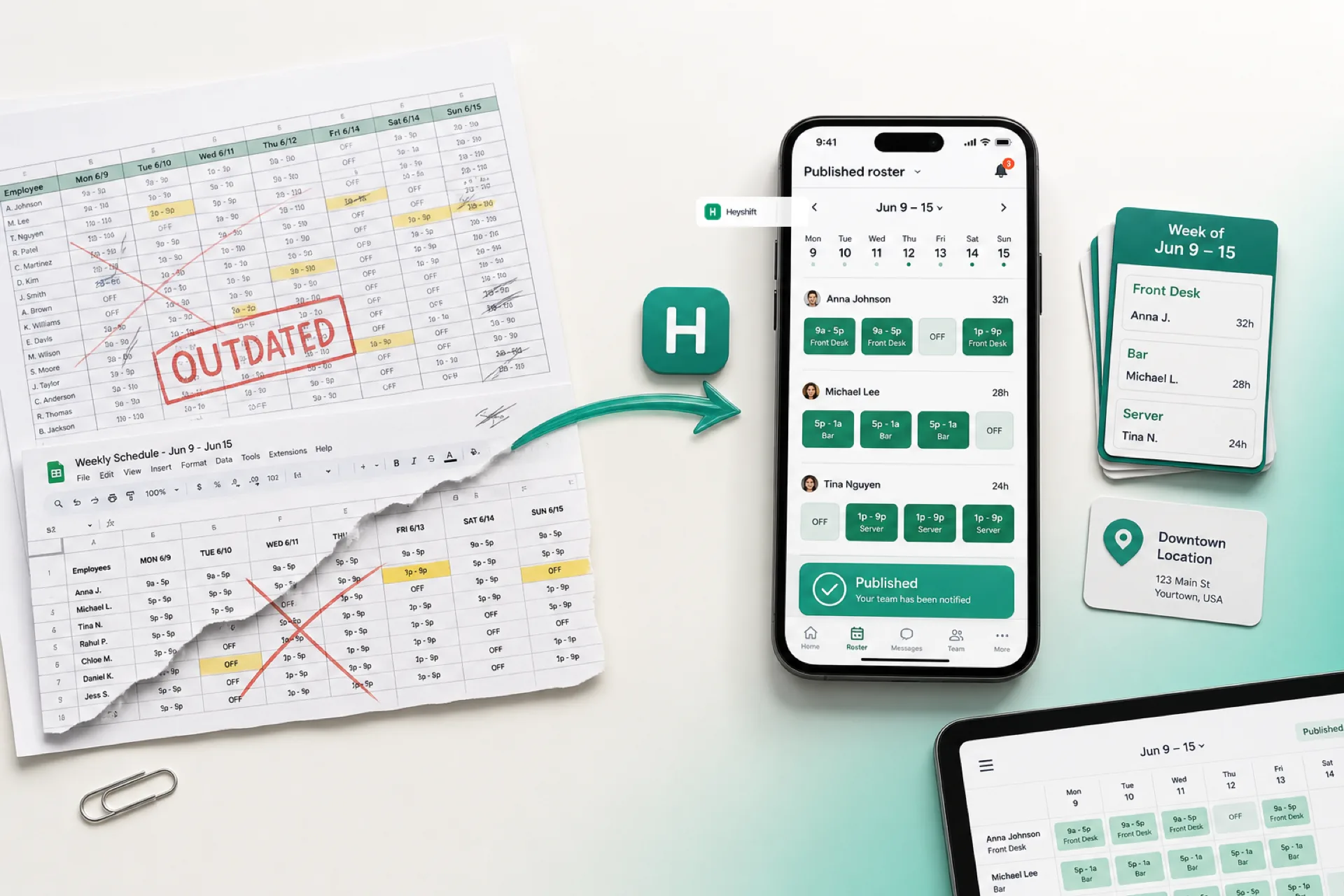
Why spreadsheets fail for workforce scheduling (and what to use instead)
Excel and Google Sheets work for tiny teams, but version chaos, missed updates, and overtime blind spots make spreadsheet scheduling expensive as you grow in 2026.
Read article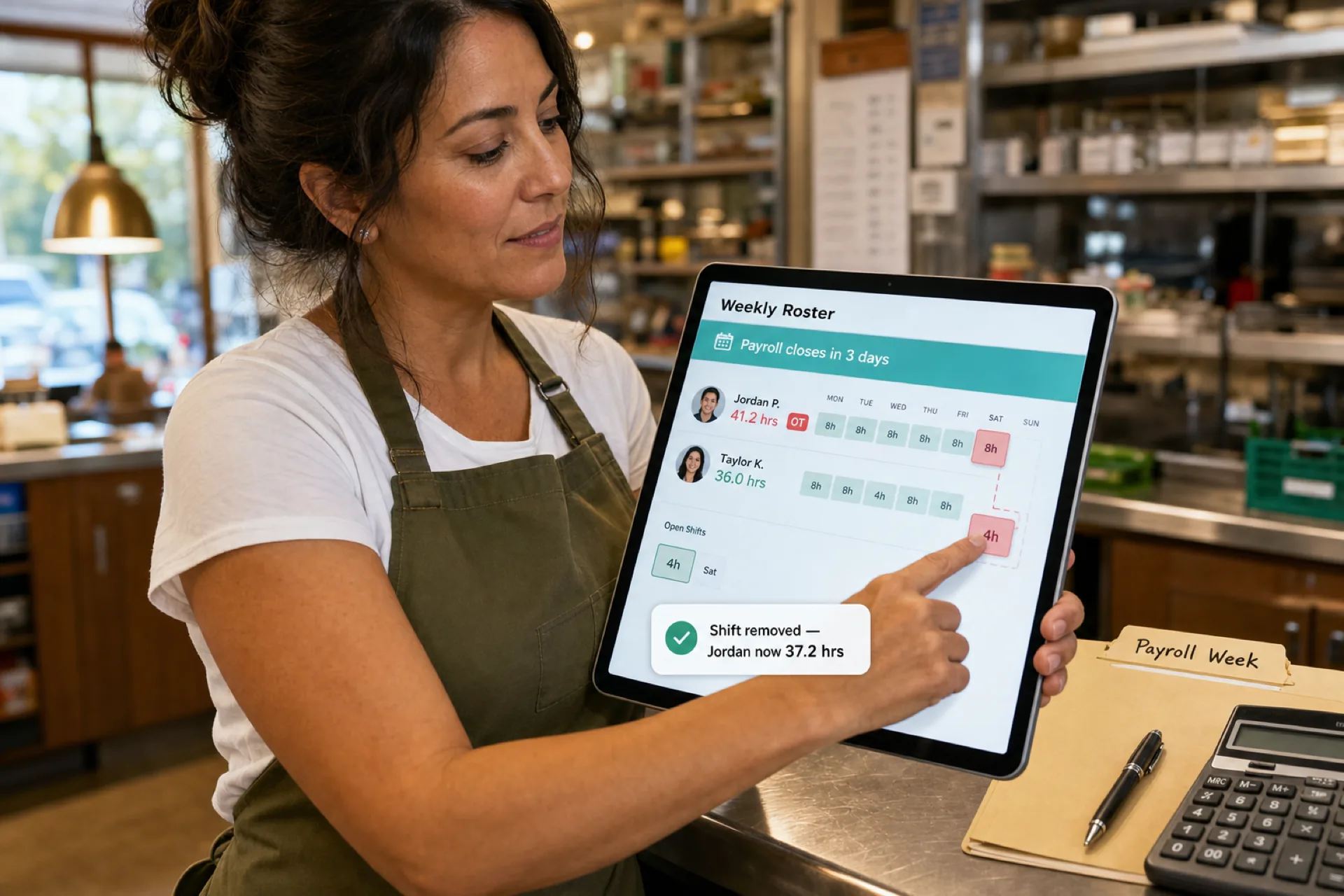
How to prevent overtime before payroll (2026 guide)
Learn how to prevent overtime before payroll with weekly hour monitoring, labor budgets, swap controls, and workforce scheduling visibility for growing USA teams.
Read article
Healthcare staff scheduling software with compliance tracking: features, benefits, and how to choose
Compare healthcare staff scheduling software with compliance tracking. See qualifications, credentials, training, and assignments in one staff workflow.
Read article