

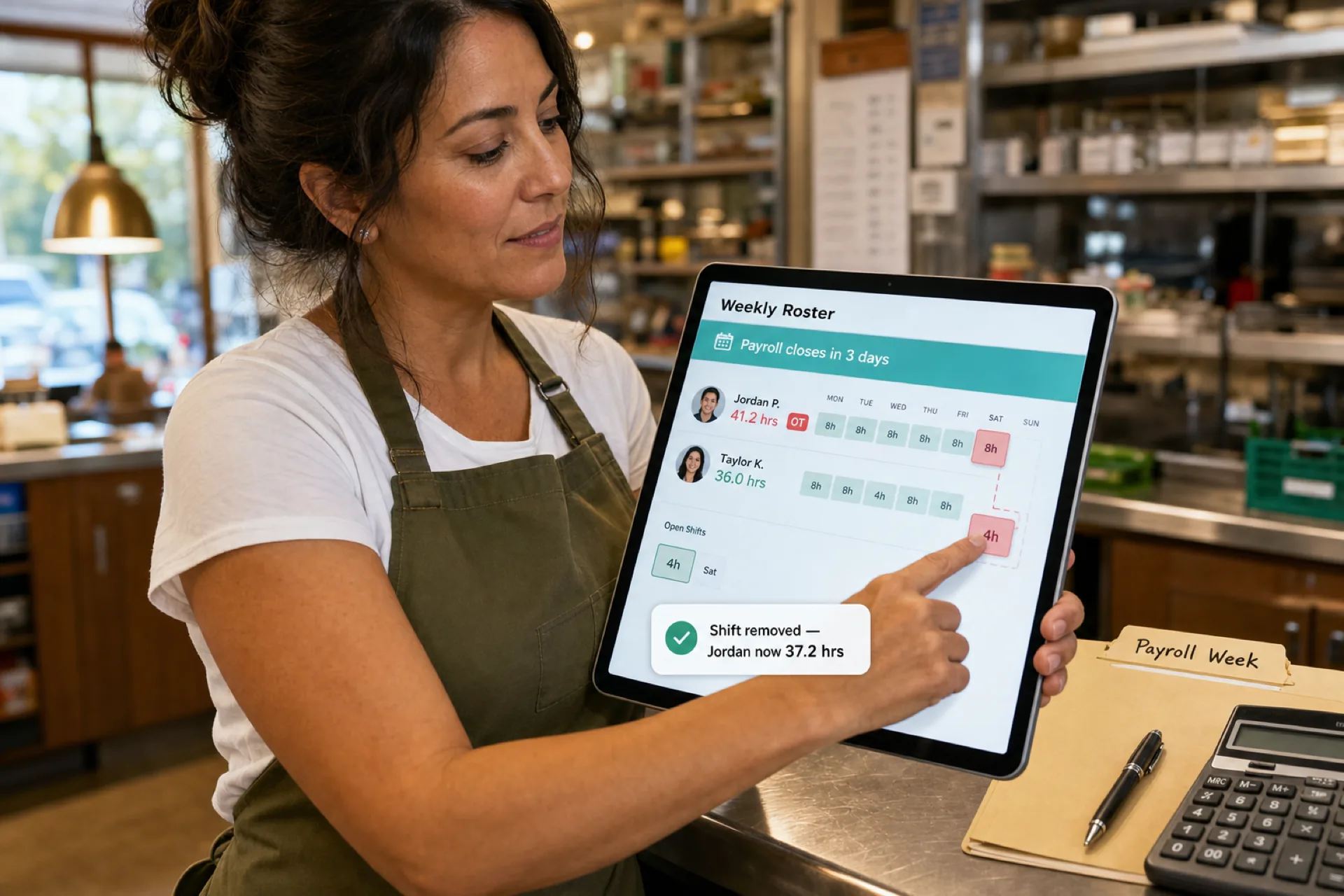
How to prevent overtime before payroll (2026 guide)
Learn how to prevent overtime before payroll with weekly hour monitoring, labor budgets, swap controls, and workforce scheduling visibility for growing USA teams.
How to prevent overtime before payroll
Overtime can become one of the largest quiet leaks in your labor budget. Many managers only see the damage after payroll runs, when hours are already locked and margin is already thinner.
A few extra hours per person does not look dramatic on one shift. Across a team, a weekend, or multiple locations, it compounds fast.
Whether you run retail, restaurants, healthcare, warehouses, cleaning routes, or field service, preventing overtime before payroll is how you protect profitability without guessing.
Most excessive overtime is not inevitable. It is a visibility problem: hours spread across swaps, call-offs, and side edits that nobody totals until export day.
This guide covers why overtime is expensive, what causes it, and seven ways to prevent overtime before payroll closes.
Pair scheduling discipline with attendance management software so worked hours stay tied to the published week. Healthcare operators should also read healthcare overtime management for clinical OT KPIs and alerts. Also see Monday roster reconciliation for weekly discipline, reduce employee no-shows when coverage scrambles drive OT, and startup operational cost scheduling for the broader cost picture.
Why overtime is so expensive
Labor is often the largest operating expense for small businesses. When hourly staff exceed standard thresholds, you may owe overtime wages on top of regular rates.
| Direct cost | What shows up on the P&L |
|---|---|
| Premium pay | OT rate on hours you did not budget |
| Margin compression | Same revenue, higher labor % |
| Budget drift | Weekly targets missed before anyone adjusts |
Teams with dozens of employees across sites feel this faster because small overages repeat in parallel.
Common causes of overtime
Employee no-shows and call-offs
When someone misses a shift, managers ask others to stay late or pick up an extra block. Emergency coverage is often the fastest fix and the most expensive one.
Poor scheduling without hour totals
Grids built shift-by-shift without a weekly hour view accidentally stack hours on the same people. Nobody notices until payroll.
Last-minute staffing gaps
Open shifts filled reactively tend to land on whoever is available, not whoever has room under the threshold.
Multiple locations without shared visibility
Site A schedules someone to 38 hours. Site B adds a cover shift without seeing the running total.
Seasonal demand without a labor plan
Busy weekends and holiday peaks need templates and buffers, not heroic closes every Saturday.
The hidden cost of overtime
Overtime is not only premium wages.
| Hidden cost | Why it matters |
|---|---|
| Burnout | Chronic long weeks reduce quality and safety |
| Turnover | Replacing trained staff costs more than one OT shift |
| Productivity | Fatigue shows up as errors and slower service |
| Scheduling rework | Managers firefight instead of planning |
| Payroll complexity | Corrections and disputes after close |
Consistent overtime hurts morale and margin at the same time.
Seven ways to prevent overtime before payroll
1. Monitor scheduled hours weekly
Do not wait for payroll export. Review scheduled hours before you publish the week and again mid-week after swaps.
Look for:
- Employees within a few hours of your OT threshold
- Back-to-back closes on the same person
- Open shifts likely to land on already-heavy weeks
Build this into Monday roster reconciliation so OT creep is a standard line item, not a surprise.
2. Build schedules around labor budgets
Scheduling should reflect expected demand and a labor budget, not only coverage minimums.
Balance:
- Required staffing for service levels
- Revenue or traffic expectations for the week
- Hour caps per person before publish
If finance gives you a labor % target, translate it into hours you can assign before the week starts.
3. Use real-time workforce visibility
Managers need one place to see:
- Scheduled hours by employee and location
- Open shifts and pending approvals
- Coverage gaps that might trigger emergency OT
Real-time visibility means adjustments happen on Tuesday, not Friday after the fact.
4. Cross-train for flexibility without defaulting to OT
Cross-trained staff let you move people into open roles instead of extending the same closer every night.
Flexibility is not unlimited hours on your most reliable people. It is options on the roster when a gap appears.
5. Reduce employee no-shows
Attendance problems create overtime opportunities. Fewer preventable no-shows means fewer panic extensions.
Fix visibility and reminders first; OT often falls without heavier enforcement.
6. Manage shift swaps with hour checks
Uncontrolled swaps can push someone over the threshold accidentally.
Before approving a swap, confirm:
- Both employees' weekly totals after the change
- Premium windows (weekends, holidays) your policy flags
- Pending open shifts that might stack on the same person
See open shift and swap approvals on the published roster for a repeatable approval habit.
7. Use workforce scheduling software
Workforce scheduling software should show hour totals and OT risk while you are still editing the week, not only in payroll.
Look for:
- Scheduled hours vs threshold alerts
- Labor budget or hour caps by location
- Swap approval with hour impact visible
- Multi-site totals on one employee record
How workforce scheduling software helps reduce overtime
| Capability | OT prevention role |
|---|---|
| Hour tracking on the roster | See totals before publish and before payroll |
| Labor cost visibility | Spot budget pressure early in the week |
| Schedule optimization | Spread hours instead of stacking one person |
| Attendance management | Fewer gaps that trigger emergency coverage |
| Multi-location planning | One view of hours across sites |
Heyshift shift scheduling and cost and labor insights centers publish-first planning: build the week on web, keep swaps on the published roster, and give managers visibility before hours harden in payroll.
For mid-week changes tied to demand, see mid-week schedule changes and labor forecast.
Industries most affected by overtime
| Industry | Typical OT pressure |
|---|---|
| Retail | Seasonal peaks, weekend surges, part-time hour stacking |
| Restaurants | Closes, doubles, call-off coverage on thin teams |
| Healthcare | Mandatory coverage, float pools, compliance windows |
| Warehousing | Deadline weeks, shipping surges, absenteeism |
| Cleaning services | Route gaps, travel time, multi-site dispatch |
| Field service | SLA windows, on-call extensions |
How Heyshift helps businesses control overtime
Heyshift helps USA operators reduce labor surprises without HRMS bloat:
- Employee scheduling with weekly hour context on the published roster
- Attendance tracking aligned to what was scheduled
- Shift swap and open-shift approvals before hours change
- Multi-location workforce visibility so totals stay honest across sites
- Real-time roster insights while the week is still editable
When managers see overtime risk before payroll, they can rebalance shifts instead of explaining a budget miss after close.
For clean handoff to payroll, pair scheduling discipline with an attendance corrections workflow before export.
Final thoughts
Some overtime is unavoidable: true demand spikes, compliance coverage, or agreed extra hours. Most excessive OT comes from scheduling inefficiency, not from business necessity.
Teams that prevent overtime before payroll usually see lower labor cost, less burnout on core staff, and calmer manager weeks.
Gain visibility while the roster is still editable. Publish one official week, approve swaps with hour totals in view, and reconcile labor before export day.
Start a Start 30-day free trial to see how Heyshift fits your locations and labor targets.
Frequently Asked Questions
Continue with related topics
More articles on topics related to this one.
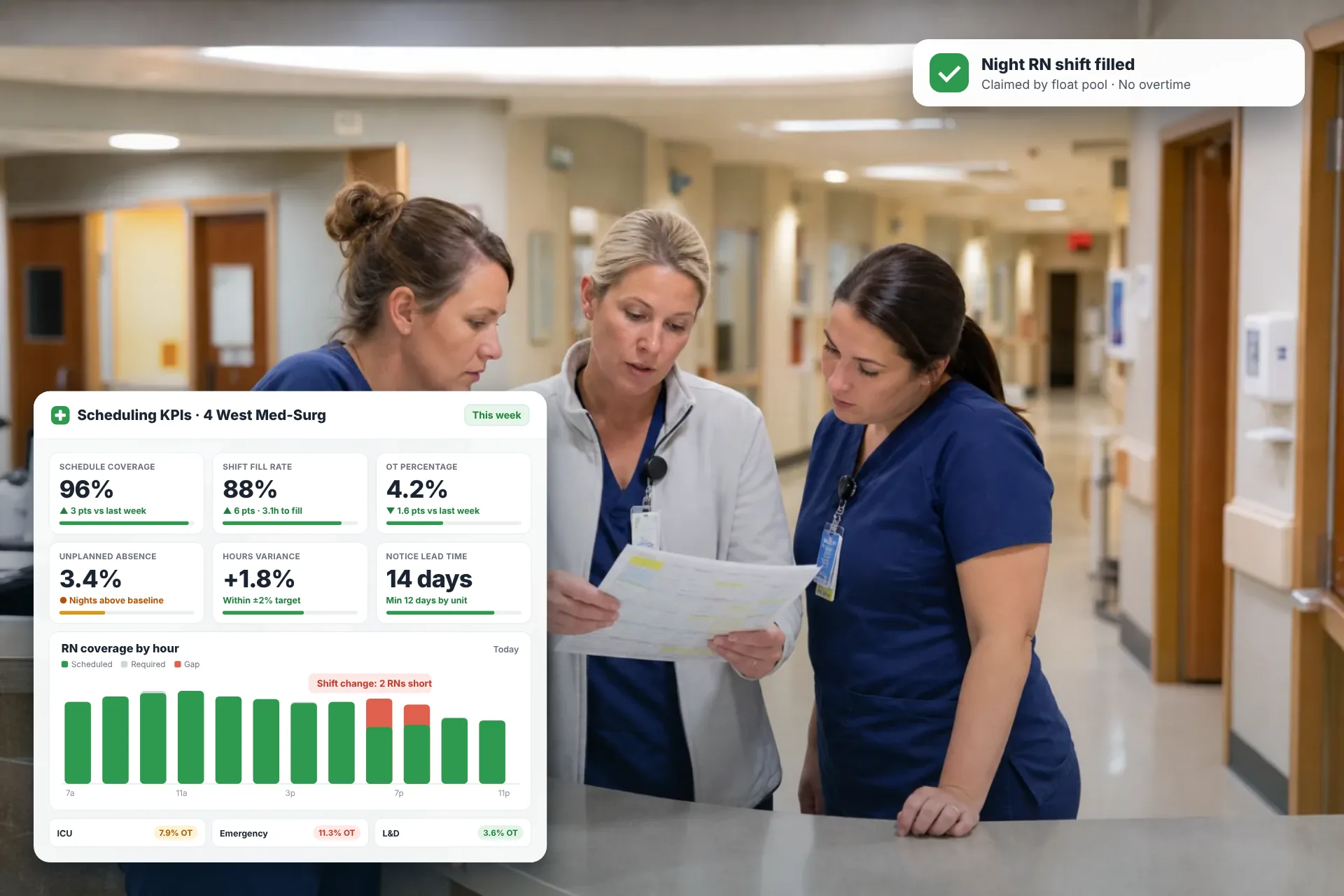
Employee Scheduling KPIs: 12 Metrics Every Operations Manager Should Track
Twelve employee scheduling KPIs with formulas, review cadences, and first actions, plus the trade-offs between them that most KPI lists skip.
Read article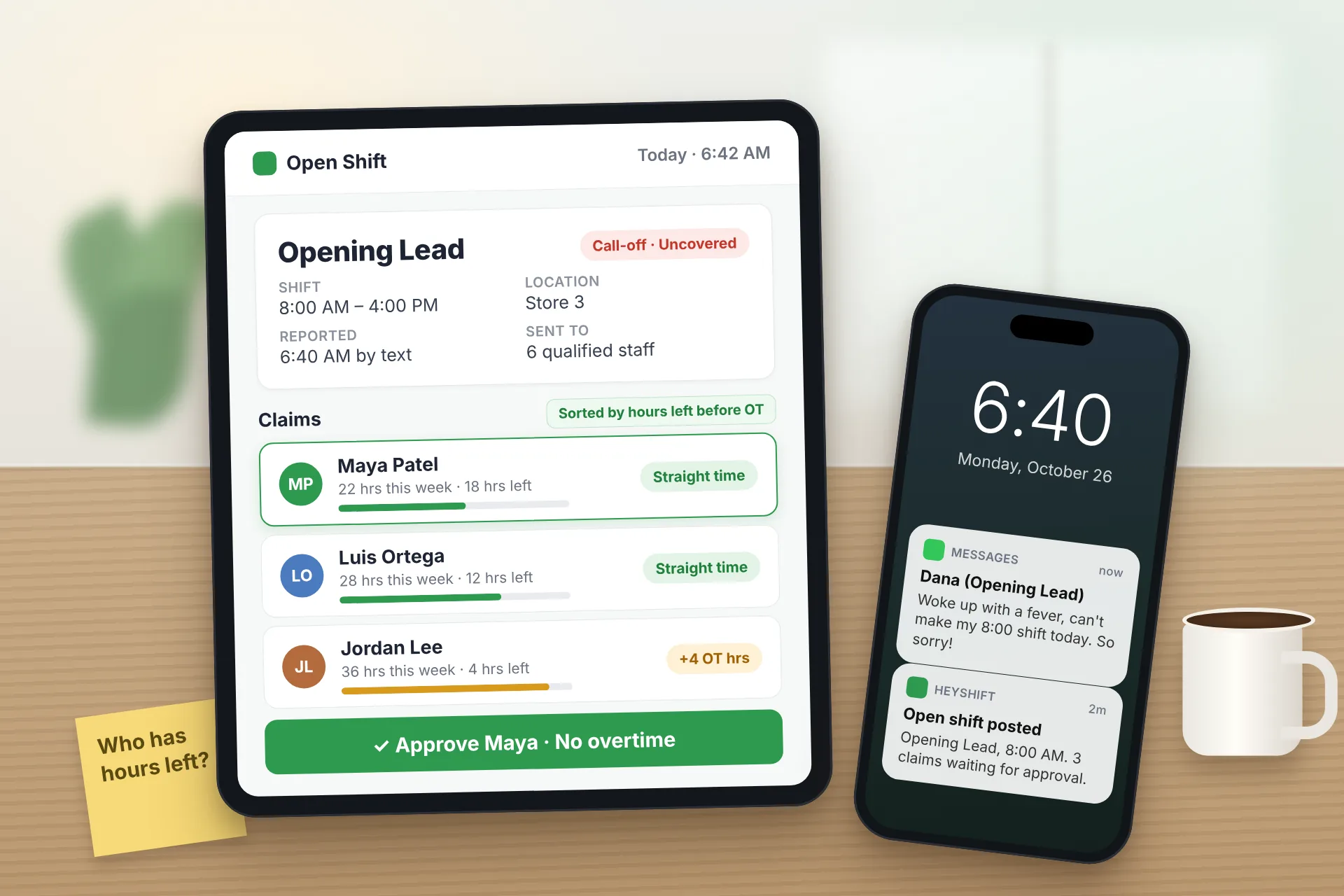
Same Day Employee Call Off Coverage: How to Handle Call-Offs Without Creating Overtime
A 30-minute response sequence for same-day call-offs: build a qualified list, post an open shift to everyone at once, and check overtime before you approve anyone.
Read article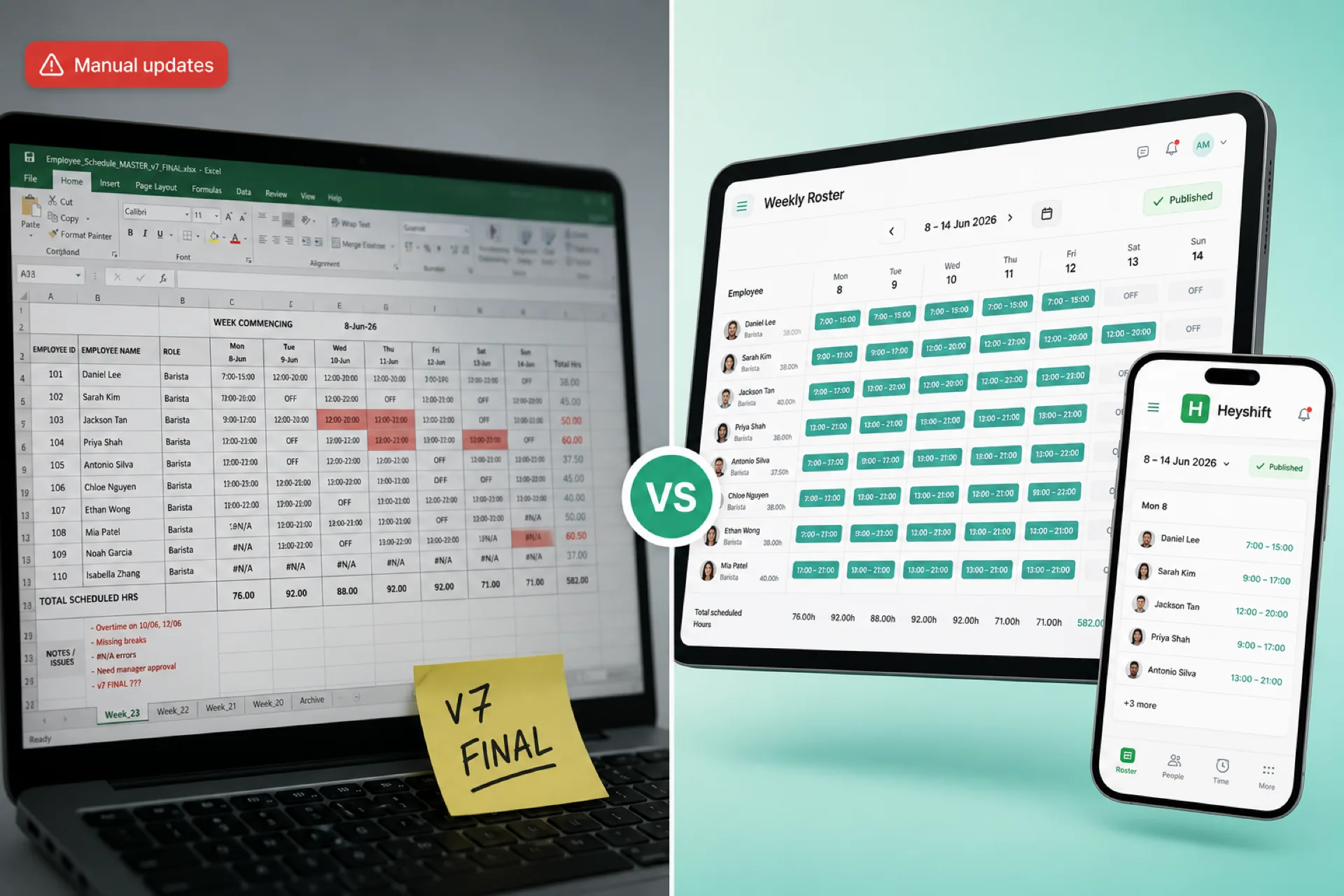
Workforce scheduling software vs Excel for growing businesses
Excel works for tiny teams, but growing businesses need publish-first scheduling software with mobile alerts, swap approvals, and labor visibility Excel cannot match.
Read article