

01
Put the right people on the floor
Forecast demand in operator language: who is available, which site needs coverage, and which role is short. Then publish a roster staff can trust. See employee scheduling software for the planning surface.
Employee scheduling and shift planning for USA businesses with multi-site rosters and finance-week aware coverage.
Operational workforce management
Workforce management software connects who you planned to work, who actually worked, and what that week cost. Heyshift is built for USA operators with 20 to 500 hourly staff who need one published roster, punches, leave, and labor signals without a full HRMS rollout.
In one sentence
Workforce management software is the operating layer for hourly teams. It combines employee scheduling, time and attendance, leave, mobile updates, and labor visibility so managers publish one official week instead of chasing spreadsheets, chats, and a separate time clock.
30-day free trial on every plan, then Starter from $4/seat per month ($3.60 billed yearly). Mobile access included for staff and managers. View pricing.
Workforce management software is not a bigger calendar. It is the system that keeps coverage, time records, and labor decisions on one path. Heyshift treats WFM as three weekly jobs, not a catalog of HR modules.
01
Forecast demand in operator language: who is available, which site needs coverage, and which role is short. Then publish a roster staff can trust. See employee scheduling software for the planning surface.
02
USA hourly teams live with overtime, meal and rest breaks, and local predictive scheduling rules. WFM should surface those signals while the week can still change, not as a surprise in payroll. Pair the roster with attendance management software.
03
Hourly employees expect the official schedule on their phone, a path to set availability, request leave, and swap shifts, and messages that match the published roster. That is engagement as operations, not a recognition feed bolted on later.
The connected week
A useful WFM platform follows the same sequence every cycle. Heyshift is built around publish-first discipline so attendance, leave, and labor all read from one roster.
Load locations, areas, roles, availability, and approved leave before you build hours. The grid should show who can work, not only who exists in a staff list.
Copy a working week, fill gaps with open shifts, and publish once. Staff get the official schedule on web and mobile instead of a file that is already stale.
Punches, breaks, and corrections attach to published shifts. Supervisors see who is in, late, or missing without reconciling a separate clock.
Compare scheduled vs worked hours, spot overtime risk, and move coverage before payroll cutoff. Use the overtime risk calculator when a site runs hot.
Teams searching for workforce management software usually already have a roster file, a punch path, and a group chat. The gap is that those tools do not share one official week. Coverage changes in one place, hours live in another, and payroll finds the mismatch after cutoff. For the definition of the category, see what is workforce management software.
Before
Spreadsheets & chat apps
Manual updates with no single source of truth.
After
One published roster
Web and mobile share the same official version.
fx=VLOOKUP(D4, OLD_SHEET!A:Z, 3, FALSE)
Coverage conflict on Thursday close
Excel lists Hannah; ops chat lists Owen. Two staff affected.
24 staff notified
Swaps and pickups in one queue
Labor visible
Planned vs worked before payroll close
Read across4 operating fixesEach row moves from a fragmented weekly stack to a connected workforce workflow managers can run from one account.
Roster versions split across Excel, texts, and printed sheets
One publish path so staff, supervisors, and owners work from the same official schedule on web and mobile
Punches that do not match the shifts managers thought they published
Attendance sits beside the roster so planned vs worked hours stay visible before payroll close
Leave and availability discovered after the week is already locked
Availability, leave, and open shifts stay on the same grid used to build coverage
Labor cost surprises after overtime already happened
Scheduled hours and labor signals show while you can still move a shift, not only after export
Heyshift is workforce management software for operators who outgrew disconnected tools. You plan and publish the week, capture attendance against that plan, handle leave and swaps in one queue, and review labor while there is still time to act.
Heyshift groups the modules operators actually run every week. Each tile links to the product surface, so buyers can inspect scheduling, attendance, leave, and labor without a demo-script feature dump.
Planning core
Build day and week rotas with templates, copy-week tools, and one publish path. The roster stays the source of truth for every other module.
Explore schedulingTime record
Clock-ins, breaks, and corrections reference the published shift. Managers compare planned vs worked hours without a second time system.
Explore attendanceSee who can work, who is off, and which requests are still pending before you lock coverage. Leave sits on the same grid as the schedule.
Learn morePublish gaps staff can pick up and approve swaps in one queue. Coverage changes stay on the official roster instead of disappearing into chat.
Learn moreReview scheduled hours and labor signals while you still have time to move a shift. Finance-week context lives beside the grid.
Learn moreRun sites, areas, and supervisor views from one account. Compare publish readiness and coverage without a spreadsheet per location.
Learn moreSend location updates that sit next to the roster staff already opened. Fewer side channels when the week changes.
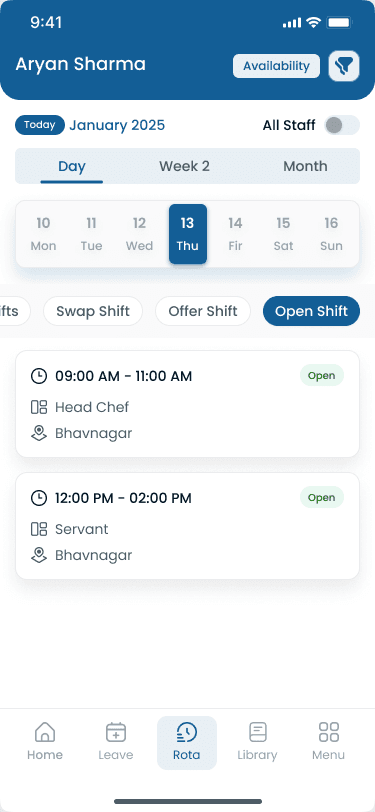
Learn moreStaff view shifts, request changes, and punch from iOS and Android. Managers adjust the same official week from the phone, not a PDF export.
Learn moreGrowing operators do not need a different workforce system per store, clinic, or warehouse. They need one account that respects real structure: locations, areas, supervisors, and comparable coverage. For the dedicated buyer page, see multi-location scheduling software.
Sites and areas stay distinct
Name locations the way you operate: dining room vs kitchen, sales floor vs stock, inbound vs outbound, or clinic pods.
Supervisors share one source of truth
District and area leads review publish readiness, open shifts, and approvals without maintaining parallel files.
Move coverage without losing the audit trail
Borrow staff across sites when a location is short, with the same roster rules you use for a single store.
Compare labor patterns, not anecdotes
Copy templates that work and review hours across the portfolio instead of asking each manager for a screenshot.
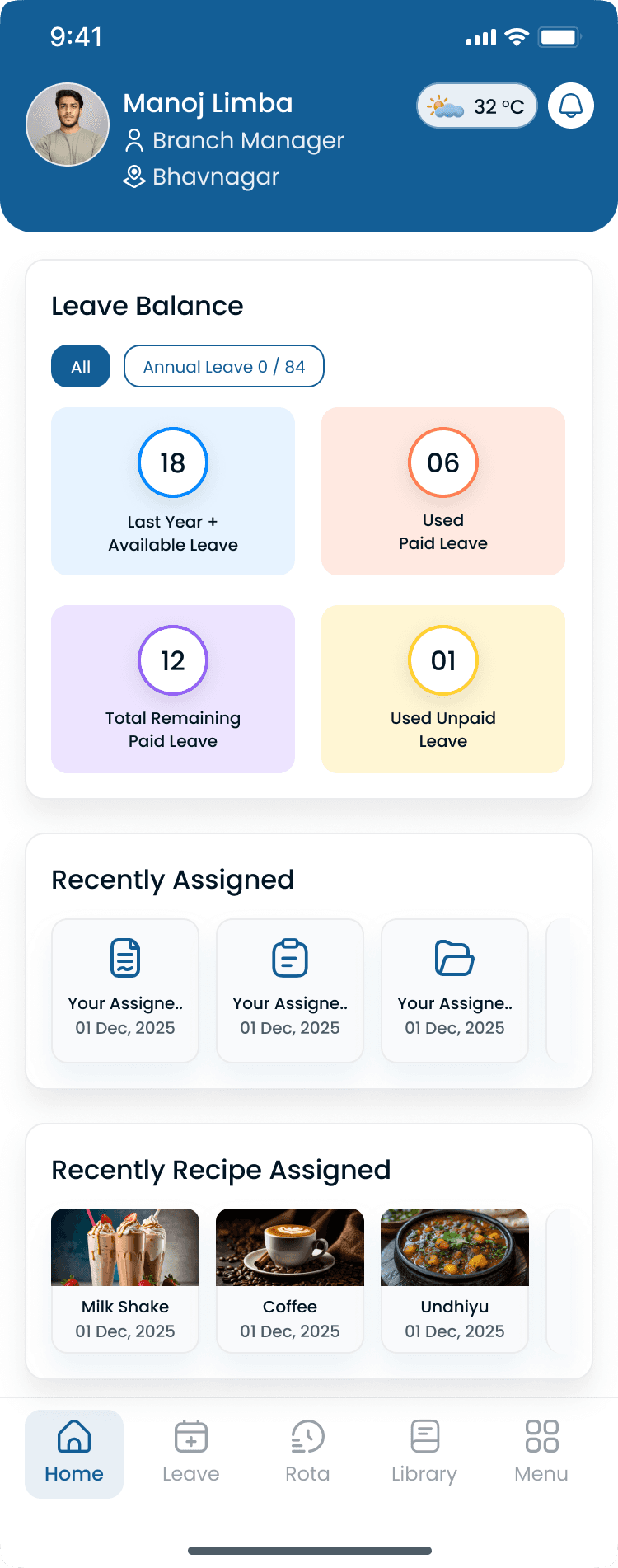
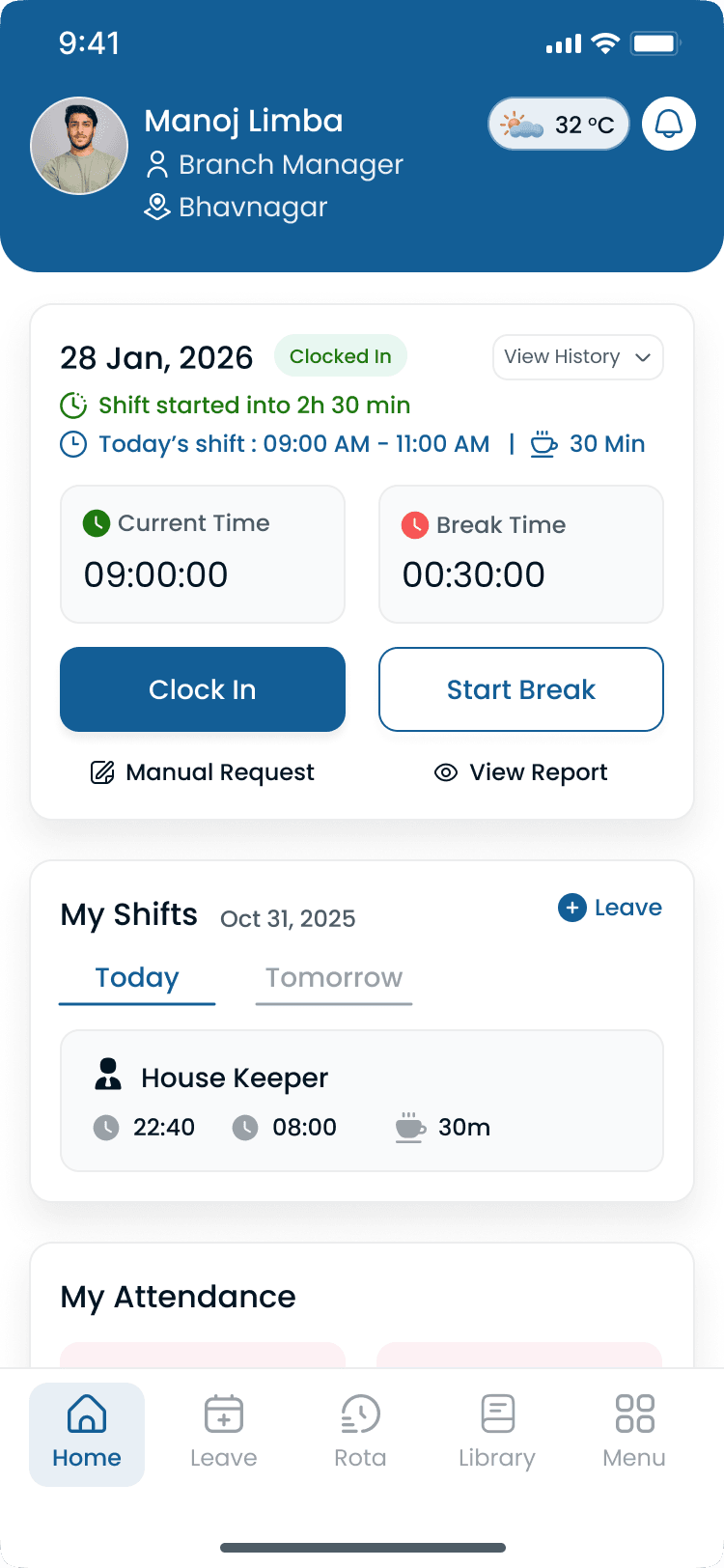
Scheduling software plans the week. Time and attendance records what happened. Workforce management software keeps those two stories together. Heyshift ties punches to published shifts so payroll handoff starts from one record. See attendance management software for clock, kiosk, and correction workflows, and employee time tracking software for timesheets and payroll hours.
Punches reference published shifts
Clock events attach to the shift managers published, so variance conversations start from one official plan.
Daily status without a second login
See who is in, late, or on break beside the roster instead of calling each site lead.
Overtime while you can still act
Hours trending over plan show during the week, not only after payroll export.
Cleaner planned vs worked review
Compare scheduled time to punches for fewer end-of-week disputes and a shorter payroll close.
Many 20 to 80 person teams still run the week in Excel or Google Sheets, then chase punches and leave in other tools. The table shows where that stack breaks once you add a second location or a second manager.
| Capability | Spreadsheet stack | Heyshift WFM |
|---|---|---|
| One official schedule | Files fork the moment someone emails a new version | Publish once; web and mobile show the same roster |
| Attendance tied to the plan | Punches live in a clock or paper timesheet | Clock events sit beside published shifts |
| Leave and availability before you lock hours | Side tabs or texts that planners forget | Constraints stay on the same grid |
| Shift swaps with an audit trail | Group chat handoffs nobody can reconstruct | Staff request, managers approve, roster updates |
| Labor visibility during the week | Hours summed after the week closes | Scheduled hours and OT signals while you can still move coverage |
| Multi-site comparison | One file per location, or a fragile master tab | Locations and areas in one account |
USA operators still staff most customer-facing and production hours with hourly teams. In 2026 the pressure is not a missing spreadsheet formula. It is faster roster changes, tighter overtime review, and staff who expect the official week on a phone.
Four trends operations leaders report most often, and what each means for workforce management software.
| Trend | What operators see | WFM implication |
|---|---|---|
| Multi-site hourly work stays the default for growing operators | Two to ten locations share managers, float staff, and a payroll file, but each site still invents its own roster process. | WFM software must show commitments across sites before you publish a borrowed shift, not after a double-book. |
| Staff expect mobile access and schedule flexibility | Hourly employees check shifts on a phone and want a path to set availability, pick up open shifts, and swap without calling a manager. | Publish-first mobile access is a retention tool. PDF exports and screenshot threads create no-shows. |
| Overtime and break rules get reviewed earlier | Finance and HR ask for planned vs worked reviews before payroll, not only after an exception report. | Attendance and labor signals belong on the same week as the roster. Pair WFM with the [overtime risk calculator](/tools/overtime-risk-calculator). |
| Labor cost pressure meets uneven demand | Sales or census swings week to week while wage rates and overtime rules stay fixed. | Managers need labor context while building coverage, plus a way to fill gaps without defaulting to overtime. |
Workforce planning forecasts demand. Workforce management software turns that plan into a published roster, punches, and a labor review. See what is workforce forecasting for the planning step.
Breaks, overtime, and local predictive scheduling rules fail when the roster and the time record disagree. Connect leave and attendance to meal, rest, and leave management.
Deskless teams will not open a desktop portal to learn the week changed. Read the mobile workforce management guide for publish and punch patterns.
Source: U.S. Bureau of Labor Statistics, Employment Situation (BLS)
A regional food and retail group with about 90 hourly staff ran each site from its own spreadsheet, a shared time clock login, and a manager group chat. The owner could not answer a simple question by Thursday: who is working this weekend, and are we already over hours?
Before a connected WFM platform
After Heyshift
Demo decks list dozens of modules. These checks separate a platform your managers will publish from every week from shelfware. Score the workflow, not the feature count.
Evaluate these before you buy
Heyshift is workforce management software for hourly teams of roughly 20 to 500 people. Any environment where coverage, mobile updates, and labor discipline matter every week.

Food and beverage
Peak coverage, FOH vs BOH areas, and open-shift fills

Stores and districts
Multi-store rotas, seasonal staffing, and floor coverage

Clinics and care
Coverage rules, leave visibility, and multi-site floats

Hotels and venues
Front desk, housekeeping, and event peaks

Fulfillment
Shift blocks, zone coverage, and overtime control

Mobile crews
Client sites, routes, and supervisor sign-off
Explore how operators roll out scheduling by segment for multi-site teams.
The best workforce management system is the one managers publish from and staff actually open. Outcomes matter more than module checklists.
01
Templates, copy-week, and one publish path replace Sunday-night file surgery across locations.
02
Availability, leave, and open shifts stay on the same grid, so gaps show up before the shift starts.
03
Punches and corrections sit next to the published schedule, which shortens the planned vs worked review.
04
Scheduled hours and overtime signals appear while supervisors can still move a shift. Model savings with the scheduling ROI calculator.
05
Mobile access for viewing shifts, requesting swaps, and punching in reduces the manager as a human switchboard.
06
Add locations and areas without buying a second system or teaching a new process per store.
Buyers comparing Deputy-class workforce platforms, Connecteam-style all-in-one apps, and enterprise HRMS suites often mix three different jobs. Heyshift is operational workforce management for hourly USA teams, not a full HR information system.
Solves roster building and publish. Necessary, but incomplete if punches, leave, and labor live somewhere else. Heyshift includes employee scheduling software as the planning core of WFM.
Heyshift category
Connects scheduling to attendance, leave, communication, and labor review. That is the Heyshift category: one official week from plan to payroll handoff.
Add recruiting, benefits, performance, and core HR records. Useful later. Heavy if you only need managers to publish coverage and capture time this quarter.
Seat-based pricing, a 30-day trial, mobile included, and workflows sized for 20 to 500 person operators. Start from how you already plan weeks, not a six-month HRIS project.
Direct answers for operators comparing workforce management systems, scheduling-only tools, and multi-location rollout.
Get started
Start a 30-day free trial or book a walkthrough for scheduling, attendance, leave, and labor visibility across your locations.
Schedule published
Push to Hannah, Owen, Marcus +7, new shifts live on mobile.
Mon
4
Tue
5
Wed
6
Thu
7
Fri
8
Sat
9
Sun
10
Open shifts
8 slots
12–2p
Open
4–9p
Approve
9–5p
10–6p
12–2p
Open
9–5p
4–9p
Approve
Hannah Cole
22h · 5
9–5p
10–6p
9–5p
4–9p
Approve
9–5p
Owen Blake
16h · 4
9–5p
9–5p
10–6p
9–5p
Maria Santos
20h · 5
9–5p
4–9p
Approve
9–5p
10–6p
Jordan Rivera
14h · 3
9–5p
4–9p
Approve
9–5p
10–6p
Emily Nash
30h · 6
9–5p
9–5p
10–6p
9–5p
4–9p
Approve
9–5p
Marcus Reid
12h · 3
9–5p
4–9p
Approve
10–6p
9–5p
9–5p
Leo Carter
14h · 3
9–5p
4–9p
Approve
9–5p
10–6p
9–5p