

Staff Management & LogsBook
Organize employees, roles, contracts, and workforce access in one system, with LogsBook for daily shift income and expenses such as sales and operating costs.
- Roles & structure
- LogsBook shift ledger
- Team visibility
- 30-day free trial
- No credit card
- All features unlocked
- Cancel anytime
Product preview of this Heyshift capability.
Schedule published
Push to Hannah, Owen, Marcus +7, new shifts live on mobile.
Mon
4
Tue
5
Wed
6
Thu
7
Fri
8
Sat
9
Sun
10
Open shifts
8 slots
12–2p
Open
4–9p
Approve
9–5p
10–6p
12–2p
Open
9–5p
4–9p
Approve
Hannah Cole
22h · 5
9–5p
10–6p
9–5p
4–9p
Approve
9–5p
Owen Blake
16h · 4
9–5p
9–5p
10–6p
9–5p
Maria Santos
20h · 5
9–5p
4–9p
Approve
9–5p
10–6p
Jordan Rivera
14h · 3
9–5p
4–9p
Approve
9–5p
10–6p
Emily Nash
30h · 6
9–5p
9–5p
10–6p
9–5p
4–9p
Approve
9–5p
Marcus Reid
12h · 3
9–5p
4–9p
Approve
10–6p
9–5p
9–5p
Leo Carter
14h · 3
9–5p
4–9p
Approve
9–5p
10–6p
9–5p
See if this matches how you run the week
Who it is for, what changes on the floor, and how it sits next to the rest of Heyshift.
Who it's for
What you get
How it fits
Evaluation highlights
The outcomes and guardrails buyers validate first, reuse the same bullets when stakeholders ask for a tight recap.
Roles & structure
Organize by operational roles, departments, locations, or responsibilities, the roster mirrors real operations.
LogsBook shift ledger
Log daily shift income and expenses, sales, petty cash, supplies, and other closeout costs per location.
Team visibility
Keep departments, areas, and assignments obvious so schedules stay coherent as you scale.
Contracts & cohorts
Full-time, part-time, temp, seasonal, schedule against workforce structure, not generic lists.
Access under control
Permissions by role, responsibility, location, and team, fewer people see data they should not touch.
Staff Management & LogsBook
Contracts, roles, access, and LogsBook shift ledgers stay tied to scheduling, so the roster and daily closeout reflect how the business actually runs.
As teams grow, managing staff across departments, locations, and operational areas gets harder, not optional.
Heyshift keeps workforce management structured and visible by linking employee information directly to scheduling and operations, with LogsBook to record daily shift income and expenses, including sales and operating costs, beside the roster.
From contracts and permissions to area assignments, shift sales logs, and expense entries, managers keep clearer control over who worked, what the shift produced, and how teams are scheduled, across the business.
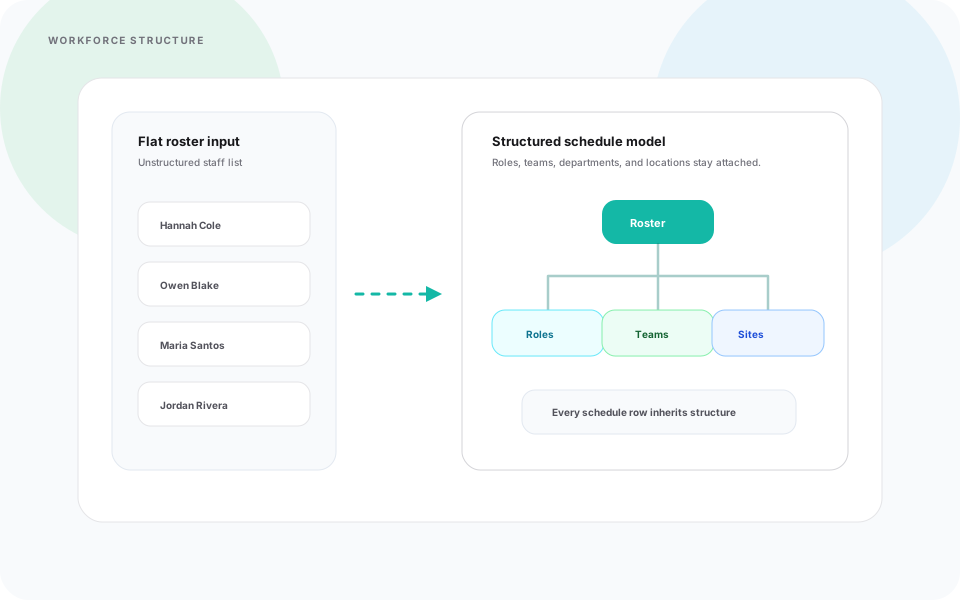
Flat employee lists hide how work is actually organized, schedulers improvise structure every cycle.
Heyshift response
Structure teams by roles, departments, locations, or responsibilities so schedules reflect real operations, and stay readable as you grow.
Cleaner hierarchy upstream keeps downstream scheduling workflows from turning into bespoke spreadsheets.
- Role and workforce organization
- Team and department visibility
- Area and location assignments
- Centralized employee management
Scaling coverage stops breaking the roster model every quarter.
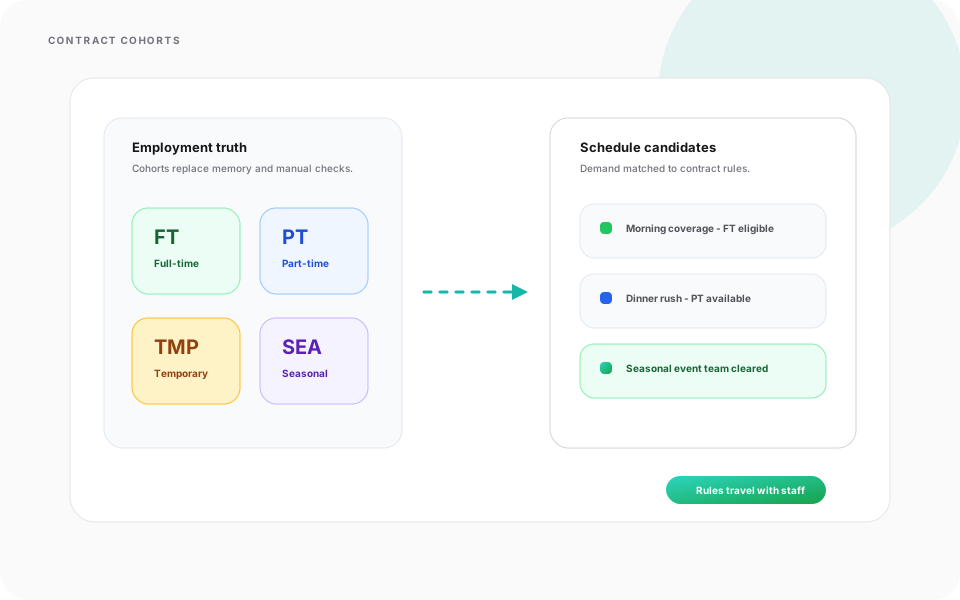
Mixed employment types force planners to memorize who is hourly, seasonal, or borrowed, errors slip through.
Heyshift response
Model contract-backed cohorts so scheduling respects workforce rules while still matching demand.
Filters and assignments inherit contract truth instead of tribal knowledge.
- Full-time employees
- Part-time employees
- Temporary staff
- Seasonal workers
- Flexible workforce arrangements
Rotas align with operational demand and the agreements behind each teammate.
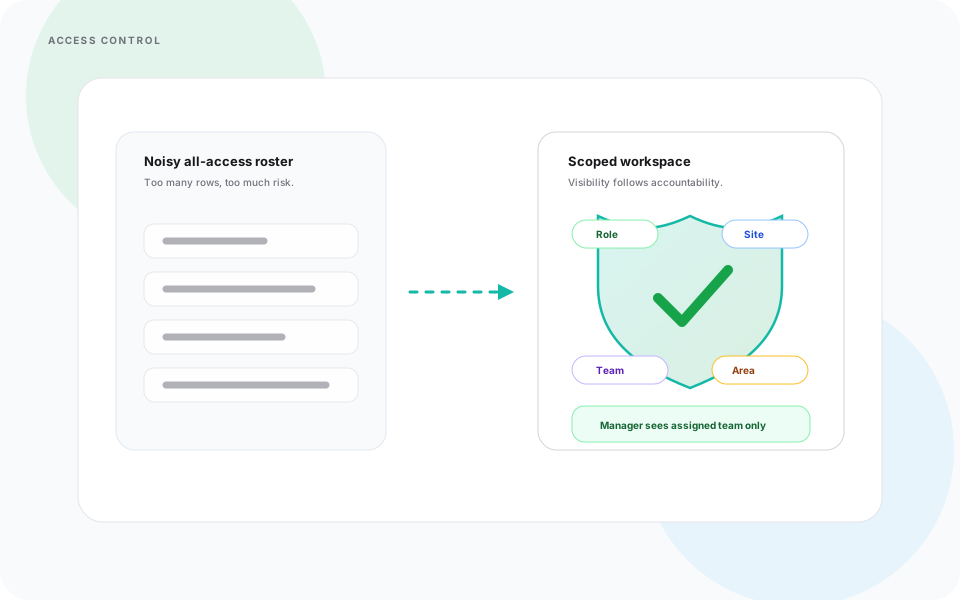
Everyone seeing everything creates noise, or risk, while too little visibility slows legitimate managers down.
Heyshift response
Configure access so managers, supervisors, and staff see only what their responsibilities require.
Operational control improves when permissions reflect real accountability, not one-size admin defaults.
- Role permissions
- Operational responsibility
- Assigned location
- Team or department visibility
Fewer accidental edits, and fewer “why can’t I see my team?” escalations.
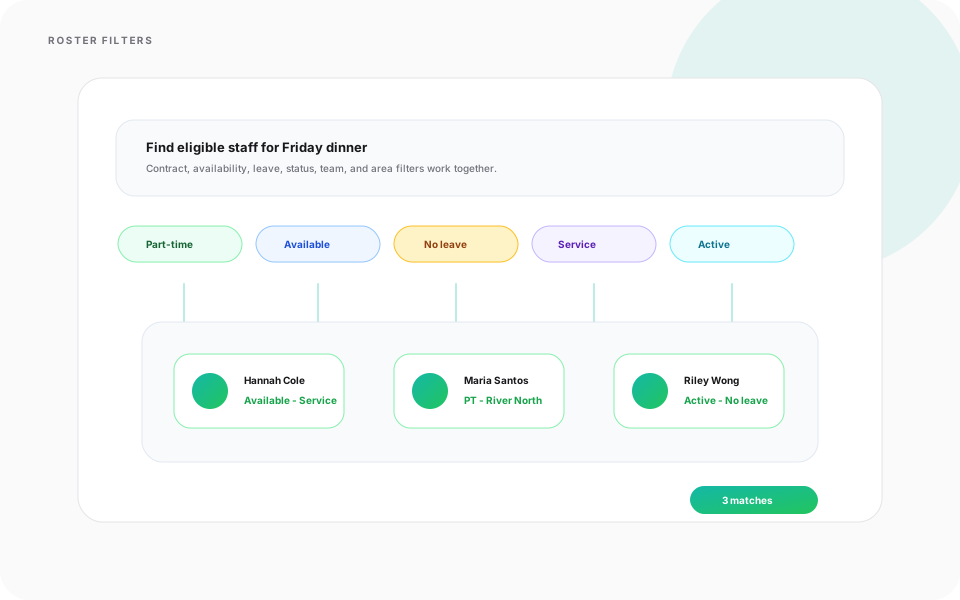
Headcount growth turns roster search into busywork, finding the right teammate takes longer than assigning the shift.
Heyshift response
Use workforce filters to narrow candidates fast while keeping planning organized at scale.
The same filters planners rely on inherit contracts, availability, and assignment context already modeled in Heyshift.
- Contract type
- Availability
- Leave status
- Shift status
- Team or operational area
- Active workforce visibility
Scheduling stays fast without sacrificing structure.
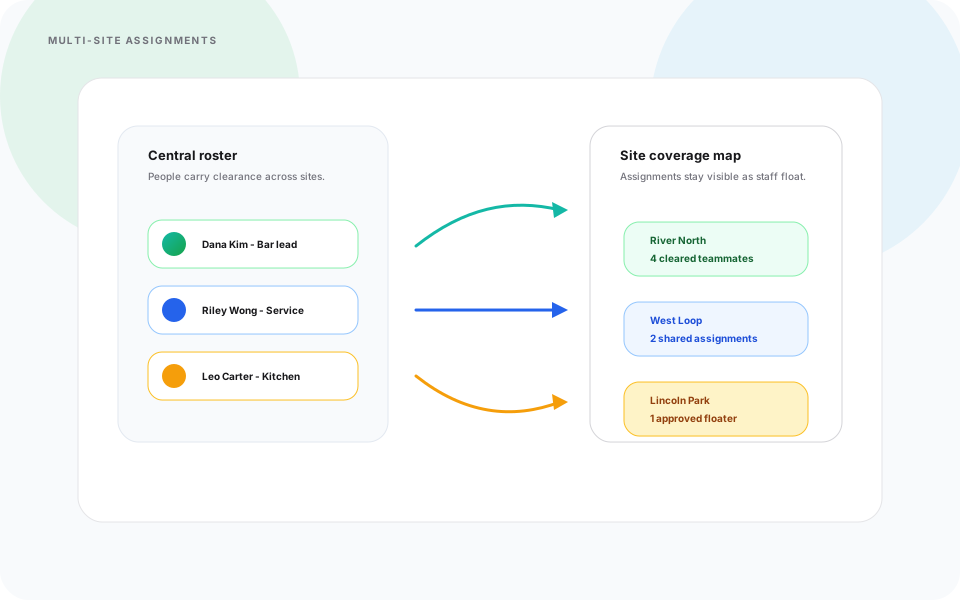
Multi-site footprints fracture assignments, staff float across locations while schedules stay siloed per site.
Heyshift response
Coordinate workforce moves across sites and operational areas without losing scheduling discipline.
Managers retain visibility into who is cleared for which location while assignments stay tied to the central roster.
Floating coverage stays coordinated instead of negotiated in side threads.
Shift sales and expenses get tracked in side spreadsheets, closeout numbers drift from the roster and location context managers already use.
Heyshift response
Use LogsBook to log daily shift income and expenses, including sales and operating costs, tied to the location and shift that produced them.
Managers record register sales, delivery totals, petty cash, supplies, and other shift expenses without rebuilding a separate closeout file.
- Daily shift income and sales entries
- Operating and petty-cash expenses per shift
- Location and closeout context beside the roster
- Less end-of-shift spreadsheet chasing
Shift performance stays visible where scheduling already lives.

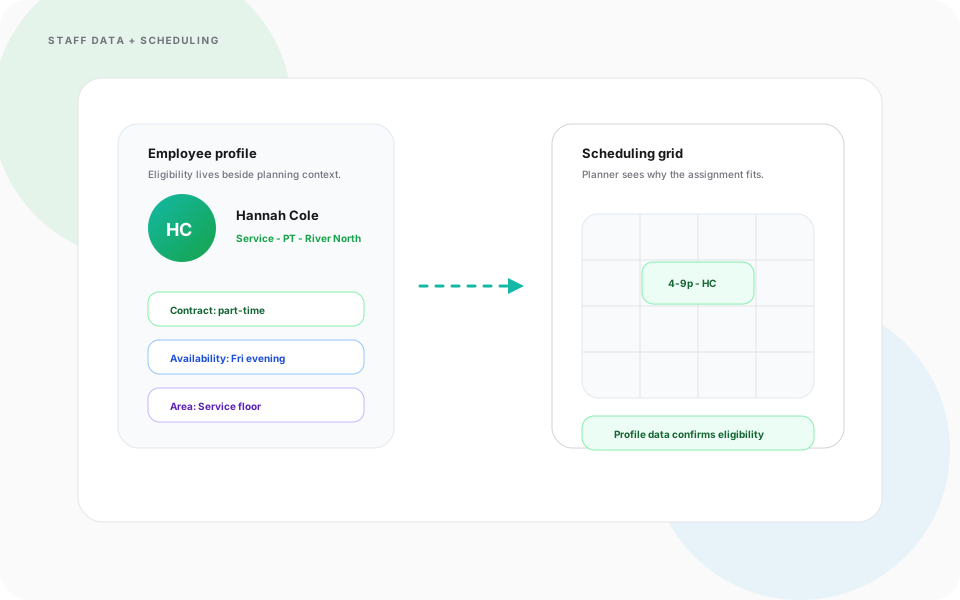
Staff records living outside scheduling force constant lookups, planners guess eligibility instead of trusting data beside the grid.
Heyshift response
Connect workforce information directly to scheduling flows so rotas stay organized with clearer visibility.
Employee context supports operational planning instead of living in disconnected tools.
Managers spend less time hunting profiles and more time building schedules aligned with operational demand.
One spine links who people are, what each shift produced in LogsBook, and how they are scheduled.
Staff & LogsBook on mobile
Browse the directory, log shift sales and expenses in LogsBook, and manage roster workflows from the Heyshift app.

Walkthrough
Match Staff Management & LogsBook to how you publish today
Bring your locations and publish rules, we walk the grid against them, not a canned deck.
Complete the picture
Often rolled out together
Most evaluations span multiple capabilities, jump to what's next on your checklist.
People & Availability
People, Availability & Smart Staff Management
Manage real-time staff availability, workforce visibility, and smart staff filters from one scheduling workspace.
Explore capabilityPeople & Availability
Meal, Rest Break & Leave Management
Configure meal and rest break rules, manage leave and time off, and keep workforce compliance visible inside one scheduling platform.
Explore capabilityScheduling core
Shift scheduling
Multi-view schedules, areas, copy weeks, bulk publish, and cost-aware shift creation.
Explore capabilityAnswers before you start a trial for Staff Management & LogsBook
Trial, a first location, and how Staff Management & LogsBook fits the week you already run.