

Summary
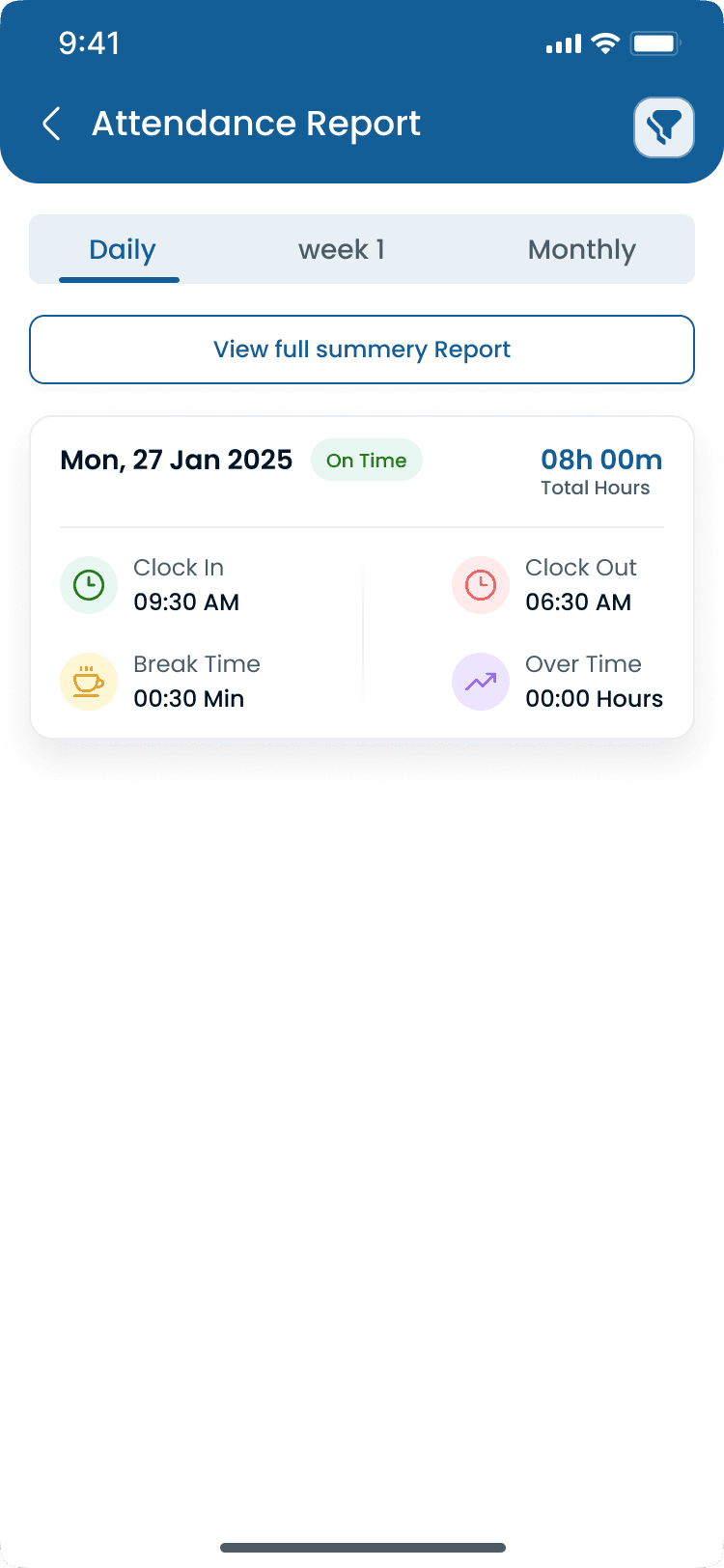
Employee clock in and clock out is the process of recording the exact time employees begin and finish their work shifts. Businesses use clock-in systems to calculate payroll, monitor attendance, track overtime, improve labor cost control, and ensure employees work their scheduled hours. Modern systems allow employees to clock in through the mobile app, web browser, tablet kiosk, GPS verification, geofencing, or biometric devices tied to the attendance tracker and published roster on shift scheduling.
Step-by-step
How Employee Clock In and Clock Out Works
A typical hourly shift flows from arrival through manager approval before payroll export. Modern systems automate calculations but still need human review for exceptions.
Step 1: Employee arrives
The employee arrives at the workplace or approved job site. GPS or geofencing can verify location on mobile clock-ins.
Step 2: Clock in
The employee records attendance via mobile app, tablet kiosk, web browser, shared kiosk, or biometric scanner. The system stores time, date, employee, optional location, and device.
Step 3: During the shift
The system tracks breaks, schedule adherence, overtime accumulation, missed punches, and attendance exceptions against the published roster.
Step 4: Clock out
The employee clocks out at shift end. Software calculates regular hours, break deductions, overtime, and total payable hours based on company rules.
Step 5: Manager approval
Supervisors review exceptions, approve legitimate corrections, and reject unauthorized punches before hours export to payroll.
“Clock in and clock out is the foundation of hourly payroll. If punches are wrong, every downstream number (OT, labor cost, coverage) is wrong too.”
Examples
Clock-In Methods and Comparisons
Choose clock-in methods by worksite layout, fraud risk, and whether employees are fixed-site or mobile. Many operators mix mobile GPS for field teams with kiosks for high-volume hourly sites.
Common clock-in methods
| Method | Best for |
|---|---|
| Mobile app | Mobile and field employees |
| Web browser | Office and back-office staff |
| Tablet kiosk | Restaurants and front-of-house teams |
| Shared kiosk | Warehouses and manufacturing lines |
| Biometric scanner | High-security or high-volume hourly sites |
| QR code | Temporary workplaces or pop-up locations |
Clock in/out vs time tracking
| Topic | Clock in / clock out | Time tracking |
|---|---|---|
| Primary focus | Records shift start and end | Tracks time spent working |
| Typical use | Attendance and hourly payroll | Productivity and project billing |
| Output | Payroll-ready punch records | Detailed activity or task logs |
| Best for | Hourly shift teams | Project-based or knowledge work |
Paper timesheets vs digital clock in
| Topic | Paper | Digital |
|---|---|---|
| Entry | Manual handwriting or spreadsheet | Automatic punch capture |
| Fraud risk | Easy to manipulate | GPS, geofence, and audit trails |
| Payroll accuracy | Higher error rate | Calculated regular and OT hours |
| Visibility | No live dashboard | Real-time attendance views |
| Audits | Difficult reconstruction | Searchable digital records |
Best practices
Common Clock In and Clock Out Problems
Most attendance issues are process gaps, not bad intent. Fix policies and daily review before blaming individual employees.
| Practice | Why it works |
|---|---|
| Missed clock in | Employee forgets to start the shift. Daily exception review catches gaps before payroll export. |
| Missed clock out | Open punches inflate hours until a manager closes or edits the record with an audit reason. |
| Buddy punching | Employees clock in for coworkers. Individual logins, GPS, and geofencing reduce proxy punches. |
| Early clock in | Paid time starts before work begins. Compare punches to the published schedule and block or flag early arrivals. |
| Late clock out | Forgotten clock-outs create unnecessary overtime. Use the overtime risk calculator when patterns repeat. |
| Incorrect breaks | Missing break punches distort compliance and OT math. Train employees to punch breaks consistently. |
Features
Benefits of Digital Clock In and Clock Out
Replacing paper or honor-system punches with verified digital clock-ins improves payroll speed and labor visibility across hourly operations.
| Feature | Why it matters |
|---|---|
| Accurate payroll | Approved punches reduce overpayments, underpayments, and post-close corrections. |
| Better attendance records | Every shift start and end is stored with employee, time, and optional location data. |
| Faster payroll processing | Automated hour totals and exports cut manual timesheet entry before each run. |
| Reduced manual work | Managers fix exceptions in the system instead of re-keying spreadsheets. |
| Lower labor costs | Catch early clock-ins, late clock-outs, and leakage with the [attendance leakage calculator](/tools/attendance-leakage-calculator). |
| Better workforce visibility | Live dashboards show who is on the clock at each location right now. |
| Easier compliance | Digital records support break, overtime, and wage-hour audit requests. |
| Fewer payroll disputes | Schedule-to-punch comparison resolves most hourly disagreements before pay day. |
Why it matters
Why Clock In and Clock Out Matters
Accurate clock-in records are the baseline for hourly payroll, attendance visibility, and compliance. Without reliable start and end times, managers guess at hours instead of approving verified data.
| Pain point | What operators see |
|---|---|
| Calculate payroll correctly | Regular hours, breaks, and overtime start from verified punch times. |
| Reduce payroll disputes | Digital punches with audit trails resolve most hourly disagreements faster. |
| Prevent buddy punching | Individual accounts and GPS reduce proxy clock-ins. See [buddy punching](/answers/what-is-buddy-punching). |
| Monitor overtime | Live hour totals flag OT risk before payroll closes. |
| Improve attendance visibility | Managers see who is working now vs who was scheduled on the roster. |
| Support labor law compliance | Recorded punches support break, overtime, and audit requests. |
| Measure labor costs | Approved hours feed [labor cost management](/answers/what-is-labor-cost-management). |
| Manage multiple work locations | One platform rolls up punches across stores, sites, and districts. |
Clock in and clock out sits inside broader employee time tracking and time and attendance software workflows. The goal is not just capturing time, but exporting payroll-ready hours managers have already reviewed.
Industries
Industries That Rely on Clock In and Clock Out
Any business with hourly or shift-based pay depends on reliable punch records across one or many locations.
| Industry | Typical scheduling challenge |
|---|---|
| Restaurants | FOH and BOH teams punch at shift start across breakfast, lunch, and dinner rushes. |
| Retail | Store associates clock in at opening, breaks, and closing with district rollup. |
| Healthcare | Clinicians and support staff need accurate shift boundaries for licensed roles. |
| Hospitality | Housekeeping, front desk, and F&B teams punch across properties and events. |
| Warehouses | High-volume kiosks or mobile punches at dock and pick paths. |
| Manufacturing | Line start and end times tied to plant shift schedules. |
| Construction | Mobile GPS clock-ins at each job site with project-level reporting. |
| Cleaning services | Client-site punches prove arrival before billed hours. |
| Security | Post relief requires verified on-site clock-in before shift pay begins. |
| Multi-location businesses | HQ and district managers approve exceptions across every branch from one dashboard. |
“Paper timesheets feel simple until payroll week. Digital clock-ins with manager review beat manual math and honor-system kiosks every time.”
Buyer's guide
Clock In and Clock Out Best Practices
These habits keep punch data accurate, auditable, and payroll-ready every week.
| # | Question | What to verify |
|---|---|---|
| 1 | Require employees to clock in themselves | Proxy punches invite fraud and payroll errors. Each employee uses their own account. |
| 2 | Use GPS verification for field teams | Mobile clock-ins with GPS or geofencing confirm arrival at the approved job site. |
| 3 | Connect attendance with schedules | Compare punches to the roster on [shift scheduling](/features/shift-scheduling) so scheduled vs worked hours stay aligned. |
| 4 | Review missed punches daily | Do not wait until payroll. Fix exceptions the same day when memory is fresh. |
| 5 | Define clear attendance policies | Document grace periods, break rules, correction workflows, and consequences for unauthorized punches. |
| 6 | Train employees on proper procedures | Short onboarding on mobile app or kiosk clock-in prevents most missed punches. |
| 7 | Automate payroll exports | Export approved regular and OT hours directly instead of re-keying totals. |
Expertise & sources
Why trust this guide
ReviewedCreated by the Heyshift Team for businesses managing hourly employees across restaurants, retail, healthcare, hospitality, warehouses, manufacturing, construction, cleaning, security, and other multi-location operations throughout the USA. It focuses on practical attendance workflows managers use every day, not abstract HR theory.
Heyshift Team
Workforce scheduling research · USA multi-location operators
Heyshift publishes scheduling and attendance playbooks for operators who need accurate clock events tied to published schedules across every location.
Published & updated
Sources
4 external · 1 on Heyshift
| Source | Reference |
|---|---|
DOLU.S. Department of Labor | Fair Labor Standards Act (FLSA) |
DOLU.S. Department of Labor | Overtime pay requirements |
SHRMSHRM | Society for Human Resource Management (SHRM) |
NISTNational Institute of Standards and Technology | NIST Time and Frequency Division |
| Further reading on Heyshift | |
| Heyshift answers library | What is employee time tracking? |
Frequently Asked Questions
Replace paper timesheets with digital clock in and clock out
Track attendance in real time, verify employee locations, simplify payroll, reduce time theft, and manage hourly teams across every location from one workforce management platform. Start your free trial.
No credit card required
Related resources
| Resource | Link |
|---|---|
| What is employee time tracking? | Open |
| What is time and attendance software? | Open |
| What is buddy punching? | Open |
| What is geofencing for employee attendance? | Open |
| What is labor cost management? | Open |
| What is employee scheduling software? | Open |
| What is overtime management? | Open |
| Attendance tracker feature | Open |
| Mobile app feature | Open |
| Shift scheduling feature | Open |
| Attendance leakage calculator | Open |
| Overtime risk calculator | Open |
| Labor cost percentage calculator | Open |