

Employee scheduling software pricing guide: features, plans & hidden costs (2026)
Compare employee scheduling software pricing, plans, and feature tiers in 2026. Learn hidden costs, free vs paid tradeoffs, and how to pick the right plan.
Employee scheduling software pricing guide for 2026
If you are evaluating employee scheduling software, one question shows up in every vendor shortlist:
Which pricing plan offers the best value?
Many platforms advertise a low monthly rate. Total cost usually depends on employee count, planner seats, location limits, attendance depth, reporting, mobile access rules, and integrations.
This employee scheduling software pricing guide breaks down common plan structures, which features sit behind each tier, hidden costs operators miss, and a practical way to choose a plan that scales with your business.
For dollar ranges and ROI math, read how much employee scheduling software costs (2026). For seat vs hourly mobile fees, see employee scheduling software with free staff mobile app access.
Why scheduling software pricing varies so much
Not every platform targets the same operator.
Some products optimize for:
- Single-site small businesses
- Retail and restaurant hourly teams
- Healthcare and field service coverage
- Franchise and multi-location rollouts
- Enterprise compliance and procurement
Workforce scheduling software pricing reflects that complexity. A plan that fits a 12-person cafe may break when you add a second location, OT rules, or payroll handoff.
Before you compare line items, match the vendor to your operating model on employee scheduling software for USA hourly teams.
Most common pricing models
Free trials
Designed for small teams, startups, and operators testing publish discipline before they buy.
Free tiers often include:
- Core shift scheduling
- Basic team communication
- Mobile access for staff
Limits usually apply to employees, locations, areas, admin seats, reporting, and advanced attendance.
Heyshift offers a 30-day free trial on Starter, Pro, and Business with all features unlocked with scheduling, swaps, shift-based attendance, leave calendar, and mobile access. No credit card required.
Per employee pricing
Some vendors charge $2 to $10 per employee per month. Simple to quote, but expensive at high headcount when every hourly worker counts toward the bill.
Per seat pricing
Many modern tools bill planner or admin seats for people who build, publish, approve, or configure schedules, while staff mobile access stays included.
Heyshift paid tiers use per-seat pricing. Hourly employees using the mobile app are not full-priced seats on any plan.
Tiered plans (Starter, Pro, Enterprise)
Tiered scheduling software plans unlock attendance controls, multi-location limits, labor reporting, payroll paths, and enterprise services as you move up.
Enterprise custom pricing
Large groups negotiate on workforce size, unlimited locations, integrations, SSO, API access, SLA, and rollout support.
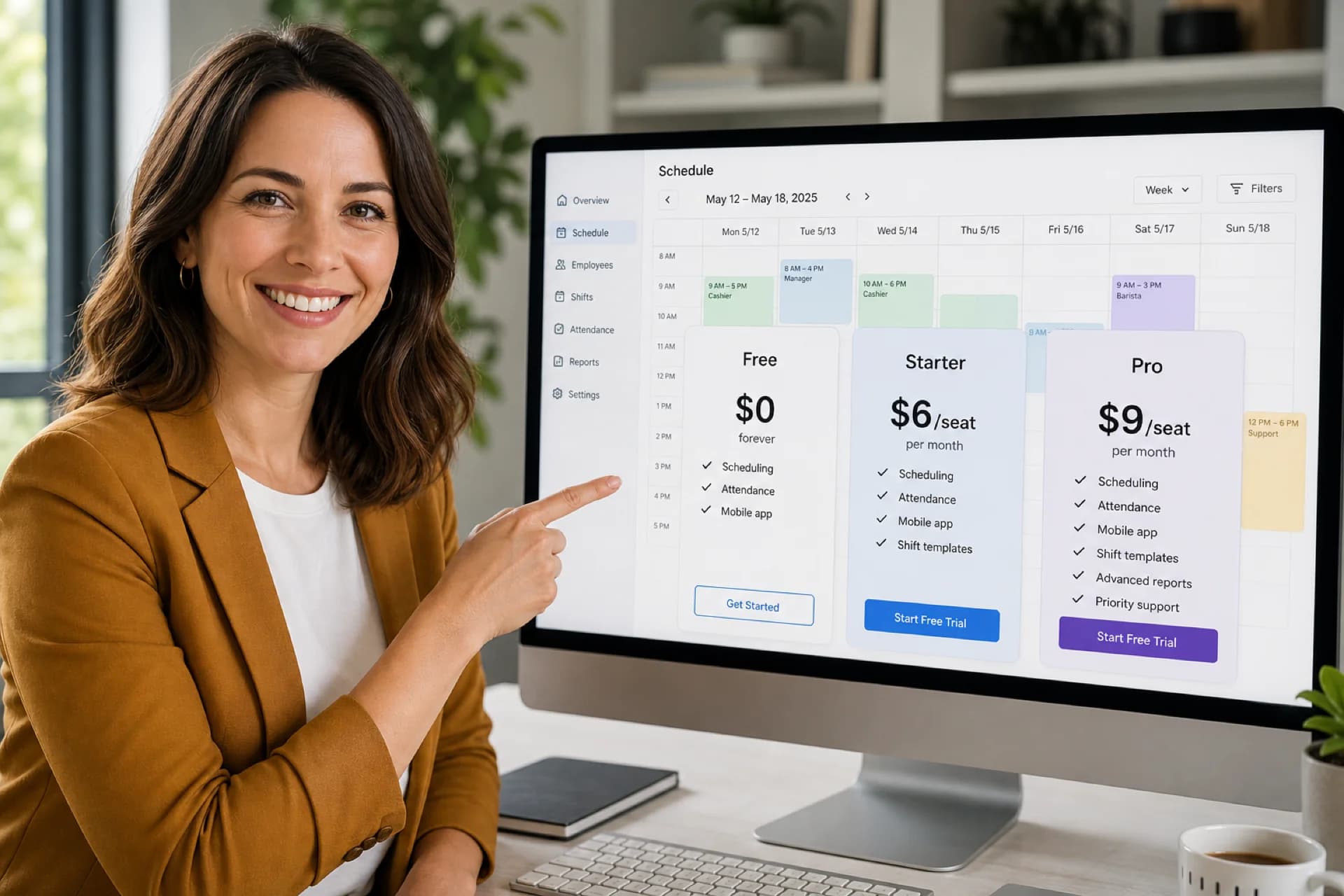
Heyshift plans compared (2026)
Published tiers on pricing:
| Plan | Monthly price | Trial | Best for |
|---|---|---|---|
| Starter | $4/seat/mo ($3.60/seat annual) | 30 days free | Core scheduling on unlimited sites |
| Pro | $6/seat/mo ($5.40/seat annual) | 30 days free | Approvals, attendance controls, payroll basics |
| Business | $9/seat/mo ($8.10/seat annual) | 30 days free | Labor reporting, payroll depth, kiosks |
| Enterprise | Custom | Custom demo | Chains, franchises, complex rollouts |
Annual billing saves 10% versus monthly seat rates. All paid tiers include unlimited employees, locations, and areas.
Features that impact pricing (and where they usually live)
| Feature | Typical tier pattern | Heyshift |
|---|---|---|
| Employee scheduling | All plans | Starter+ |
| Shift swaps and open shifts | Basic swaps on Starter; approval workflows on Pro+ | Swaps on Starter; open shift approval on Pro+ |
| Attendance tracking | Often a paid module elsewhere | Shift-based attendance on Starter; OT, geo-fencing on Pro+ |
| Leave management | Premium on many vendors | Leave calendar on Starter; expanded policies on Pro+ |
| Multi-location management | Location caps per tier | Unlimited locations on all paid Heyshift tiers |
| Labor reporting and exports | Pro or enterprise | Labor cost vs sale on Business; CSV on Pro, all formats on Business |
| Payroll handoff | Mid to high tier | Timesheet fetch on Pro+; full adjustments on Business |
| Mobile apps | Sometimes per-user fees | Included for staff, managers, owners on all plans |
| AI assist | Add-on or high tier | Roadmap on Pro, Business, Enterprise |
Use this table in demos: ask vendors which row moves you to the next tier this quarter, not "someday."
Hidden costs businesses often miss
Advertised scheduling software pricing is rarely all-in. Watch for:
Implementation and setup fees. Data migration or launch support may be quoted separately.
Training and change management. Complex UIs cost manager hours even when the subscription looks cheap.
Payroll and POS integrations. Connectors may be add-ons or professional services.
Priority support. Dedicated success or SLA tiers often sit on enterprise contracts.
Feature add-ons. Attendance, messaging, compliance, kiosk hardware, and analytics sometimes bill separately.
Per-employee mobile fees. A low seat price fails if every hourly worker needs a paid mobile license.
Location overages. Multi-site operators hit tier caps faster than headcount caps.
Seat true-ups. Understand how admins and supervisors count each billing cycle before signature.
For a full cost band breakdown, see employee scheduling software cost (2026).
Comparing free vs paid plans
Free trials work best when
- You run one location with a stable hourly roster
- One manager publishes a weekly schedule
- You need mobile access without a separate mobile tax
- You are proving publish discipline before multi-site growth
Paid plans work best when
- You operate multiple locations or districts
- Attendance needs OT rules, geo-fencing, or regularization workflows
- Finance wants labor reporting tied to the roster
- Payroll handoff must match published shifts
- Role permissions and admin seats multiply across sites
The goal is one platform that upgrades in place. Read employee scheduling software for growing teams for common upgrade triggers.
What to evaluate before you fixate on price
Ease of use. Can a floor manager publish a clean week without a manual?
Mobile access. Do hourly staff see the same official roster you publish?
Attendance tracking. Is attendance tied to published shifts, not a side spreadsheet?
Shift management. Do swaps and open shifts route through approvals on the roster?
Scalability. Do location and area limits match your 12 to 24 month rollout plan?
Total cost. Combine seats, locations, mobile fees, integrations, and manager time.
Industry buyers should also read best scheduling software for retail stores, restaurants, and multi-location businesses.
Example pricing by business size
Typical monthly scheduling software spend across the market (actual quotes vary by vendor and contract):
| Business size | Typical monthly cost |
|---|---|
| 1 to 15 employees | Free to $50 |
| 15 to 50 employees | $50 to $250 |
| 50 to 200 employees | $250 to $1,000 |
| Multi-location groups | $500 to $2,000+ |
Heyshift may land lower on paid tiers when hourly staff are not billed as seats. Model planner seat count, not roster headcount, when you build a budget.
Why the cheapest plan is not always best
Teams often optimize subscription line items while ignoring:
- Manager hours rebuilding schedules
- Overtime from late visibility
- Payroll corrections from attendance disputes
- Turnover when staff cannot trust the official week
The right workforce scheduling software should return more efficiency than it costs within a few publish cycles.
If you still run on spreadsheets, compare workforce scheduling software vs Excel before you pick a tier.
Why many businesses start with Heyshift
Heyshift is built so operators can modernize workforce management without a large upfront bet.
30-day free trial highlights
- Up to 15 employees on 1 location
- Employee scheduling and shift swaps
- Shift-based attendance and leave calendar
- Mobile and web access for the team
- No credit card required
As you grow, Starter, Pro, and Enterprise add locations, attendance depth, labor reporting, payroll tools, and enterprise services on the same platform.
Compare plans on pricing or Start 30-day free trial with your real roles and publish one live week.
How to choose the right plan
Ask:
- How many employees appear on the published roster?
- How many people build, publish, or approve schedules (seats)?
- How many locations do you run today and in 24 months?
- Do you need OT rules, geo-fencing, or attendance regularization?
- Does finance need labor reporting or payroll export from the roster?
- Will hourly staff rely on mobile access every day?
| Your answer | Likely starting tier |
|---|---|
| One site, under 15 employees, basic swaps | Free |
| 2 to 3 sites, OT/geo-fencing, open-shift approvals | Starter |
| Up to 10 sites, labor vs sale reporting, payroll depth | Pro |
| 10+ sites, SSO, API, custom rollout | Enterprise |
When in doubt, start on Free or Starter, publish two real weeks, then upgrade when a concrete feature gate blocks operations.
Frequently asked questions
How much should employee scheduling software cost?
Small businesses often spend $0 to $250 per month depending on seats, locations, and modules. Larger multi-location groups spend more when reporting and payroll depth tier up. See the full cost guide.
Is free scheduling software good enough?
For many single-site teams under roughly 15 employees, yes, if the free tier includes scheduling, attendance basics, swaps, and mobile access without per-hourly-user fees.
What features usually require paid plans?
Multi-location limits, advanced attendance, labor analytics, payroll integrations, kiosk devices, custom roles, and enterprise security commonly sit above free tiers.
Can scheduling software save money?
Yes. Faster publishing, fewer roster errors, earlier overtime visibility, and cleaner attendance usually offset subscription cost within the first quarter.
What is the difference between per employee and per seat pricing?
Per employee bills every worker on the roster. Per seat bills planners and admins while often including staff mobile access separately from seat counts.
Final thoughts
The best employee scheduling software pricing guide outcome is not the lowest sticker price. It is the plan that covers how you actually staff, publish, track attendance, and roll up labor across sites without surprise add-ons.
Compare models, map features to tiers, budget hidden costs, and test one real published week before you sign.
One line to keep: pick the plan that matches next year's locations, not last year's spreadsheet.
Related guides: Software cost breakdown · ROI calculator guide · Free mobile access · Small business buyer guide · Heyshift pricing
Continue with related topics
Pulled from shared tags when possible, otherwise the newest notes from the blog.

Employee scheduling software ROI calculator guide: is scheduling software worth it? (2026)
Learn how to calculate employee scheduling software ROI in 2026: hidden manual costs, overtime, attendance, a worked example, and when software pays for itself.

How much does employee scheduling software cost? (2026 pricing guide)
Learn how much employee scheduling software costs in 2026: pricing models, typical monthly ranges, hidden fees, free trials, ROI, and how to choose the right tier.

Best scheduling software for multi-location businesses (2026 guide)
Compare the best scheduling software for multi-location businesses in 2026: centralized schedules, attendance, labor visibility, and workforce communication across every site.