


How much does employee scheduling software cost? (2026 pricing guide)
Learn how much employee scheduling software costs in 2026: pricing models, typical monthly ranges, hidden fees, free trials, ROI, and how to choose the right tier.
How much does employee scheduling software cost in 2026?
One of the first questions owners and ops leads ask when evaluating workforce tools is straightforward:
How much does employee scheduling software cost?
The honest answer depends on workforce size, how many people build and publish schedules, location count, attendance rules, reporting depth, and whether hourly staff need mobile access without extra per-head fees.
The good news: scheduling software pricing is often far less than the labor waste, overtime surprises, and manager hours that manual scheduling creates.
This guide breaks down common employee scheduling software cost models, typical monthly ranges, features that move price, hidden fees to watch for, free vs paid tradeoffs, and a simple ROI lens so you can budget with confidence. For a full ROI calculator walkthrough, see employee scheduling software ROI guide.
For vendor comparisons by industry, see best scheduling software for multi-location businesses, retail stores, and restaurants. For seat vs mobile pricing traps, read employee scheduling software with free staff mobile app access. For plan tiers, feature gates, and hidden costs, see employee scheduling software pricing guide (2026).
Why businesses invest in scheduling software
Many teams start with Excel, Google Sheets, paper schedules, or group chat. That works until growth adds:
- Scheduling conflicts and version drift
- Overtime discovered after the week runs
- Payroll disputes from unclear attendance
- Communication gaps when the official roster lives in one place and changes live in chat
- Manager time spent rebuilding the same week in multiple files
Workforce scheduling software helps operators save management time, improve attendance discipline, reduce labor risk, improve employee communication, and scale without multiplying unofficial tools.
If you are still on spreadsheets, see why spreadsheets fail for workforce scheduling and workforce scheduling software vs Excel.
Common employee scheduling software pricing models
Most platforms mix one or more of these models. Read the fine print before you multiply headcount by advertised rates.
Per employee pricing
Some vendors charge per employee per month, often in the $2 to $10 per employee range depending on features and contract length.
This model scales directly with roster size. It can feel simple at first but gets expensive fast for high headcount retail, restaurant, or healthcare teams with large hourly rosters.
Per seat (planner or admin) pricing
Many modern platforms bill per seat for people who plan, publish, approve, or administer schedules, while hourly staff use mobile access on the same plan.
Heyshift uses this model on paid tiers. Staff, managers, and owners viewing shifts on the mobile app are included without a separate mobile fee on every plan. See how seat pricing should work.
Per location pricing
Multi-location businesses sometimes see location-based fees or location caps inside each tier. Costs can climb as you add sites unless the vendor bundles districts cleanly.
Operators scaling past one site should compare multi-location scheduling software limits alongside monthly price.
Custom enterprise pricing
Larger organizations often receive custom quotes based on workforce size, location count, integrations, compliance, SSO, API access, and rollout support.
Typical scheduling software costs by business size
These ranges reflect what USA operators commonly see in 2026. Your quote depends on seat count, modules, and contract terms.
| Business profile | Typical monthly range | What drives cost |
|---|---|---|
| Small (1 to 15 employees) | $0 to $50 | Free tiers, one location, basic scheduling and attendance |
| Growing (15 to 100 employees) | $50 to $500 | Planner seats, attendance controls, multiple locations |
| Multi-location groups | $200 to $2,000+ | Site count, reporting, payroll paths, enterprise controls |
Small teams often start on free employee scheduling software to prove publish discipline before upgrading. Growing teams pay for multi-site visibility, approvals, and attendance tied to payroll.
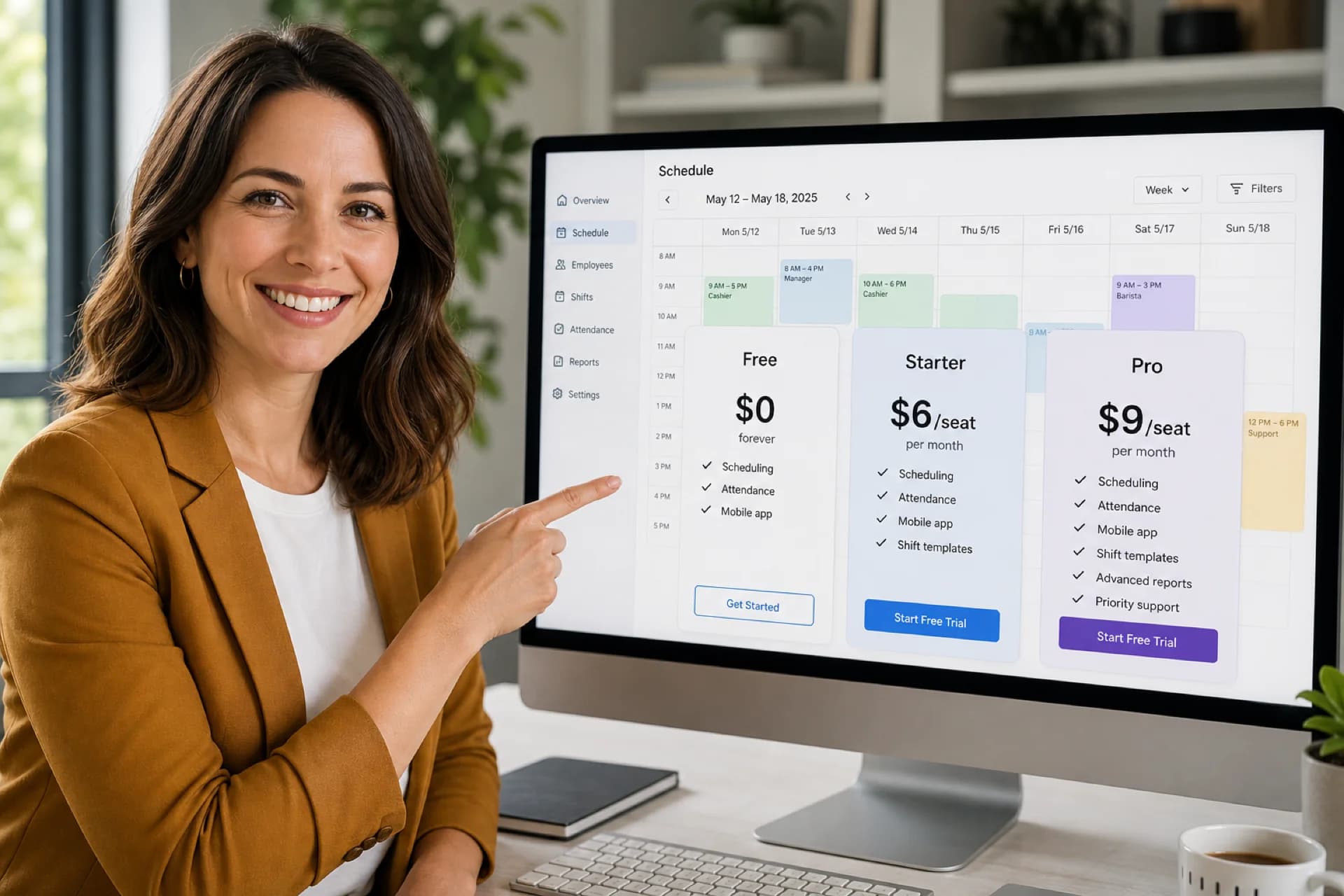
Heyshift pricing at a glance (2026)
Heyshift publishes transparent tiers on the pricing page. Summary:
| Plan | Price | Best for |
|---|---|---|
| Starter | $4/seat/mo ($3.60/seat/mo billed annually) | Unlimited employees, locations, and areas; core scheduling |
| Pro | $6/seat/mo ($5.40/seat/mo billed annually) | Approvals, advanced attendance, payroll basics |
| Business | $9/seat/mo ($8.10/seat/mo billed annually) | Labor reporting, payroll depth, kiosks |
| Enterprise | Custom | SSO, API, dedicated success, custom rollout |
30-day free trial includes: all features unlocked on Starter, Pro, and Business. Drag-and-drop shift scheduling, shift swaps and open shifts, shift-based attendance tracking, leave calendar, mobile and web access. No credit card required.
Paid seats cover scheduling managers, area leads, HR partners, and admins who publish or configure locations. Hourly workers using the mobile app do not count as full-priced seats on Heyshift.
Annual billing saves 10% versus monthly seat rates.
Features that affect scheduling software pricing
Not every plan includes the same depth. These modules commonly move price between tiers:
| Feature | Pricing impact |
|---|---|
| Basic schedule builder | Usually included even on free tiers |
| Attendance tracking | Geo-fencing, OT rules, and approvals often start on mid tiers |
| Shift swapping and open shifts | Core swaps may be free; approval workflows may tier up |
| Labor cost reporting | Analytics and export formats often sit on Pro or enterprise |
| Multi-location management | Location caps per plan; unlimited sites on enterprise |
| Mobile apps | Should be included; watch vendors that charge per hourly user |
| Payroll and integrations | Timesheet fetch, adjustments, and exports tier up |
| AI assist | Roadmap features bundled on Starter+ for Heyshift |
Match the tier to what you will actually publish and audit every week, not a feature checklist you never use.
Hidden costs businesses should watch for
Advertised scheduling software pricing is rarely the full picture. Ask about:
Setup and onboarding fees. Some vendors charge for initial configuration or data migration.
Training time. Complex tools cost manager hours even when the subscription looks cheap.
Integration fees. Payroll, POS, or HRIS connectors may be add-ons or professional services.
Premium support. Priority support or dedicated success may require enterprise contracts.
Per-user mobile fees. A low seat price hurts if every hourly employee needs a paid mobile license. Heyshift includes staff mobile access on all plans.
Add-on modules. Compliance, advanced reporting, kiosk hardware, and analytics often sit above base scheduling.
Seat true-ups. Understand how the vendor counts admins and supervisors each billing cycle before you sign.
Free vs paid scheduling software
Many small businesses start on free scheduling software with employee caps and limited reporting.
Entry tiers often limit:
- Employee, location, or area counts
- Approval workflows and open-shift rules
- Attendance controls and reporting depth
- Admin seats and role permissions
- Support response times
A strong free tier still delivers real value when it covers one published week, mobile access, swaps, and basic attendance for a single site.
Heyshift offers a 30-day free trial with all features unlocked so you can modernize without upfront software cost, then upgrade on the same platform when you add sites or payroll needs.
Is free scheduling software good enough?
For many small businesses, yes, at least to start.
If you have:
- Fewer than 15 employees on one site
- One manager publishing a weekly roster
- Basic attendance and swap needs
- Hourly staff who need phone access to the official schedule
A 30-day free trial may cover your first month of discipline. Upgrade when multi-location rollouts, OT rules, geo-fencing, or payroll handoff become non-negotiable.
Read employee scheduling software for growing teams for when to move past spreadsheets and free tools.
Employee scheduling software ROI
The better question is not only "What does scheduling software cost?" but "What does poor scheduling cost?"
Manual scheduling often hides:
- Overtime from late visibility
- No-shows and thin coverage on peak shifts
- Payroll corrections from attendance disputes
- Lost productivity when staff chase the wrong roster version
- Manager time rebuilding schedules every week
Example ROI calculation
Assume:
- Manager effective rate: $30/hour
- Scheduling and roster admin: 5 hours/week
That is roughly 260 hours per year and $7,800 per year spent on scheduling alone.
If software cuts that work in half, savings can exceed a modest subscription, before you count overtime avoided or fewer payroll fixes.
Operators evaluating budget should compare subscription cost against one month of overtime drift or one payroll correction cycle.
Why growing businesses upgrade
Teams move beyond spreadsheets and basic free tools when they need:
- Attendance tracking beside the published roster
- Approved shift swaps and open shifts on the official week
- Labor visibility while building schedules
- Mobile workforce management for deskless staff
- Multi-location scheduling with district visibility
These capabilities reduce operational risk while headcount and site count grow.
Comparing cost vs value
The cheapest employee scheduling software is not always the best buy.
Evaluate:
- Ease of use for managers who publish every week
- Time savings for schedulers and shift leads
- Labor cost reduction from earlier visibility
- Employee experience on mobile
- Scalability when you add locations or roles
- Total cost including seats, locations, mobile fees, and integrations
The right platform should save more money and time than it costs within the first few publish cycles.
For a structured vendor shortlist, start with best employee scheduling software for small business.
Frequently asked questions
What is the average cost of employee scheduling software?
Most small businesses spend between $0 and $500 per month depending on workforce size, seat count, locations, and modules. Multi-location groups often land higher when reporting, attendance, and payroll depth tier up.
Is free scheduling software available?
Yes. Several providers offer free tiers with employee or location caps. Heyshift offers a 30-day free trial on every paid plan on one location with core scheduling, attendance, swaps, and mobile access. No credit card required.
What features increase software costs?
Attendance controls, labor reporting, multi-location management, payroll integrations, kiosk devices, compliance tooling, and advanced analytics commonly move price between tiers.
Do hourly employees count toward seat pricing?
It depends on the vendor. Heyshift bills paid seats for operational users who plan, publish, approve, or administer schedules. Hourly staff mobile access is included on every plan.
Is scheduling software worth the cost?
For most shift-based businesses, time saved, fewer scheduling errors, and better attendance discipline justify the subscription quickly, especially once a second manager or second location enters the picture.
How does annual billing affect price?
Many vendors discount annual contracts. Heyshift annual billing is 20% below monthly seat rates for Starter and Pro.
Final thoughts
Employee scheduling software cost in 2026 ranges from $0 on capable free tiers to hundreds or thousands per month for multi-location operators with deep attendance and payroll needs.
Budget for the pricing model (per employee, per seat, or per location), watch hidden mobile and integration fees, and weigh subscription cost against manager time and labor waste.
Heyshift lets small teams start with a 30-day free trial, then scale on Starter, Pro, Business, or Enterprise without changing platforms.
Compare full pricing or create your free account and run one real published week with your roles and locations.
One line to keep: price the platform against the cost of the schedule you actually run, not the spreadsheet you wish still worked.
Related guides: Free staff mobile access · Pricing guide: plans and hidden costs · ROI calculator guide · Small business software guide · Multi-location pricing context · Product overview
Continue with related topics
Pulled from shared tags when possible, otherwise the newest notes from the blog.

Employee scheduling software ROI calculator guide: is scheduling software worth it? (2026)
Learn how to calculate employee scheduling software ROI in 2026: hidden manual costs, overtime, attendance, a worked example, and when software pays for itself.
Employee scheduling software pricing guide: features, plans & hidden costs (2026)
Compare employee scheduling software pricing, plans, and feature tiers in 2026. Learn hidden costs, free vs paid tradeoffs, and how to pick the right plan.

Best scheduling software for multi-location businesses (2026 guide)
Compare the best scheduling software for multi-location businesses in 2026: centralized schedules, attendance, labor visibility, and workforce communication across every site.