1. Heyshift
Best for: growing multi-location operators who want scheduling and attendance in one workflow.
Heyshift combines multi-location scheduling, attendance tracking, shift swaps, open shifts, mobile access, labor context, and workforce communication in one platform.
Key features
- Locations and areas in one account (multi-location areas)
- Publish-first shift scheduling by site and role
- Attendance tracking tied to published shifts
- Swap and open-shift approvals on the official roster
- Mobile app for staff and floor managers
- District-level visibility without spreadsheet merges
Pros
- 30-day free trial with all features unlocked to prove the workflow
- Multi-location workforce management on paid plans
- Attendance included, not a separate bolt-on
- Mobile and web access for hourly teams
- Built for retail chains, restaurant groups, franchises, healthcare, cleaning, security, and field operations
Consider
- Advanced payroll, compliance, and enterprise controls scale on higher tiers (pricing)
Ideal for: retail chains, restaurant groups, franchises, healthcare clinics, cleaning routes, security accounts, and service businesses adding sites.
Start 30-day free trial or book a demo for district rollouts.
2. Deputy
Best for: operators prioritizing scheduling automation and compliance-oriented workflows.
Pros
- Advanced scheduling options
- Labor compliance tooling on higher plans
- Multi-location support at scale
Cons
- Total cost often rises with headcount and sites
- Setup can feel heavy for smaller multi-site pilots
See Deputy alternative for a structured comparison.
3. Homebase
Best for: very small teams testing scheduling before multi-site complexity arrives.
Pros
- Fast setup
- Familiar to small business owners
Cons
- Multi-location scalability and district roll-up can feel limited as sites multiply
See Homebase alternative.
4. Connecteam
Best for: mobile-first teams that prioritize communication alongside scheduling.
Pros
- Mobile-first employee experience
- Communication and engagement tools on higher tiers
Cons
- Multi-location scheduling depth and reporting may require upgrades
- Evaluate publish workflow vs chat features before buying
5. Sling
Best for: budget-conscious teams needing core scheduling and messaging.
Pros
- Affordable entry pricing
- Scheduling and shift messaging basics
Cons
- Workforce analytics and multi-location roll-up can feel limited for larger groups
See Sling alternative.
Comparison table
| Software |
Multi-location |
Attendance |
Shift swaps |
Mobile app |
| Heyshift |
Yes |
Yes |
Yes |
Yes |
| Deputy |
Yes |
Yes |
Yes |
Yes |
| Homebase |
Limited |
Yes |
Yes |
Yes |
| Connecteam |
Limited |
Yes |
Limited |
Yes |
| Sling |
Limited |
Basic |
Yes |
Yes |
Use this table as a starting point. Your best fit depends on site count, float staff, attendance rules, and how districts review labor.
Common multi-location scheduling challenges
Staffing imbalances: one store overstaffed while another runs short on the same weekend.
Communication gaps: updates live in site chats instead of the published roster.
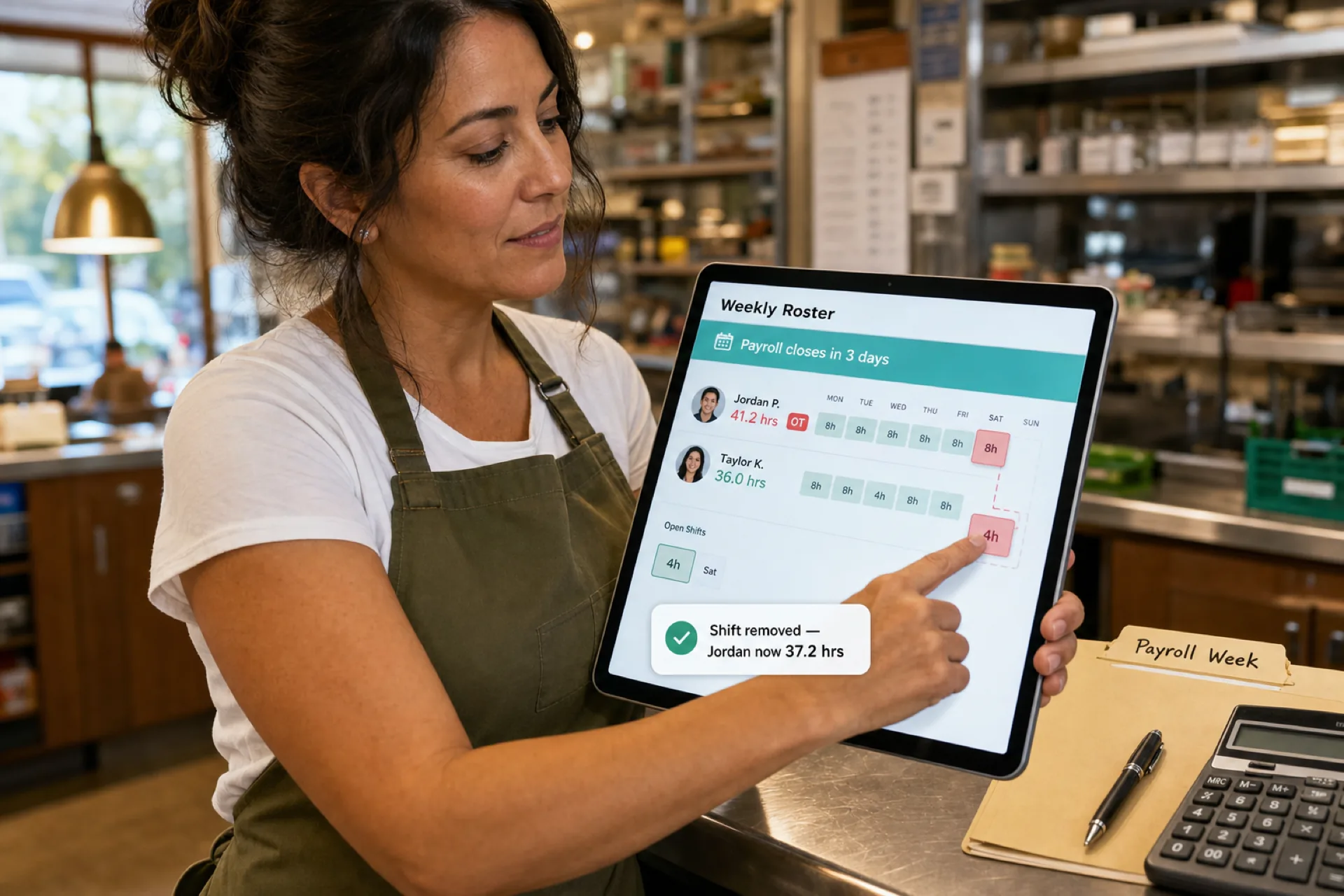
Overtime discovered late: hours stack when roll-up visibility arrives after the week runs.
Attendance blind spots: punches reviewed site by site with no district view (attendance management for multi-location teams).
Admin workload: GMs rebuild schedules in spreadsheets while area leads merge files every Sunday.
How scheduling software helps growing businesses
Modern multi-location scheduling software helps operators:
- Reduce scheduling errors and version drift
- Improve labor utilization across sites
- Increase workforce visibility for district leads
- Improve employee communication on mobile
- Simplify attendance tracking and corrections
- Support growth without multiplying unofficial tools
Even modest gains per site compound across a district. For ROI math on scheduling investment, see employee scheduling software ROI guide.
Industries that benefit most
| Industry |
Multi-location pressure |
| Retail chains |
Traffic and role mix vary by store |
| Restaurant groups |
Day-part peaks and swap volume by unit |
| Franchises |
Brand standards with local managers |
| Healthcare |
Coverage minimums across clinics |
| Cleaning companies |
Routes and client sites |
| Security services |
Staff across client locations |
| Field service |
Crews that rarely share one clock |
Heyshift is built for USA hourly teams across these patterns on employee scheduling software and attendance management software.
Why businesses move beyond spreadsheets
Spreadsheets work for one location and one manager who holds the whole week in memory.
Multi-location operators need:
- Centralized workforce visibility
- Real-time schedule updates on mobile
- Attendance beside published shifts
- Approved swap and open-shift paths
- Labor reporting across sites
Read why spreadsheets fail for workforce scheduling and workforce scheduling software vs Excel.
Why growing businesses choose Heyshift
Heyshift helps multi-location teams:
- Manage schedules across locations from one account
- Track attendance with site and district visibility
- Improve communication through the mobile app
- Monitor labor context while building each site's week
- Manage shift swaps on the published roster
- Roll out new sites with one publish calendar discipline
30-day free trial highlights
- Up to 15 employees and one location to pilot the workflow
- Core scheduling, shift swaps, basic attendance, leave calendar, mobile access
- No credit card required to start
Create your free account.
Frequently asked questions
What is multi-location scheduling software?
Software that manages employee schedules, attendance, communication, and labor operations across more than one business site from a centralized platform.
Why is multi-location scheduling difficult?
Each location has unique hours, roles, and peak patterns. Float staff, seasonal hiring, and local manager habits multiply complexity.
Can scheduling software reduce labor costs?
Yes. Better visibility across sites helps managers right-size hours and catch overtime before payroll close.
Which industries benefit most?
Retail, restaurants, franchises, healthcare, cleaning, security, field service, and any hourly business running multiple sites.
Multi-location scheduling software adds district roll-up, consistent publish rules, cross-site reporting, and location-based permissions single-site tools often lack.
Final thoughts
The best scheduling software for multi-location businesses in 2026 is the platform your site managers will publish every week and your district leads can trust for attendance and labor visibility without merging files.
Growth does not have to mean six unofficial schedules. Centralize publish discipline, track attendance beside the roster, and give hourly staff mobile access to the week you actually run.
One line to keep: one platform, many locations, one published truth per site.
Related comparisons: Retail stores · Restaurants · Mobile workforce management · Scheduling software cost (2026) · Pricing guide: plans and hidden costs