


Healthcare staff scheduling software with compliance tracking: features, benefits, and how to choose
Compare healthcare staff scheduling software with compliance tracking. See qualifications, credentials, training, and assignments in one staff workflow.
Healthcare scheduling is about more than filling open shifts.
Managers also need to consider whether the employee assigned to a shift has the right role, location, qualifications, training, and other requirements the organization uses for that assignment. A small clinic may keep those details in a few folders. Larger organizations coordinate hundreds of employees across departments, facilities, and shift types.
When that information lives in spreadsheets, employee records, emails, or a separate HR file, the manager checks it after the name is already on the week, or not at all.
Healthcare staff scheduling software with compliance tracking brings scheduling and workforce information closer together so managers can see relevant checks while they assign. For vendor lists, use best healthcare staff scheduling software. This page stays on one buying requirement: assignment information has to sit inside the staff week.
This is a buying guide for software that connects the roster to workforce eligibility information. It is not a legal briefing, and it is not another generic healthcare scheduling playbook.
Quick answer: what should the software do?
Managers should see who is available, where they can work, what role they hold, and what organization-defined information applies to that assignment before they publish. They should notice conflicts, missing profile data, and upcoming issues while the week is still editable. After the week runs, they should compare the published roster with attendance so the next week is not built from memory.
Software does not guarantee legal, regulatory, or clinical compliance. Healthcare organizations remain responsible for defining requirements and verifying them with qualified HR, credentialing, or legal counsel. The product test is visibility before assignment, not a promise that every published name is automatically approved.
Who this is for: nurse managers, clinic administrators, home-care coordinators, and multi-site healthcare operators in the USA who are comparing scheduling software that can surface workforce information at the point of assignment, not a standalone credentialing database.
What is healthcare staff scheduling software with compliance tracking?
It is workforce scheduling software that pairs the official staff week with information managers use to decide whether someone is eligible or appropriately qualified for a particular assignment.
Depending on the platform and how you configure it, that information may include employee roles, qualifications, certifications, training, credential expiration dates, department requirements, location assignments, availability, time off, hour totals, and other scheduling restrictions your organization defines.
A basic calendar can show who is working and when the band starts. Compliance-aware scheduling goes further. The goal is not to make managers read a second system before every name. The goal is to make relevant workforce information available inside the same workflow they already use to build, change, and publish the week.
Before assigning an employee to a shift, a manager may need to confirm several things: Is this person available? Are they assigned to the correct location? Do they meet the role requirement for that band? Are required credentials or training current according to internal policy? Would the assignment create a conflict or an hour problem?
The exact checks vary by organization, role, facility, and applicable rules. Software should support your policies. It should not assume one set of clinical or labor requirements applies to every healthcare employer.
This is staff scheduling and workforce information. It is not patient appointment booking, an EMR, or an electronic visit verification system. Confirm assignment rules and labor policies with the people who own those policies.
Why compliance matters when scheduling healthcare staff
Healthcare organizations operate in environments where a filled grid is not the same as a usable week.
A schedule can have every shift covered and still create problems if the wrong person is assigned. A manager might accidentally assign an employee without a required qualification, someone whose required credential has expired, someone who has not completed required training, someone to the wrong department, or someone to a location where they are not authorized to work.
Those mistakes are rarely intentional. They happen when the roster is one file and the eligibility information is another. The person building Saturday night does not reopen the training tracker. The person covering a float does not check last month’s location list. The person filling a call-off uses the first name who answers the phone.
The solution is not a more complicated spreadsheet. The better approach is to connect employee information with the scheduling process so the check happens at the same time as the assignment.
When relevant information is easier to access, managers can make staffing decisions with greater confidence. They still own the decision. The software’s job is to reduce the number of places they have to look before they publish.
Labor-hour rules are part of this picture, but they are not the whole picture. A platform that only counts hours is doing overtime work. A platform that only stores certificates in HR is doing records work. The buying question on this page is whether those records can support the assignment itself.
What should managers check before assigning a healthcare shift?
The exact checks depend on the organization and the position. A healthcare scheduling workflow often needs to consider several factors at once.
Availability. Is the employee available during the required shift? Availability that lives in a text thread is not a check. It is a guess. For the availability process, see healthcare employee availability management.
Role. Does the employee’s role match the assignment? A medical assistant and a registered nurse may both be “staff” in a spreadsheet. They are not interchangeable on the floor.
Qualifications. Does the employee have the qualifications your organization requires for that position? Those requirements are yours to define. The software should make them visible.
Certifications or credentials. Are required credentials current according to organizational policies? If expiration dates live in a binder, the builder will not see them three weeks out.
Training. Has the employee completed required training for that unit, facility, or role? Training lists that never reach the roster cannot stop a bad assignment.
Location. Can the employee be assigned to that facility or location? Floats and multi-site staff make this easy to miss.
Existing schedule. Would the assignment create a double-booking or overlap?
Hours. Would the additional shift create excessive or unexpected hours? Eligibility and hours are different questions. Both can change the name you choose. See healthcare staff scheduling software with overtime management.
This is why compliance tracking should not exist as an isolated employee database. It becomes useful when the same information can support the scheduling decision.
A useful mental model is a short sequence, not a pile of files:
Employee profile → availability and time off → qualifications and required information → open shifts → schedule assignment → attendance → workforce review
When any step lives in a different tool, the week is built from partial information.
Key features to look for in healthcare scheduling software with compliance tracking
When you compare vendors, do not stop at a feature list that says “compliance.” Ask whether the information can actually support the week you publish.
Employee qualification tracking
Employee profiles should be a centralized place to maintain the workforce information managers need at assignment time.
Depending on your organization, that can include role, skills, qualifications, certifications, training, department, location, employment status, and contract type. The goal is to reduce the need to search across disconnected records when a Saturday band is still empty.
Ask the vendor to open one employee and show every field you currently keep in a sheet or HR folder. If the profile cannot hold the information you actually use, the rest of the demo is decoration. Some platforms are strong on role and location and weaker on expiration dates. Some are credentialing tools that never publish a week. Buy the combination you need.
Certification and expiration tracking
Some healthcare roles require credentials or certifications to remain current.
A scheduling platform may help managers maintain certification name, issue date, expiration date, employee status, and renewal notes. Expiration visibility is especially useful when managers build weeks several weeks or months in advance.
A person can look eligible on the day you draft the roster and become a problem before the assignment runs. If expiration information is stored separately, you may not notice until someone else flags it.
The software should help you identify information that requires review. It should not replace your credentialing office or your policies. In a demo, ask to see a future week where a listed credential expires before the shift date. If the product cannot show that date next to the assignment, you are still buying two systems.
Training record management
Training requirements vary by role, department, facility, and organization.
A workforce platform can show whether employees have completed required training according to internal policies: new-employee training, department-specific courses, safety or equipment training, and other organization-required work.
The important consideration is whether that information reaches the builder. A learning-management export that never appears during scheduling does not change Saturday night. Ask what happens when training is missing: a gap on the profile, a filtered coverage list, or another spreadsheet.
Role-based scheduling
Not every employee should be eligible for every shift.
A scheduling system should let you structure people by the roles and departments you actually run. A registered nurse in medical-surgical, a medical assistant in primary care, a caregiver in senior care, a technician in diagnostic services, and administrative staff in the front office are not the same assignment problem.
The exact structure depends on the organization. The key is being able to match employees to appropriate scheduling requirements instead of picking from an undifferentiated name list.
In the demo, try to assign someone to the wrong role on purpose. See whether the product notices, warns, or simply accepts the name. A silent accept is how incorrect assignments get published.
Department and location assignments
Healthcare organizations often operate multiple departments and facilities.
An employee might belong to one department or several, one location or several. Scheduling software should make those relationships obvious. This matters most for floating employees and staff who regularly work across facilities.
A multi-location view is not only a filter for the calendar. It is a check: can this person be assigned here this week? See multi-location healthcare workforce management.
Ask to open a float who works two clinics. If each site still keeps its own unofficial list, you have not centralized the assignment rule. You have copied the spreadsheet into software.
Compliance alerts
Alerts can help managers identify information that needs attention: a certification approaching expiration, missing employee information, incomplete training, a scheduling conflict, or an assignment restriction you configured.
Alerts should support the workflow without creating noise. A feed that fires on every minor edit will be ignored. A silent system that never surfaces a future expiration will be trusted too much.
The objective is to surface important information at the right time: while the week is still being built, not after it has already been posted to phones.
Labor-rule alerts (breaks, overtime, rest, hour limits) are one category. Credential and training alerts are another. Confirm which category the vendor actually ships. Clinical credential expiry is a separate buying question.
Employee profiles
A centralized employee profile reduces the need to search through separate documents.
Depending on the system, the profile may contain contact information, role, department, location, availability, qualifications, certifications, training, and scheduling history. The more relevant workforce information is connected to the person, the easier it is to understand staffing options when a hole appears.
Profiles that only store a name and a phone number are directories. Profiles that support assignment decisions are workforce records. Know which one you are buying.
Schedule validation
One of the most useful capabilities is identifying potential problems before a schedule is published.
A validation step may help managers see double-bookings, availability conflicts, assignment mismatches, staffing gaps, hour concerns, and other restrictions you configured. This moves awareness to the point where the decision is still cheap to change.
Validation is not the same as auto-scheduling. You still choose the name. The product should make it harder to publish a week that already fails your own checks.
Ask whether validation runs before publish, after publish, or only in a report. After-the-fact reports are useful. They do not stop an incorrect Saturday from going live.
Attendance and schedule comparison
Compliance is not the only reason to connect scheduling and attendance.
Managers also need to compare the published week with what actually happened. A person scheduled for 40 hours who worked 42, or scheduled for 32 who worked 31, tells you whether the plan is holding. That comparison supports both labor review and the next week’s assignments.
| Employee | Scheduled | Actual | Difference |
|---|---|---|---|
| Employee A | 40 hrs | 40 hrs | 0 |
| Employee B | 40 hrs | 42 hrs | +2 |
| Employee C | 32 hrs | 31 hrs | -1 |
| Employee D | 36 hrs | 38 hrs | +2 |
Attendance does not replace qualification checks. It tells you whether the published assignment survived contact with the floor. If you buy scheduling without attendance, you will reconstruct the week from memory again.
How compliance tracking fits into healthcare staff scheduling
A useful healthcare scheduling workflow connects several pieces of information instead of treating each process as a separate job:
Build the week → review role and location → review required information → check availability and leave → review hours → assign or post the open band → publish → compare attendance
Healthcare weeks rarely survive first contact with a call-off or a last-minute float. If every change requires a hunt through folders, managers will skip the check. Patient demand and staffing judgment still belong to the manager. Software should keep the week and the workforce record in one place so those decisions have current information.
Scheduling nurses based on qualifications
Nursing schedules involve different departments, shift types, locations, and staffing requirements.
Managers often need to distinguish employees by role, qualifications, experience, or other organizational requirements. The table below illustrates the principle. It does not prescribe staffing rules.
| Employee | Role | Department | Available | Assignment note |
|---|---|---|---|---|
| Nurse A | RN | Medical-surgical | Yes | Eligible based on configured requirements |
| Nurse B | RN | Emergency | Yes | Eligible based on configured requirements |
| Nurse C | LPN | Medical-surgical | Yes | Depends on assignment requirements |
| Nurse D | RN | Medical-surgical | No | Not available |
Healthcare organizations should configure their own assignment requirements and verify them against applicable policies. A nurse who is “an RN” is not automatically the right name for every band. Unit, site, hours, leave, and organization-defined qualifications all change the choice. Buy a product that lets you see those distinctions before you publish, not one that claims to replace your staffing policy.
Managing healthcare staff across multiple locations
Compliance tracking gets harder when employees work across several locations.
An organization may operate medical clinics, urgent care sites, assisted living locations, home healthcare operations, specialty centers, and hospitals. One employee might work at more than one of those places.
Managers need visibility into where people can be assigned and what workforce information applies to those assignments. A multi-location scheduling platform can centralize that view. Instead of maintaining a spreadsheet for every facility, you can keep one employee record and one published week that both sites can see.
The failure mode is familiar. Clinic A assigns a float on Thursday. Clinic B assigns the same person on Thursday because the unofficial list never updated. Or Clinic B assigns someone who is not authorized at that site because the location field lives in a different workbook.
Ask the vendor to show one person, two sites, and one assignment rule. If each location still behaves like a separate employer inside the product, you will recreate the split you already have.
Home-care and clinic groups should apply the same test to geography and site lists, not only to hospital units.
How expiring credentials can affect scheduling
Consider a schedule created several weeks in advance.
An employee appears eligible when the week is first drafted. A relevant credential may expire before a future assignment. If expiration information is tracked separately from scheduling, managers may not notice until later, sometimes after the week is already on phones.
A connected workflow can make expiration dates visible when you review upcoming weeks. That is the difference between a records system and a scheduling system that uses those records.
The important distinction remains: software should help managers identify information that requires review. It should not replace the organization’s compliance policies or professional judgment. A yellow warning is a prompt to check. It is not a legal determination.
If your credentialing team already owns licenses in another system, ask how (or whether) that information can sit next to the roster. Some organizations only need the scheduler to show role, site, hours, and a review date. Others want expiration fields in the same profile. Be explicit in the demo.
Healthcare scheduling software vs spreadsheets for compliance
Spreadsheets can work for simple staffing environments.
As healthcare organizations add employees, departments, locations, qualifications, and mid-week changes, managing everything in sheets becomes harder. The problem is not that a spreadsheet cannot store a certification date. It can. The challenge is connecting that date to the actual assignment.
| Capability | Spreadsheet | Scheduling software |
|---|---|---|
| Employee schedule | Yes | Yes |
| Employee availability | Manual | Centralized |
| Time-off management | Manual | Integrated |
| Employee qualifications | Separate or manual | Employee profiles |
| Certification dates | Manual tracking | Centralized tracking when the vendor supports it |
| Training information | Manual | Centralized when the vendor supports it |
| Open shifts | Manual | Supported |
| Shift swaps | Manual | Controlled workflow |
| Attendance | Separate or manual | Integrated or connected |
| Multi-location scheduling | Difficult | Supported |
| Reporting | Manual | Built-in |
| Schedule updates | Manual communication | Centralized |
A sheet that stores credentials and a sheet that stores the week are still two sheets. Someone has to join them every time a name changes. That join is the work managers skip when Friday is already late.
Software is worth considering when the join has to happen during the assignment, not during a monthly audit.
Benefits of connecting staff scheduling and compliance data
Managers get better visibility while they build the week, fewer scavenger hunts across documents, earlier flags on missing data or review dates, and a clearer path when a shift changes. Multi-site groups can keep one employee record instead of a folder per facility. Scheduling, availability, time off, attendance, and assignment information can sit together instead of living as separate jobs.
None of these benefits require a promise that software “keeps you compliant.” They require a product that puts the information you already use next to the name you are about to assign.
How compliance tracking can support open shift management
Open shifts are common when employees call out or staffing requirements change.
Suppose a facility has an uncovered Saturday. The manager needs someone who is available, can work at the required location, fits the organization’s role requirements, has the necessary qualifications or credentials according to internal policy, and does not create an unwanted hour or schedule conflict.
Without centralized workforce information, each item is a separate check. With a connected scheduling system, those factors are easier to review during coverage. See healthcare open shift management.
The open-shift list should not be “everyone with a phone.” It should be a shorter list of people who could actually take the band under your rules. After someone claims the band, confirm the same checks you would use on a planned assignment. Open coverage is where incorrect names get published fastest.
How compliance tracking works with time-off management
Time-off management is another part of healthcare scheduling that has to sit next to eligibility.
Imagine a manager creating next month’s week. Several employees have approved vacation or other leave. If those requests live in email, the manager has to cross-reference them by hand. A connected system can show approved time off on the same week as the assignment. See healthcare staff scheduling software with time-off management.
That gives a clearer picture of who is available, who is unavailable, where coverage is needed, and which remaining employees can potentially fill an open band.
Leave does not replace qualification checks. A qualified person who is already off is not a coverage option. You need both facts in the same view.
How compliance tracking works with overtime management
Compliance and overtime are different scheduling concerns. Both influence the name you choose.
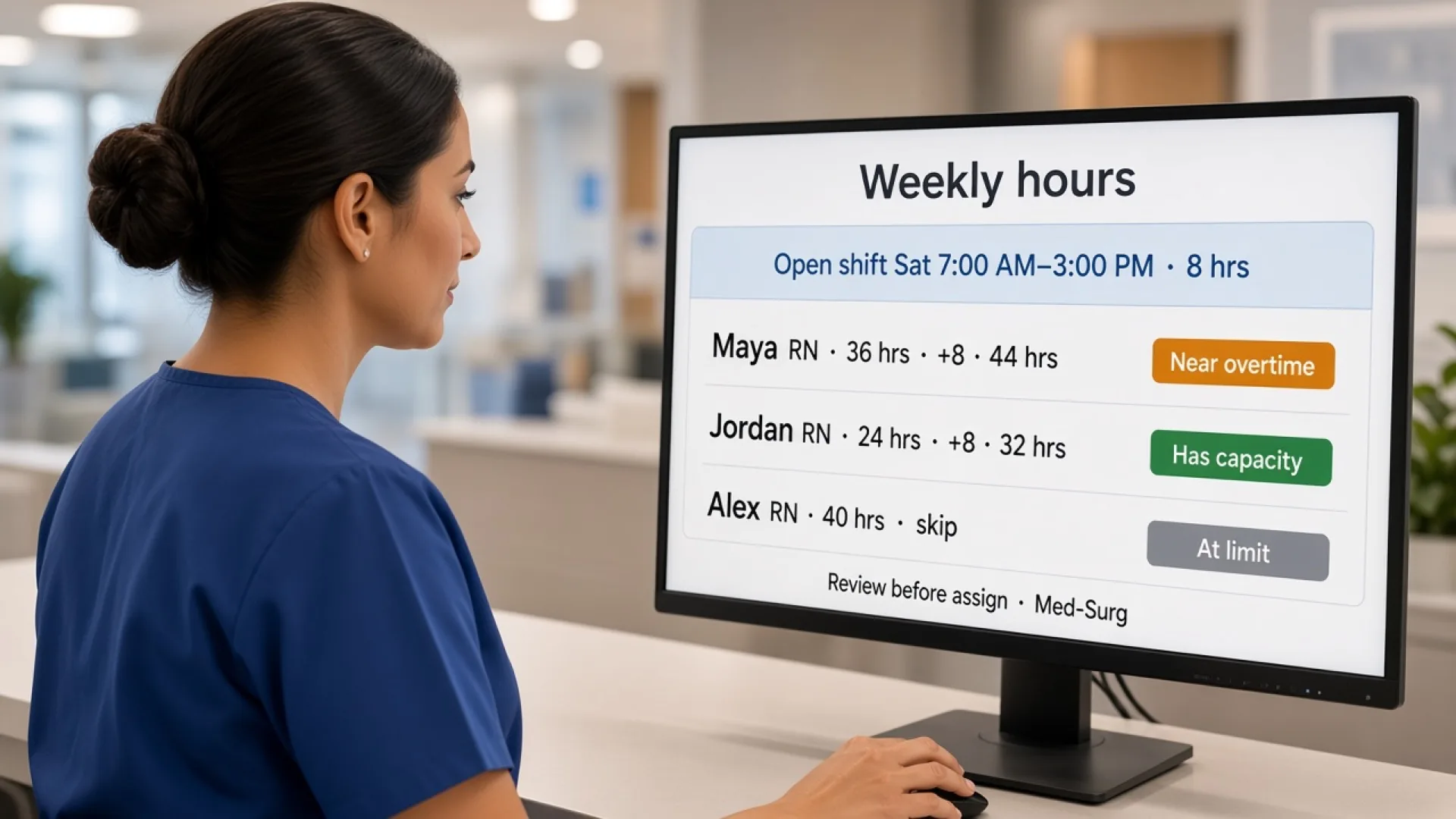
An open shift may have one person who is qualified and available, and already heavily scheduled. Before you assign the band, you should also consider existing hours and your organization’s overtime policies.
Eligibility is one consideration. Availability and hours are others. Workforce management works best when those views are connected. A platform that tracks certificates but never shows weekly hours will still push extra days onto the same qualified names. A platform that tracks hours but never shows role or site will fill the grid with the wrong people.
Labor-rule visibility (overtime risk, rest, hour limits) is a real product category. Clinical credential tracking is another. Many buyers need both. Confirm each one separately in the demo instead of accepting a single “compliance” checkbox.
What should healthcare organizations look for when choosing software?
Use the demo as a rehearsal of a real assignment, not a tour of icons.
Employee information. Can you maintain roles? Can you store the qualifications you actually use? Can you track relevant certifications if you need that in the scheduler? Can you record training information if that is part of your assignment rule?
Scheduling. Can managers create recurring weeks? Can they assign by role or department? Can the week support more than one location? Can they change a published week quickly?
Assignment checks. Can expiration dates be visible if you store them here? Can managers receive relevant alerts without drowning in them? Can scheduling decisions reference employee information? Can the system identify conflicts you configured?
Workforce management. Can employees manage availability? Can they request time off? Can managers publish open shifts? Can employees request swaps? Can managers review attendance?
Hours. Can managers see scheduled hours? Can actual hours be compared with the published week? Can managers identify potential overtime?
Reporting. Can managers review staffing patterns, attendance, and workforce information across locations? Can reports be exported?
Bring a real employee who works two sites, a real credential or training rule you care about, and a real uncovered Saturday. If the product cannot walk that story, keep looking.
Ask the vendor to say out loud what they do not do. A scheduling product that is honest about labor-hour alerts and role or location structure is more useful than a product that implies it replaces your credentialing office.
Healthcare staff scheduling software buyer checklist
Use this list when you compare vendors. Not every organization needs every item. The right platform matches the complexity of your workforce.
- Employee profiles
- Role and department management
- Qualification tracking (confirm the fields you need)
- Certification tracking (confirm, do not assume)
- Expiration-date visibility (confirm)
- Training information (confirm)
- Availability management
- Time-off management
- Open shift management
- Shift swapping with manager review
- Attendance tracking
- Scheduled vs actual hours
- Overtime visibility
- Multi-location scheduling
- Mobile access to the published week
- Workforce reporting
- Schedule publishing
- Change notifications
- Labor-rule alerts if you need break, rest, or hour checks
Check a box only when you saw the step in the product with your roles, not when it appeared on a slide.
Why Heyshift for healthcare scheduling and assignment visibility
Heyshift keeps staff scheduling, availability, time off, open shifts, swaps, attendance, scheduled hours, locations, and publish in one workspace. Healthcare teams can create the week, manage coverage, and give employees mobile access to the published roster without running those jobs in separate tools.
Heyshift also supports labor-rule visibility such as overtime risk, breaks, rest, and hour limits. That is labor compliance management in the labor-law sense. It is not a clinical credentialing, license-expiry, or learning-management system. If you need dedicated certification or training-expiry fields inside the same profile, confirm those fields in a trial. Do not assume any vendor, including Heyshift, stores every credential your organization tracks.
Paid plans start at $4, $6, and $9 per seat after a 30-day free trial, with unlimited locations on paid plans. The product is not an enterprise HRIS, not an EMR, and not a patient appointment system. Do not expect it to replace a credentialing office or legal counsel. Expect it to keep the published week, workforce structure, coverage options, and hour signals in one workspace so a supervisor can see more of the decision before a name is assigned.
Who should consider healthcare scheduling software with compliance tracking?
Any healthcare organization that already publishes a staff week, and already keeps qualifications or other assignment rules in a separate place, should consider connecting those jobs.
Hospitals with units, floats, and last-minute coverage. The person who takes the hole has to match more than a blank cell.
Medical clinics with thinner benches. One call-off can push a name that is convenient and wrong.
Urgent care with volume that changes the close. Role and hour checks still apply when the lobby is full.
Home healthcare with site lists and visit types. Geography and role are part of the assignment.
Assisted living and nursing homes with 24/7 coverage. Recurring bands hide incorrect repeats if you never look at the profile.
Multi-site groups with shared staff. One person, two clinics, one record.
Confirm setting-specific staffing, credential, and labor rules with qualified HR, credentialing, or legal counsel. The product can show information you configure. It does not write your policy or certify that a coverage choice is lawful. Small dental and specialty teams should run the same test: a short roster makes an incorrect assignment more expensive, not less.
Final thoughts
Healthcare scheduling is not simply putting a name next to every shift.
Managers need to consider who is available, where they can work, what role they have, what qualifications or training may be required, how many hours they are already scheduled for, and whether the assignment fits the organization’s policies.
Managing those details across separate spreadsheets and documents gets harder as healthcare teams grow.
Healthcare staff scheduling software with compliance tracking can bring more of that information into the scheduling workflow:
Employee information → availability → requirements → schedule → attendance → workforce review
The software does not replace healthcare organizations’ compliance responsibilities. It gives managers better visibility so they can make more informed staffing decisions.
The buying test is simple. Open one uncovered Saturday. See two employees’ roles, locations, availability, and hours. See any review dates you actually store in the product. If you still need a folder to decide who can take the band, you are not buying assignment support yet. You are buying another calendar.
Frequently Asked Questions
Continue with related topics
More articles on topics related to this one.
Healthcare staff scheduling software with overtime management: features, benefits, and how to choose
Compare healthcare staff scheduling software with overtime management. See how hours, alerts, attendance, and coverage help managers decide before they publish.
Read article
Healthcare staff scheduling software with attendance tracking: features, benefits, and how to choose
Compare healthcare staff scheduling software with attendance tracking. See how hospitals and clinics compare the published week with who actually worked.
Read article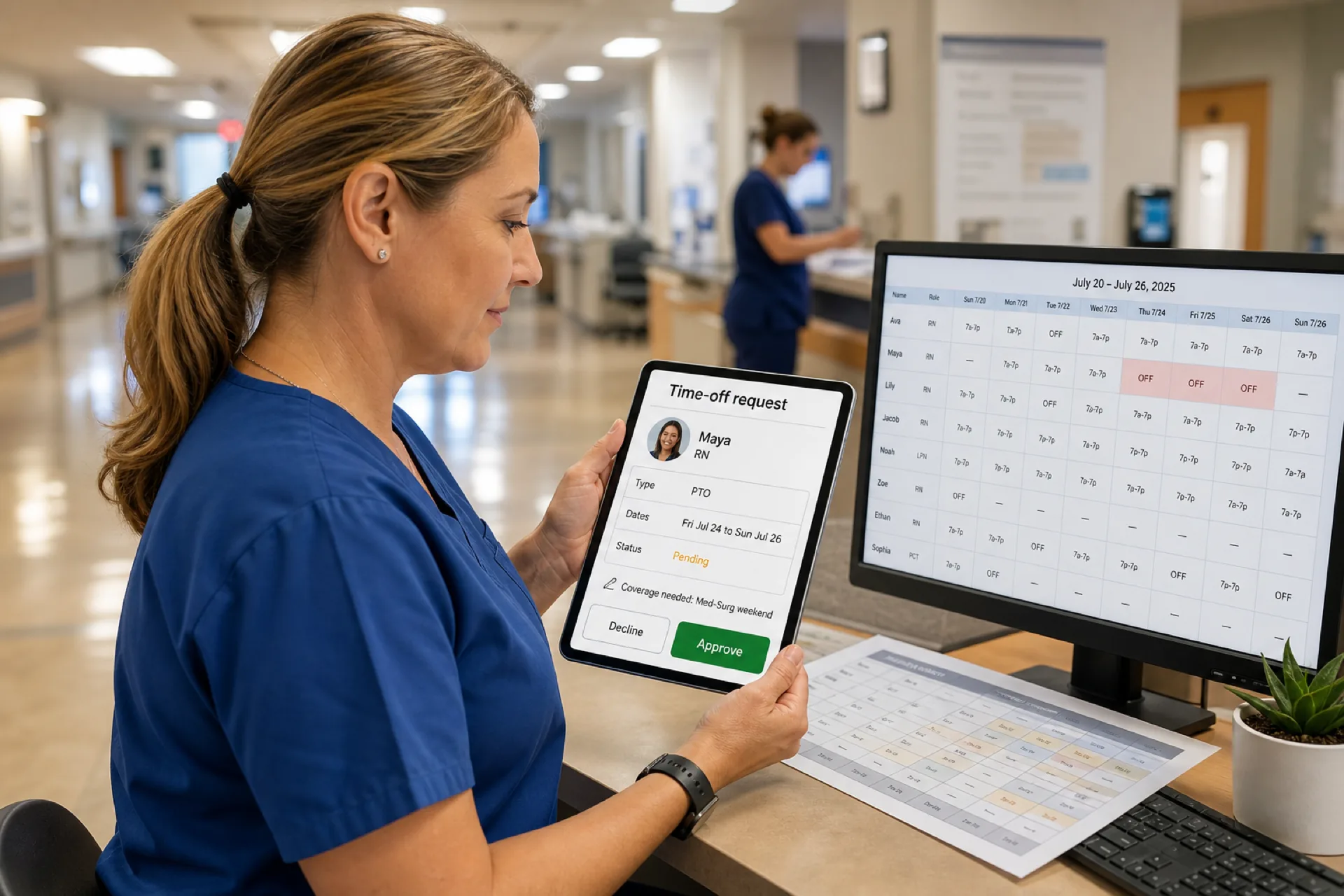
Healthcare staff scheduling software with time-off management: features, benefits, and how to choose
Compare healthcare staff scheduling software with time-off management. See how hospitals, clinics, and care teams keep leave on the published staff week.
Read article