


Healthcare Employee Availability Management: How to Build Better Staff Schedules (2026)
Learn how healthcare organizations can manage employee availability, time off, shift preferences, open shifts, and scheduling conflicts to build better staff schedules.
Healthcare employee availability management: how to build better staff schedules (2026)
A clinic manager builds next week's grid from memory. A per diem nurse who cannot work Tuesdays gets assigned anyway. A caregiver's updated availability sits in a text message nobody logged. By Thursday, three swaps, two call-outs, and one open band later, the roster on the wall does not match what staff thought they submitted.
Employee availability is one of the most important inputs when creating a healthcare staff schedule. Hospitals, clinics, urgent care centers, home healthcare agencies, and other healthcare organizations have employees with different working preferences, recurring availability, time-off requests, and schedule restrictions.
When availability is managed through spreadsheets, messages, and separate documents, managers may not have an accurate view when building the schedule. Healthcare employee availability management provides a centralized way to collect, review, and use employee availability when creating schedules.
Featured answer: What is healthcare employee availability management? Healthcare employee availability management is the process of collecting and maintaining when employees can or cannot work, including recurring patterns, leave, and preferences, and using that information as an input when building and updating published schedules.
Who should read this: Nurse managers, staffing coordinators, practice administrators, and operations leaders evaluating employee availability software or healthcare scheduling software with availability built in before the next publish cycle.
Related reading:
- Healthcare staff scheduling software
- Healthcare open shift management
- Healthcare shift swapping
- Multi-location healthcare workforce management
Executive summary
Healthcare employee availability management improves schedules when availability, leave, and preferences sit beside the grid before assign, not in separate spreadsheets and text threads.
In this guide you will find:
- Why employee availability matters in healthcare scheduling
- Common manual availability tracking problems
- What availability management includes and how it connects to scheduling
- Benefits, organization types, and an open shift fill example
- Availability vs scheduling comparison and how to choose software
- FAQ
Why employee availability matters in healthcare scheduling
Hospital staff availability and outpatient availability patterns shape whether a published week holds up after the first call-out.
Healthcare teams often work:
- Day shifts
- Evening shifts
- Overnight shifts
- Weekend shifts
- Holiday shifts
- Part-time schedules
- Variable schedules
- Multiple locations
Employee availability needs to be considered before shifts are assigned. Poor availability visibility can lead to:
- Scheduling conflicts
- Unfilled shifts and last-minute open shifts
- Last-minute shift swaps and corrections
- Employee frustration
- Unnecessary overtime
- Additional administrative work
Availability is an input to healthcare staff scheduling, not a substitute for manager judgment on coverage and credentials.
Common problems with manual availability tracking
Spreadsheets become outdated
An employee's availability may change, but the scheduling spreadsheet may not be updated immediately. Managers assign from stale data.
Availability is stored in multiple places
Managers may have availability information in email, text messages, spreadsheets, or paper forms with no single source of truth.
Time-off requests get separated from scheduling
Approved leave may not be visible when schedules are created. Read healthcare leave management best practices.
Managers have to ask employees individually
Instead of seeing availability in one place, managers contact employees one by one during every publish cycle.
Recurring availability is difficult to maintain
Employees may have regular restrictions that are repeatedly entered manually instead of stored as recurring patterns.
See why spreadsheets fail for workforce scheduling for the broader manual-process pattern.
What is healthcare employee availability management?
Healthcare employee availability management is the process of collecting and maintaining information about when employees can or cannot work and using that information during workforce scheduling.
It can include:
- Available working hours
- Unavailable periods
- Recurring availability
- Time-off requests
- Approved leave
- Preferred shifts
- Part-time availability
- Location availability for float and per diem staff
The objective is to give managers better information before assigning shifts. Availability does not replace the published schedule. It informs how managers build it.
Pair availability discipline with healthcare staff attendance tracking so planned assign and actual punches stay comparable after the week runs.
How employee availability should work with scheduling
Healthcare staff availability management should connect to publish workflow on one platform.
1. Employee provides availability
Employees enter or update their available working periods on mobile or web.
2. Manager reviews availability
Managers review availability while preparing the draft schedule, not after publish locks.
3. Time off is considered
Approved leave and unavailable periods block assign before shifts are placed.
4. Schedule is created
Managers assign employees based on operational requirements, credentials, and availability.
5. Open shifts are identified
Remaining staffing gaps become open shifts posted to qualified staff.
6. Employees can request changes
Employees can request shift swaps or other schedule changes through structured workflow.
7. Manager reviews the final schedule
Managers confirm coverage, working hours, and overtime risk before publish.
Benefits of better employee availability management
Reduce scheduling conflicts
Managers can make assignments with better information before conflicts appear on the published roster.
Reduce last-minute changes
Accurate availability can reduce avoidable scheduling corrections after publish.
Improve open shift coverage
Managers can identify employees who may be available for uncovered shifts without calling down a manual list.
Improve employee flexibility
Employees have a clearer way to communicate when they can work instead of repeating preferences every cycle.
Improve overtime management
Availability and hour visibility help managers consider other staffing options before assigning additional hours to employees already near threshold.
Reduce administrative work
Managers spend less time asking employees about availability individually during every build week.
Employee availability for different healthcare organizations
Caregiver availability management and clinical availability needs differ by setting.
Hospitals
Manage hospital staff availability across departments and shift patterns with float visibility. Read hospital staff scheduling software and hospital staff scheduling best practices.
Medical clinics
Coordinate clinical and administrative employee schedules tied to session hours. See medical clinic scheduling software.
Urgent care centers
Manage availability across extended operating hours and volume-driven bands. Read urgent care scheduling software.
Home healthcare agencies
Coordinate caregiver and nurse availability around patient assignments and territories on mobile. See home healthcare scheduling software.
Dental practices
Manage dentists, hygienists, assistants, and office staff availability beside chair sessions. Read dental practice scheduling software.
Physical therapy clinics
Coordinate therapist and support team availability across treatment blocks. See physical therapy scheduling software.
Behavioral health organizations
Manage clinical and administrative staff availability across programs and evening bands. Read behavioral health scheduling software.
Nursing teams across settings
Nurse availability scheduling needs band context, rotation fairness, and recurring unavailability captured once. See nurse scheduling software and nurse shift rotation best practices.
Example: using availability to fill an open shift
A healthcare organization has an open evening shift after an employee calls out.
Instead of contacting employees one by one, the manager can review:
- Employee availability for the evening band and day of week
- Existing schedules for double-book risk
- Current working hours for the pay period
- Approved leave that removes candidates
- Potential overtime before defaulting to the fastest yes
The manager can then post the open shift to employees who are available, qualified, and under hour threshold. This connects availability management, healthcare open shift management, and healthcare overtime management into one operational workflow.
Structured availability does not guarantee every shift fills during shortages, but it reduces wrong assign and unnecessary phone tag.
Employee availability vs. employee scheduling
This distinction matters for buyers comparing healthcare scheduling software capabilities.
| Employee availability | Employee scheduling |
|---|---|
| When an employee can work | When an employee is assigned |
| Employee-provided information | Manager-created published roster |
| Can change over time | Locked for specific shift bands after publish |
| Input into scheduling | Result of scheduling decisions |
| Helps identify possible coverage | Defines actual coverage responsibility |
Availability is an input to scheduling, not the schedule itself. A employee marked available for Tuesday evening is not the same as being assigned that band on the published roster.
How to choose employee availability software
Evaluate whether the platform supports:
| Requirement | Why it matters |
|---|---|
| Employee availability | Central capture before assign |
| Recurring availability | Avoid re-entering weekly patterns |
| Unavailable periods | Block assign on known conflicts |
| Time-off management | Leave visible beside the grid |
| Shift preferences | Inform assign without hard guarantees |
| Open shifts | Fill gaps with qualified available staff |
| Shift swaps | Route changes through approval |
| Employee scheduling | Publish official roster from same system |
| Attendance tracking | Compare assign to actual hours |
| Overtime visibility | Review totals while building and approving |
| Mobile access | Field and floor availability updates |
| Multi-location management | Float staff visible across sites |
Compare best healthcare staff scheduling software when evaluating full workforce platforms.
Run a two-week pilot on one unit. If conflicts and post-publish corrections drop while coverage holds, expand.
Why choose Heyshift?
Heyshift addresses healthcare employee availability management through scheduling integration, not unsupported claims that availability alone eliminates every conflict.
Employee scheduling and availability
Build schedules with availability visible while assigning shifts. Explore shift scheduling and people and availability.
Open shifts, shift swaps, and leave
Post uncovered bands to qualified staff. Route swap requests through manager approval. Show approved leave beside the grid.
Attendance tracking, time tracking, and overtime visibility
Compare scheduled assign to actual hours. Review hour totals when building weeks and approving changes. See workforce visibility and cost and labor insights.
Multi-location workforce management and mobile access
Manage availability across sites from one account. Nurses and caregivers update availability from phones.
Review pricing. Start 30-day free trial. Software improves availability visibility and workflow; managers still own credential rules, safe staffing, and final assign decisions.
Final thoughts
Employee availability is one of the foundations of effective healthcare scheduling.
When managers have accurate information about when employees can work, when they are unavailable, and when they have approved time off, they can make better scheduling decisions.
A centralized availability management process can also support open shift coverage, shift swapping, overtime management, and multi-location workforce planning.
Build better healthcare schedules with Heyshift: manage employee availability, schedules, open shifts, shift swaps, attendance, leave, and workforce operations from one platform.
Related Healthcare Resources
Frequently Asked Questions
Continue with related topics
More articles on topics related to this one.
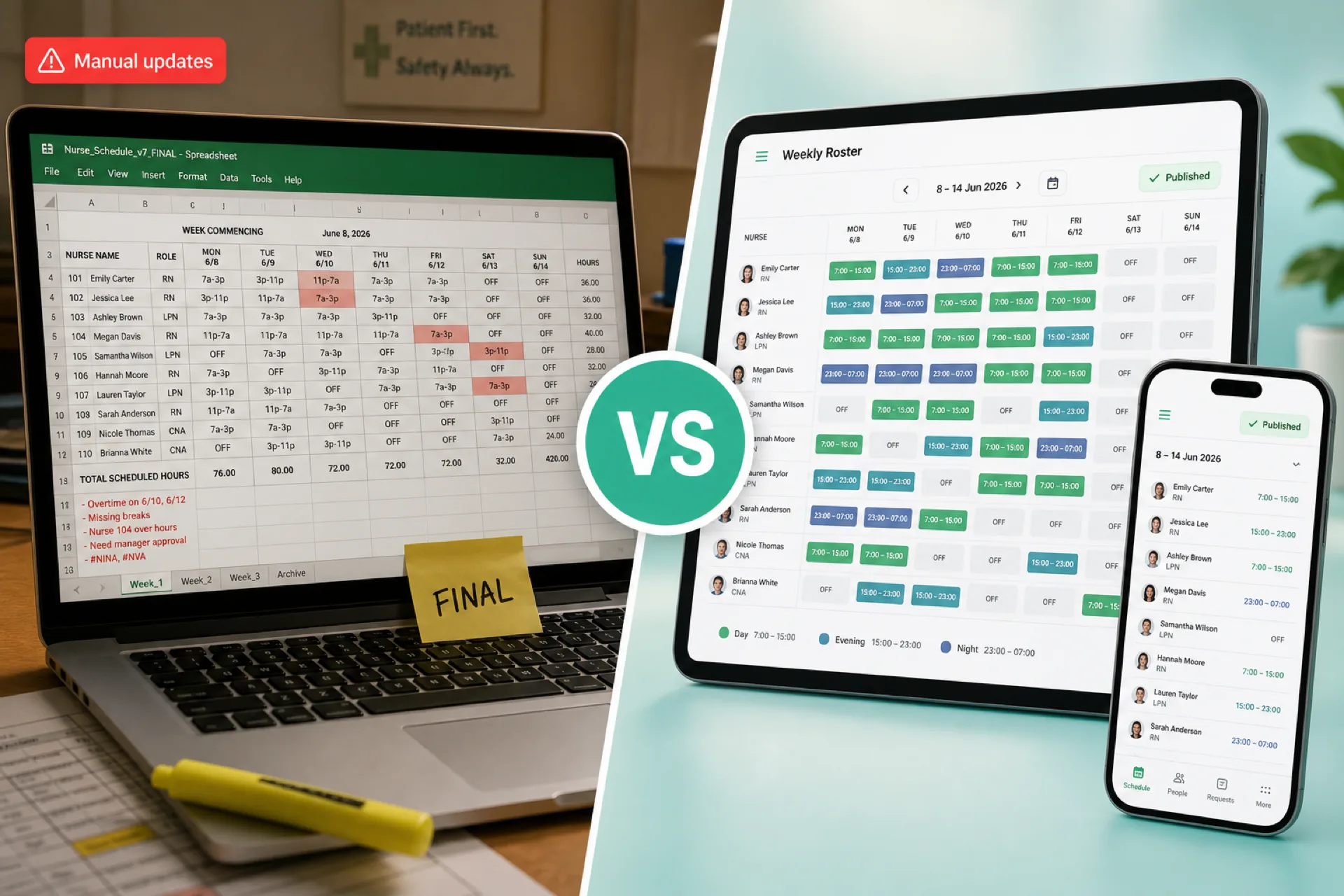
Healthcare Scheduling Software vs. Excel: Which Is Better for Managing Staff? (2026)
Compare healthcare scheduling software and Excel for staff scheduling, availability, open shifts, attendance, overtime, and multi-location workforce management. Learn when each option fits.
Read article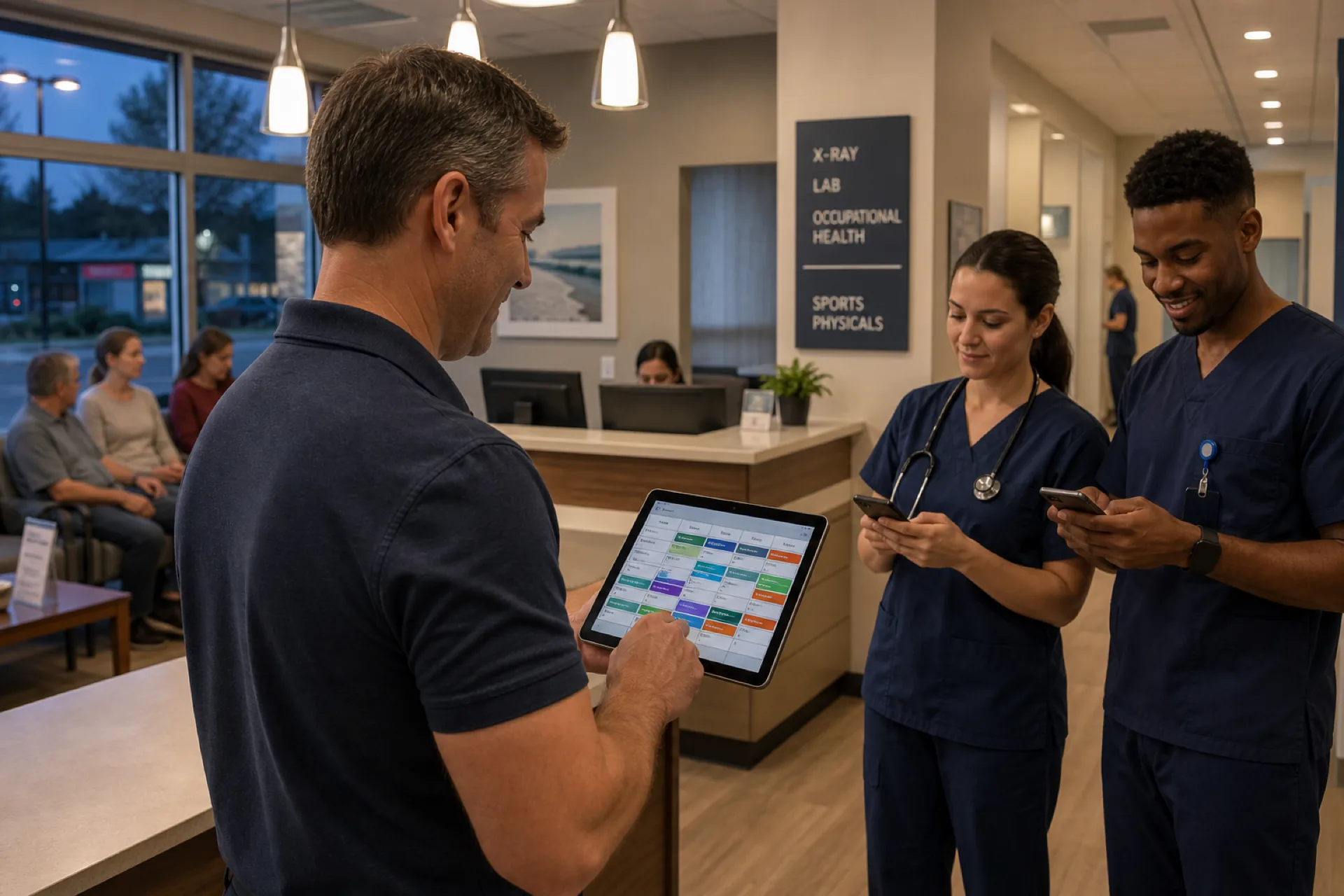
Urgent Care Scheduling Software for Staff Management (2026)
Discover how urgent care scheduling software helps clinics manage staff shifts, availability, attendance, shift coverage, and overtime while improving workforce efficiency.
Read article
Medical Office Scheduling: Best Practices for Clinics and Healthcare Practices (2026)
Learn medical office scheduling best practices to improve staff coverage, reduce overtime, streamline attendance, and optimize workforce management for healthcare practices and multi-location clinic groups.
Read article