


Best Logistics Scheduling Software (2026)
Compare the best logistics scheduling software for USA warehouses, 3PLs, and multi-site teams. Review coverage, overtime, attendance, and how to choose.
Logistics companies do not schedule one tidy weekday roster. Warehouse crews, drivers, dispatch, and support teams often run overnight, weekend, and peak-shipping hours across more than one facility. When availability, time off, and last-minute call-offs live in chats and spreadsheets, coverage gaps show up on the dock before they show up in a report.
This comparison covers logistics scheduling software for USA operators who need one official week for warehouse and road teams. For the product view, start with logistics staff scheduling software. For dock-only buying, see best employee scheduling software for warehouses. For habits after you pick a tool, read logistics workforce scheduling best practices.
Quick answer
The best logistics scheduling software depends on fleet size, warehouse operations, shift complexity, locations, overtime requirements, and employee availability. Heyshift is designed for logistics teams that need to build, publish, and manage employee schedules across shifts and locations.
There is no single winner for every 3PL, warehouse, or carrier. Score vendors on a real logistics week: inbound appointments, outbound cutoffs, a driver call-off, and a second site that still needs coverage.
What is logistics scheduling software?
Logistics scheduling software is a system for assigning warehouse, transportation, dispatch, and support employees to the right location, shift, and role, then keeping one published roster current when volume or attendance changes.
It is not a warehouse management system. It is not a transportation management system. It does not replace hours-of-service rules for regulated driving. Those tools decide freight, inventory, and legal driving time. Scheduling software decides who is supposed to be on the dock, in the yard, or on a route, and whether they actually showed up.
Operators usually need it when two or more of these are true:
- More than one shift or overnight coverage
- Warehouse labor plus drivers or dispatch in the same week
- More than one building, hub, or customer site
- Call-offs that currently fill through a phone tree
- Overtime that finance only sees after payroll export
If your search is only about receiving, pick-pack, and shipping inside one building, use warehouse staff scheduling software. Stay here when the week also includes transportation, dispatch, or more than one facility.
How logistics employee scheduling works
Logistics employee scheduling is the weekly loop from staffing plan to attendance review. Software should make this loop faster. It should not require a separate tool for every role if the platform can show a shared workforce view.
- Plan staffing requirements. Decide how many people you need by location, shift, department, and role.
- Review employee availability. Check recurring availability, leave, and existing assignments before you assign anyone.
- Build the schedule. Assign warehouse, transportation, dispatch, and support employees to the coverage you planned.
- Publish one official schedule. Give employees one current source of truth instead of parallel spreadsheets and group chats.
- Manage open shifts and swaps. Handle call-offs on the published roster, not in a side thread.
- Track attendance. Compare planned shifts with actual clock events.
- Review working hours. Watch hour totals and overtime risk before payroll, not after.
- Analyze coverage. Look at which sites, bands, and roles keep breaking.
A modern week usually looks like this: forecast labor, build the grid, publish, notify people on mobile, take availability and leave updates, fill open shifts, track attendance, then export hours. Separate spreadsheets, printed boards, and a time clock that does not match the roster break that chain.
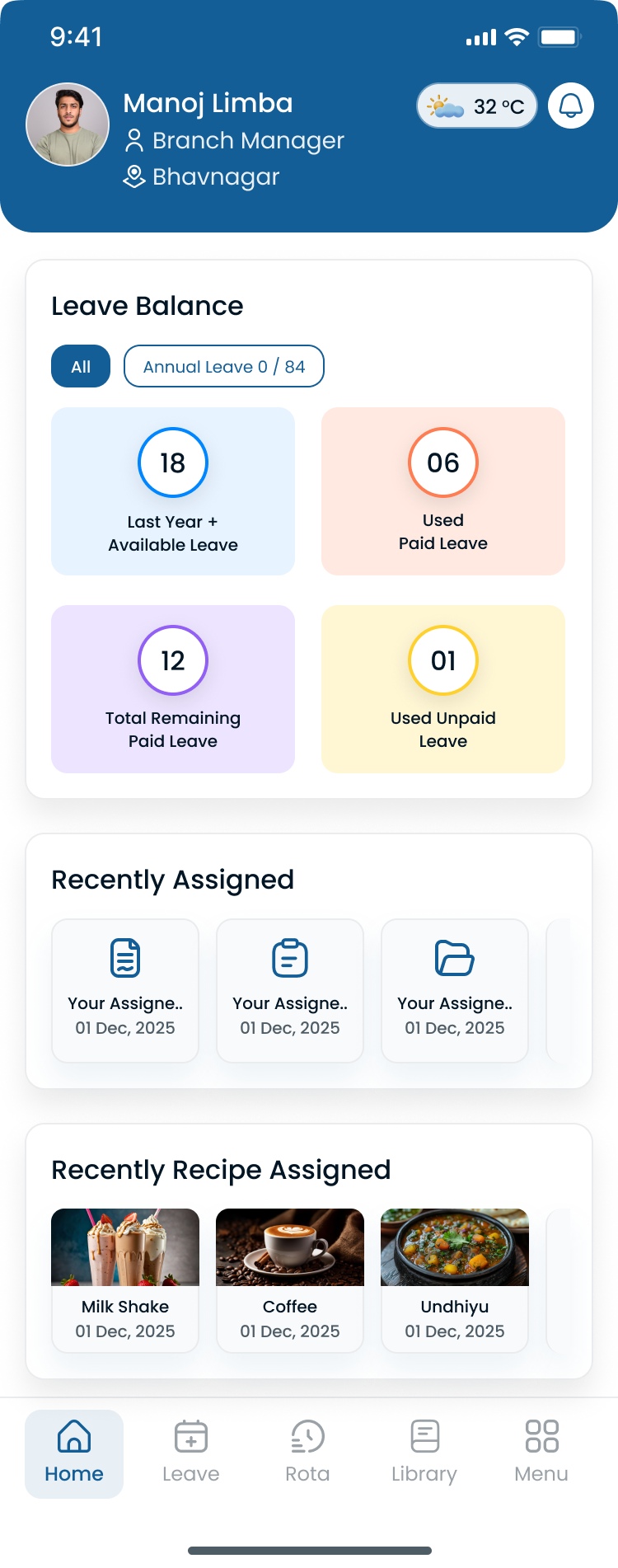
Operations managers should see roles, sites, and hour totals in one grid while building the week, not after payroll export.
Logistics workforce trends in 2026
Logistics operators enter 2026 with tighter delivery windows and the same deskless warehouse and driver workforce that never lived inside a single spreadsheet tab. The teams pulling ahead are not working harder on Thursday schedule merges. They are treating the published roster as an operational lever.
| Trend | What operators see | Scheduling implication |
|---|---|---|
| Multi-site network growth | More DCs, cross-docks, and hubs than one supervisor can track in memory | One published roster per site plus a roll-up without merged exports |
| Dock and driver call-offs | Absences break a static weekly grid mid-week | Approved open shifts and swaps on the official roster |
| Seasonal and e-commerce surges | Peak weeks stack overtime before finance reviews the plan | Hour totals visible while building schedules |
| Deskless mobile workforce | Drivers and floor staff ignore email and printed boards | Same mobile view for schedule, leave, and open-shift pickup |
| Cross-trained coverage gaps | Specialized roles stay hard to fill on short notice | Availability and role fit visible before publish |
Distribution networks grow faster than supervisor bandwidth
Regional 3PLs and carriers add warehouses, terminals, and last-mile hubs through new contracts. Supervisors who once knew every name on one dock now juggle sites with different band patterns and customer windows. Spreadsheet tabs multiply. Centralized publish is how you keep network visibility without another layer of coordinators. That is also why multi-location scheduling software matters when the comparison is not just one warehouse.
Call-offs and inbound surges still break static weekly grids
Preventive labor plans set the baseline. Dock absences, weather delays, and unexpected inbound volume still inject reactive assignments. Teams that treat Monday's grid as fixed spend the week rebuilding coverage instead of moving freight.
Warehouse and transportation labor stays hard to staff on short notice
The U.S. Bureau of Labor Statistics transportation and warehousing overview covers employment across trucking, couriers, warehousing, and support roles. For floor-level safety and staffing context, see OSHA warehousing resources. When the same reliable associates appear on every overtime short list, burnout follows. Scheduling in 2026 means balancing workloads across qualified people, not maximizing hours from the most dependable few.
Logistics companies typically schedule these roles in the same week:
- Warehouse associates on receiving, pick-pack, and outbound bands
- Forklift and material-handling roles on equipment-dependent windows
- Drivers and courier teams on route and on-call coverage
- Dispatchers and coordinators who hand off between dock and road
- Supervisors and leads who fill gaps across shifts and sites
Workforce scheduling software does not replace TMS, WMS, or hours-of-service systems. It does give managers one published roster, mobile access for deskless teams, and hour visibility while planning so overtime is a decision.
What logistics teams need from scheduling software
Not every employee scheduling product is built for 24/7 distribution. Retail and restaurant tools often assume one store's opening hours. Logistics needs shift planning that can hold nights, weekends, rotating patterns, and a second site.
When you evaluate a platform, ask how each capability changes coverage, not how long the feature list is.
Shift planning. Create days, nights, weekends, and rotating patterns, then copy a good week instead of rebuilding it. See shift scheduling.
Employee availability. Collect recurring availability and preferences before you assign anyone. See people availability.
Time-off. Approved leave should block a shift before you publish, not after someone is already on the grid.
Coverage. See uncovered bands by location and role while you build the week, not after a trailer lands.
Open shifts. Post a call-off to eligible people on mobile with manager approval.
Shift swaps. Let qualified coworkers exchange a band without a side deal in group chat.
Attendance. Compare the published roster to clock-in and clock-out events. See attendance.
Overtime and labor visibility. See running hours before you add a tenth hour to the most reliable associate.
Multi-location scheduling. Treat each warehouse, yard, or hub as a first-class location, then roll coverage up. See multi-location scheduling software.
Mobile access. Drivers and dock staff need the current week on a phone, including alerts and open-shift pickup.
A rotating shift template or employee schedule template can help you sketch coverage. Software is what keeps that sketch current when volume and call-offs change.
Why logistics companies outgrow spreadsheets
Most logistics companies start in a spreadsheet. For a small warehouse with 10 or 15 employees and one shift, that can work.
The break usually comes with growth: more people, a second site, overnight coverage, or a peak season that adds temps. Then managers live with:
- Multiple versions of the same week
- People scheduled during approved leave
- Double-booked roles
- Slow communication of changes
- Payroll corrections that start as roster errors
- Overtime nobody saw until export
- No shared view of who is working where
Five signs the spreadsheet is now the bottleneck:
- Supervisors spend hours every week editing files instead of running the floor.
- Employees regularly text or call to confirm their shift.
- Overtime keeps rising because hour totals are not visible while you build the week.
- A last-minute change creates three conflicting copies (file, printout, group chat).
- Payroll adjustments are becoming routine.
Logistics scheduling software does not make judgment unnecessary. It removes the version-control problem. For the broader spreadsheet argument, see workforce scheduling software vs Excel.
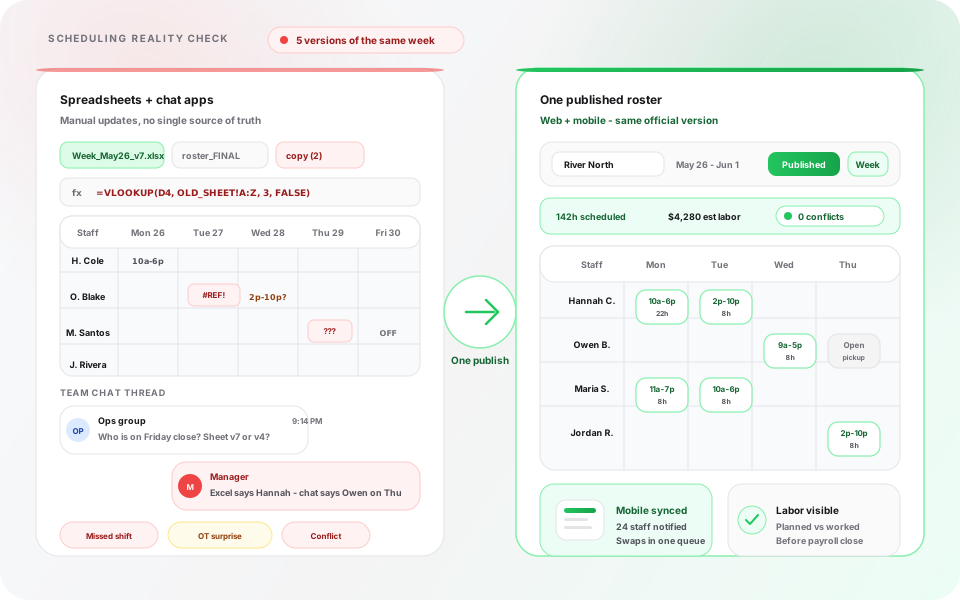
Manual tools create parallel schedules. Publish-first software gives the dock and the road one official week.
Key logistics scheduling challenges
Logistics scheduling is hard because the calendar follows freight, not store hours. A late truck, a weather hold, or a same-day surge can change who you need on receiving, picking, packing, or the yard with little notice.
The same week can include overnight replenishment, weekend outbound, and a temporary crew hired for a peak. Generic “employee scheduling is hard” advice is not enough.
These are the constraints that show up weekly:
24/7 operations and multiple shifts. The building cannot go dark because a day-shift manager left early. Night and weekend patterns have to be first-class objects, not a note in a cell.
Warehouse plus transportation teams. Dock labor and drivers often share a service window. If those rosters live in different tools, handoffs fail.
Last-minute call-offs. The fill path has to live on the published roster. A phone tree hides who is already near overtime.
Seasonal demand. Holiday shipping, Black Friday, and year-end volume add hours, weekends, and temps. Extended hours only work if someone owns backup staffing when a temp no-shows.
Overtime. Premium hours are often a coverage decision made under pressure. You need hour totals before you publish, not a surprise after payroll.
Multi-site operations. Two warehouses and a cross-dock need local publish plus a regional view. That is a multi-location problem, not another tab.
Working-hour and compliance considerations. Scheduling software can show hours and attendance. It does not replace hours-of-service tools, union rules, or legal advice. Confirm those constraints with qualified counsel.
If two or more of those are weekly problems, a shared schedule plus attendance usually beats another spreadsheet tab.
Best logistics scheduling software in 2026
This section compares five platforms logistics operators actually shortlist. Vendor websites and help docs change. Confirm current capabilities, plan limits, and add-ons before you buy. We do not list competitor prices here because published 2026 figures disagree across vendor sites and third-party summaries.
1. Heyshift
Best for: Growing logistics and warehouse teams that want one published week across sites
Key features: Employee scheduling, multi-location scheduling, availability, open shifts, shift swaps, attendance, mobile access, reporting
Advantages
- One workspace for locations, departments, and people instead of a spreadsheet per building
- Availability and time-off requests sit next to the roster
- Attendance can be reviewed against the published schedule
- Paid plans start at $4, $6, and $9 per seat after a 30-day free trial, with unlimited locations on paid plans
Considerations
- AI draft assist is coming soon on Pro and Business, not a finished auto-scheduler today
- Does not replace WMS, TMS, or driver hours-of-service tools
Start a 30-day free trial. No credit card required. See logistics staff scheduling software for the product walkthrough.
2. Deputy
Best for: Larger logistics operations that want demand-style automation and a wide integration catalog
Key features: Employee scheduling, multi-location scheduling, availability, shift management, open shifts, attendance, mobile access
Advantages
- Strong scheduling depth for complex, multi-site operations
- Auto-scheduling and demand-style tools on higher plans
- Broad marketplace if you already run a large HR or payroll stack
Considerations
- Pricing and packaging are harder to pin down from public pages alone
- Setup and admin time are usually heavier than a focused scheduler
Confirm current Deputy plans and add-ons on Deputy's site.
3. Connecteam
Best for: Field-heavy logistics teams that want chat, tasks, and scheduling in one mobile app
Key features: Employee scheduling, multi-location scheduling, availability, open shifts, attendance, mobile access
Advantages
- Mobile-first experience that traveling or yard teams will actually open
- Useful when operations already live in a work chat plus a task list
Considerations
- Multi-location admin, auto-scheduling, and reporting are thinner than dedicated workforce suites
- Confirm which scheduling and attendance features sit on which plan
- Shift-swap workflow is more limited than the other tools in this set
Confirm current Connecteam plans on Connecteam's site.
4. Sling
Best for: Smaller warehouse or delivery teams that want a simple shared calendar
Key features: Employee scheduling, availability, open shifts, shift swapping, mobile access, basic time tracking
Advantages
- Fast to learn
- Shift offers and swaps are easy to explain to hourly staff
Considerations
- Multi-location controls, automation, and reporting are limited
- Attendance is basic compared with a full time-and-attendance suite
Confirm current Sling plans on Sling's site.
5. Homebase
Best for: Smaller sites that also want hiring or payroll add-ons around the schedule
Key features: Employee scheduling, availability, open shifts, shift swapping, attendance, mobile access
Advantages
- Familiar hourly-team workflows
- Hiring and payroll add-ons if you want more than a roster
Considerations
- Built more for restaurants and local services than 24/7 distribution
- Multi-location and reporting depth are limited unless you expand into more products
Confirm current Homebase plans on Homebase's site.
Comparison table
Use the table to shortlist, not to skip a trial. “Limited” means the capability exists in a narrower form, on higher plans, or with extra products. “Basic” means time tracking is present but thinner than a full attendance suite.
| Software | Best for | Multi-location | Auto scheduling | Attendance | Shift swapping | Mobile | Reporting |
|---|---|---|---|---|---|---|---|
| Heyshift | Growing logistics teams | Yes | Draft assist coming soon | Yes | Yes | Yes | Yes |
| Deputy | Larger ops that want demand-style automation | Yes | Yes on higher plans | Yes | Yes | Yes | Yes |
| Connecteam | Field-heavy teams that live in one mobile app | Limited | Limited | Yes | Limited | Yes | Limited |
| Sling | Smaller teams that want a simple shared calendar | Limited | Limited | Basic | Yes | Yes | Limited |
| Homebase | Smaller sites that also want hiring add-ons | Limited | Limited | Yes | Yes | Yes | Limited |
How to use it. If you run two or more sites, start with multi-location and reporting. If you run one small warehouse and need a shared calendar this month, Sling or Homebase may be enough. If you want demand-style automation and already have a large integration stack, Deputy is the harder look. Confirm the current plan before you treat a cell as a buying decision.
How different logistics operations should choose
The same product can be a fit or a mismatch depending on how you operate. Use these as starting points, not a ranking.
Warehouses. Focus on receiving, picking, packing, inventory, and shipping coverage. If this is the only workforce you schedule, compare best employee scheduling software for warehouses instead of stretching this guide.
Distribution centers. Multiple departments and overlapping shifts. You need department tags, copy-week, and hour visibility across bands.
3PL providers. Multiple clients, teams, and often multiple facilities. Client SLAs make a late fill expensive. You need open shifts, mobile publish, and a regional view.
Fulfillment teams. Seasonal demand and high-volume staffing. Temps have to enter the same roster as core staff, then leave cleanly after peak.
Trucking and logistics operations. Driver and coordinator availability, overnight coverage, and handoffs to the dock. Do not expect the scheduler to replace HOS or dispatch routing.
Cross-dock operations. Short dwell windows. Coverage has to change when inbound slips. A static weekly file fails fast.
Multi-location logistics businesses. Local managers publish. Regional leads review coverage and overtime without merging files. That is the multi-location scheduling test.
A 40-person warehouse and a 12-site 3PL can pick different tools even if both ship pallets.
Example: scheduling a multi-shift logistics team
Example scenario. This is a hypothetical walkthrough, not a customer case study and not a promised result.
A regional 3PL runs three distribution centers and about 190 people: warehouse associates, drivers, dispatch coordinators, and supervisors. Each DC keeps its own spreadsheet. Driver coverage lives in a dispatch notebook. Call-offs fill through group text. Payroll exports hours from a time clock that does not always match the roster supervisors used that morning.
By Friday of a peak week, three people request vacation, two drivers call out, one warehouse takes an unexpected inbound surge, and a customer asks for weekend fulfillment. The published spreadsheet shows one dock crew. Dispatch texts show another. Clock data shows a third.
That is the week that turns scheduling from admin work into a service-level and labor-cost risk.
A useful evaluation asks four questions:
- Can each DC publish one official week that warehouse staff and drivers both open on mobile?
- When a picker or driver calls off, can approved open shifts fill the band without rebuilding the grid in chat?
- Can managers see running hour totals before they publish overtime-heavy weekend bands?
- Can regional leadership view all three sites without merging files every Monday?
Example week at one site. A distribution center runs three shifts with 60 employees. Coverage targets might look like this:
| Shift | Example time | Staffing target |
|---|---|---|
| Morning | 6 AM-2 PM | 20 |
| Evening | 2 PM-10 PM | 20 |
| Overnight | 10 PM-6 AM | 15 |
Those numbers are the requirement, not the roster. The remaining seats are usually overtime, training, or backup.
Manual approach. A spreadsheet holds the roster. The manager checks texts for availability, builds the week, then calls people when someone calls out. Every change creates another version of the file.
Software approach. Availability first. Then shift planning, coverage review, publish, and notifications. Open shifts handle the next call-off without a new phone tree.
| Challenge | Before (example) | After (example) |
|---|---|---|
| Source of truth | Spreadsheet tabs plus group texts per DC | One published roster per site on mobile |
| Call-off fill | Supervisor texts names until someone says yes | Approved open shifts on the official roster |
| Overtime visibility | Hour stacking noticed after payroll export | Running totals visible while building the week |
| Network roll-up | Monday merge of three site files | Leadership view across DCs in one account |
| Dispatch handoff | Dock and driver bands in separate tools | Shared publish rhythm for warehouse and road |
The software path does not remove judgment. It removes the version-control problem. For the weekly habits that sit on top of any tool, use logistics workforce scheduling best practices.
How to choose logistics scheduling software
Give every shortlisted vendor the same logistics week. Do not buy from a demo that only shows a tidy weekday store grid.
Buying checklist
- Map locations, departments, and roles you must schedule in the next 90 days.
- List your real shift patterns, including overnight and weekend bands.
- Confirm availability and time-off can block a shift before publish.
- Walk a call-off: open shift, eligible people, manager approval, roster update.
- Walk a swap: qualified coworker, approval, no side deal in chat.
- Check attendance against the published roster, not a separate unofficial file.
- Check hour totals and overtime risk while building the week.
- If you have more than one site, publish locally and roll up regionally.
- Put the mobile view in a driver's or picker's hands, not only a manager laptop.
- Confirm what the tool does not do (WMS, TMS, HOS) so you do not buy the wrong category.
- Run a two-week pilot that includes one call-off, one peak band, and one location handoff.
- Read a second opinion in the shift scheduling software buyer's guide before you lock budget.
Choose Heyshift if you need straightforward employee scheduling, availability, open shifts, attendance, and multi-location visibility without a heavyweight rollout.
Choose Deputy if demand-style automation and a large integration catalog are the main reason you are buying, and you have time for a heavier setup.
Choose Connecteam if one mobile app for chat, tasks, and a schedule is the highest priority.
Choose Sling if you need a simple shared calendar for a smaller team and can accept thinner reporting.
Choose Homebase if hiring or payroll add-ons around a smaller-site schedule matter more than 24/7 distribution depth.
Common logistics scheduling mistakes
Choosing software that does not scale. A 30-person warehouse this year can be 100 people and two sites next year. Check location limits and admin model before you sign.
Ignoring the mobile experience. Warehouse employees and drivers will not open a desktop portal at 10 p.m. If staff cannot see the week on a phone, they will keep texting dispatch.
Buying three disconnected systems. One app for the grid, one for punches, and one for leave recreates the spreadsheet problem with more logins.
Focusing only on the feature list. The longest matrix does not always save Thursday night. Evaluate manager time, employee adoption, and whether chat is still the real schedule after go-live.
Skipping the publish workflow. If managers still treat Excel or a group chat as official after you pay for software, you bought another tab.
Making every logistics URL target the same phrase. Keep this page as the comparison. Use logistics staff scheduling software for the product. Use the best-practices guide for habits.
90-day scheduling implementation plan
A 90-day plan is how you prove the tool on one messy hub before you roll it everywhere.
Days 1 to 30: build the foundation
- Import people and define departments and locations
- Create shift templates and roles that match the real week
- Train supervisors on one publish rhythm (for example, Tuesday for the following week)
- Optimize for an accurate published roster, not speed
Days 31 to 60: run daily scheduling in the platform
- Managers build the week in software instead of a spreadsheet
- Employees use mobile to view shifts, request leave, and pick up open shifts
- Managers start using attendance and hour views on the same roster
Days 61 to 90: tighten the operation
- Review overtime by site and band
- Balance workloads so the same names are not on every premium shift
- Decide whether a second site is ready to join the same account
By the end of 90 days, most teams can stop treating the spreadsheet as official if they actually published every week. Pair the rollout with logistics workforce scheduling best practices.
Heyshift for logistics teams
Heyshift is logistics staff scheduling software for teams that need one published week across warehouse, yard, and support roles. It is not a pitch to replace your WMS or TMS.
The working path:
- Create locations and departments.
- Add employees and availability.
- Define shifts that match inbound and outbound bands.
- Build the schedule.
- Review coverage and hour totals.
- Publish the schedule.
- Notify employees on mobile.
- Manage open shifts and swaps on that same roster.
- Review attendance before payroll.
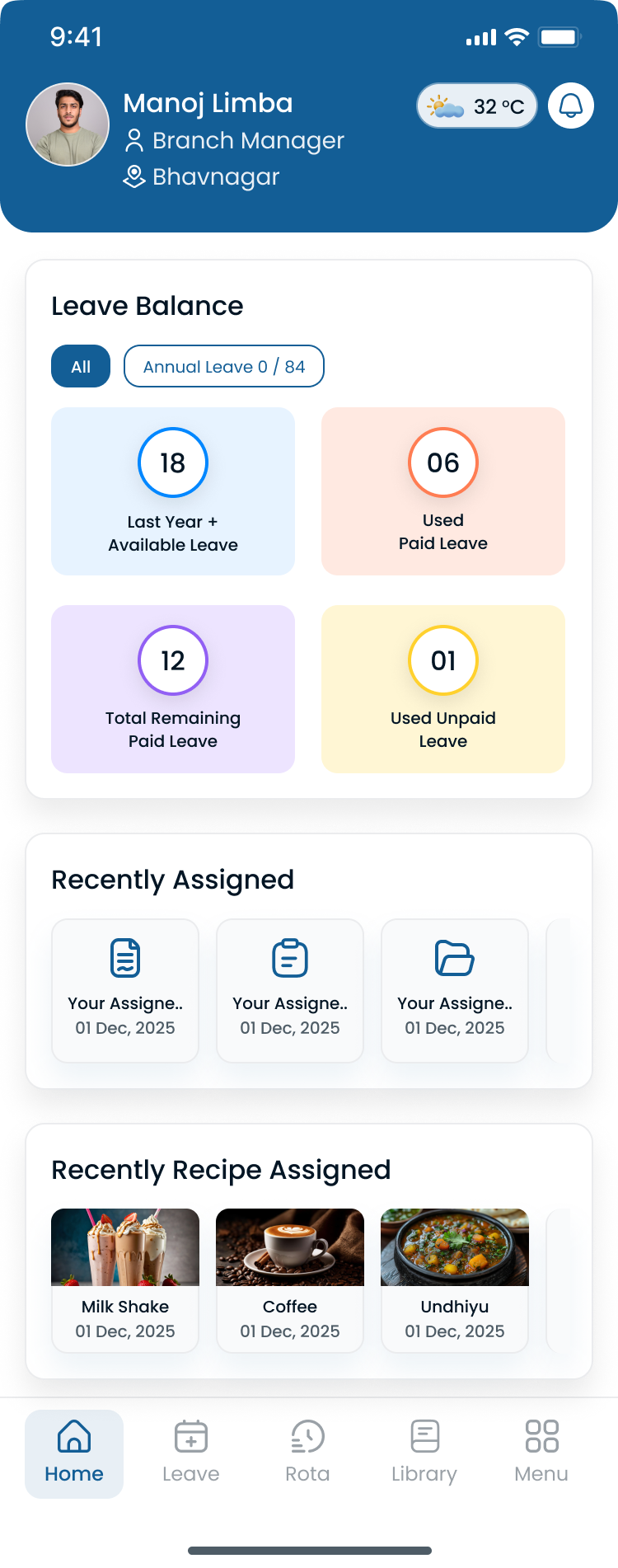
Managers can move between locations without exporting a new file for each warehouse or yard.
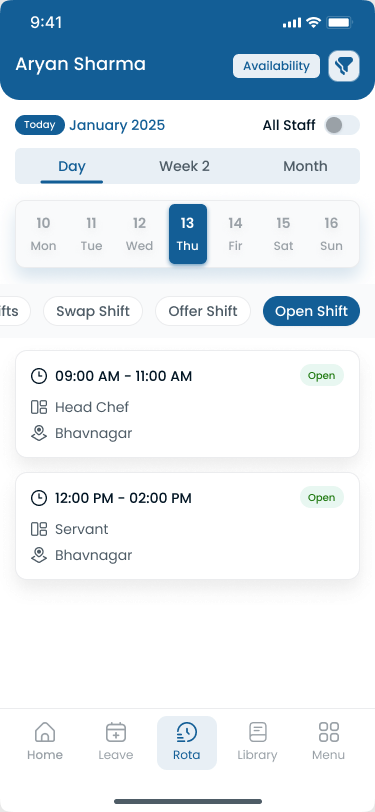
Employees can check the published roster on a phone, which matters on a dock where nobody wants another portal password.
Start a 30-day free trial or review pricing.
Key takeaways
- Keep this URL as the comparison for best logistics scheduling software. Use the industry landing page for the product, and the best-practices post for how-to habits.
- Logistics weeks follow freight: 24/7 bands, call-offs, peak volume, and often more than one site.
- Spreadsheets break when versions, overtime, and mobile communication diverge.
- Score vendors on a real week, not a store-hours demo.
- A 90-day pilot on one messy hub beats a network-wide cutover on day one.
The best logistics scheduling software is the one your supervisors will actually update at 11 p.m. when a door goes dark. Start with coverage, availability, locations, and attendance. Then decide whether you need Deputy-scale automation, a field super-app, or a focused scheduler.
Frequently Asked Questions
Continue with related topics
More articles on topics related to this one.
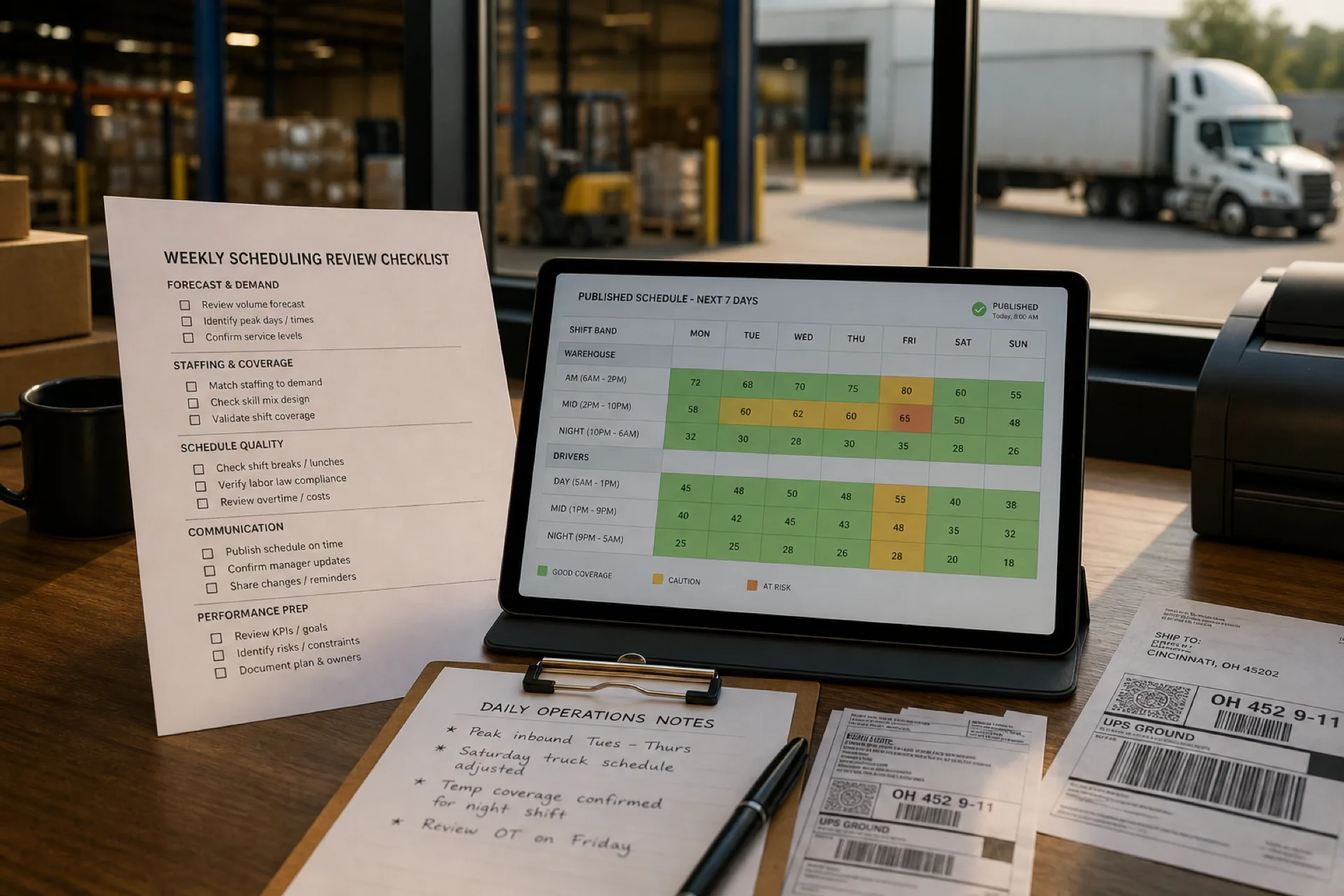
Logistics workforce scheduling best practices: 10 proven ways to improve operations (2026)
Learn logistics workforce scheduling best practices to reduce overtime, improve employee productivity, optimize warehouse staffing, and build more efficient schedules for USA logistics teams.
Read article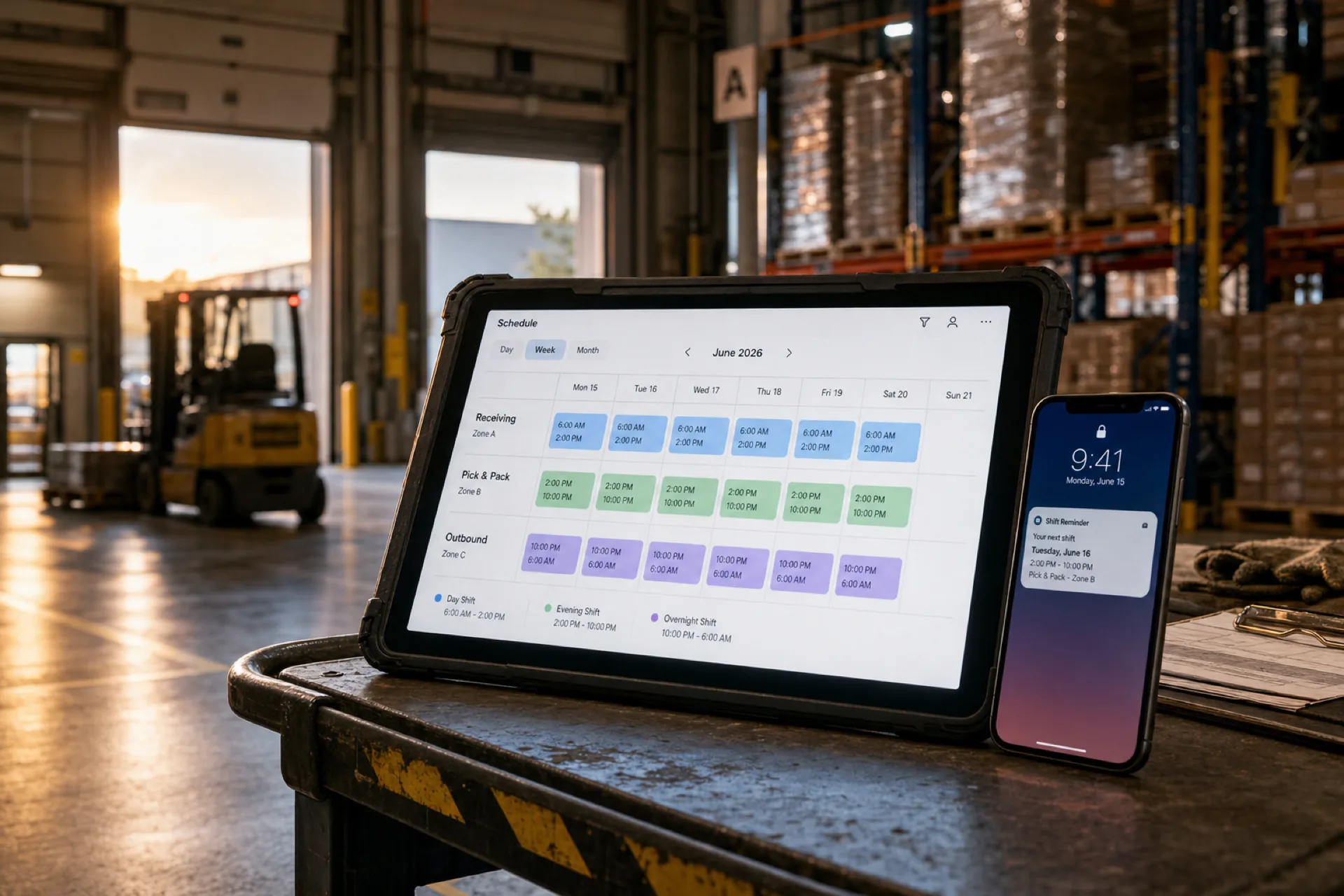
Best employee scheduling software for warehouses (2026 guide)
Compare the best employee scheduling software for warehouses in 2026: multi-shift scheduling, attendance tracking, overtime visibility, and workforce management for distribution centers and fulfillment teams.
Read article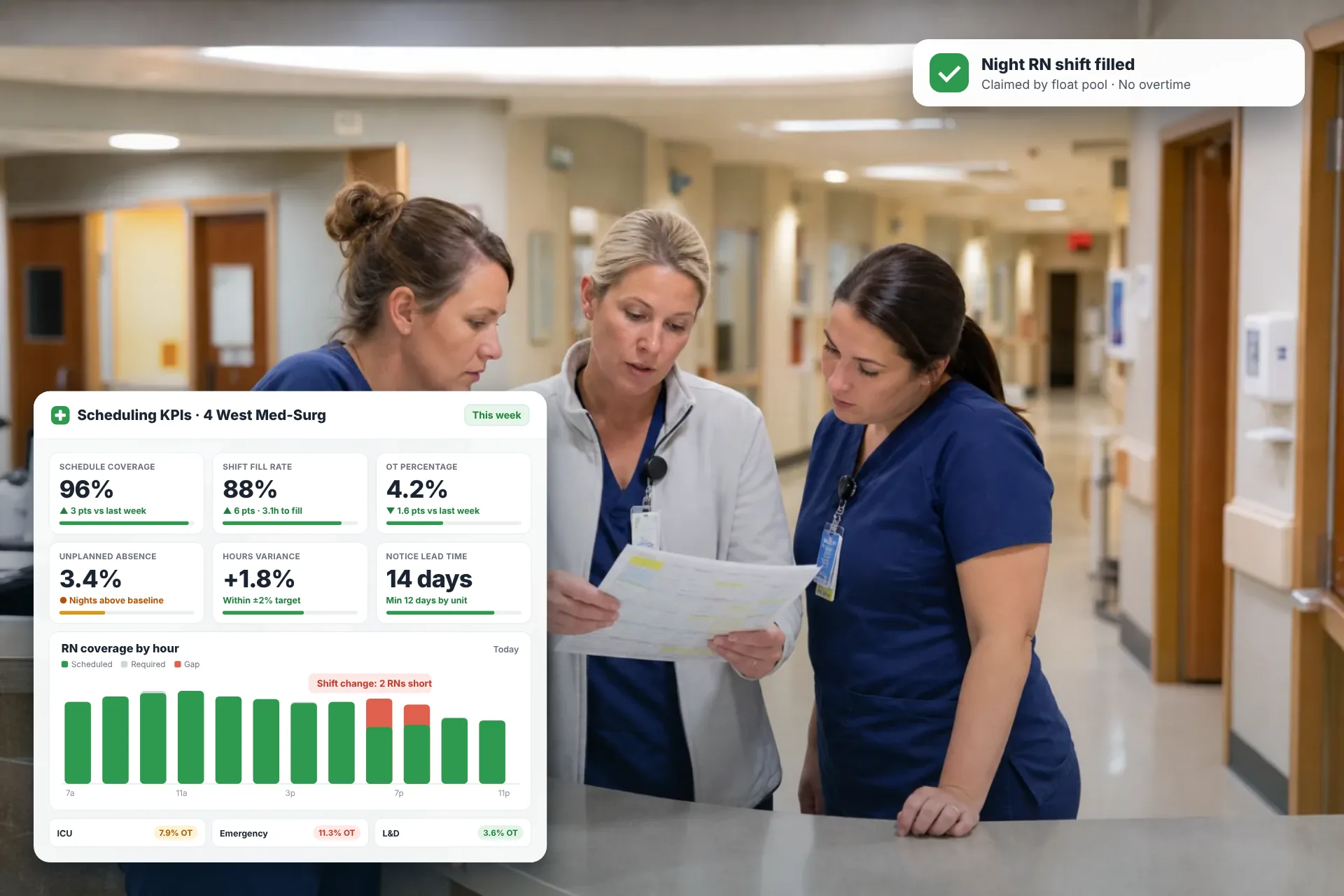
Employee Scheduling KPIs: 12 Metrics Every Operations Manager Should Track
Twelve employee scheduling KPIs with formulas, review cadences, and first actions, plus the trade-offs between them that most KPI lists skip.
Read article