

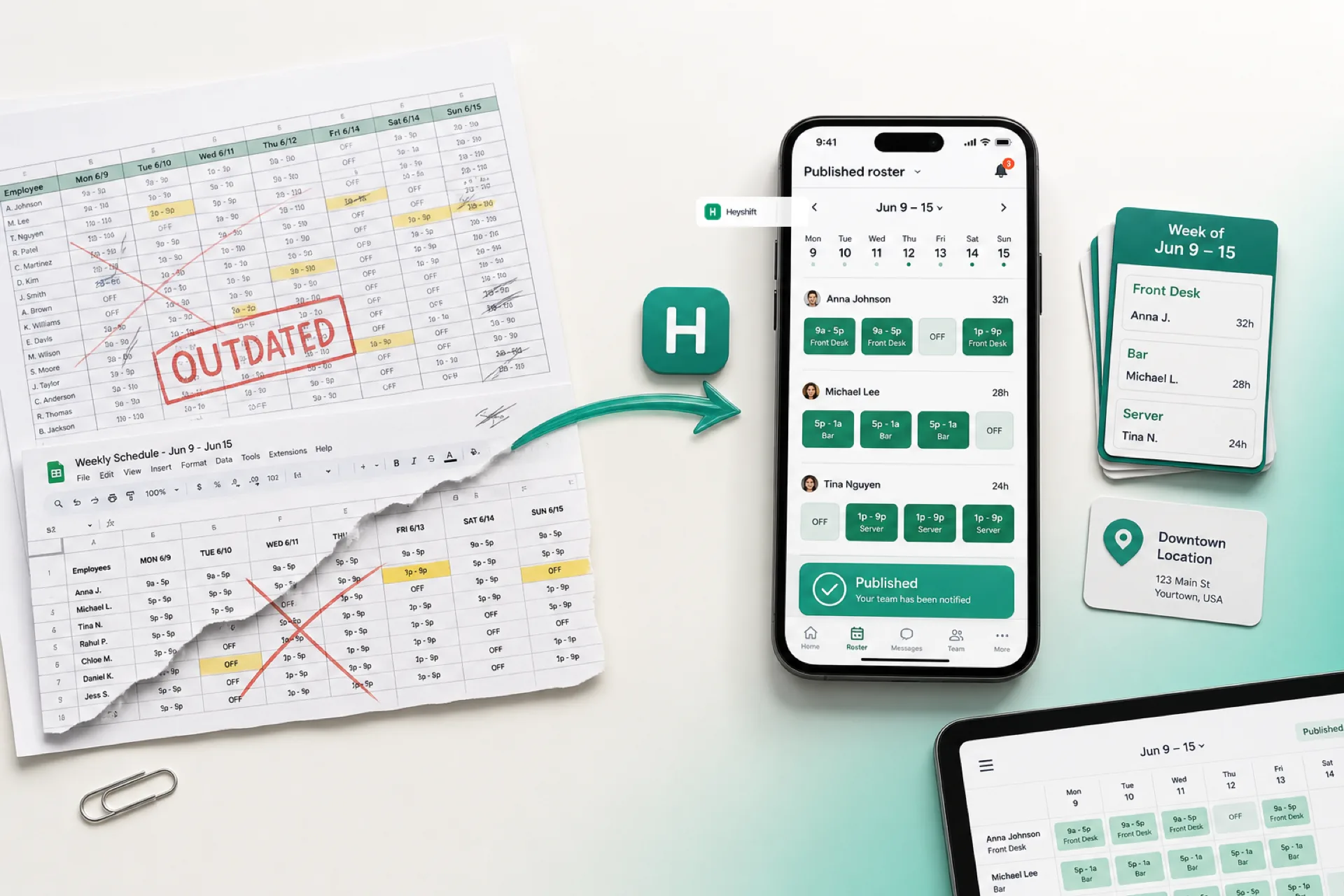
Why spreadsheets fail for workforce scheduling (and what to use instead)
Excel and Google Sheets work for tiny teams, but version chaos, missed updates, and overtime blind spots make spreadsheet scheduling expensive as you grow in 2026.
Why spreadsheets fail for workforce scheduling in 2026
For years, spreadsheets were the default workforce scheduling spreadsheet for small businesses. Excel and Google Sheets feel familiar, cheap to start, and fine when five people share one room.
As teams grow, scheduling stops being a grid exercise. Time-off requests stack up, availability changes weekly, labor budgets matter, swaps happen daily, and multi-location coverage needs one view. What worked for five people becomes a weekly rebuild: new file versions, screenshot threads, and managers answering the same shift questions again.
If you still run employee scheduling in a shared sheet in 2026, you are likely spending more manager time and labor dollars than the tool appears to save. This guide explains why spreadsheets break down and what operators use instead.
For a direct Excel vs software comparison, see workforce scheduling software vs Excel. For a 2026 buyer checklist, see best employee scheduling software for small businesses and shift scheduling software buyer's guide. Before you rebuild from scratch, start from free shift pattern templates such as the rotating shift schedule template hub, 8-hour shift schedule template, or 2-2-3 Panama schedule template.
Why businesses still start with spreadsheets
Spreadsheets stay popular for sensible reasons. Most teams already live in Microsoft Excel, Google Sheets, shared drives, or printable weekly grids.
They offer:
- Low upfront cost
- A familiar grid layout
- Quick edits for very small teams
- Basic formulas for hours totals
For fewer than five employees with stable shifts, a sheet can hold for a while. The friction starts when scheduling becomes dynamic: swaps, callouts, second jobs, and more than one manager touching the plan.
The hidden cost of spreadsheet scheduling
Spreadsheets look free until you count manager hours and labor mistakes.
| Hidden cost | What operators pay |
|---|---|
| Build and rework time | 4-6 hours per week updating tabs, colors, and versions |
| Version conflicts | Wrong-shift no-shows and coverage scrambles |
| Manual notifications | Texts, calls, and group chats to repeat every change |
| Overtime surprises | Hours you only see after payroll runs |
| Turnover friction | Staff lose trust when the “real” schedule lives in chat |
Four hours per week is roughly 200+ hours per year for one manager. That time could go to customers, training, or opening another location. The “free” tool often becomes one of the most expensive operational habits on the floor.
For a cost-focused view, see how startups reduce operational cost with better scheduling.
Problem 1: Multiple versions, no single source of truth
Version control is the most common spreadsheet failure. A manager updates the master file, emails a PDF, another employee keeps yesterday’s tab, and someone prints a copy for the break room.
Soon you have:
Schedule_v3_FINAL.xlsx- A screenshot in the group chat
- A printed sheet from Tuesday
Employees show up for the wrong shift. Managers mediate conflicts that software would prevent with one published roster. If shadow files sound familiar, read multi-site rollout with one publish calendar.
Problem 2: Employees miss schedule changes
Real schedules change constantly: sick leave, emergency coverage, swaps, seasonal spikes, and last-minute opens.
With spreadsheet scheduling, every change needs a manual broadcast through texts, calls, email, or WhatsApp. Updates get missed. Managers repeat themselves. Communication fragments away from the official week.
Workforce scheduling software sends notifications from the same roster employees already trust on mobile, so “which schedule is real?” stops being a daily question.
Problem 3: Shift swaps turn into side deals
Swaps are normal. Staff have appointments, family needs, and second jobs. Without a system, swaps happen in verbal agreements and group chats.
Managers lose track of:
- Who requested the change
- Who accepted coverage
- Whether the swap is approved on the official plan
That raises the risk of unfilled shifts and payroll disputes. Route swaps through approvals on the published week, as outlined in open shifts and swap approvals on the published roster.
Problem 4: Overtime and labor visibility arrive too late
Labor is often the largest controllable expense, yet spreadsheets offer weak live visibility into scheduled hours, overtime risk, and budget burn.
Managers frequently discover overtime only after payroll. Ten extra overtime hours per week for one employee can add thousands of dollars annually. Small grid mistakes become expensive when there is no labor signal at publish time.
Problem 5: Availability lives outside the schedule
Hourly staff juggle school, second jobs, and family commitments. Availability changes often.
In spreadsheets, managers copy availability from texts and memory into the grid. That leads to:
- Shifts booked when someone cannot work
- Last-minute rejections
- Frustration on both sides
As headcount grows, manual availability tracking breaks. Capture constraints once, then plan against them in software. Heyshift people and availability keeps that layer visible before you build the week.
Problem 6: Multi-location scheduling does not scale in a sheet
Multi-site operators must coordinate different hours, staffing rules, and staff who float between locations. One workbook per site forks habits quickly.
Managers lose visibility into:
- Who is free across stores
- Coverage gaps by role
- Labor allocation by location
Copying Site A’s spreadsheet into Site B multiplies confusion. Read multi-location employee scheduling software for USA teams before you scale sites on files alone.
Problem 7: No real mobile access for hourly staff
Today’s workforce expects instant schedule access, time-off requests, open-shift pickup, and push notifications. Spreadsheets were built for desks, not pockets.
The workaround is screenshots and links that age within hours. Missed updates rise. Communication delay becomes “I never saw that change.”
A shift scheduling mobile app tied to one publish action fixes that loop. See shift scheduling mobile app for startups and small businesses for what to require on day one.
Spreadsheet scheduling vs workforce scheduling software
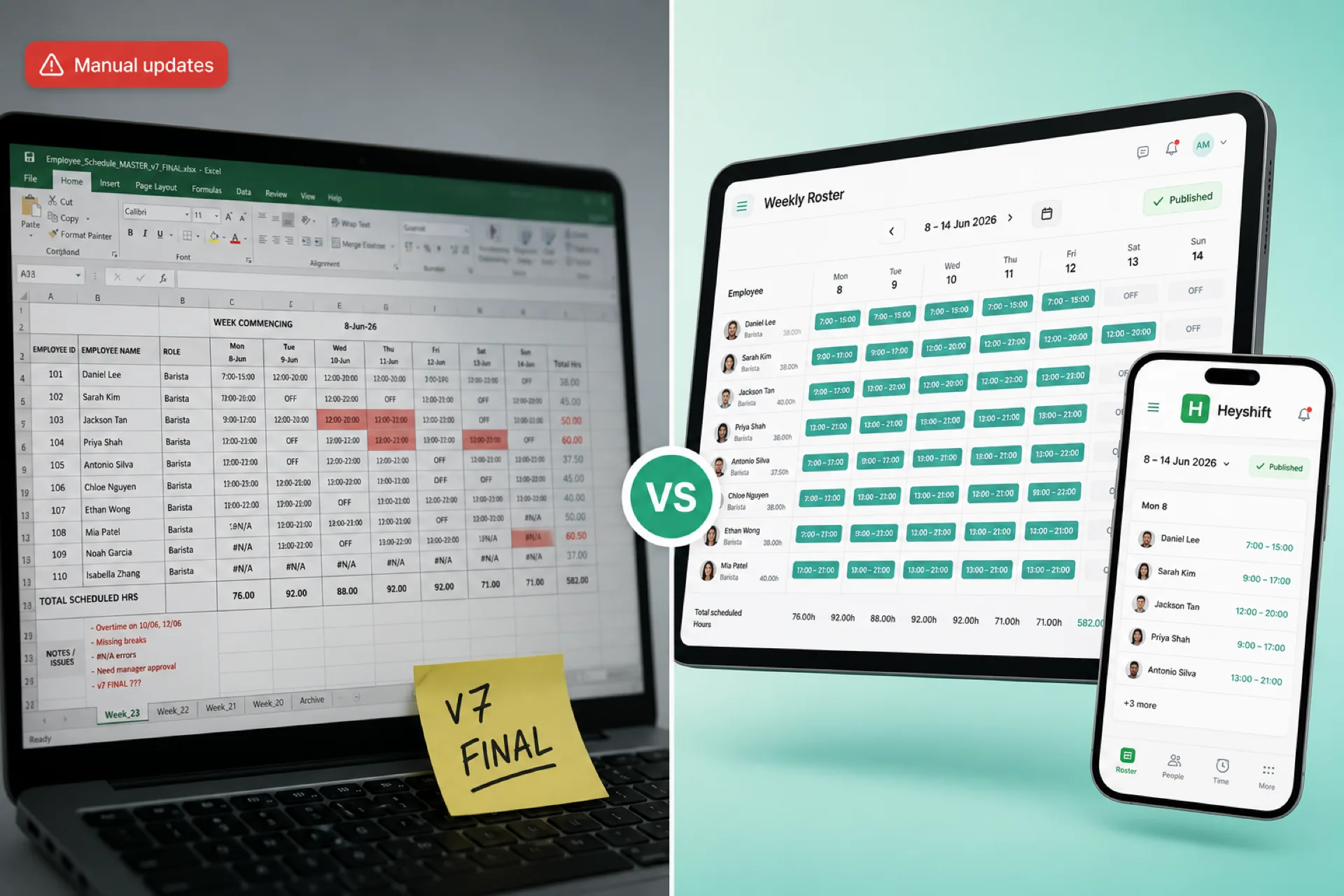
| Capability | Spreadsheet (Excel / Sheets) | Workforce scheduling software |
|---|---|---|
| Official published week | Depends on who sent last | One publish everyone trusts |
| Employee notifications | Manual texts and email | Automatic from the roster |
| Shift swaps | Side chats and verbal OKs | Request, approve, audit |
| Availability | Manual notes and DMs | Captured before the build |
| Attendance | Separate file or none | Integrated with scheduled shifts |
| Labor cost visibility | Limited formulas | Hours and risk at publish time |
| Mobile access | Screenshots | App notifications on the official week |
| Multi-location | Multiple files | One account, site-level views |
| Real-time updates | No | Yes, on the published roster |
The gap widens as soon as you add managers, locations, or weekly swaps. For a 2026 buyer lens, see best employee scheduling software for small businesses.
Seven signs you have outgrown Excel for scheduling
Consider employee scheduling software when several of these are true:
- Managers spend hours each week building and fixing the grid
- Staff regularly miss updates or ask which file is current
- Swaps and open shifts are hard to track and approve
- Overtime or labor percent is creeping up without early warnings
- You operate more than one location or crew
- Availability changes faster than the sheet can reflect
- Scheduling errors are showing up on the floor or in payroll
If that list matches your week, spreadsheets are holding the operation back more than they help.
What to use instead: what good scheduling software includes
Modern workforce scheduling software should replace coordination debt, not just duplicate a grid.
Look for:
- Fast schedule creation with roles and locations on every shift
- Publish-first workflow so one roster is official
- Mobile access for hourly staff without per-person mobile surcharges
- Shift swap and open-shift approvals on the published week
- Attendance tied to scheduled shifts
- Real-time notifications when the plan changes
- Labor visibility before payroll, not after
- Multi-location management from one account
Heyshift shift scheduling centers that publish habit: plan on web, notify staff on mobile, and keep manager approvals on the same week hourly teams already check.
Related guides in this series
How Heyshift helps teams move beyond spreadsheets
Heyshift is workforce scheduling and attendance software for USA operators who outgrew Excel but do not want HRMS bloat: retail, restaurants, hospitality, healthcare, cleaning, warehouses, and multi-location service businesses.
With Heyshift you can:
- Build and publish schedules faster than a weekly spreadsheet rebuild
- Manage availability before the draft goes out
- Track attendance against the published roster
- Approve swaps and open shifts with an audit trail
- Keep teams aligned with mobile notifications
- Oversee multiple locations from one platform
When you are ready to retire version chaos, start on the Start 30-day free trial with your real roles and sites, compare pricing, and we will walk through your first published week. For product context, see employee scheduling software for USA hourly teams.
Final thoughts
Spreadsheets helped businesses schedule for decades, but hourly operations in 2026 need real-time communication, mobile access, labor visibility, and one official roster.
Sheets may suffice for a handful of fixed shifts. They rarely scale when managers, locations, and swap volume grow. Teams that win back time adopt publish-first scheduling instead of chasing the latest file version.
If Excel or Google Sheets still run your floor, it is worth testing one published week in software built for workforce management. The habit you want is simple: one schedule, one publish, one place staff check on mobile.
Frequently Asked Questions
Continue with related topics
More articles on topics related to this one.
Workforce scheduling software vs Excel for growing businesses
Excel works for tiny teams, but growing businesses need publish-first scheduling software with mobile alerts, swap approvals, and labor visibility Excel cannot match.
Read article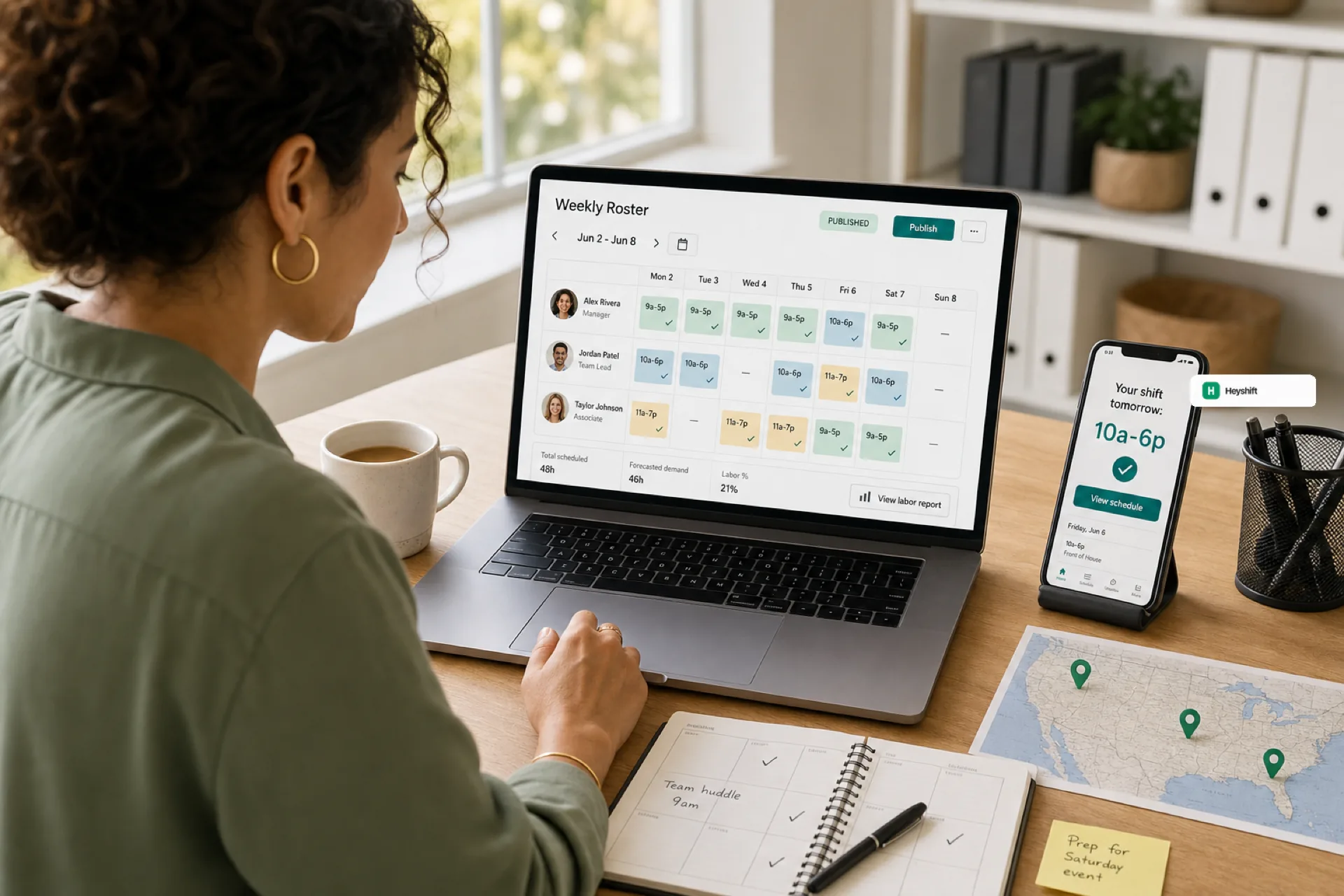
Best employee scheduling software for small businesses (2026 guide)
Small businesses in 2026 need employee scheduling software that publishes one official roster, keeps hourly staff on mobile, and scales across locations without spreadsheet chaos.
Read article
Employee scheduling software for growing teams from startup to mid-size
Growing startups and small-to-mid teams need employee scheduling software when informal tools cannot keep one published roster across managers, roles, and locations.
Read article