

Employee scheduling software with a mobile app: features, benefits, and how to choose
Compare employee scheduling software with a mobile app. See which features matter for shifts, availability, time off, swaps, and attendance.
Managing employee schedules is harder when people are not sitting at a desk. Employees need to see when they work, update availability, request time off, and respond to changes. Managers need to publish the week, fill open shifts, approve requests, and keep everyone on the same roster.
Employee scheduling software with a mobile app puts that workflow in one system. The app should do more than show a static calendar. It should help you create shifts, communicate changes, and keep one published schedule.
This buying guide covers the features that matter, who benefits, and how to choose. It is not a vendor ranking.
Quick answer: what should a mobile scheduling app do?
Employees should open their current published week on a phone: date, hours, location, and role. They should be able to submit availability, request time off, see open shifts, and request swaps. Managers should assign coverage, approve changes, and publish one official roster. Notifications should tell people when the week actually changed.
If the app only mirrors a printed grid, you still have texts and screenshots.
What is employee scheduling software with a mobile app?
It is a workforce scheduling system that lets managers and employees handle scheduling work from a phone, not a mobile picture of a calendar.
Employees may view upcoming shifts, check the week, see locations, submit availability, request time off, request or accept swaps, claim open shifts, get notifications, and review attendance details.
Managers may create and assign shifts, review availability, manage open shifts, approve time off and swaps, monitor attendance, edit the week, manage locations, and review hours.
The app has to be part of the same published roster the desktop uses.
Why businesses need a mobile employee scheduling app
Traditional weeks often require a manager at a computer. That breaks when people work different shifts or sites.
A common path looks like this: the manager publishes a spreadsheet, an employee texts that Wednesday does not work, the file changes, another person is asked to take the open hours, someone accepts, the file changes again. Now two phones have two versions of the week.
A mobile app turns those messages into one workflow against the published roster.
What features should employee scheduling software with a mobile app have?
Do not stop at "is there an app?" Ask what employees and managers can finish on the phone.
1. Mobile schedule access
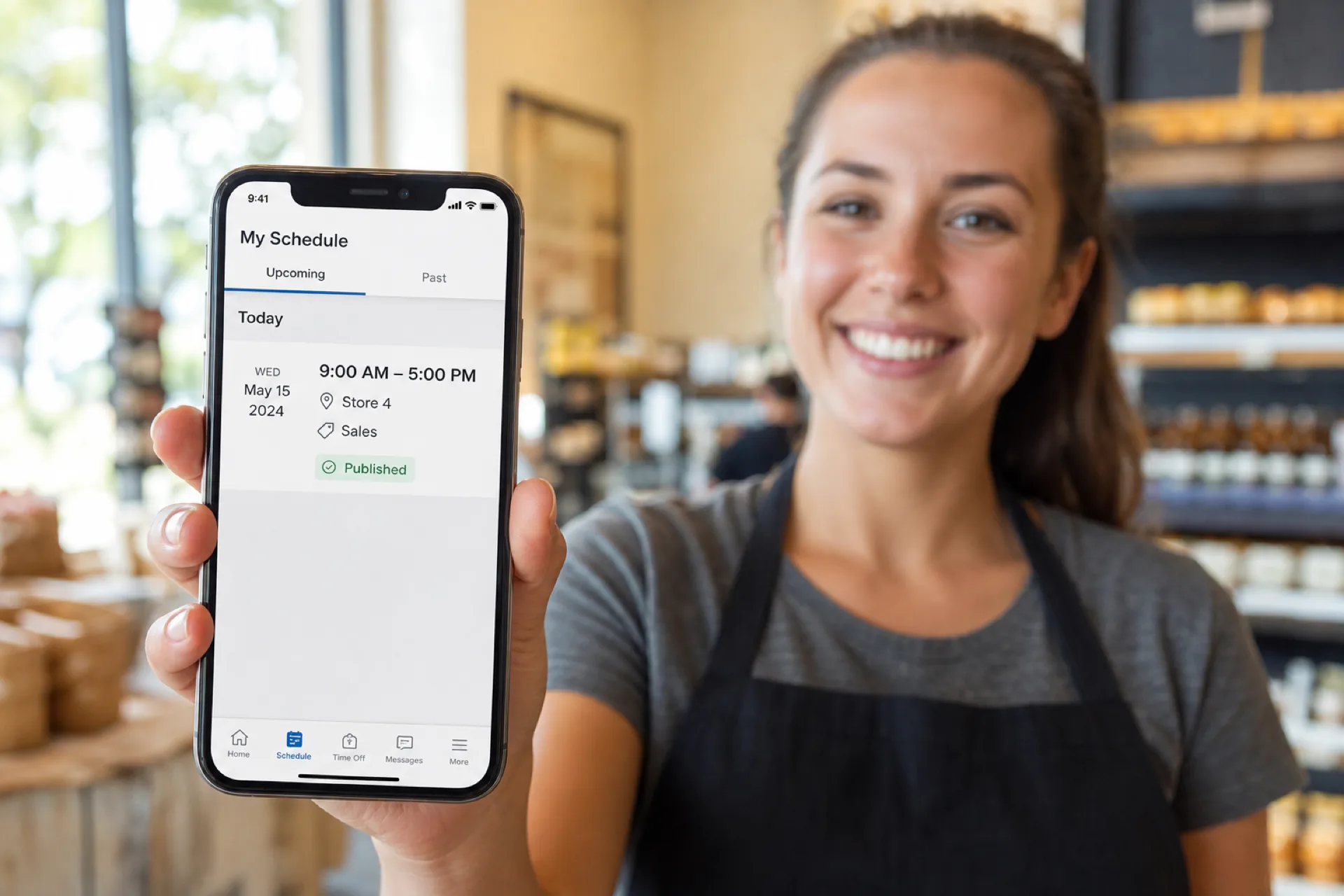
Employees should see date, start, end, location, role or department, and whether the week is published. They should not have to text a manager to learn when they work.
2. Real-time schedule updates
Call-offs, coverage moves, and swaps should update the current published week. If Monday moved from 9 AM-5 PM to 10 AM-6 PM, the phone should show the new hours, not last week's screenshot.
3. Employee availability
People should submit recurring, temporary, school, second-job, and seasonal availability from the app so managers see it before they assign shifts.
4. Time-off requests
A useful path is: employee submits, manager reviews, the request is approved or declined, the roster reflects the decision. That beats a pile of emails and reduces Friday-off assignments.
5. Shift swapping
A structured path is: request, eligible person accepts, manager approves, official week updates. The system should still check availability and existing assignments so the swap does not create a new conflict.
6. Open shift management
Publish the uncovered shift to eligible people. Example: Saturday, 2 PM-10 PM, sales associate, Store 2. Eligible employees can respond in the app instead of a manager calling down a list.
7. Schedule notifications
People should hear about a new week, a changed shift, an open shift, a swap request, an approved swap, or a time-off decision without refreshing the app all day.
8. Mobile attendance
Scheduling says what should happen. Attendance says what happened. A phone workflow can help managers compare scheduled hours with actual hours. This table is hypothetical.
| Employee | Scheduled | Actual |
|---|---|---|
| Alex | 9 AM-5 PM | 9:02 AM-5:01 PM |
| Sarah | 10 AM-6 PM | 10:14 AM-6:05 PM |
| David | 2 PM-10 PM | 2 PM-10:12 PM |
9. Location and department information
A multi-site week should say where to report. Monday, sales floor, 9 AM-5 PM, Store 4, is clearer than a name and a time. Missing location data is how people arrive at the wrong site.
10. Manager scheduling controls
Managers still need to create and edit shifts, assign people, review availability, approve requests, fill open shifts, review hours, publish, and manage locations. The employee view and the manager view should share one week.
Employee app vs manager app: what should each user see?
Employees and managers do not need the same screen.
Employees typically need their schedule, availability, time off, open shifts, swaps, notifications, and attendance details.
Managers typically need the builder, coverage, availability, open shifts, time off, swaps, attendance, hours, locations, and publish.
Keep the employee path short. Give managers the controls that protect the official roster.
Mobile employee scheduling vs traditional scheduling
The difference is how information moves, not only phone versus desktop.
| Scheduling task | Traditional process | Mobile scheduling software |
|---|---|---|
| View schedule | Printed sheet or email | Mobile app |
| Availability | Message the manager | Employee submits in the app |
| Time off | Email or chat | In-app request |
| Shift swap | Text or call | Structured request |
| Open shift | Manager calls people | Eligible employees can see it |
| Schedule change | Separate notice | Updated published week |
| Notifications | Phone or email threads | App notifications |
| Multiple locations | Separate files | One workforce view |
Fewer side channels means fewer unofficial versions of the week.
Benefits of employee scheduling software with a mobile app
Employees can open the week without waiting on a manager. One published roster cuts mistakes from outdated files. Swaps and open shifts can happen on the phone. People can see the current week. Managers spend less time answering "When am I working?" and "Did my shift change?" Distributed teams can work the same process across sites.
If you are still one location with a small roster, the small-business scheduling comparison is the closer buying page. If you are adding managers and a second site, use scheduling software for growing teams.
Who benefits most from mobile employee scheduling software?
Hourly teams that change the week often get the most value.
Restaurants use it for server and kitchen coverage, manager shifts, open hours, swaps, and last-minute changes.
Retail uses it for departments, opening and closing teams, weekend coverage, and more than one store.
Healthcare uses it so nurses, caregivers, and admin staff can see the published week and mid-week edits. Confirm clinical or labor rules with qualified HR or legal counsel.
Hospitality uses it for overnight and department coverage.
Warehousing and logistics uses it for early, evening, overnight, and rotating bands when people are not at an office computer.
Facility and field teams use it when the next shift is at a different site.
For multi-site buying depth, see multi-location employee scheduling software.
What should you look for when comparing employee scheduling apps?
Judge the full workflow, not the icon on a home screen.
- Can managers create and edit the week quickly?
- Can employees submit and update availability?
- Can employees request time off, and can managers decide?
- Can swaps run without creating a new conflict?
- Can managers publish uncovered shifts to eligible people?
- Do employees get notified when the week changes?
- Can scheduling and attendance sit next to each other?
- Can you schedule across more than one workplace?
- Can you control what employees, managers, and admins see?
- Can hourly staff use the app without a training project?
A long feature list does not help if people will not open the app.
How much does employee scheduling software with a mobile app cost?
Vendors price per employee, per location, per manager, per month, by feature pack, or by workforce size. Do not compare only the monthly fee.
Manual weeks also cost manager time, corrections, coverage calls, swap admin, "when do I work" questions, overtime from a bad grid, and uncovered shifts. The lowest subscription is not the lowest-cost option if it leaves those steps in text threads.
Heyshift paid plans start at $4, $6, and $9 per seat after a 30-day free trial, with unlimited locations on paid plans. For a wider market view, use the employee scheduling software pricing guide. For the business case, use the ROI guide.
Free employee scheduling apps vs paid scheduling software
A free calendar can work for a very small, stable team. Growing operations usually need availability, time off, open shifts, swaps, attendance, locations, permissions, and a real publish step.
Compare the workflow, not only whether the download is free.
When should a business move to a mobile scheduling app?
Move when the week takes too much admin time: several spreadsheets, constant "when do I work" questions, changes in texts, informal swaps, slow coverage fills, people working across sites, frequent availability changes, messy time-off tracking, repeating mistakes, or new locations.
Headcount is not the only test. A 20-person, three-location week can need more structure than a 50-person single site with fixed shifts.
Questions to ask before choosing employee scheduling software
- Does it fit our headcount, locations, roles, and shift pattern?
- Is the employee app simple enough that people will use it?
- Can employees update availability and time off themselves?
- Can managers approve changes and protect the official roster?
- Can it handle more than one workplace?
- Does it cut texts, calls, and side spreadsheets?
- Can it grow as we add people and sites?
Why Heyshift for mobile employee scheduling
Heyshift keeps scheduling, availability, time off, open shifts, swaps, attendance, locations, and publish in one workspace that employees can open on a phone. It is not an enterprise HRIS.
Managers keep control of the official week. Employees get the current assignment without waiting on a screenshot. That is the product test: one published roster on every device your team already carries.
Employee scheduling app buying checklist
Core scheduling
- Create and edit shifts
- Assign people
- Publish the week
- View by employee, location, and department
Employee self-service
- Mobile schedule access
- Availability
- Time-off requests
- Swaps and open shifts
- Notifications
Manager controls
- Edits and approvals
- Permissions
- Location management
- Hours visibility
- Attendance
Business fit
- Multiple locations or departments
- Hourly and mobile staff
- Room to grow
- An app people will actually use
Final thoughts
A mobile employee scheduling app should connect the week, not decorate a calendar.
The useful path is: create, check availability, publish, notify, manage swaps and open shifts, compare attendance, update the official roster.
Managers get fewer side conversations. Employees get the information they need. Growing teams get one process across shifts, departments, and locations.
Choose software that makes the week easier to publish, easier to communicate, and easier to follow on a phone.
Frequently Asked Questions
Continue with related topics
More articles on topics related to this one.
The ultimate employee scheduling guide (2027): software, best practices, and templates
Complete employee scheduling guide for USA operators: what it is, schedule types, best practices, software features, industry playbooks, and when to replace spreadsheets.
Read article
How far in advance should employee schedules be published? A manager's guide
How far in advance should employee schedules be published? Use practical notice windows, a weekly cadence, and a controlled process for late changes.
Read article
Healthcare staff scheduling software with a mobile app: features, benefits, and how to choose
Compare healthcare staff scheduling software with a mobile app. See how hospitals, clinics, and home care teams publish shifts staff can open on a phone.
Read article