

Assisted Living Staff Scheduling: Best Practices to Improve Care and Reduce Overtime (2026)
Learn how assisted living facilities improve staff scheduling, reduce overtime, manage caregivers and nurses, and deliver better resident care with modern scheduling software and publish-first workforce habits.
Assisted living staff scheduling: best practices to improve care and reduce overtime (2026)
Assisted living and senior living communities run on predictable routines and unpredictable people. Residents need help with meals, medications, mobility, and memory care activities at all hours. Caregivers call off. Nurses cover med passes on short notice. Weekend and night bands stay hard to fill while labor cost keeps climbing.
Assisted living staff scheduling is how you translate census, care plans, and state expectations into safe coverage on every wing, every shift. When the roster is clear and published early, residents see familiar faces, staff plan life outside work, and administrators answer family questions with one official week. When schedules live in spreadsheets and group texts, overtime stacks, burnout spreads, and care quality slips one uncovered task at a time.
This guide covers assisted living scheduling best practices USA operators use to improve resident care, reduce overtime, manage caregiver and nurse shifts, and evaluate assisted living scheduling software before purchase.
Featured answer: What is assisted living staff scheduling? Assisted living staff scheduling is the process of assigning caregivers, nurses, medication aides, and support staff to shifts while ensuring adequate resident coverage, regulatory compliance, and balanced workloads.
Who should read this: Executive directors, administrators, and department heads at assisted living, senior living, retirement communities, residential care, and memory care campuses with roughly 60 to 200 residents and 80 to 150 employees who need a practical playbook before changing process or tools.
Compare platforms on nurse scheduling software, nursing home scheduling software, and healthcare staff scheduling software. For facility-side schedule design, see how to create a nursing home staff schedule. For field care patterns, read home healthcare scheduling best practices. Use the overtime risk calculator before you publish the week.
Executive summary
Efficient senior living staff scheduling protects resident care, employee satisfaction, and labor margin at the same time. Communities that publish early, rotate weekends fairly, and track hours while planning spend less time firefighting call-offs and more time on census, families, and quality programs.
In this guide you will learn:
- Why assisted living staff scheduling matters for care quality and compliance
- Workforce trends shaping long-term residential care in 2026
- Common challenges from medication windows to seasonal shortages
- Why paper grids and Excel stop scaling as wings and acuity grow
- Ten scheduling best practices you can apply this month
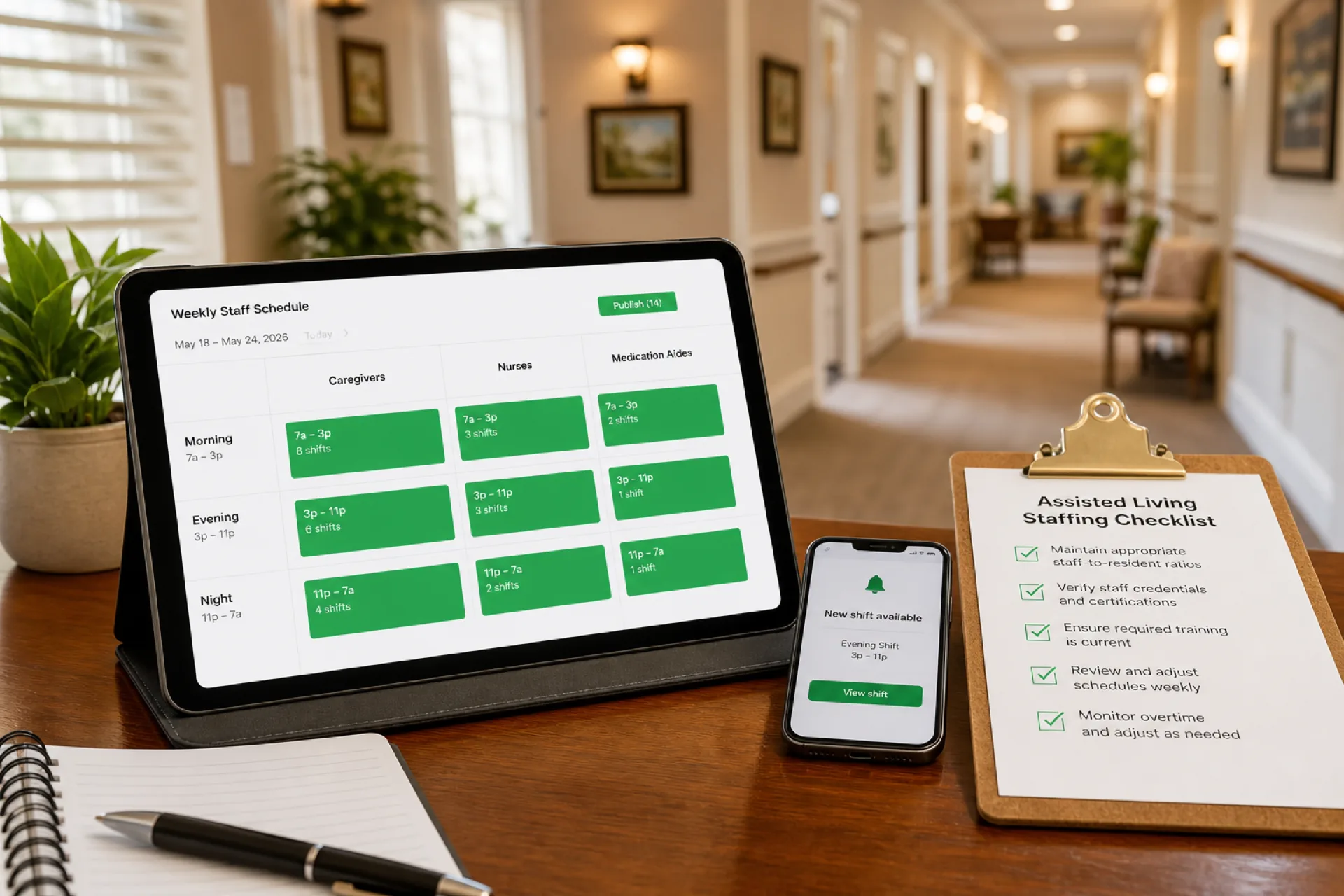
- A sample daily staffing table for caregivers, nurses, medication aides, and housekeeping
- An illustrative example of how a 120-employee senior living community could simplify scheduling across multiple wings
- What to look for in scheduling and healthcare workforce management tools
- How assisted living scheduling differs from nursing home staffing
- FAQs administrators ask before rolling out new software
Table of contents
- Why assisted living scheduling matters
- Assisted living workforce trends in 2026
- Why assisted living scheduling is challenging
- Common scheduling problems
- Why manual scheduling does not scale
- 10 assisted living scheduling best practices
- Sample assisted living schedule
- Illustrative community example
- How assisted living staff scheduling software helps
- Choosing assisted living scheduling software
- Assisted living vs nursing home scheduling
- Common scheduling mistakes
- Handling call-offs and last-minute changes
- 30-day implementation checklist
- Compliance and workforce planning notes
- Frequently asked questions
- Final thoughts
Why assisted living scheduling matters
Scheduling is not a back-office chore separate from care. It is how you staff dining service, med passes, transfers, housekeeping rounds, and memory care programming with enough trained people on each band.
When assisted living employee scheduling is disciplined:
- Caregivers know wing assignments before they arrive
- Medication aides and nurses align with scheduled pass times
- Weekend and night coverage is planned, not negotiated in texts
- Overtime becomes a visible planning choice instead of a payroll surprise
- Families hear consistent answers about who is on the floor
- Leadership can review labor signals weekly instead of reacting daily
When schedules drift, the building feels it: missed assists, delayed medications, exhausted staff working consecutive doubles, and turnover that makes the next month harder than the last.
Assisted living workforce trends in 2026
Assisted living, memory care, and senior living operators enter 2026 with persistent caregiver shortages, rising acuity in residential settings, and family expectations that feel closer to hospitality than traditional nursing home care. The communities stabilizing labor cost publish earlier, track credentials on the roster, and give deskless staff one mobile schedule they trust.
| Trend | What operators see | Scheduling implication |
|---|---|---|
| Caregiver and aide shortages | Open roles stay unfilled; overtime fills gaps | Publish two weeks ahead; maintain on-call and open-shift pools |
| Higher acuity in assisted living | More hands needed per wing than last year's template | Rebuild templates by wing and acuity, not one flat ratio |
| Memory care growth | Dedicated units need stable, trained assignments | Tag memory care credentials; limit casual float between wings |
| Weekend and night fill pain | Premium pay becomes the only lever | Rotate weekends fairly; track who worked last holiday |
| State survey and licensure focus | Documentation must match planned coverage | One official roster for operations and leadership review |
| Mobile-first caregivers | Staff ignore email and paper grids | Same app for schedule, swaps, and alerts |
Caregiver demand outpaces easy hiring
The U.S. Bureau of Labor Statistics Occupational Outlook Handbook for home health and personal care aides projects much faster than average growth across residential and community care settings. The Handbook outlook for nursing assistants and orderlies describes ongoing replacement needs in nursing and residential care facilities. For healthcare workplace safety and staffing context, see OSHA healthcare resources. When requisitions outpace hires, scheduling must assume scarcity: cross-train backups, post internal open shifts first, and avoid stacking overtime on the same ten names every week.
Medication and resident routines break static grids
Assisted living runs on med pass windows, dining blocks, and activity schedules that do not flex when a wing is one caregiver short. Static spreadsheets hide those conflicts until the floor is already behind. Publish-first software plus a daily staffing review beats rebuilding tabs after every call-off.
Families and regulators expect staffing transparency
While assisted living licensure varies by state, operators still face survey scrutiny, incident documentation, and family councils that ask who was on duty. Long-term care quality expectations reward organized, documented coverage even when your license category differs from skilled nursing. Scheduling software does not replace policy or clinical documentation. It gives you one published week leadership can reference. For staffing safety context, see OSHA nursing home resources.
Roles and crews senior living communities schedule:
- Caregivers and resident assistants
- Registered nurses and licensed practical nurses
- Medication aides and med techs
- Housekeeping and laundry
- Dietary and dining services
- Activities and life enrichment
- Maintenance and facilities (where in-house)
Scheduling software does not replace your eMAR, care plan platform, or payroll system. It gives administrators one workforce layer field staff and finance can trust.
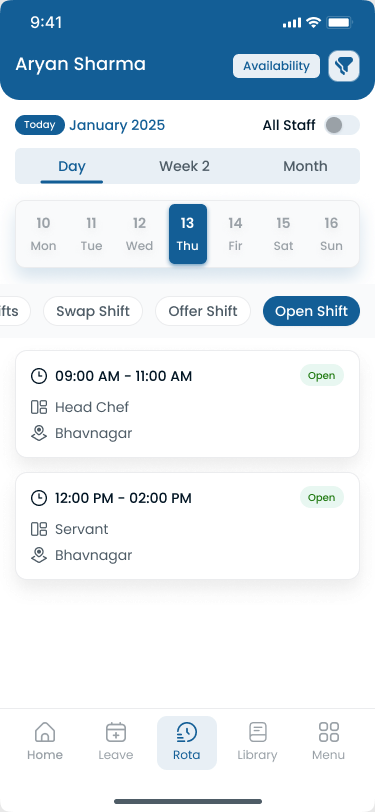
Deskless caregivers adopt scheduling when the official week lives on mobile, not in a photo from yesterday's group chat.
Why assisted living scheduling is challenging
24/7 resident support: assistance needs do not pause at 5 p.m. Morning, evening, and night bands each need distinct skill mixes.
Medication schedules: med passes tie nurses and medication aides to clock times; one missing person compresses the whole wing.
Caregiver shortages: thin backup benches turn every absence into overtime or agency premium.
Weekend and holiday coverage: fairness disputes start when rotation is informal.
Night shifts: fewer staff, higher risk, harder fill.
Compliance and documentation: planned staffing should align with policy, incident reports, and survey answers.
Employee burnout: consecutive doubles and skipped breaks drive turnover that makes next month's grid harder.
Seasonal staffing shortages: flu season, summer PTO, and school-calendar part-timers reshape availability weekly.
Read best employee scheduling software for healthcare teams for cross-industry patterns that apply on campus.
Common scheduling problems in assisted living
| Problem | What breaks on the floor |
|---|---|
| Last-minute absences | Med passes slip; caregivers cover outside their wing |
| Caregiver shortages | Open shifts unfilled until overtime is the default |
| Overtime stacking | Same staff near hour limits every week |
| Shift conflicts | Double-booked caregivers across wings or departments |
| Uneven workload | High-acuity wings run short while others look fine on paper |
| Poor communication | Staff arrive at wrong wing or miss schedule changes |
| Spreadsheet errors | Wrong version published; payroll disputes follow |
| No backup plan | Every call-off becomes a supervisor phone marathon |
Pair operational fixes with daily attendance review and hour checks before payroll.
Why manual scheduling does not scale
Paper schedules, whiteboards, and Excel files work for a single wing with stable census. They fail as soon as you add memory care, independent living support, and shared float pools.
- Paper schedules: changes require reprinting; mobile staff never see updates
- Excel limitations: no real-time visibility, weak role tagging, fragile formulas
- Multiple versions: dietary publishes one file, nursing another, housekeeping a third
- Slow updates: call-offs mean manual edits, texts, and hope
- Payroll errors: planned shifts and clock data diverge without one official roster
- No mobile access: caregivers cannot open spreadsheets reliably on the floor
- No real-time visibility: supervisors cannot see overtime forming while building the week
See why spreadsheets fail for workforce scheduling.
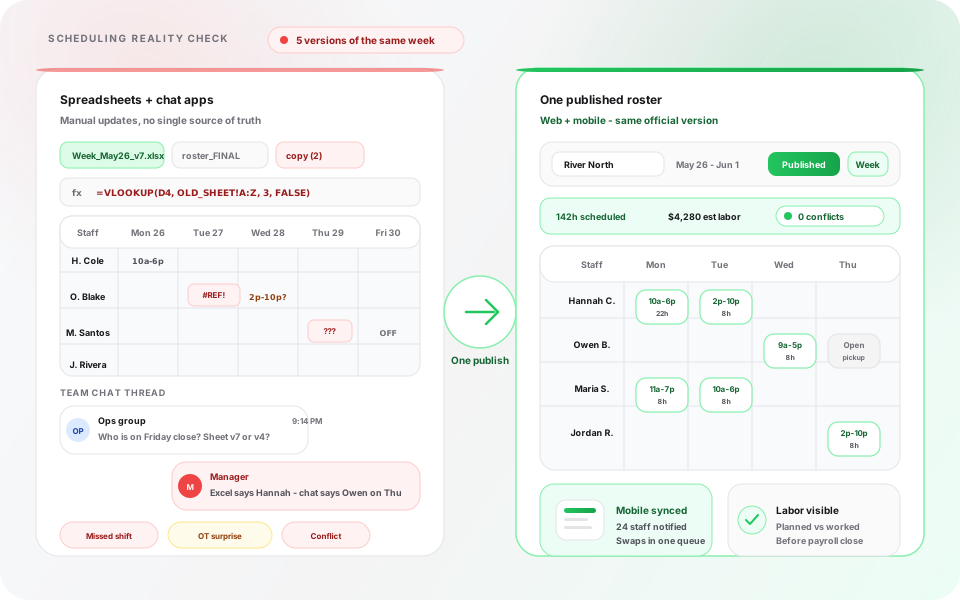
When three departments maintain separate tabs, the floor always runs on an unofficial version.
10 assisted living scheduling best practices
1. Publish schedules two weeks ahead
Give caregivers and nurses at least seven to fourteen days' notice when possible. Early publish supports PTO planning, internal open-shift pickup, and fewer panic doubles on Friday night.
Publish-first means one official roster on mobile, not a screenshot in a group chat.
2. Track staff availability in one place
Maintain PTO, sick leave, preferred shifts, credential expirations, and secondary jobs beside the grid you publish from. Scheduling against outdated availability creates conflicts that become overtime.
3. Rotate weekends and holidays fairly
Track who worked last Saturday, last holiday, and last night double. Fair rotation improves retention more than sporadic gift cards after a brutal month.
Document rotation rules in your scheduling policy so disputes reference data, not memory.
4. Balance day and night shifts
Avoid stacking the same caregivers on consecutive nights or alternating day-night-day patterns that break sleep. Balance bands across the month, not only within one week.
5. Monitor overtime before payroll
Review hour totals while building the week, not after export. Use the overtime risk calculator to stress-test assignments before publish.
See healthcare overtime management for habits that apply on residential care floors.
6. Keep an on-call pool by wing and role
Define qualified backups for caregivers, nurses, and medication aides by shift band. On-call names belong on the official schedule, not only in a supervisor's phone contacts.
7. Enable manager-approved shift swaps
Flexibility improves retention. Unstructured flexibility creates coverage holes. Route swap and open-shift requests through the published roster with manager approval.
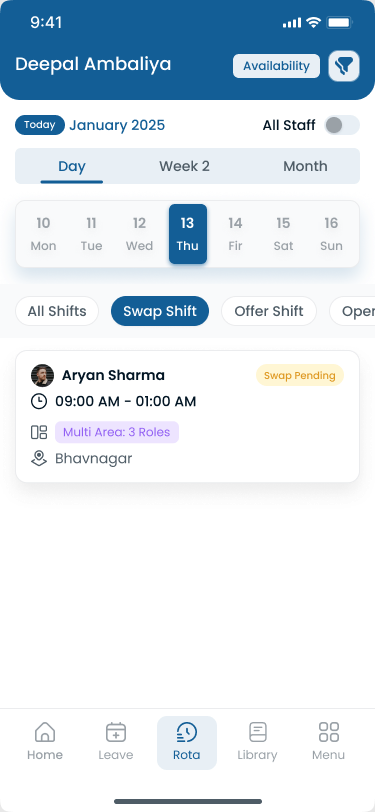
Swaps should update the same published week payroll and wing supervisors trust.
8. Send schedule updates instantly
Wing changes, floating assignments, and call-off coverage should reach staff through the same app as the schedule. Phone trees alone miss deskless caregivers on break or off-site.
9. Review staffing daily
Morning review beats weekly surprise. Check open shifts, call-offs, med pass coverage, and dining support before the first resident rush.
Daily administrator checklist
| Step | Question |
|---|---|
| Open shifts | Are any wing bands below minimum? |
| Call-offs | Did internal open shifts fill before overtime? |
| Med coverage | Do nurses and medication aides align with pass times? |
| Support services | Do housekeeping and dietary match care coverage? |
| Overtime | Who is near hour limits today and this week? |
10. Use scheduling software for growing teams
Modern assisted living scheduling software centralizes employee scheduling, attendance tracking, leave management, shift swaps, open shifts, mobile notifications, multi-wing visibility, and workforce reporting.
Compare healthcare staff scheduling software when you outgrow spreadsheets.
Sample assisted living schedule
Adapt counts for your census, acuity, state rules, and campus layout. This table is an operational planning example for a mid-size assisted living and memory care building, not legal staffing advice.
| Shift | Caregivers | Nurses | Medication aides | Housekeeping |
|---|---|---|---|---|
| Morning (7a–3p) | 8 | 3 | 2 | 3 |
| Evening (3p–11p) | 7 | 2 | 2 | 2 |
| Night (11p–7a) | 5 | 2 | 1 | 1 |
How to use this table:
- Split caregivers by wing in the published roster, not only building totals
- Tag memory care assignments with trained staff, not generic float
- Align medication aides with nurse supervision rules in your state
- Increase morning caregivers during move-in weeks or flu season
- Coordinate housekeeping with infection-control priorities when needed
Browse healthcare scheduling templates before you move to software.
Illustrative example: How a 120-employee senior living community could simplify scheduling
This is an illustrative scenario, not a Heyshift customer case study. It shows how a typical campus could apply the practices above.
Before: 120 employees, multiple wings, one spreadsheet per department
A senior living community with roughly 120 employees across assisted living, memory care, and independent living wings could run caregiver scheduling through separate Excel files and supervisor texts. Executive leadership would spend several hours each week resolving shift conflicts, chasing overtime approvals, and answering which roster was "the real one." Payroll would export hours that did not always match what nursing published Friday night.
The week that exposed the gap
In this scenario, a busy holiday weekend could look like this: two wings published different versions of Sunday coverage. A medication aide arrived for a pass window that nursing thought was covered by a float who had already picked up a double in memory care. Family complaints followed. Finance flagged unexpected overtime on three caregivers who had already worked six consecutive days.
After: centralized scheduling and mobile roster
In this example, the community moves to centralized assisted living scheduling software with wing tags, publish-first discipline, manager-approved open shifts, and attendance tied to published bands. Supervisors still make clinical and hospitality judgments. They stop rebuilding grids in chat at 6 a.m.
| Challenge | Before | After |
|---|---|---|
| Schedule versions | Department spreadsheets and text screenshots | One published roster per wing on mobile |
| Shift conflicts | Discovered on the floor | Flagged while building the week |
| Call-off fill | Supervisor texts until someone says yes | Open shifts visible with approval |
| Overtime | Discovered at payroll export | Hour totals visible while planning |
| Weekend fairness | Informal memory | Rotation tracked in scheduling history |
| Administrative time | Hours weekly on conflict resolution | Faster publish; more time on census and families |
Software would not replace care plans or state survey preparation. It would give administrators one workforce layer staff and payroll could trust.
How Assisted Living Staff Scheduling Software Helps
Modern senior living staff scheduling platforms typically deliver:
| Capability | Community outcome |
|---|---|
| Employee scheduling | Faster build; one published roster per wing |
| Workforce availability | Managers can schedule around employee availability |
| Attendance tracking | Planned vs worked hours before payroll |
| Leave management | PTO visible before publish conflicts |
| Shift swaps and open shifts | Flexibility with supervisor control |
| Mobile scheduling | Caregivers see assignments on phone |
| Notifications | Changes reach staff who do not read email |
| Multi-location management | Regional visibility across campuses |
| Workforce reporting | Overtime and attendance trends by wing |
For assisted living communities, staff scheduling software should support more than shift creation. Managers may need to coordinate employee availability, open shifts, shift swaps, leave, attendance, working hours, overtime, and multiple wings or locations. A centralized scheduling system can keep these workflows connected to the published roster.
Technology does not replace compassion or clinical judgment. It removes admin drag so you apply these best practices consistently.
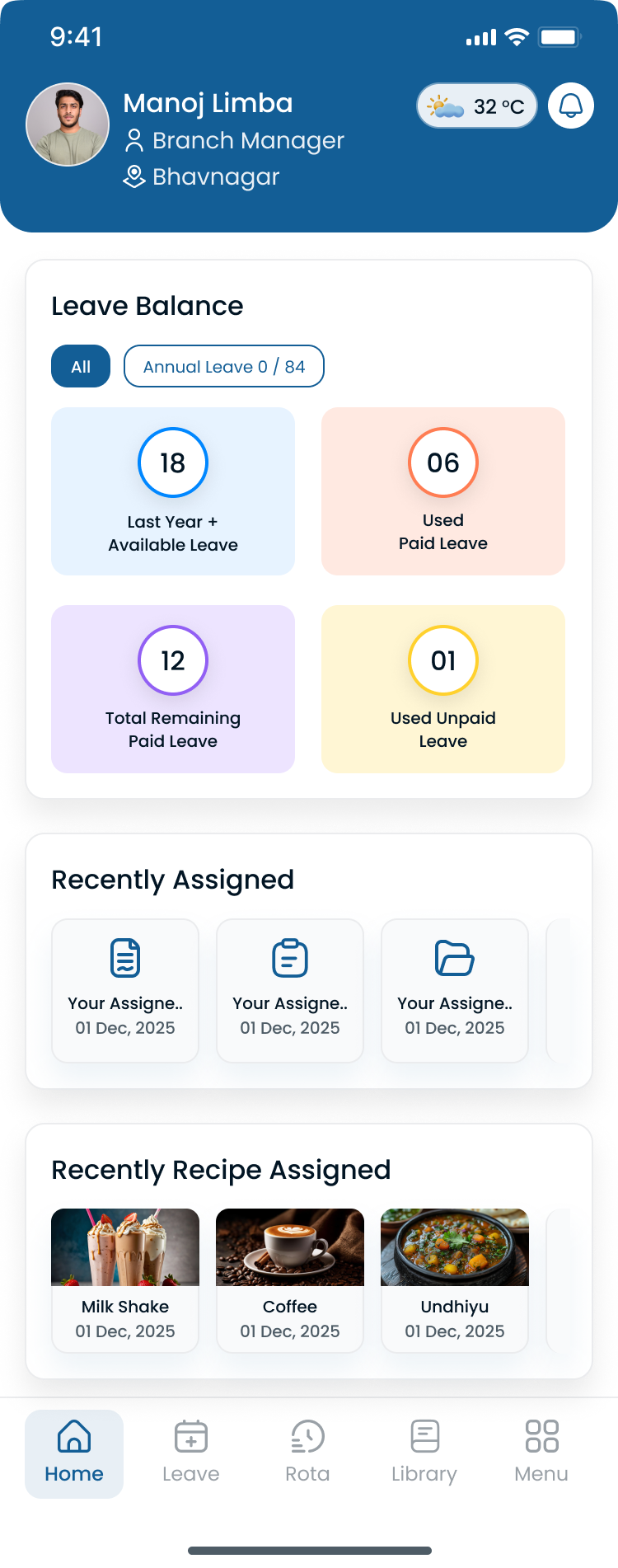
Hour totals should be visible while you plan the week, not only when payroll exports.
Choosing assisted living scheduling software
When you evaluate assisted living scheduling software, prioritize:
| Requirement | Why it matters |
|---|---|
| Mobile access | Caregivers and nurses live on phone, not email |
| Employee availability management | Can managers see current employee availability before assigning shifts? |
| Role and qualification awareness | Can managers distinguish caregivers, nurses, medication aides, and other roles when building schedules? |
| Attendance tracking | Payroll accuracy and accountability |
| Leave management | PTO approved before assignments go out |
| Shift swaps with approval | Flexibility without coverage holes |
| Overtime visibility | Hour totals while planning, not after export |
| Multi-facility support | Operators with several campuses need roll-up |
| Open-shift posting | Internal fill before agency or premium OT |
| Reporting | Weekly OT, attendance, and call-off patterns |
| Easy onboarding | Supervisors adopt tools that match workflow |
Optional needs such as eMAR integration depend on your existing vendors. Heyshift focuses on publish-first scheduling, attendance, leave, swaps, and mobile access; compare tiers on pricing. Frame labor savings with the employee scheduling software ROI guide before you shortlist vendors.
Start a 30-day free trial or contact Heyshift with your wing count and shift bands.
Assisted living vs nursing home staff scheduling
Assisted living and nursing home scheduling share many workforce requirements, including caregiver coverage, nurse staffing, shift rotations, availability, overtime, and open-shift management.
The main difference is often the care environment and staffing mix. Assisted living communities may combine residential support, activities, dining, medication assistance, and memory care, while skilled nursing environments can involve higher clinical acuity and different staffing requirements.
The scheduling system should therefore support role-based staffing, location or wing assignments, employee availability, and coverage requirements rather than relying on a single generic staffing template. For skilled nursing roster design, see how to create a nursing home staff schedule.
Common assisted living scheduling mistakes
Scheduling too many consecutive shifts: six-day streaks look efficient until turnover spikes.
Ignoring employee preferences: availability surprises become no-shows and last-minute swaps.
Publishing schedules too late: call-offs force doubles and agency use.
Overusing overtime: reactive staffing trains staff to expect premium pay.
Poor communication: if the app says one wing and a text says another, staff trust neither.
No backup staffing plan: every absence becomes a crisis call tree.
Treating float staff as unlimited: one floater cannot cover three wings at med pass time.
Skipping weekly labor review: patterns repeat until finance escalates.
One template for every wing: memory care and assisted living acuity differ.
Separating dietary and housekeeping from care publish: the building runs as one operation.
Fixing one official roster often improves three other mistakes at once.
Handling call-offs and last-minute changes
Caregiver call-offs: publish open shift to qualified staff by wing and credential before calling overtime names.
Nurse or med aide gaps: prioritize med pass windows; pull from on-call pool with explicit hour check.
Census spikes: adjust templates for move-in weeks; document temporary staffing assumptions.
Weather and emergencies: communicate wing reassignments through the official app, not parallel texts.
Document every approved change on the published roster so attendance and payroll match what supervisors authorized.
30-day implementation checklist
| Week | Focus | Actions |
|---|---|---|
| Week 1 | Baseline | List wings, shift bands, roles, and current publish rhythm |
| Week 2 | One roster | Choose official publish channel; stop schedule screenshots as source of truth |
| Week 3 | OT and rotation | Review hour totals every Friday; document weekend rotation rules |
| Week 4 | Mobile and backups | Confirm staff open official app; document on-call pool by wing |
Roll out wing by wing if a full-campus cutover feels risky. Pilot memory care or your highest-call-off wing first.
When you are ready to compare platforms, start a 30-day free trial or contact Heyshift with your employee count and wing structure.
Compliance and workforce planning notes
Assisted living and residential care operators work under state licensure rules that vary by jurisdiction. Requirements for staffing documentation, medication supervision, and incident reporting differ from skilled nursing, but families and surveyors still expect planned coverage to match reality.
The Occupational Safety and Health Administration publishes guidance for safe work practices in healthcare settings, including ergonomic and bloodborne pathogen protections relevant to caregivers and nurses. SHRM workforce planning resources tie labor forecasting to retention and cost control, the same levers scheduling affects daily.
During infectious disease outbreaks, align schedule changes with current workplace safety guidance and local health department rules. See OSHA healthcare resources. Scheduling software supports operational discipline; it does not replace licensure compliance, care plans, or clinical supervision.
Final thoughts
Effective assisted living staff scheduling improves resident care, employee satisfaction, and operational efficiency while reducing overtime and administrative work.
Communities that publish early, rotate fairly, track attendance digitally, and replace spreadsheet rotas with modern caregiver scheduling software gain the visibility to keep wings covered without defaulting to crisis overtime every weekend.
Publish the official week before the floor improvises it.
Related Healthcare Resources
Frequently Asked Questions
Continue with related topics
More articles on topics related to this one.
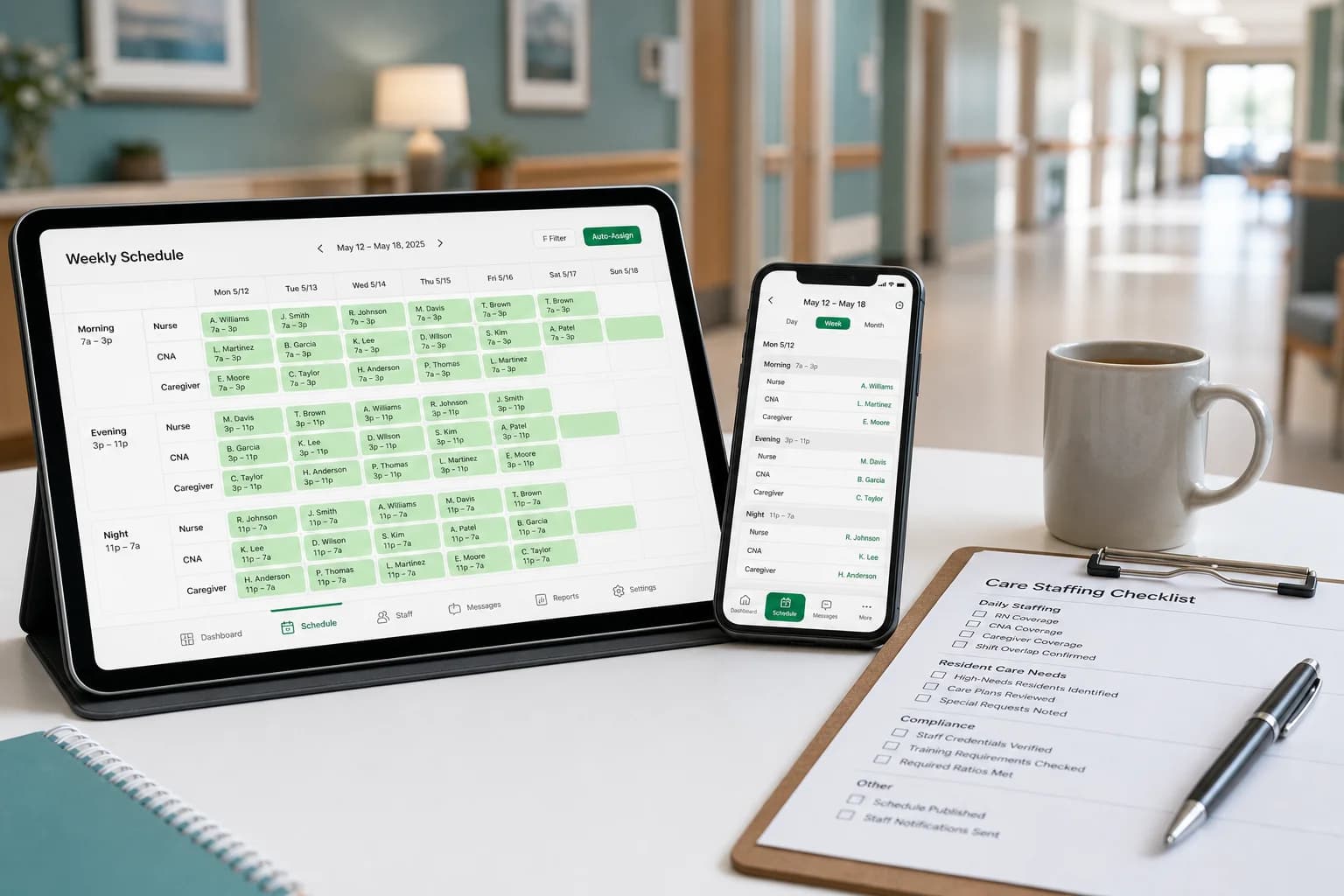
How to Create a Nursing Home Staff Schedule That Reduces Overtime (2026 Guide)
Learn how nursing homes build efficient staff schedules, reduce overtime, improve shift coverage, and manage nurses, CNAs, and caregivers with modern scheduling strategies.
Read article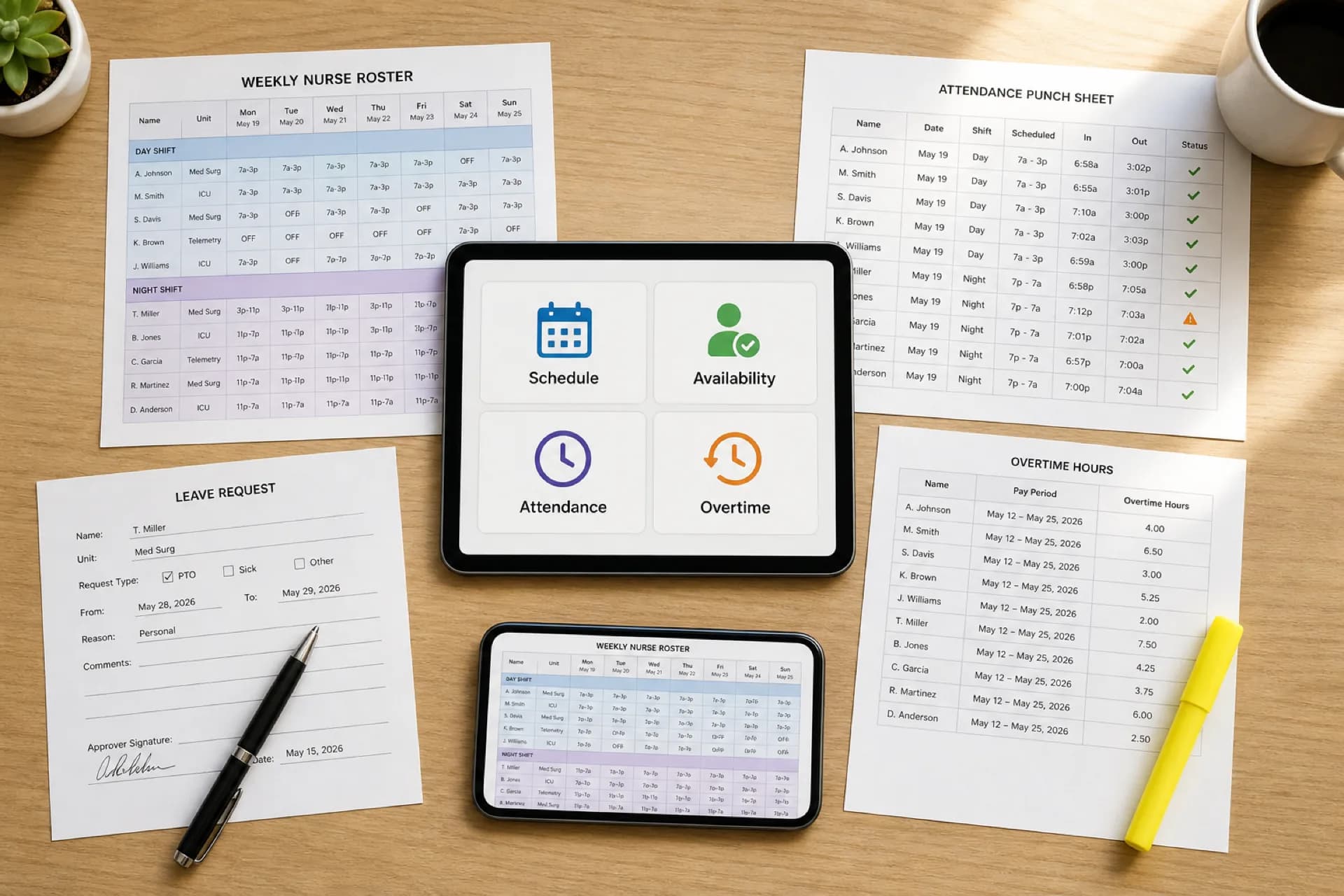
Healthcare Workforce Management Software: Complete Guide for 2026
Learn how healthcare workforce management software helps hospitals, clinics, and care organizations manage scheduling, availability, attendance, overtime, leave, and staffing from one platform.
Read article
Healthcare Overtime Management: How to Reduce Overtime Costs Without Understaffing (2026)
Learn how healthcare organizations can reduce overtime costs without understaffing. Explore scheduling strategies, overtime tracking, shift coverage, and workforce management software.
Read article