

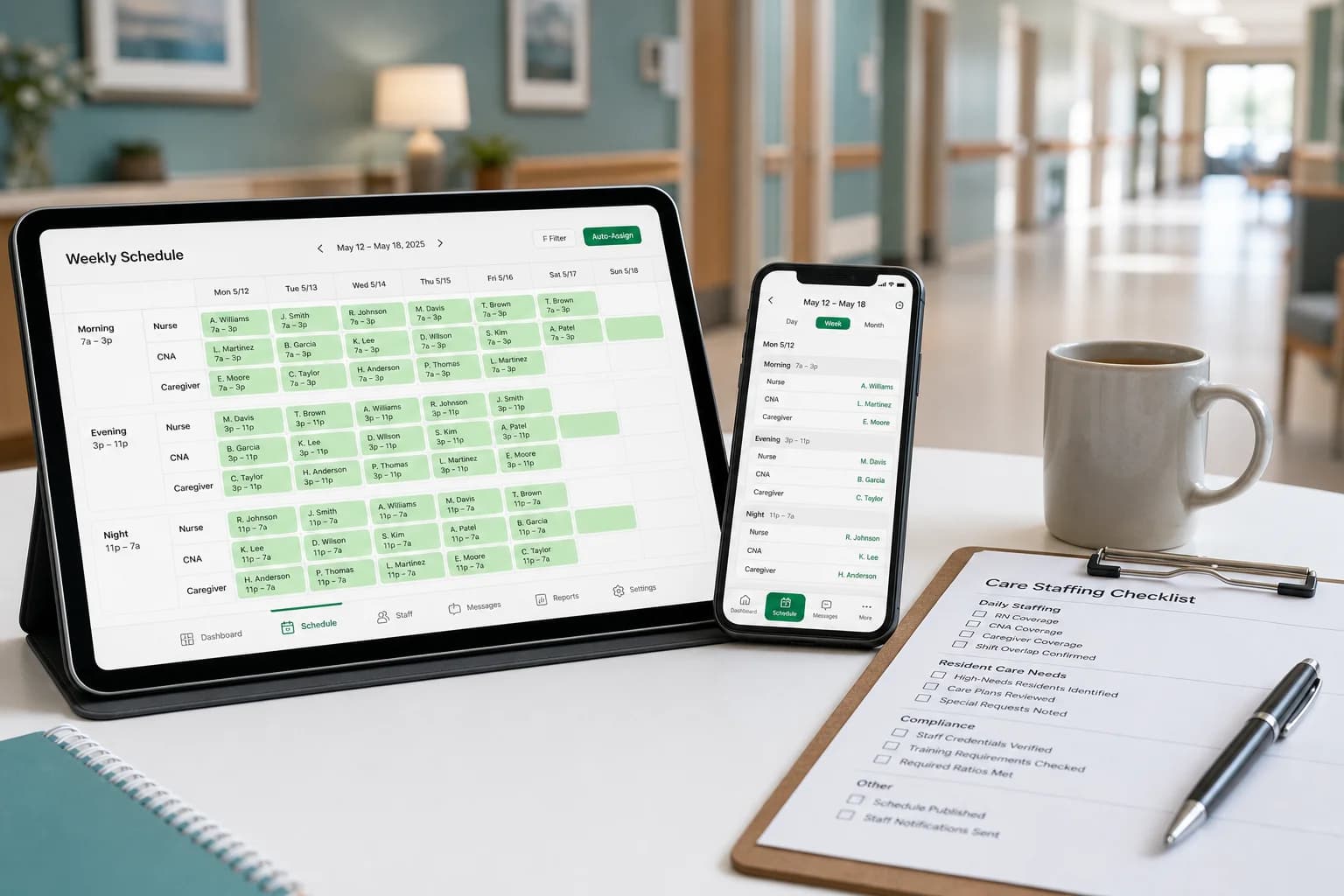
How to Create a Nursing Home Staff Schedule That Reduces Overtime (2026 Guide)
Learn how nursing homes build efficient staff schedules, reduce overtime, improve shift coverage, and manage nurses, CNAs, and caregivers with modern scheduling strategies.
How to create a nursing home staff schedule that reduces overtime (2026 guide)
Long-term care never pauses. Residents need assistance at 3 p.m. and at 3 a.m. Families expect consistent care. Surveyors ask whether staffing matched the plan. Meanwhile, CNAs call off, nurses pick up doubles, and payroll exports a week that never quite matched what the floor thought was published.
Nursing home staff scheduling sits at the center of those pressures. A strong schedule protects resident care, employee satisfaction, regulatory confidence, and labor cost. A weak one turns every call-off into mandatory overtime and every weekend into a fairness argument.
This guide explains how to create a nursing home staff schedule that reduces overtime without sacrificing coverage: staffing requirements, shift patterns, best practices, a sample weekly model, and when centralized nursing home scheduling software beats spreadsheet rotas.
Featured answer: What is a nursing home staff schedule? A nursing home staff schedule is a planned roster that assigns nurses, certified nursing assistants (CNAs), caregivers, and support staff to shifts while ensuring adequate resident coverage, regulatory compliance, and balanced workloads.
Who should read this: Directors of nursing, administrators, and scheduling coordinators at USA skilled nursing, assisted living, and memory care communities with roughly 40 to 200 beds who need a practical playbook before they evaluate platforms.
Compare product options on nursing home scheduling software and nurse scheduling software. For broader healthcare patterns, see healthcare staff scheduling software and best employee scheduling software for healthcare teams. Use the overtime risk calculator to stress-test hour totals before publish.
Executive summary
In this guide you will learn:
- Why nursing home scheduling is one of the hardest workforce problems in healthcare
- Common challenges from CNA shortages to holiday coverage
- Why Excel and printed grids stop working as census and acuity shift
- Twelve actionable nursing staff scheduling best practices
- A sample weekly staffing table you can adapt by bed count and acuity
- How a 150-bed community moved off spreadsheets to centralized scheduling
- What to look for in nursing home scheduling software
- Fifteen FAQs administrators ask before changing process or tools
Table of contents
- Why scheduling matters in long-term care
- Long-term care workforce trends in 2026
- Why scheduling is difficult in nursing homes
- Common scheduling challenges
- Why Excel scheduling stops working
- Nursing home scheduling best practices
- Sample weekly nursing home schedule
- How a 150-bed community simplified scheduling
- How scheduling software helps
- Choosing nursing home scheduling software
- Common scheduling mistakes
- Implementation checklist
- Frequently asked questions
- Final thoughts
Why scheduling matters in long-term care
Scheduling is not back-office paperwork. It is how you translate census, acuity, and care plans into safe staffing on every unit, every shift.
When the nursing home staff schedule is clear and published early:
- Nurses and CNAs know assignments before they arrive
- Weekend and night coverage is planned, not negotiated in text threads
- Overtime becomes a planning decision instead of a payroll surprise
- Agency use drops when open shifts fill through an official roster
- Administrators can answer staffing questions with data, not memory
When schedules drift, the opposite happens: doubles stack on the same caregivers, call-offs cascade into mandatory overtime, and resident care suffers because the floor is always one person short.
Explore employee scheduling software for USA hourly teams and shift scheduling for publish-first workflow basics that apply on long-term care floors.
Long-term care workforce trends in 2026
Skilled nursing and assisted living operators enter 2026 with persistent staffing pressure, rising acuity, and survey scrutiny that makes "we'll figure it out on the floor" a risky answer. The communities stabilizing labor cost are not scheduling harder. They are scheduling earlier, with hour visibility and mobile access on one official roster.
| Trend | What operators see | Scheduling implication |
|---|---|---|
| CNA and nurse shortages | Open roles stay unfilled; overtime fills gaps | Publish two weeks ahead; maintain on-call and open-shift pools |
| Higher resident acuity | More hands needed per unit than last year's template | Rebuild templates by unit acuity, not one flat ratio |
| Agency dependence | Premium labor when internal roster is opaque | Fill internal open shifts first on the published schedule |
| Survey and CMS focus on staffing | Documentation must match planned coverage | One roster for operations, attendance, and leadership review |
| Caregiver burnout | Doubles, skipped breaks, uneven weekends | Rotate nights and weekends fairly; cap consecutive heavy shifts |
| Mobile-first staff | CNAs ignore email and paper grids | Same app for schedule, swaps, and alerts |
CNA and nurse vacancies remain the binding constraint
The U.S. Bureau of Labor Statistics Occupational Outlook Handbook for nursing assistants and orderlies describes ongoing demand in nursing care facilities and continuing replacement needs across the occupation. The Handbook outlook for registered nurses shows similar pressure in long-term care settings. For healthcare workplace safety and staffing context, see OSHA healthcare resources. When open requisitions outpace hires, scheduling must assume scarcity: build float capacity, cross-train backups, and avoid stacking overtime on the same ten names every week.
Acuity and census shift faster than static templates
Memory care wings, short-stay rehab beds, and flu-season census spikes change how many CNAs a unit needs without changing the building address. Operators still copying last January's grid discover thin coverage mid-week. Trend-leading schedulers review census and acuity signals before each publish, not only after a family complaint.
Staffing documentation draws more leadership attention
Centers for Medicare & Medicaid Services (CMS) staffing data and state survey expectations push administrators to show how planned staffing relates to resident needs. When the schedule lives in version four of a spreadsheet and attendance lives elsewhere, leadership cannot reconcile the story quickly. Pair publish-first scheduling with attendance management software so planned and worked hours align.
Burnout shows up first on the night and weekend grid
OSHA guidance on safe staffing and fatigue emphasizes manageable workloads and hazard prevention in nursing homes. SHRM workforce planning resources stress predictable schedules for retention. Scheduling is a safety and retention lever, not only a cost line.
Long-term care schedulers typically roster:
- Registered nurses (RNs) and licensed practical nurses (LPNs) by unit and shift
- Certified nursing assistants (CNAs) for resident care bands
- Caregivers and resident assistants in assisted living and memory care
- Medication aides and restorative aides where scope allows
- Housekeeping, dietary, and activities staff tied to resident routines
- Maintenance and environmental services for safety and infection control
- Weekend and night supervisors with explicit coverage rules
Scheduling software does not replace clinical judgment, care plans, or state staffing rules. It does give DONs and administrators one published roster, mobile access for deskless staff, and hour visibility while building the week so overtime is a decision, not a surprise.
Read prevent overtime before payroll for mid-week course corrections that pair with this playbook.
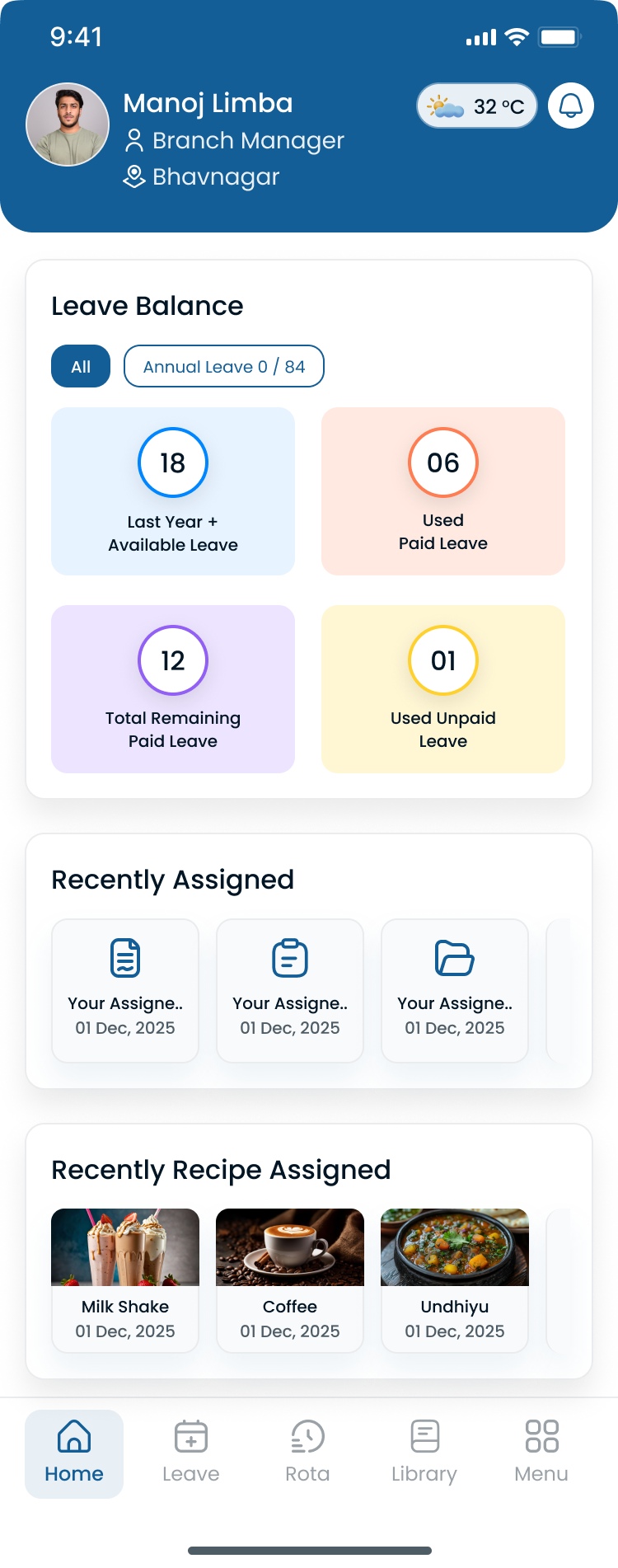
Directors of nursing should see units, roles, and hour totals in one grid while building the week, not after payroll export.
Why scheduling is difficult in nursing homes
Several realities make long term care scheduling harder than scheduling a single-site retail store:
- 24/7 care: morning, evening, and night bands every day, including holidays
- Weekend and night coverage: often the first place short staffing appears
- Call-offs and no-shows: contagious on units already running lean
- Resident acuity: memory care, rehab, and hospice wings need different ratios
- Regulatory expectations: staffing plans must be defensible under survey scrutiny
- Staffing shortages: open CNA and nurse roles with no quick hire
- Agency workers: premium fill when internal open shifts are invisible
- Burnout and fatigue: doubles and skipped breaks drive turnover
Scheduling is the system that translates those constraints into a workable week. Without discipline, administrators default to reaction: text chains, mandatory overtime, and agency shifts that compress margin.
For multi-building operators, read multi-location workforce management guide.
Common scheduling challenges in nursing homes
Last-minute absences
A single CNA call-off on a 30-bed unit can force a double or a floor pull from another wing. Without an open-shift list on the official roster, managers text until someone says yes, often the same caregiver who worked overtime yesterday.
CNA shortages
When requisitions stay open, schedulers stack hours on permanent staff. That solves today's gap and creates next month's resignation.
Double shifts and mandatory overtime
Doubles are sometimes unavoidable in crisis. When they become the default fill method, labor cost and error rates both rise.
Vacation and holiday requests
Summer vacations, school breaks, and winter holidays collide with flu season census. Approving leave without seeing hour totals across the building guarantees overtime somewhere else.
Shift conflicts and fatigue
Overlapping pickups, forgotten PTO, and consecutive night stacks show up as conflicts only when someone does not arrive.
Employee fatigue and fairness
Uneven weekend rotation is one of the fastest paths to union grievances and exit interviews. Schedulers need a fair rotation record, not a manager's memory.
See open shift and swap approvals on the published roster for structured fill paths.
Why Excel scheduling stops working
Spreadsheets help a 40-bed community with one DON and one scheduler. They break when:
| Manual method | What breaks |
|---|---|
| Version confusion | "Which tab is the real week?" |
| Manual updates | Every call-off rebuilds rows and texts |
| Payroll misalignment | Planned shifts and clock data diverge |
| Poor communication | Screenshots in group chat replace publish |
| No mobile access | CNAs call the desk instead of opening the app |
| Difficult shift swaps | Informal trades without manager approval |
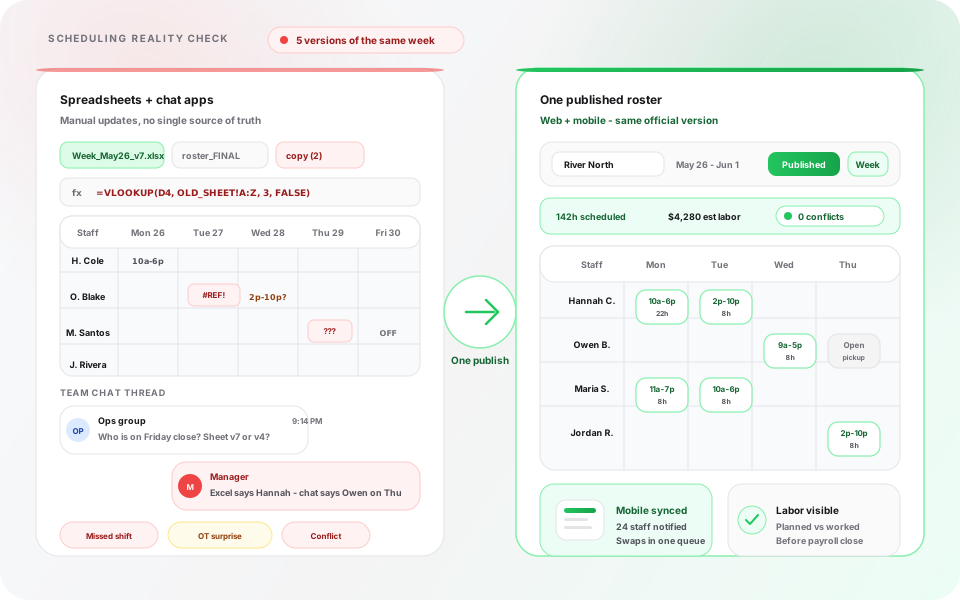
Parallel schedules create overtime and missed coverage. Publish-first discipline gives the floor one official week.
The failure pattern is predictable: a night CNA calls off, the scheduler texts three names, payroll exports hours that do not match the grid nursing thought was final, and leadership discovers the gap during a staffing review instead of during publish.
Migrate column structure with the nursing home staff schedule template, nurse schedule template, free employee schedule template, or the templates hub before you move into software. For 12-hour and rotating clinical patterns, use the 12-hour nurse schedule template, 2-2-3 Panama schedule template, or 4-on 4-off shift schedule template. Read why spreadsheets fail for workforce scheduling.
Nursing home scheduling best practices
Use these nursing staff scheduling best practices as a weekly rhythm, not a one-time project.
1. Build schedules at least two weeks in advance
Publishing early gives staff time to plan childcare and second jobs, gives managers time to fill gaps without doubles, and gives leadership time to see hour totals before the week starts.
2. Track employee availability in one system
PTO, school schedules, second jobs, and no-night requests should live beside the grid you publish from. Availability in a separate notebook guarantees conflicts.
3. Rotate weekends fairly
Track who worked last Saturday and last holiday weekend. Fair rotation protects morale and reduces "I always work weekends" complaints.
4. Limit consecutive night shifts
Stacking four or five nights on the same CNA increases errors and call-offs. Cap consecutive nights and build a true night float where census allows.
5. Approve shift swaps through managers
Flexibility improves retention. Unapproved swaps create coverage holes and payroll disputes. Route swaps and open shifts through the published roster with approval.
Read employee shift swapping best practices.
6. Monitor overtime before payroll closes
Review hour totals while building the week. Use the overtime risk calculator to flag employees approaching thresholds before you publish.
7. Maintain an on-call pool
Define who is on call for nurses, CNAs, and housekeeping by shift band. On-call names should appear on the official schedule, not only in a supervisor's phone.
8. Use standardized shift templates by unit and acuity
Copy a proven week for assisted living, memory care, and skilled nursing units separately. Adjust for census instead of rebuilding from blank each Sunday night.
Start from the nursing home staff schedule template or employee schedule template and adapt role columns for RNs, CNAs, caregivers, and support staff.
9. Publish schedules early and republish when the official roster changes
Target publish seven to fourteen days ahead. When a change is approved, republish so mobile staff never rely on an outdated screenshot.
10. Review labor data weekly
Each week, review overtime by unit, call-off patterns, open-shift fill rate, and agency hours. Fifteen minutes of review beats emergency staffing on Wednesday night.
11. Staff to role and skill, not just headcount
Medication passes, transfers, and restorative programs need tagged skills on the roster. Assigning "any CNA" to a high-acuity wing without training visibility creates survey and safety risk.
12. Coordinate dietary, housekeeping, and activities with care shifts
Meal service, room turns, and activities depend on care coverage. Include support departments in the same publish calendar so the building runs as one operation.
Sample weekly nursing home schedule
The table below is a starting model for a mid-size skilled nursing building near 120 to 150 beds. Adjust counts for your census, acuity, state requirements, and budget. This is an operational planning example, not legal staffing advice.
| Shift | Nurse (RN/LPN) | CNA | Caregiver | Housekeeping |
|---|---|---|---|---|
| Morning (7a–3p) | 4 | 8 | 5 | 3 |
| Evening (3p–11p) | 3 | 7 | 4 | 2 |
| Night (11p–7a) | 2 | 5 | 2 | 1 |
How to use this table:
- Split nurses by unit assignment in your published roster, not only totals
- Add float CNAs for call-offs where internal open shifts are posted first
- Increase morning CNAs during rehab census spikes or admission weeks
- Tag housekeeping against infection-control priorities on outbreak weeks
Document assumptions in your scheduling policy so surveyors and families hear one consistent story.
How a 150-bed assisted living community simplified staff scheduling
Maria directs operations at a 150-bed assisted living community with 90 employees across skilled care, memory care, and independent living wings. Her team includes RNs, LPNs, CNAs, caregivers, housekeeping, dietary, and activities staff. On paper the community was stable. In practice, scheduling consumed her DON and two department heads every week.
Before: spreadsheets and phone trees
Each department kept its own Excel tab. Call-offs triggered group texts. Payroll exported hours from a time clock that did not always match the grid nursing published Friday night. Weekend coverage depended on whoever answered first, not a fair rotation record.
The week that forced a change
During a family council meeting, a resident's daughter asked who was assigned to the memory care wing Saturday overnight. Maria's team had three answers: the spreadsheet, a text thread, and the clock report. That gap was a compliance and trust problem, not only an admin annoyance.
Maria evaluated nursing home scheduling software with four questions:
- Can we publish one official week that CNAs and nurses both open on mobile?
- When someone calls off, can approved open shifts fill the band without rebuilding the grid in chat?
- Can we see running hour totals before we publish overtime-heavy bands?
- Can regional leadership view both buildings without merging files every Monday?
What changed in the first 30 days
Maria piloted publish-first scheduling in the skilled nursing wing. She built templates for morning, evening, and night bands by unit. Staff installed the mobile app. Publish moved from Friday night to Tuesday for the following week.
| Challenge | Before | After |
|---|---|---|
| Source of truth | Department spreadsheets plus texts | One published roster per unit on mobile |
| Call-off fill | Supervisor texts until someone says yes | Approved open shifts on the official schedule |
| Overtime visibility | Noticed after payroll export | Running totals visible while building the week |
| Weekend fairness | Informal memory | Rotation tracked in scheduling history |
| Payroll alignment | Planned vs worked often diverged | Attendance tied to published shifts |
| Manager time | Hours rebuilding after call-offs | Time redirected to census and family communication |
Payroll corrections dropped on pilot units. Fewer CNAs called the desk to ask "what shift am I on?" Leadership could answer staffing questions from one system instead of three.
That is the outcome this guide supports: proactive caregiver scheduling discipline that protects residents, staff, and margin. If your community still runs parallel schedules, use the implementation checklist below before you roll out building-wide.
Explore nursing home scheduling software when you are ready to compare platforms against a real publish week.
How scheduling software helps nursing homes
Modern nursing home scheduling software supports the practices above in one workflow:
| Capability | Nursing home outcome |
|---|---|
| Employee scheduling | Faster build; one published roster per unit |
| Attendance tracking | Planned vs worked hours before payroll |
| Leave management | PTO approved before publish conflicts |
| Shift swaps and open shifts | Approved flexibility without chat drift |
| Mobile schedules | CNAs see assignments and alerts on phone |
| Notifications | Changes reach staff who do not read email |
| Multi-location management | Regional visibility across campuses |
| Labor reporting | Overtime and agency trends by building |
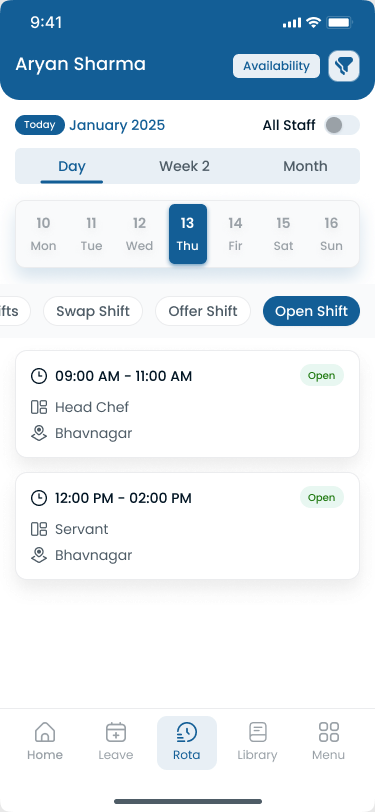
Long-term care adoption fails when staff keep checking a shadow schedule in group chat instead of the official mobile view.
Software does not replace clinical staffing standards. It removes the admin drag that keeps you from applying those standards consistently.
Pair scheduling with attendance tracking and leave management. Read employee attendance tracking guide for punch discipline beside shifts.
Choosing nursing home scheduling software
Use this checklist when you demo nurse scheduling and CNA scheduling platforms:
| Requirement | Why it matters |
|---|---|
| Mobile app for CNAs and nurses | Deskless staff must see the official week on phone |
| Attendance tracking beside shifts | Payroll disputes start when planned and worked diverge |
| Shift swaps with manager approval | Flexibility without coverage holes |
| Leave requests in the same system | PTO visible before you publish |
| Overtime visibility while planning | Hour totals before sign-off, not after export |
| Multi-facility support | Regional operators need roll-up without merged files |
| Open-shift posting | Internal fill before agency premium |
| Reporting | Overtime, attendance, and agency trends by unit |
| Ease of use | DONs and schedulers must publish without IT tickets |
Compare nursing home scheduling software and nurse scheduling software against your highest-acuity week. Review pricing and start a 30-day free trial with your units and shift bands.
Common nursing home scheduling mistakes
| Mistake | Why it hurts |
|---|---|
| Publishing too late | Call-offs force doubles and agency use |
| Ignoring availability | Conflicts become overtime or no-shows |
| Overusing overtime | Burnout, turnover, and margin compression |
| Uneven weekend rotation | Morale and fairness complaints |
| Poor communication | Staff arrive at wrong unit or miss pickups |
| No attendance tracking | Payroll corrections and weak accountability |
| No backup staffing plan | Every absence becomes a crisis |
| Treating agency as the first fill | Premium cost when internal open shifts would work |
| One template for every unit | Acuity mismatch and thin coverage |
| Skipping weekly labor review | Patterns repeat until finance escalates |
Fixing central roster discipline often improves three other mistakes at once.
Implementation checklist
Roll out improved nursing home scheduling in this order:
- Document units and shift bands: morning, evening, night; skilled, assisted, memory care
- Define coverage minimums by unit: align with policy and clinical leadership
- Import staff, roles, and skills: RN, LPN, CNA, caregiver, support departments
- Build two template weeks: standard census and high-census / admission week
- Set publish rhythm: target seven to fourteen days ahead; name who publishes
- Pilot one wing for two weeks: validate mobile adoption and open-shift fill
- Train supervisors on swap approvals: unstructured texts create audit risk
- Review labor signals weekly: overtime, call-offs, agency, and open-shift fill rate
Use healthcare staff scheduling software product pages to map features to your checklist before you commit past pilot.
Final thoughts
Effective nursing home staff scheduling improves resident care, employee satisfaction, operational efficiency, and labor cost control. Overtime is not always avoidable in long-term care, but it should be a conscious choice during publish, not the automatic answer to every call-off.
Proactive planning, fair rotation, digital attendance, and weekly labor review help communities adapt to staffing shortages without burning out the caregivers who remain. When spreadsheets and texts no longer match your census or survey expectations, centralized nursing home scheduling software gives administrators one roster the floor can trust.
Publish the week early, fill open shifts on the official roster, and see overtime before payroll closes.
Start your 30-day free trial to map CNAs, nurses, and caregivers on one publish calendar. Contact sales for multi-facility rollouts.
Related Healthcare Resources
Frequently Asked Questions
Continue with related topics
More articles on topics related to this one.

Nurse Shift Rotation: Best Practices to Improve Staff Well-Being and Patient Care (2026)
Learn nurse shift rotation best practices to reduce burnout, improve staffing coverage, balance workloads, and create fair healthcare schedules with publish-first nurse scheduling software.
Read article
Hospital Staff Scheduling: Best Practices to Improve Coverage and Reduce Labor Costs (2026)
Learn hospital staff scheduling best practices to improve nurse coverage, reduce overtime, optimize workforce planning, and enhance patient care across inpatient, emergency, and surgical units with publish-first scheduling software.
Read article
Assisted Living Staff Scheduling: Best Practices to Improve Care and Reduce Overtime (2026)
Learn how assisted living facilities improve staff scheduling, reduce overtime, manage caregivers and nurses, and deliver better resident care with modern scheduling software and publish-first workforce habits.
Read article