

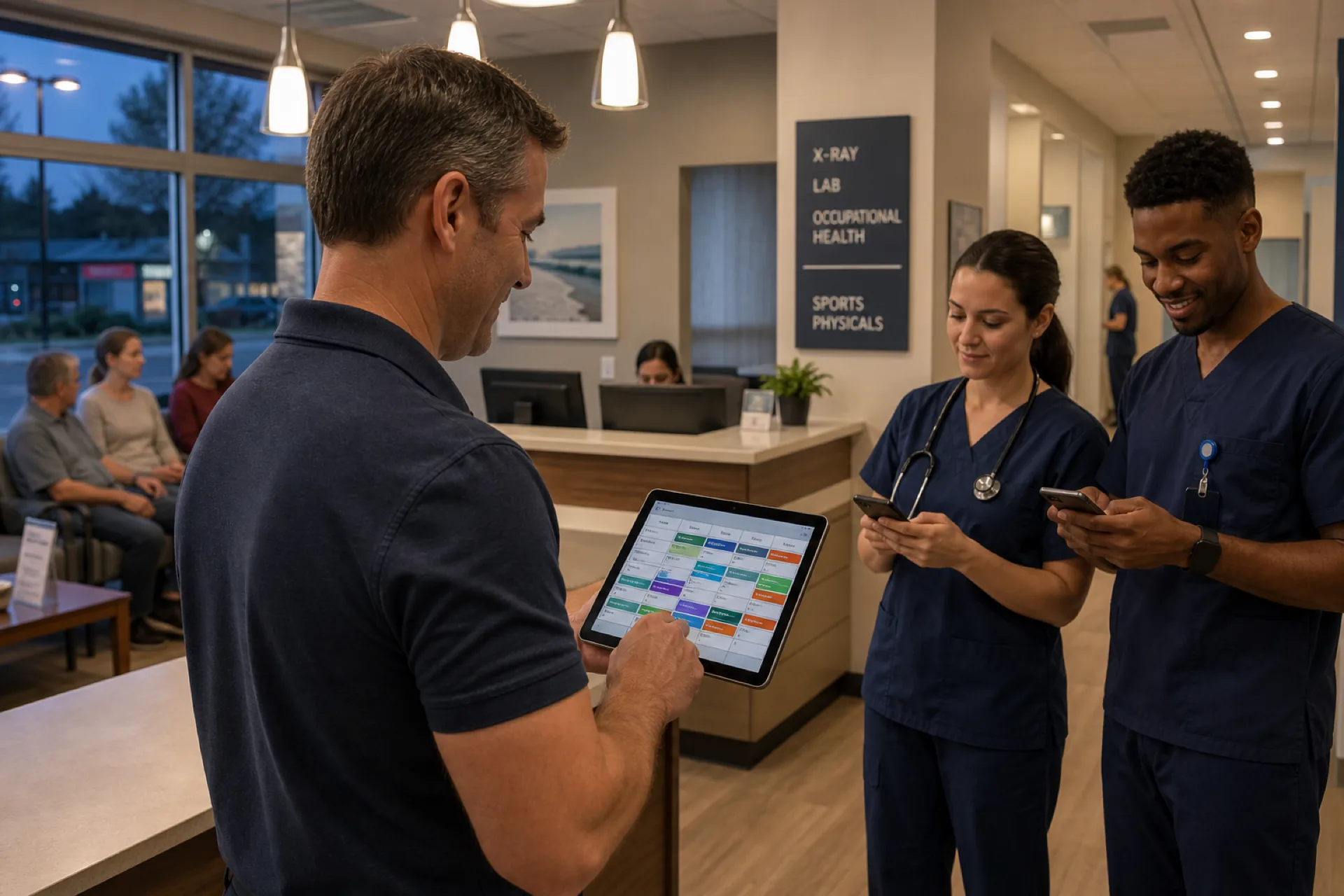
Urgent Care Scheduling Software for Staff Management (2026)
Discover how urgent care scheduling software helps clinics manage staff shifts, availability, attendance, shift coverage, and overtime while improving workforce efficiency.
Urgent care scheduling software for staff management (2026)
Saturday at 4 p.m., the waiting room fills and the charge nurse discovers the evening MA never saw the schedule change from Thursday. The site manager texts six float staff while the front desk turns away walk-ins. Payroll reconciles hours against a spreadsheet that already changed twice since publish.
If you search urgent care scheduling software, you need more than patient queue tools. You need staff shift grids built for extended hours, open shift fill on mobile, manager-approved swaps, availability before assign, leave beside the grid, and attendance aligned with the official week.
Urgent care centers operate differently from many traditional medical practices. They often have extended hours, fluctuating patient demand, multiple clinical roles, and frequent changes in staffing requirements. Managing physicians, nurses, medical assistants, front-desk employees, and support staff with spreadsheets makes scheduling unnecessarily difficult. Urgent care staff scheduling software buyers in 2026 are evaluating tools that publish one roster every role trusts before doors open, especially on evenings and weekends when call-offs hurt fastest.
This guide explains what urgent care employee scheduling software should deliver: why urgent care needs better staff scheduling, common problems, essential features, benefits, organization types, a practical example, how to choose, how Heyshift helps, FAQ.
Featured answer: What is urgent care scheduling software? Urgent care scheduling software helps urgent care centers create employee schedules, manage availability and shift changes, fill open shifts, track attendance, manage leave, and coordinate clinical and support staff from a centralized platform.
Who should read this: Urgent care owners, administrators, practice managers, HR teams, and operations managers comparing urgent care workforce management software before demos.
Executive summary
Urgent care scheduling software worth adopting in 2026 publishes one official week for every clinical and support role, fills call-offs through open shifts on mobile before peak hours, and keeps attendance beside the roster finance exports.
Urgent care scheduling software provides a centralized way to plan shifts, manage employee availability, coordinate coverage, track attendance, and monitor working hours as volume swings and locations grow.
In this guide you will find:
- Why urgent care centers need better staff scheduling
- Common scheduling problems with spreadsheets and messages
- Features every urgent care buyer should prioritize
- Benefits for coverage, admin time, overtime, and communication
- Best fit by urgent care organization type
- A practical multi-location scheduling example
- How to choose the right platform and FAQ
Table of contents
- Why urgent care centers need better staff scheduling
- Common urgent care scheduling problems
- Features to look for in urgent care scheduling software
- Benefits of urgent care scheduling software
- Who uses urgent care scheduling software?
- Example: managing an urgent care team
- Why choose Heyshift?
- How to choose the right urgent care scheduling software
- Frequently asked questions
- Final thoughts
Why urgent care centers need better staff scheduling
Urgent care runs on door-open coverage: physician, nurse, MA, front desk, and often lab or imaging support must align with walk-in volume that shifts by hour, season, and location. Urgent care shift scheduling is a patient access operation, not a back-office task you finish once a week.
Extended operating hours
Many urgent care sites open early, close late, or run seven days a week. Shift bands span mornings, afternoons, evenings, and weekends. Templates and copy-week reduce rebuild time when hours extend for flu season or holiday coverage.
Variable patient demand
Volume spikes after holidays, during flu season, on school-closure days, and when local employers host large events. Managers need hour visibility and open shift fill faster than spreadsheet edits allow.
Multiple employee roles
A single shift may require a provider, RN or LPN, two MAs, front desk, and a lab or X-ray tech. Urgent care staff management keeps role clarity on one grid instead of separate files per department.
Last-minute call-outs
When an MA calls in two hours before the evening rush, open shifts on mobile beat phone trees. Read reduce no-shows and call-offs.
Shift coverage and employee availability
Per diem pools and float staff cross locations daily. Availability captured before assign prevents double-booking and last-minute scrambles.
Overtime management
Extended hours make overtime pacing critical. Pair scheduling with healthcare overtime management and visible hour totals while building shifts.
Weekend and evening staffing
Weekend and evening bands often rely on part-time and per diem staff who need mobile access and fair swap approval. Publish discipline matters most when volume is highest and admin staff are off-site.
Multiple locations
Multi-site urgent care groups need roll-up visibility so regional leads see gaps before a site opens short. See multi-location scheduling software.
For primary care scheduling depth, read medical clinic scheduling software.
Common urgent care scheduling problems
Manual methods fail quickly in urgent care because volume and hours change faster than spreadsheet discipline. Healthcare scheduling software buyers in this segment usually outgrow manual tools when they add evening bands, a second location, or pass roughly 20 hourly staff.
Manual spreadsheet scheduling
Multiple "final" versions circulate by email. Weekend managers edit local copies that never sync with regional operations.
Unfilled shifts and scheduling conflicts
Float staff appear on two location grids when sites do not share one system of record. Doors open short while managers call the same five names.
Double-booked employees
Per diem nurses and MAs pick up shifts at two sites because neither grid showed the conflict until both managers confirmed.
Last-minute schedule changes
Swap agreements in group chat never update the official week payroll uses. Staff show up for shifts they thought they traded away.
Difficulty finding replacement staff
Without open shift posts on mobile, site managers lose critical hours during peak walk-in periods.
Poor communication
Employees learn about changes from coworkers, not publish alerts on the official roster.
Limited overtime visibility
Hour totals hidden until payroll close turn into labor surprises on already-thin weekend margins.
Separate attendance systems
When punches live in one tool and schedules in another, reconciliation becomes a manual merge every period.
Read why spreadsheets fail for workforce scheduling.
Features to look for in urgent care scheduling software
When evaluating urgent care employee scheduling software, prioritize capabilities that match extended hours, variable volume, and multi-role coverage.
Employee scheduling
Build and publish schedules across clinical and administrative teams with templates for weekday, weekend, and evening bands.
Employee availability
See employee availability before assigning shifts. Explore people and availability.
Open shift management
Identify uncovered shifts and communicate them to eligible employees on mobile instead of call lists.
Shift swaps
Allow employees to request shift swaps while keeping managers in control of approvals on the published roster.
Attendance tracking
Compare scheduled shifts with actual attendance beside the grid. See attendance tracking and healthcare attendance tracking best practices.
Leave management
Manage vacation, sick leave, and other approved absences alongside schedules (leave management).
Time tracking
Monitor employee hours and identify potential overtime before payroll close. Pair with attendance management software.
Mobile scheduling
Allow employees to view schedules and updates from phones before commutes or between sites (mobile app).
Multi-location scheduling
Manage staff across multiple urgent care centers with site tags and roll-up reporting (multi-location areas).
Workforce reporting
Monitor staffing, attendance, hours, and overtime by location and shift band.
| Feature | Why urgent care teams need it |
|---|---|
| Employee scheduling | Evening and weekend band templates |
| Open shifts | Fill call-offs before peak volume |
| Availability and leave | PTO beside grid prevents door-open gaps |
| Swaps | Manager approval on the official roster |
| Attendance | Planned vs worked hours finance trusts |
| Mobile access | Per diem staff see updates instantly |
| Multi-location | Float pool visibility across sites |
| Reporting | Overtime pacing on extended hours |
This article focuses on staff scheduling, not patient queue or EHR appointment modules. Confirm in trial that publish workflows fit your shift bands and role mix.
Benefits of urgent care scheduling software
The right urgent care workforce management software pays back in coverage, labor cost, and staff experience.
Improve shift coverage
Managers can quickly identify open shifts and staffing gaps before doors open or volume spikes.
Reduce administrative work
Spend less time manually creating and changing schedules when templates and open shift workflows replace rebuilds.
Control overtime
Better visibility into employee hours helps managers plan staffing more effectively across extended bands.
Improve communication
Employees can access current schedules and updates from one platform instead of scattered messages.
Support multiple locations
Centralized scheduling makes it easier to coordinate staff across urgent care facilities and float pools.
Improve employee experience
Clear schedules and organized shift changes reduce unnecessary communication and confusion for clinical and support staff.
Who uses urgent care scheduling software?
Different urgent care models share scheduling pain with different emphasis.
Independent urgent care centers
Growing practices with small-to-medium teams benefit once evening and weekend bands exceed one manager's spreadsheet capacity.
Multi-location urgent care groups
Centralize scheduling across facilities with consistent swap approval and roll-up hours. Compare best healthcare staff scheduling software for national vendor criteria.
Hospital-owned urgent care centers
Coordinate urgent care staffing with broader healthcare operations while hourly support teams still need publish-first mobile access. Read hospital staff scheduling best practices.
Walk-in clinics
Extended operating hours and variable volume need open shift fill and fast swap approval more than static monthly grids.
Retail-based clinics
Clinical and support staff must align with store and clinic operating schedules, including holiday and seasonal hour changes. Role bands often differ from standalone urgent care sites.
Example: managing an urgent care team
Consider an urgent care organization operating four locations with physicians, nurses, medical assistants, front-desk employees, and lab support staff across weekday, evening, and weekend bands. Managers currently use spreadsheets and messaging apps to manage schedules. When an MA calls out before Saturday afternoon volume, the site lead texts float staff individually while regional operations has no view of who is already booked elsewhere.
A centralized urgent care shift scheduling workflow changes that pattern:
- Build schedules by location with templates for weekday, evening, and weekend bands
- Check employee availability before publish instead of after conflicts appear
- Identify open shifts and post them to qualified staff on mobile
- Manage shift swaps with manager approval on the official roster
- Track attendance beside published shifts for payroll reconciliation
- Monitor working hours with overtime indicators while building the grid
- Manage employee leave so approved PTO appears before assign
- Communicate schedule changes through publish alerts, not group chat
Regional operations sees coverage and labor context across all four sites before the weekend rush. That is the practical difference between a static weekly file and publish-first urgent care workforce management.
Why choose Heyshift?
Heyshift addresses urgent care workforce challenges with scheduling, attendance, and communication in one workflow, without unsupported superlative claims.
Employee scheduling and shift planning
Build weeks with templates and copy-week for extended-hour bands. Publish one official roster staff open on mobile. See what is employee shift planning.
Open shifts and employee availability
Post uncovered shifts to eligible staff on mobile. Capture availability before publish so float pools do not double-book.
Shift swaps
Route swap requests through manager approval on the published roster instead of side deals in group chat.
Attendance tracking and time tracking
Track attendance beside scheduled shifts so managers see planned vs worked hours before payroll close.
Leave management
PTO and leave requests beside the grid prevent publish surprises when approved time off was never on the schedule.
Mobile access and multi-location scheduling
Staff check shifts, request swaps, and pick up open shifts from phones. Schedule multiple urgent care sites from one account.
Workforce reporting
Hours, coverage, and overtime indicators help administrators align labor to volume by location and shift band.
Review pricing. Start 30-day free trial for multi-site rollouts.
How to choose the right urgent care scheduling software
Use this checklist when comparing urgent care staff scheduling software vendors.
| Requirement | What to look for |
|---|---|
| Scheduling | Fast schedule creation with evening and weekend templates |
| Availability | Employee availability management before assign |
| Open shifts | Easy coverage management on mobile |
| Shift swaps | Employee requests with manager approval |
| Attendance | Scheduled vs actual hours beside the roster |
| Leave | Centralized absence management beside publish |
| Mobile | Employee schedule access on iOS and Android |
| Locations | Multi-location support with float pool visibility |
| Reporting | Workforce and labor visibility by site and band |
| Scalability | Ability to support growth and new locations |
Run a two-week pilot that includes one weekend and one high-volume evening: call-offs, swaps, and open shift fill. If the published roster matches attendance exports at period end, expand. National buyers should read best employee scheduling software for healthcare teams alongside this urgent care guide.
For workforce stack context, see the healthcare workforce management guide, mobile workforce management guide, and time tracking software for NYC small businesses as a workflow reference.
Final thoughts
Urgent care centers need staff scheduling that keeps pace with extended hours, variable demand, and multi-location float pools.
Modern urgent care scheduling software centralizes employee schedules, availability, attendance, leave, shift changes, and workforce information. Managers spend less time on manual grids; staff see one official week they can trust before doors open.
In urgent care, scheduling software wins when open shifts fill on mobile before the waiting room peaks, not when the site manager finishes calling down a phone list at 5 p.m.
Related Healthcare Resources
Frequently Asked Questions
Continue with related topics
More articles on topics related to this one.
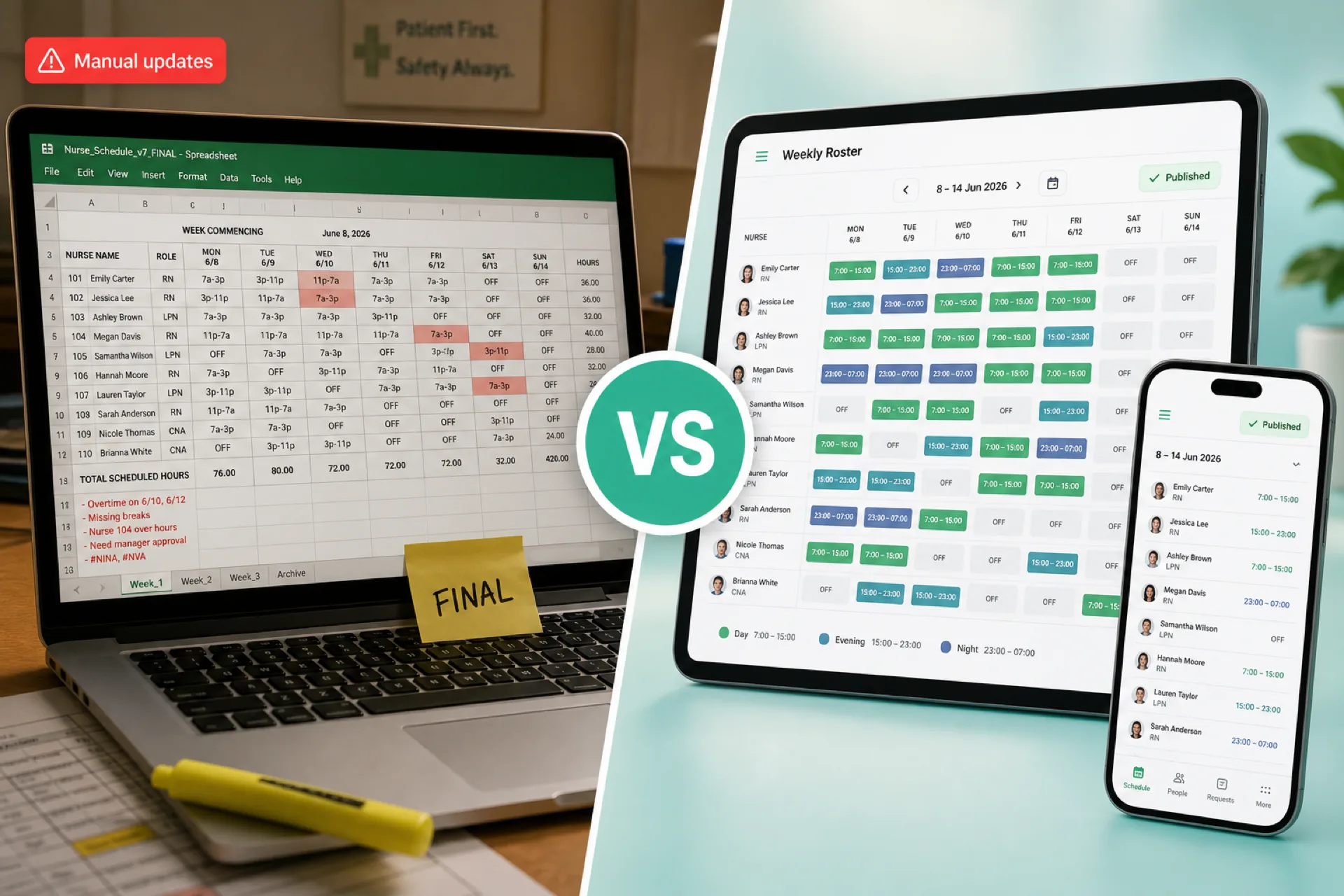
Healthcare Scheduling Software vs. Excel: Which Is Better for Managing Staff? (2026)
Compare healthcare scheduling software and Excel for staff scheduling, availability, open shifts, attendance, overtime, and multi-location workforce management. Learn when each option fits.
Read article
Healthcare Employee Availability Management: How to Build Better Staff Schedules (2026)
Learn how healthcare organizations can manage employee availability, time off, shift preferences, open shifts, and scheduling conflicts to build better staff schedules.
Read article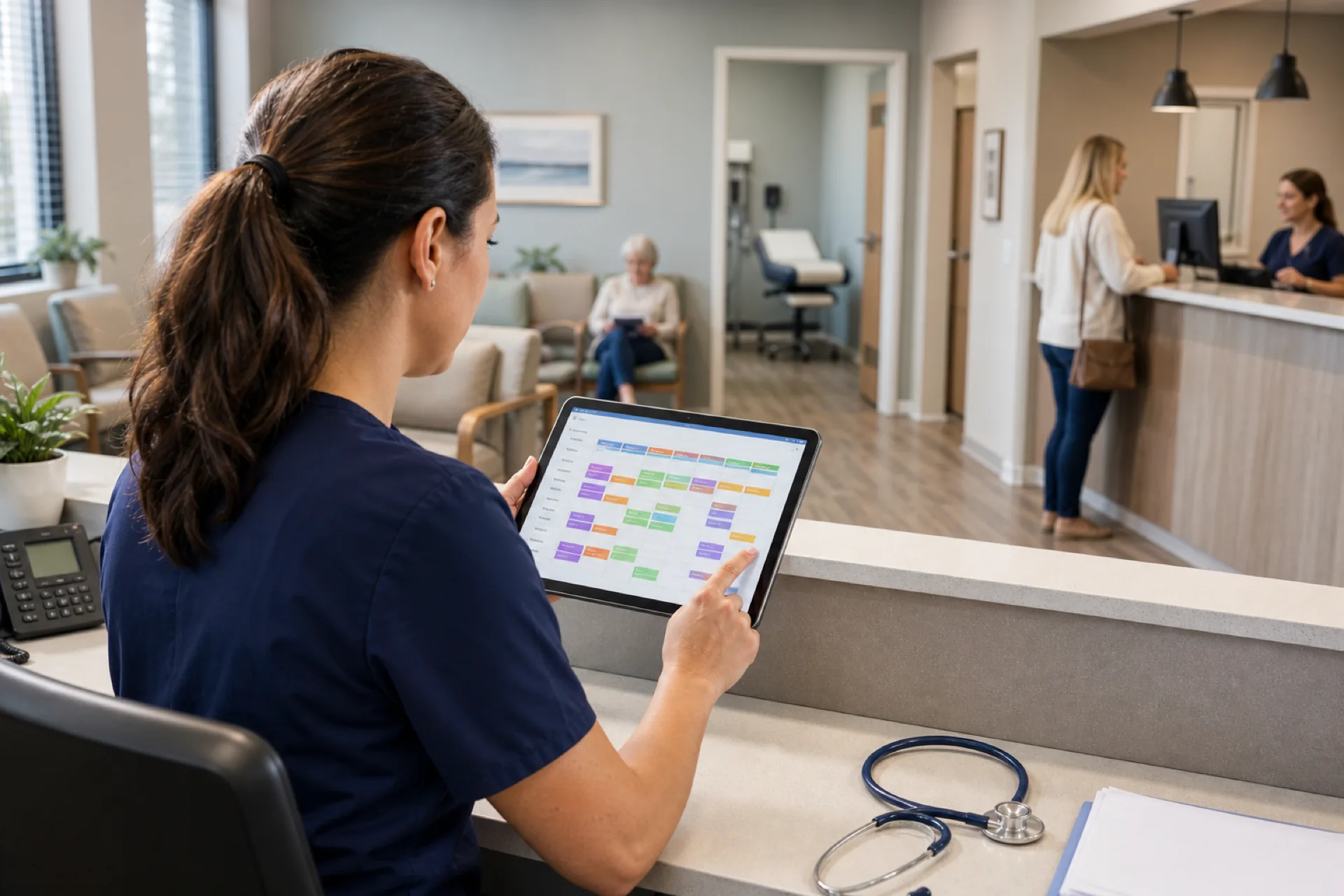
Medical Clinic Scheduling Software for Staff Management (2026)
Medical clinic scheduling software for staff: manage employee shifts, availability, leave, and attendance. This guide is not about patient appointment booking.
Read article