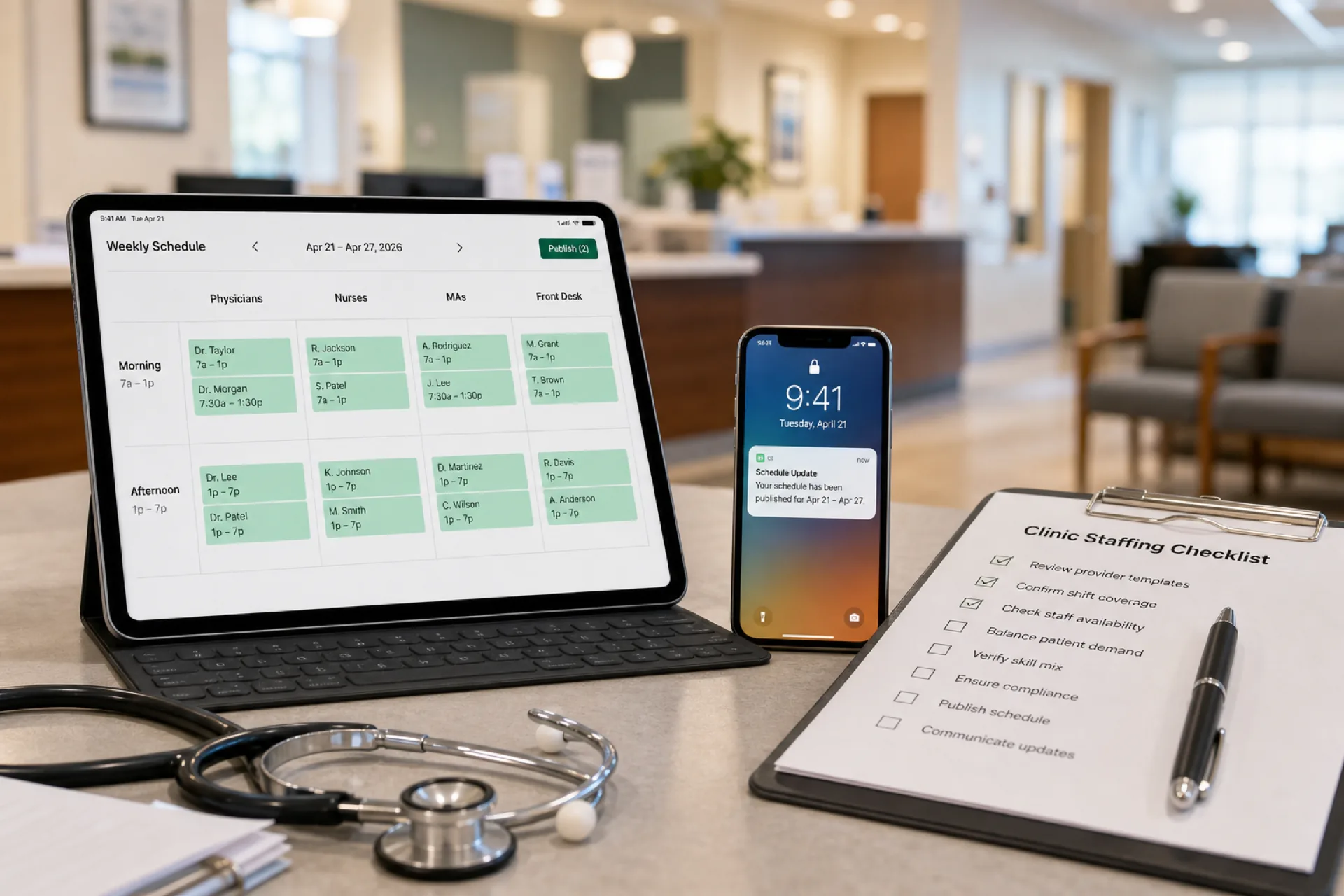
Skip to content
Medical Office Scheduling: Best Practices for Clinics and Healthcare Practices (2026)
Medical office schedulingMedical practice schedulingClinic staff schedulingMedical staff schedulingHealthcare scheduling softwareClinic workforce managementOutpatient schedulingMedical scheduling software

Medical Office Scheduling: Best Practices for Clinics and Healthcare Practices (2026)

Learn medical office scheduling best practices to improve staff coverage, reduce overtime, streamline attendance, and optimize workforce management for healthcare practices and multi-location clinic groups.

Published Heyshift Team20 min read

Medical office scheduling: best practices for clinics and healthcare practices (2026)

The front desk is short one receptionist. A physician session runs long because the medical assistant called off. Billing stays open past close because nobody updated the shared spreadsheet. Patients wait while managers text three versions of the same week.

Medical office scheduling is how family medicine clinics, specialty practices, urgent care centers, outpatient sites, physician groups, and diagnostic centers assign physicians, nurses, receptionists, and support staff so appointment flow stays smooth, labor cost stays visible, and practice managers stop living in Excel.

This guide is for practice administrators, office managers, and operations leads at groups with roughly 20 to 500 employees who need medical practice scheduling habits before they buy healthcare scheduling software.

Who should read this: Practice managers evaluating employee scheduling for medical offices, multi-location clinic owners, and administrators tired of schedule conflicts during peak appointment hours.

Compare healthcare staff scheduling software, nurse scheduling software, and the healthcare workforce management guide. For clinical outpatient depth, read clinic staff scheduling best practices. Use the medical office schedule template to standardize columns before software rollout.


Executive summary

Efficient medical office scheduling improves patient flow, reduces administrative workload, controls labor cost, and gives staff predictable weeks. Practices that publish early, match rosters to appointment demand, track attendance beside the plan, and communicate changes on one mobile channel spend less time fixing spreadsheets and more time running the floor.

In this guide you will learn:

  • What medical office scheduling includes across practice types
  • Why scheduling affects satisfaction, productivity, and compliance
  • Common challenges from sick leave to multi-location chaos
  • Eight best practices and role-based staffing strategies
  • How medical scheduling software supports attendance, leave, and reporting
  • How an 85-employee multi-specialty group fixed coverage across three sites
  • Buying checklist, common mistakes, and eighteen FAQs

Table of contents


What is medical office scheduling?

Medical office scheduling coordinates who works when across the full practice operation: clinical sessions, front desk coverage, nursing support, lab and imaging windows, billing hours, and float roles that absorb call-offs.

It is broader than the patient appointment book in your EHR. The EHR tells patients when to arrive. Medical staff scheduling tells your team who will be on the floor to deliver those visits.

Layer What it covers
Clinical Physician and APP session blocks, nurse and MA room assignments
Front office Reception, check-in, checkout, phone coverage by open hours
Back office Billing, referrals, prior auth, coding support windows
Diagnostic Lab draw, imaging, procedure prep staffing
Operations Practice manager oversight, float, on-call bands

Outpatient scheduling in a medical office follows appointment templates and site hours more than 24/7 inpatient grids, though urgent care and extended-hour primary care may run evenings and weekends.

Download the medical office schedule template for physician, MA, reception, and billing rows before you migrate to software. Pair with clinic staff schedule template when clinical room coverage is your primary pain.
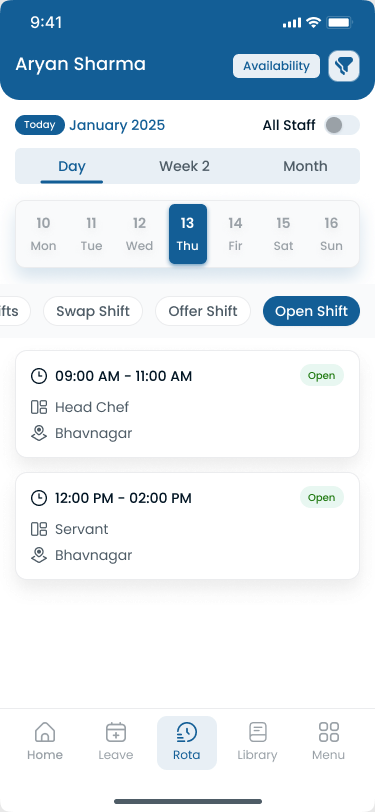
Medical office staff schedule tied to appointment flow on mobile

Medical office adoption works when clinical and front-office staff see the same official week on mobile.


Why medical office scheduling matters

Patient satisfaction: Wait time starts at check-in. Understaffed reception and clinical bands create bottlenecks patients remember in reviews.

Staff productivity: When roles are clear and coverage is balanced, MAs spend time with patients instead of hunting for who is working.

Appointment flow: Sessions need the right nurse, MA, and room support at the right hour. Scheduling is the workforce layer behind throughput.

Reduced wait times: Peak-hour staffing matched to demand curves beats adding bodies only after the lobby fills.

Labor cost control: Overtime in medical offices often comes from late publish and uncovered peaks, not from clinical complexity alone. Read healthcare overtime management.

Compliance: Wage and hour rules, meal and rest policies, and internal documentation assume you can show planned versus worked time. Explore healthcare attendance tracking best practices.

The American Medical Association practice management resources emphasize operational efficiency as access pressure rises. The Medical Group Management Association publishes workforce and operations benchmarks practice leaders use when staffing ratios slip. SHRM ties workforce planning to retention and cost control in professional office settings.

Patient flow starts with workforce coverage

Stage Staffing dependency
Phone and check-in Reception coverage by hour
Vitals and intake MA and nurse bands per session
Provider session Physician plus room support aligned
Orders and procedures Nurse and tech windows
Checkout and follow-up Front desk and care coordination
Billing and referrals Back-office hours matched to volume

When any stage is thin, the whole visit feels slow even if providers are available. Clinic workforce management is how practice leaders prevent that cascade.

Financial impact of weak medical office scheduling

Cost driver Symptom
Premium overtime Same staff on doubles every peak
Turnover Unpredictable weeks drive exits
Manager labor Hours merging spreadsheets
Payroll corrections Plan versus punch mismatch
Patient leakage Long waits reduce return visits

Use labor cost percentage calculator when finance sets outpatient labor targets.


Common medical office scheduling challenges

Challenge What breaks in the practice
Last-minute sick leave Rooms stall; phones go unanswered
Physician availability Sessions uncovered when PTO was not on the roster
Nurse scheduling Vitals and procedures backlog when RN bands are thin
Reception coverage Check-in queues spike at open and lunch return
Overtime Same MAs and nurses take doubles every peak week
Multi-location clinics Each site runs its own spreadsheet version
Communication gaps Group texts contradict the published week

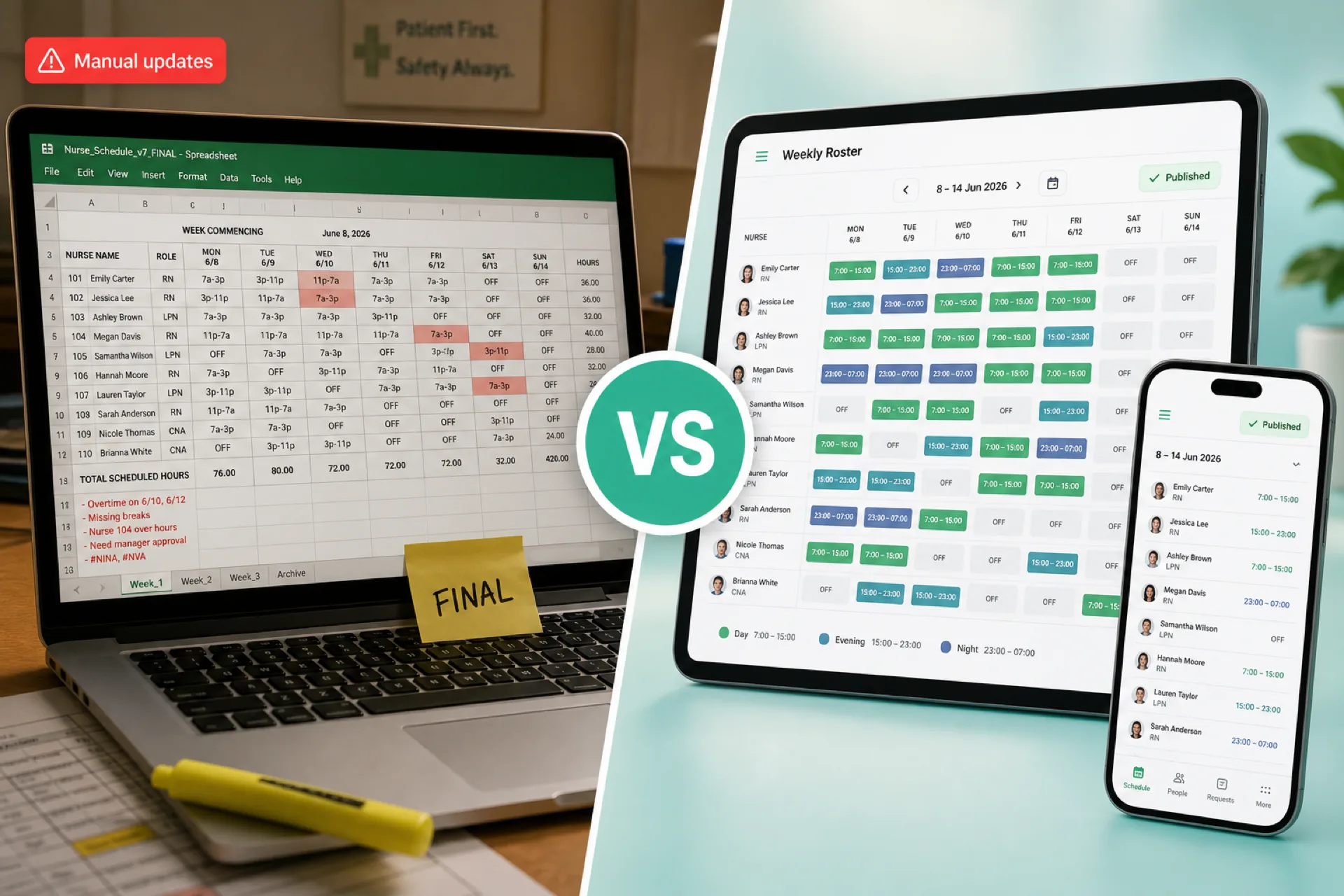
Why spreadsheets fail medical offices

Spreadsheets work until you add a second location, a second specialty, or a second manager who edits the file locally. Then version conflicts, hidden tabs, and email attachments become the schedule. Read why spreadsheets fail for workforce scheduling.

Multi-location physician groups

Groups with three to ten sites need site tags, consistent publish deadlines, and district roll-up without Sunday-night merges. Read multi-location workforce management guide when you outgrow single-site habits.


Medical office scheduling best practices

These eight habits apply across family medicine, specialty, urgent care, and diagnostic sites.

1. Publish schedules in advance

Give staff at least one to two weeks visibility when policy allows. Early publish reduces call-off chaos and gives managers time to post internal open shifts before overtime.

2. Track employee availability

Availability, PTO, and credential limits belong beside the grid, not in a separate HR email thread.

3. Balance workloads fairly

Rotate weekends, late closes, and float assignments using documented rules. Read fair staff rotas when staff push back on uneven bands.

4. Reduce unnecessary overtime

Review hour totals on draft schedules. Use overtime risk calculator before lock. Cross-link prevent overtime before payroll.

5. Enable shift swaps with approval

Flexibility reduces turnover when swaps are logged on the official roster, not in side texts.

6. Improve staff communication

Mobile notifications on the published app beat forwarded screenshots. Explore shift scheduling and mobile app.

7. Monitor attendance

Tie punches or check-ins to planned assignments. Compare attendance management software.

8. Review schedules weekly

Practice managers should review last week's variance, call-offs, and OT with clinical leads every week, not only at payroll.

Publish-first checklist

Step Owner Frequency
Import approved leave Office manager Before draft build
Match staff to appointment template Clinical lead Weekly
Post internal open shifts Scheduler After draft

Demand-based staffing for appointment templates

Map weekly appointment volume to role hours before names hit the grid.

  1. Export or estimate visits by day and hour from your EHR or practice management system
  2. Assign minimum reception, MA, and RN hours per band
  3. Subtract approved leave and education blocks
  4. Add float rows for known surge periods (flu, physicals, post-holiday backlog)
  5. Review hour totals against budget before publish lock

Practices that staff to average headcount instead of peak bands wonder why wait times spike every Tuesday afternoon.

30-day medical office scheduling improvement plan

Week Focus
1 Baseline OT, call-offs, and manager hours on scheduling
2 Standardize shift labels; adopt medical office schedule template
3 Publish one site or department on one official channel
4 Add attendance tie-in and weekly variance review with finance

Do not skip week one measurement. Buyers who cannot state current OT by site rarely prove ROI after rollout.

Staff scheduling strategies by role

Medical staff scheduling differs by role. One grid cannot treat physicians like receptionists.

Physicians and advanced practice providers

Schedule session blocks aligned to room count and expected visit volume. Block admin time separately so clinical staff are not scheduled into impossible bands.

Nurses and medical assistants

Staff to room throughput: vitals, procedures, injections, and turnover between patients. Urgent care needs higher MA ratios during evening surge than a single-specialty office.

Reception and patient access

Cover open, lunch, and close. Phone coverage must survive when one receptionist calls off. Many wait-time complaints start here.

Billing and back office

Align coding and referral staff to claim volume and payer deadlines, not only to front-door hours.

Float and cross-trained staff

Maintain a small float pool with documented skills. Float only works when hour totals are visible across the practice.

Scheduling by practice type

Practice type Scheduling focus
Family medicine Session templates, flu season surge rows
Specialty clinics Procedure days, equipment room coverage
Urgent care Evening and weekend bands, rapid fill
Outpatient surgery centers Pre-op and recovery ratios
Diagnostic imaging Modality windows and tech credentials
Physician groups Multi-site provider float and central staffing office

For deeper clinical outpatient playbooks, read clinic staff scheduling best practices. Hospital-owned practices with inpatient overlap should also review hospital staff scheduling best practices.


Technology, automation, and software benefits

Healthcare scheduling software for medical offices should unify workforce operations, not replace your EHR appointment book.

What software should handle

Capability Practice outcome
Employee scheduling One official roster per site on mobile
Attendance tracking Planned versus worked alignment
Leave management PTO blocks before assignments lock
Shift changes Approved swaps and manager edits logged
Mobile notifications Publish and open-shift alerts
Multi-location management Site tags and district reporting
Workforce reporting OT, fill rate, variance by department

Automation that matters

  • Hour totals and OT alerts while building the draft week
  • Open-shift posts to qualified staff before mandatory doubles
  • Leave calendar sync before publish
  • Attendance exceptions routed to manager approval
  • Weekly export path toward payroll

Explore workforce visibility and cost and labor insights when finance joins the evaluation.

EHR versus workforce scheduling

Your EHR schedules patients. Medical scheduling software schedules employees. Integrations help, but the workforce layer must stand alone so managers publish one truth.

Compare vendors in best healthcare staff scheduling software (2026) and the pillar healthcare workforce management guide.

Spreadsheets versus scheduling software

Method Best for Breaks when
Paper or whiteboard Single-provider micro practice Second MA or second site added
Excel or Google Sheets Stable single-site roster Multi-manager edits and versions
EHR staff module only Patient booking focus Workforce OT and attendance need depth
Workforce scheduling platform 20+ staff, multi-role, multi-site Never adopted on mobile

Read workforce scheduling software vs Excel when leadership debates timing.

Integrations practice managers should ask about

  • Payroll export or API path
  • HRIS employee record sync where applicable
  • Time clock or mobile punch options
  • Single sign-on for larger groups

Scheduling software does not need every integration on day one. It needs one official workforce timeline managers trust before payroll export.

The BLS medical assistant outlook projects strong ambulatory growth. The BLS healthcare practitioners outlook shows sustained demand across outpatient settings. When hiring lags volume, software amplifies discipline you already need: earlier publish, float pools, and OT pacing.


How a multi-specialty clinic improved scheduling

Before: 85 employees, three locations, manual grids

A multi-specialty clinic with roughly 85 employees across three locations struggled with manual scheduling. Each site maintained its own spreadsheet. Physicians, nurses, reception, and billing leads edited separate tabs. Call-offs triggered phone trees. Overtime stacked on the same medical assistants during peak hours. Attendance lived in a different system than the published week.

What changed

Leadership centralized medical office scheduling on one platform:

  • Publish-first weekly rosters per site with shared templates
  • Physician session rows linked to MA and RN support bands
  • Reception coverage matched to open hours and lunch gaps
  • Approved leave visible before weekly lock
  • Attendance tied to planned assignments
  • Mobile open shifts for qualified clinical and front-office staff
  • Weekly OT review with practice manager and finance
Area Before After
Scheduling Three Excel files One official roster per site
Conflicts Frequent double-booking Leave blocks on grid
Peak coverage Reactive doubles Open shifts before OT
Manager time Hours merging tabs Single publish workflow
Attendance Separate from plan Planned versus worked aligned

Outcome

Managers reduced scheduling conflicts, improved coverage during peak appointment hours, and spent less time updating spreadsheets. Staff reported clearer weeks. Finance saw fewer payroll surprises.

Lessons for other practices

  1. Standardize shift labels across sites before migration
  2. Pilot the busiest location, not the easiest manager
  3. Train reception and clinical staff on mobile together
  4. Stop email PDF rosters on a fixed cutover date
  5. Link scheduling habits to healthcare attendance tracking

Metrics the practice tracked after rollout

Metric Direction after 90 days
Manager hours on scheduling Down
Schedule conflicts per week Down
OT hours on peak bands Down
Internal open-shift fill rate Up
Payroll variance Down
Staff schedule satisfaction survey Up

The group did not change clinical protocols. They changed how workforce information moved through the week.


Common medical office scheduling mistakes

Mistake Why it hurts
Relying on spreadsheets Version chaos across sites and roles
Scheduling without demand forecasting Understaffed peaks, overstaffed slow blocks
Ignoring employee availability Assignments on approved PTO
Publishing schedules too late Call-offs and doubles increase
Poor communication during changes Parallel texts erode trust
Staffing to headcount only Ignores appointment volume curves
Splitting attendance from schedule Payroll variance every period
No float or cross-training plan Every absence becomes crisis OT

Avoid treating home health or caregiver field rules as identical to office workflows. Field teams need visit windows and routes. See home healthcare scheduling best practices and caregiver scheduling best practices only when those models apply.

Reducing wait times through roster discipline

Wait times rarely improve from asking clinical staff to work faster alone. They improve when check-in, vitals, and session bands match appointment volume.

Signal Scheduling response
Lobby backup at open Earlier reception arrival band
Vitals queue after 9 a.m. Add MA row to morning template
Afternoon session overruns Align nurse support to provider blocks
Checkout lines at close Extend front desk thirty minutes

Review patient feedback alongside OT and fill-rate reports in weekly workforce meetings. Scheduling is a patient experience lever when managers treat it as operations infrastructure.


Communication and schedule change discipline

Medical offices break down when managers announce changes in group texts that contradict the published week. Medical practice scheduling needs one communication path tied to the official roster.

Channel Use for
Mobile publish alert New week available
Open shift post Qualified internal fill
Approved swap Documented flexibility
Manager edit Official roster correction
Announcement Policy, training, weather

Communication rules for practice managers

  • Official roster lives in the workforce app, not email attachments
  • Post open shifts before calling individuals
  • Require manager approval on swaps for the published week
  • Reference assignment bands in surge messages, not names in side chats

Read employee shift swapping best practices and open shift and swap approvals. Explore location communication.


Compliance and record keeping for medical offices

Medical practices must maintain accurate time records for wage and hour compliance, internal policies, and payroll reconciliation. Medical office scheduling systems support documentation; they do not replace legal counsel.

Area Practice action
Meal and rest periods Document breaks relative to shift length per state rules
Minor labor rules Track age-appropriate bands where applicable
Overtime thresholds Configure alerts on draft schedules
Record retention Keep planned assignment, changes, and worked time aligned

Pair scheduling with labor compliance management and smart attendance rules. When disputes arise, use attendance corrections workflow.

State rules vary for meal, rest, and overtime. Confirm requirements for each state where you employ staff during vendor setup and policy review.


Medical office scheduling software buying guide

Practice managers evaluating medical scheduling software should score platforms on connected workflow, not checkbox features.

Must-have capabilities

Capability Why practices need it
Employee scheduling Official publish per site
Attendance tracking Planned versus worked on one timeline
Leave management Blocks before lock
Mobile app Front desk and clinical adoption
Overtime alerts Catch stacks before publish
Workforce reporting OT and variance for leadership
Multi-location support Site tags without merged Excel

Demo questions for practice managers

  1. Show physician session plus MA support on the same weekly view.
  2. How do reception coverage gaps trigger open-shift posts?
  3. Can we run three sites in one account with roll-up reporting?
  4. How are swap and leave approvals logged for payroll?
  5. What does attendance variance look like before export?

Heyshift fits growing medical practices and clinic groups (roughly 20 to 500 employees) that want scheduling, attendance, leave, overtime visibility, and multi-location support without enterprise implementation overhead.

Review pricing. Start a 30-day free trial or book a demo.

Read shift scheduling software buyer's guide and employee scheduling software ROI guide when building your business case.

Implementation timeline for growing practices

Phase Duration Milestone
Configure Weeks 1-2 Sites, roles, templates, leave types
Pilot Weeks 3-6 One busy location live on mobile
Expand Weeks 7-10 Remaining sites and billing bands
Optimize Weeks 11+ OT alerts, district reporting, finance cadence

Pilot the location with the messiest schedule, not the most cooperative manager. Pain there proves the platform faster.

Who should own the buying decision

Role Evaluation focus
Practice manager / administrator Daily publish workflow, mobile adoption
Clinical director MA, RN, and session alignment
Finance OT pacing, payroll export, variance
IT (if present) SSO, integrations, security review

Buying committees that exclude finance often discover payroll variance problems after go-live. Include nursing and front-office leads in the pilot, not only administrators. Document publish deadlines and swap policy before go-live so adoption has clear rules from week one.


Frequently asked questions

What is medical office scheduling?

Organizing physician, nurse, receptionist, and support staff schedules so the practice has adequate coverage, smoother patient flow, and controlled labor cost.

How is medical office scheduling different from clinic staff scheduling?

Medical office scheduling covers the full practice operation including billing and front office. Clinic staff scheduling goes deeper on clinical outpatient room coverage and MA/RN ratios.

How far in advance should clinic schedules be published?

Most groups aim for one to two weeks when policy allows. Urgent care and high-volume primary care benefit from earlier publish when call-off rates are high.

How can clinics reduce scheduling conflicts?

Sync leave before publish, use one official roster, post internal open shifts early, and require manager-approved swaps.

What software is best for medical office scheduling?

Practices need publish-first scheduling, attendance alignment, leave on the grid, mobile access, and multi-site reporting. Compare best healthcare staff scheduling software.

How does scheduling software improve patient care?

Better coverage at check-in, vitals, and session bands reduces wait times and room stalls. Software does not replace clinical skill; it supports consistent staffing.

Can scheduling software reduce overtime?

Yes, when hour totals and open shifts are visible during planning. See healthcare overtime management.

Should medical offices use the same system as hospitals?

Hospital-owned practices may share policies with acute sites, but outpatient medical offices usually need appointment-template scheduling, not inpatient unit grids.

Does scheduling software replace our EHR?

No. EHR handles patient appointments. Workforce software handles employee schedules, attendance, and labor reporting.

How do multi-location physician groups schedule?

Use site templates, central float visibility, consistent publish deadlines, and district OT reporting. Read healthcare workforce management guide.

What roles belong on a medical office roster?

Physicians, APPs, nurses, MAs, reception, lab and imaging support, billing, and float staff as applicable.

How do urgent care centers schedule differently?

Higher evening and weekend bands, faster open-shift fill, and separate templates from daytime primary care.

Is mobile access required?

Yes for MAs, nurses, and front desk staff who rarely live in desktop email.

How do we measure scheduling ROI?

Track manager hours on scheduling, OT per site, payroll variance, wait-time complaints, and turnover on high-OT roles.

Can small practices with 15 employees use scheduling software?

Yes, when a second provider, extended hours, or second site adds complexity.

What template should we start with?

Use the medical office schedule template to standardize rows before software.

Does Heyshift support multi-location medical offices?

Yes. Heyshift supports multi-location areas, mobile access, attendance, leave, and workforce reporting for growing practice groups.

Where should buyers compare vendors?

Read best healthcare staff scheduling software (2026) and healthcare staff scheduling software.

How do specialty clinics schedule procedure days?

Build separate templates for injection clinics, surgical prep days, and routine follow-up sessions. Staff equipment rooms and recovery support explicitly, not only provider sessions.

What is the first step to fix medical office scheduling?

Measure manager hours, OT by site, call-off rate, and payroll variance for 30 days. Then standardize publish rules before buying software.

Should billing staff share the same schedule as clinical staff?

Yes, on one workforce platform with role-specific rows. Billing hours often follow claim volume, not only front-door traffic.

How do diagnostic centers schedule technologists?

Credential and modality tags matter. Schedule CT, MRI, and ultrasound techs to equipment windows with crossover float only where licensed.

Final thoughts

Medical office scheduling is the operating rhythm behind patient flow, staff retention, and practice margin. When publish, attendance, leave, and communication live in one system, practice managers stop reconciling spreadsheets and start staffing to demand.

As medical practices grow, managing staff schedules manually becomes increasingly difficult. Heyshift helps clinics simplify employee scheduling, attendance tracking, leave management, and workforce communication from one centralized platform.

Review pricing. Start a 30-day free trial, book a demo, or contact Heyshift with your site count, specialties, and scheduling goals.

One line to keep: staff the whole office to appointment demand, publish once, and let every role see the same week on mobile.