

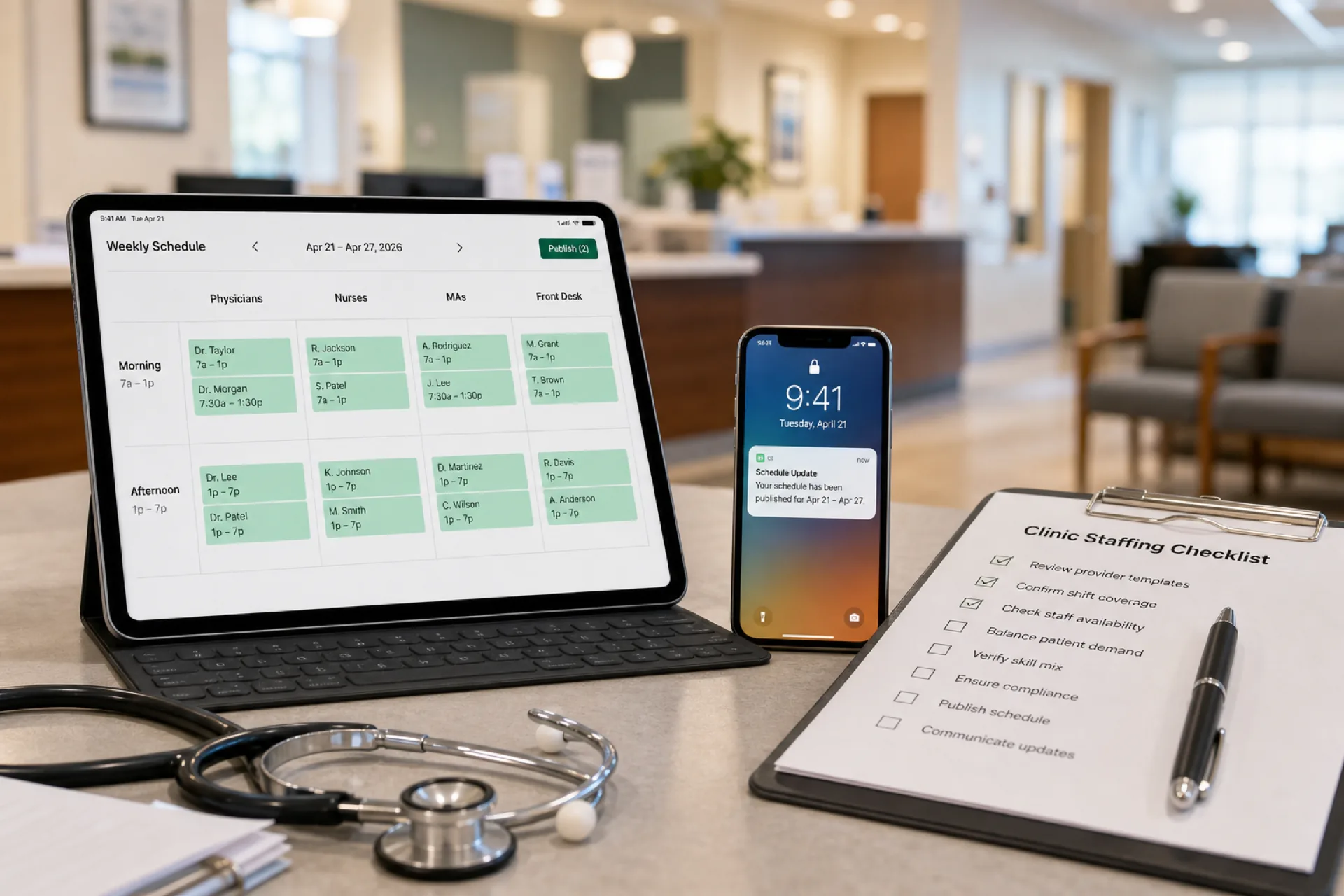
Clinic Staff Scheduling: Best Practices for Medical Clinics (2026)
Learn clinic staff scheduling best practices to improve patient coverage, reduce overtime, optimize physician and nurse rosters, and streamline outpatient workforce management with publish-first scheduling software.
Clinic staff scheduling: best practices for medical clinics (2026)
Primary care opens at 8 a.m. Urgent care surges at 5 p.m. A specialist clinic runs three rooms with one float medical assistant who is also on the phone tree for call-offs. When clinic staff scheduling lives in spreadsheets and group texts, wait times stretch, overtime stacks on the same nurses, and front desk staff learn about shift changes from a screenshot that is already outdated.
Outpatient care is where most patients meet your organization. Physicians, nurses, medical assistants, receptionists, lab staff, and billing support all depend on a roster that matches appointment demand, not last week's guess.
This guide covers clinic staff scheduling best practices for primary care, family medicine, urgent care, specialty clinics, outpatient centers, diagnostic sites, and community health clinics with roughly 20 to 200 employees evaluating clinic scheduling software.
Featured answer: What is clinic staff scheduling? Clinic staff scheduling is the process of assigning physicians, nurses, medical assistants, receptionists, and support staff to shifts while balancing patient demand, employee availability, and labor costs.
Who should read this: Practice administrators, clinic managers, nurse supervisors, and operations leads who need practical outpatient roster habits before they compare platforms.
Compare healthcare staff scheduling software, nurse scheduling software, and attendance management software. For related playbooks, read medical office scheduling best practices, healthcare attendance tracking best practices, caregiver scheduling best practices, and best employee scheduling software for healthcare teams. Use the overtime risk calculator before you publish the week.
Executive summary
Effective medical clinic scheduling improves patient experience, reduces staff burnout, controls overtime, and gives managers one official roster across rooms, sites, and roles. Clinics that publish early, match staffing to demand, and track attendance beside the schedule spend less time on payroll corrections and more time on throughput and care quality.
In this guide you will learn:
- What clinic staff scheduling includes across outpatient settings
- Why scheduling matters for wait times, retention, and compliance
- Outpatient clinic workforce trends in 2026
- Common challenges from physician availability to multi-site chaos
- Eight scheduling best practices you can apply this month
- Essential software features and method comparisons
- Benefits of digital scheduling for growing clinics
- How a multi-location outpatient group improved coverage across three sites
- Buying checklist, common mistakes, and fifteen FAQs
Table of contents
- What is clinic staff scheduling?
- Outpatient clinic workforce trends in 2026
- Why clinic staff scheduling matters
- Common clinic scheduling challenges
- Clinic scheduling by practice type
- Clinic staff scheduling best practices
- Sample clinic staffing model
- Handling last-minute absences in clinics
- Scheduling methods compared
- Essential clinic scheduling software features
- Benefits of digital clinic scheduling
- How a multi-location outpatient clinic improved scheduling
- Choosing clinic scheduling software
- Common clinic scheduling mistakes
- 30-day improvement checklist
- Reducing wait times through roster discipline
- Compliance and workforce planning notes
- Frequently asked questions
- Final thoughts
What is clinic staff scheduling?
Clinic staff scheduling assigns outpatient teams to shifts, rooms, and sites so patient demand is covered without overworking the same people every peak hour.
It typically includes:
- Physician and advanced practice provider session blocks
- Nurse and medical assistant room or pod assignments
- Front desk and patient access coverage by open hours
- Lab, imaging, and phlebotomy support where applicable
- Lunch, break, and handoff coverage so rooms do not stall
- On-call or float roles for call-offs and surge periods
- Published roster discipline tied to attendance and payroll
Clinic employee scheduling differs from inpatient nursing grids: shifts follow appointment templates and open hours more than 24/7 unit bands, though urgent care and community health sites may run evenings and weekends.
Download the clinic staff schedule template for a starting weekly grid before you move to software.
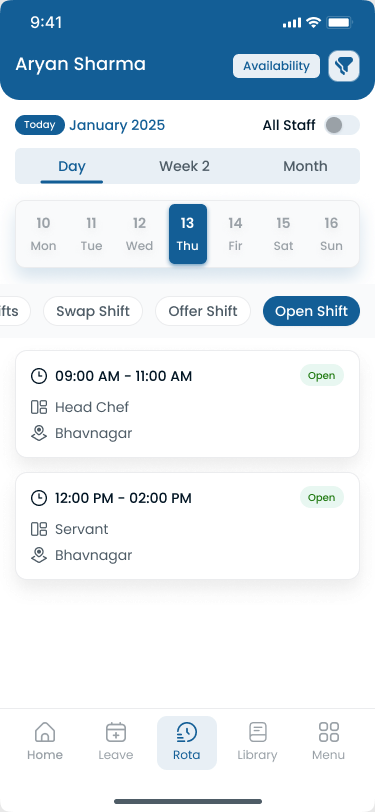
Clinic adoption works when every role sees the same official week on mobile, not a forwarded email attachment.
Outpatient clinic workforce trends in 2026
Outpatient operators enter 2026 with appointment backlogs, thin clinical benches, and patients who judge the whole visit by wait time and staff attitude. Clinics stabilizing labor cost publish earlier, staff to demand curves, and review attendance beside the roster daily.
| Trend | What operators see | Scheduling implication |
|---|---|---|
| Primary care access pressure | More visits per provider than last year | Match MA and RN ratios to session templates |
| Urgent care evening surge | Peak hours differ from daytime clinics | Separate templates for urgent vs scheduled care |
| Nurse and MA shortages | Open roles; overtime fills gaps | Publish two weeks ahead; maintain float pools |
| Multi-site outpatient groups | Three to ten clinics under one brand | One account with site tags and roll-up |
| Patient expectations on wait time | Online reviews mention staffing | Staff front desk and clinical bands to volume |
| Mobile-first clinical support | MAs and nurses ignore email | Push notifications on official app |
Clinical and support roles stay in demand
The BLS registered nurse outlook projects continued need in ambulatory care settings. The medical assistant outlook shows faster than average growth as outpatient services expand. When hiring lags volume, scheduling must assume scarcity: cross-train floats, post internal open shifts first, and cap repeat overtime on the same names.
Appointment volume shifts faster than static grids
Flu season, school physical rushes, and new payer panels reshape weekly demand. Static spreadsheets cannot absorb that churn without version conflicts. Publish-first software plus a weekly demand review beats rebuilding tabs every Sunday night.
Quality and access programs raise visibility
Medicare and Medicaid quality initiatives under CMS reward timely, organized care delivery. Scheduling software does not replace clinical documentation. It helps managers align staff hours with the access patients expect.
Roles outpatient clinics schedule:
- Physicians and advanced practice providers
- Registered nurses and licensed practical nurses
- Medical assistants and patient care technicians
- Front desk and patient access staff
- Lab, phlebotomy, and imaging support
- Billing and referral coordinators (where in-house)
- Practice managers and float staff
Clinic scheduling software does not replace your EHR schedule or patient booking system. It gives you one workforce layer for publish, attendance, leave, and communication. Read employee scheduling software ROI guide when you frame labor savings during evaluation.
Why clinic staff scheduling matters
Patient satisfaction: Wait times and room readiness start with whether the right staff are on the floor when appointments stack.
Throughput: Understaffed bands create bottlenecks at check-in, vitals, provider sessions, and checkout.
Staff workload: Uneven assignment burns out MAs who always float while others stay in one room.
Overtime costs: Peak-hour gaps filled with premium hours compress margin fast in outpatient settings.
Employee retention: Late publish, surprise doubles, and chaotic texts drive turnover in tight labor markets.
Compliance: Meal and rest rules, minor labor requirements, and internal policies assume you can show who worked when.
Explore shift scheduling and workforce visibility for publish-first outpatient basics.
Common clinic scheduling challenges
| Challenge | What breaks in outpatient care |
|---|---|
| Last-minute sick leave | Rooms stall; wait times spike |
| Physician availability | Sessions uncovered when PTO was not in the roster |
| Nurse and MA shortages | Vitals and procedures backlog |
| Appointment demand swings | Monday and post-holiday surges |
| Lunch and break compliance | Rooms uncovered during meal periods |
| Multiple clinic locations | Parallel spreadsheets per site |
| Shift changes | Staff arrive for old room assignments |
| Overtime management | Same nurses exceed thresholds weekly |
| Front desk gaps | Check-in lines while clinical staff wait |
Pair fixes with healthcare attendance tracking best practices and prevent overtime before payroll.
Clinic scheduling by practice type
Primary care and family medicine
Stagger provider sessions, MA room assignments, and front desk coverage by open hours. Build templates for flu season and well-visit rushes.
Urgent care
Staff evening and weekend bands separately from daytime primary care. Plan float roles for surge hours when walk-ins spike.
Specialty and diagnostic clinics
Match credentialed MAs and nurses to procedure types. Room turnover time belongs in the staffing model, not only the appointment book.
Community health centers
Balance access expansion with grant reporting hours. Publish one official roster per site with language and skill tags where programs require them.
For long-term care patterns, see assisted living staff scheduling best practices and how to create a nursing home staff schedule. For field care, see home healthcare scheduling best practices.
Clinic staff scheduling best practices
1. Publish schedules in advance
Give clinical and support staff at least one to two weeks' notice when possible. Early publish supports PTO planning, internal shift pickup, and fewer panic doubles on Monday morning.
Publish-first means one official roster on mobile, not a PDF in email.
2. Track staff availability accurately
Maintain physician session preferences, MA credentials, PTO, and part-time boundaries in the same system you publish from. Scheduling against outdated availability creates conflicts that become overtime.
Explore people and availability.
3. Match staffing to patient demand
Review appointment volume, seasonality, and no-show patterns when building the week. Staff front desk and clinical bands to expected throughput, not only minimum headcount.
Demand signals to review weekly:
- Appointment counts by day band from your EHR or practice management system
- Average wait time or room idle reports if your site tracks them
- No-show and cancellation rates that free capacity unexpectedly
- Seasonal spikes such as flu clinics, school physicals, or post-holiday surges
- Provider session length changes when new specialties or procedures launch
When demand rises, add float MA or front desk coverage to the published roster before the week starts, not only when the waiting room is full.
Matching rooms, sessions, and support staff
| Workflow stage | Scheduling question |
|---|---|
| Check-in | Is front desk staffed for the first hour of appointments? |
| Vitals and intake | Does each open session have MA coverage? |
| Provider session | Are nurses available for procedures and escalation? |
| Checkout and referrals | Is admin support staffed through last appointment? |
| Lab or imaging | Are phlebotomy bands aligned with ordered volume? |
Build these checks into your daily manager review so patient experience does not depend on whoever notices the line first.
4. Balance workloads fairly
Track who covered last Saturday urgent shift, last holiday clinic, and last mandatory float week. Fair rotation improves retention more than reactive thank-you gifts.
5. Automate shift notifications
Schedule changes, room reassignments, and session updates should reach staff through the same app as the official week.
Use the Heyshift mobile app and location communication for deskless clinical teams.
6. Manage leave digitally
Approved PTO and sick leave should appear before managers assign sessions. Explore leave management.
7. Review staffing metrics regularly
Each week, review overtime by site, call-off patterns, wait-time complaints tied to bands, and open-shift fill rate. Fifteen minutes of review beats emergency staffing on Wednesday.
Use attendance reports and analytics and workforce visibility for roll-ups.
8. Use mobile scheduling for floor staff
MAs, nurses, and front desk staff need phone access to the official roster, open shifts, and alerts. Paper on the break room wall is not a system.
Monitor hour totals while building the week with the overtime risk calculator.
Daily clinic manager checklist
| Step | Question |
|---|---|
| Session coverage | Is every provider block staffed with MA and RN support? |
| Front desk | Does check-in coverage match appointment volume today? |
| Call-offs | Did internal open shifts fill before overtime? |
| Breaks | Are lunch bands covered without closing rooms? |
| Overtime | Who is near hour limits today and this week? |
Sample clinic staffing model
Adapt to your rooms, sites, and scope of practice. This table is an operational planning example for a multi-provider primary care clinic, not legal staffing advice.
| Time band | Physicians | Nurses | MAs | Front desk |
|---|---|---|---|---|
| Open to midday | 4 sessions | 2 | 6 | 3 |
| Midday to close | 3 sessions | 2 | 5 | 2 |
| Saturday half-day | 2 sessions | 1 | 3 | 2 |
How to use this model:
- Assign MAs to rooms or pods in the published roster, not only totals
- Add float MA for call-offs during flu season weeks
- Align front desk count to check-in volume, not only provider count
- Review bands weekly against appointment reports from your EHR
Start from the clinic staff schedule template or healthcare employee schedule template.
Handling last-minute absences in clinics
Clinical call-offs: publish open shift to qualified MAs or nurses by credential before texting overtime names.
Provider session changes: update the official roster and notify room staff through the app, not parallel texts.
Front desk gaps: pull from cross-trained admin pool with hour check before extending clinical staff.
Urgent care surges: use named float band on the roster instead of ad hoc doubles.
Document approved changes on the published schedule so healthcare attendance tracking and payroll align.
Read reduce employee no-shows and last-minute call-offs and employee shift swapping best practices.
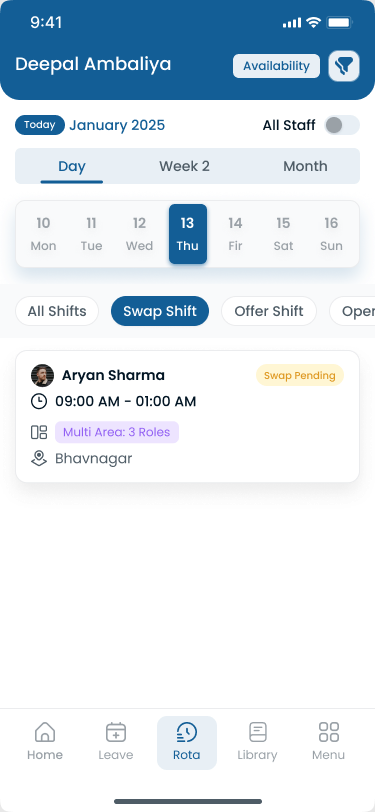
Swap requests should update the same published week managers and payroll trust.
Scheduling methods compared
| Method | Best for | Limitations |
|---|---|---|
| Paper schedules | Very small single-site clinics | Hard to update; no mobile; weak audit trail |
| Excel | Small practices piloting process | Manual; version conflicts; no alerts |
| Calendar apps | Basic visibility | Limited workforce, OT, and leave features |
| Scheduling software | Growing multi-room and multi-site clinics | Subscription cost; requires rollout discipline |
Most clinics outgrow Excel between 30 and 80 employees or when they add a second location. Clinic scheduling software wins when publish, attendance, leave, swaps, and reporting must stay on one timeline.
Scaling multi-location outpatient groups
Regional clinic operators often inherit one Excel file per site. That works until a float MA covers two locations in one week and finance asks which roster was official.
Multi-site habits that scale:
- Use one platform with site tags and shared role definitions
- Standardize publish day and time across clinics (for example, Tuesday for next week)
- Compare overtime and fill rate by site in weekly leadership review
- Train managers on the same swap and open-shift approval path
- Keep clinic-specific session templates but one attendance and leave policy
Explore multi-location scheduling software and multi-location areas when you operate several outpatient sites under one brand.
See why spreadsheets fail for workforce scheduling and workforce scheduling software vs Excel.
Essential clinic scheduling software features
| Feature | Clinic outcome |
|---|---|
| Employee scheduling | Faster build; one published roster per site |
| Attendance tracking | Planned vs worked hours before payroll |
| Leave management | PTO visible before session assignments |
| Mobile app | Floor staff see room and shift changes |
| Shift swapping | Flexibility with manager approval |
| Multi-location management | Regional roll-up across clinics |
| Workforce reporting | OT, attendance, and fill-rate trends |
| Overtime monitoring | Alerts while planning, not after export |
| Real-time notifications | Instant delivery of schedule changes |
Optional EHR integration depth depends on your vendor stack. Heyshift focuses on publish-first scheduling, attendance tracker, leave, swaps, and mobile access.
Benefits of digital clinic scheduling
Digital outpatient clinic scheduling helps organizations:
- Create schedules faster with templates by site and role
- Reduce scheduling conflicts with one official roster
- Improve attendance visibility beside published shifts
- Reduce overtime through alerts and internal open shifts
- Improve communication via app notifications
- Support payroll accuracy when attendance ties to plan
- Improve patient coverage during peak appointment bands
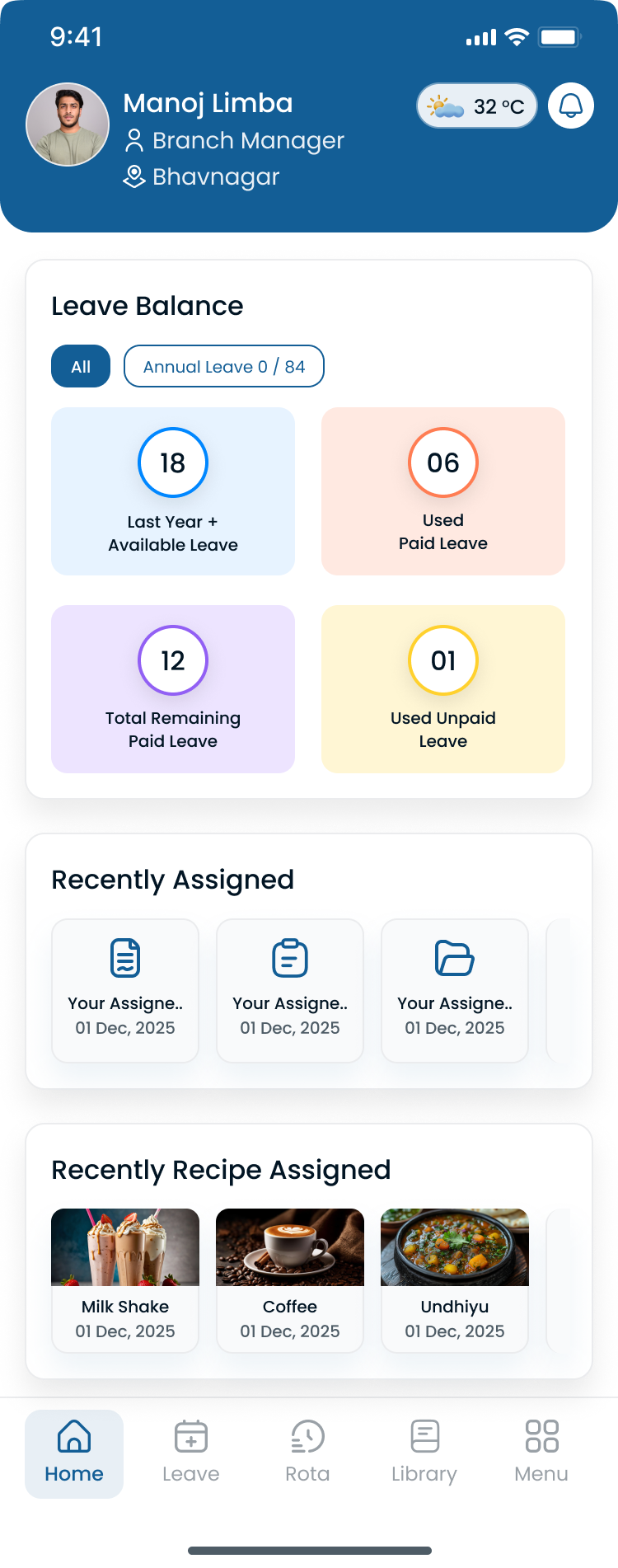
Review hour totals before publish, not only when payroll exports.
How a multi-location outpatient clinic improved scheduling
Before: 150 employees, three sites, manual grids
A multi-location outpatient clinic group with roughly 150 employees across three sites ran clinic staff scheduling through site-specific Excel files, manager texts, and email attachments. Peak-hour staffing gaps were common. Overtime stacked on the same nurses. Payroll corrections cited schedule mismatches weekly. Patients waited while rooms sat ready because MA assignments lived in a supervisor's notebook.
The week that exposed the gap
During a post-holiday surge, two sites published different versions of the same Monday roster. A provider session ran without vitals support for forty minutes. Front desk lines backed up while an MA was assigned to a room that had cancelled. Finance flagged overtime on staff who had already worked five consecutive days.
After: digital scheduling with mobile notifications
The group moved to centralized clinic scheduling software with site tags, publish-first discipline, manager-approved open shifts, mobile notifications, and attendance tied to published bands.
| Challenge | Before | After |
|---|---|---|
| Schedule versions | Excel per site plus email PDFs | One published roster per clinic on mobile |
| Peak-hour coverage | Reactive doubles | Templates adjusted to demand bands |
| Call-off fill | Supervisor texts | Open shifts with approval on official app |
| Overtime | Discovered at payroll export | Hour totals visible while building the week |
| Communication | Email and personal texts | Schedule changes through official notifications |
| Payroll corrections | Frequent retro fixes | Fewer disputes; attendance tied to plan |
Software did not replace their EHR appointment schedule. It gave managers one workforce layer staff and finance could trust.
Compare healthcare staff scheduling software and nurse scheduling software.
Choosing clinic scheduling software
Evaluate clinic scheduling software on:
| Requirement | Why it matters |
|---|---|
| Ease of scheduling | Managers publish without IT tickets |
| Attendance tracking | Payroll accuracy beside shifts |
| Mobile accessibility | Floor staff live on phone |
| Leave management | PTO before session publish |
| Multi-location support | Roll-up for regional groups |
| Reporting | OT and coverage trends by site |
| Payroll integration or export | Clean finance handoff |
| Scalability | New sites without new spreadsheets |
Demo questions for clinic administrators
- Can we template primary care, urgent care, and specialty bands separately?
- Do MAs and nurses see room assignments on mobile?
- How do open shifts notify qualified staff without spamming the whole clinic?
- Does attendance reference the published shift or session block?
- Can regional leads compare OT and fill rate across sites?
As clinics grow, manual scheduling becomes increasingly difficult. Heyshift helps healthcare organizations schedule employees, track attendance, manage leave, monitor overtime, and coordinate teams across locations from one platform.
Review pricing. Start a 30-day free trial or contact Heyshift with your clinic count and roles.
Common clinic scheduling mistakes
Using spreadsheets at scale: version chaos when call-offs hit hourly.
Scheduling without demand forecasting: rooms look staffed on paper while patients wait.
Ignoring employee availability: conflicts become overtime or no-shows.
Delayed schedule updates: staff plan life around old PDFs.
Poor communication: parallel texts undermine the official roster.
Over-reliance on overtime: premium pay replaces roster discipline.
Understaffing front desk: clinical staff pulled to check-in lines.
No float or cross-training plan: every absence becomes a crisis.
Separating attendance from scheduling: payroll disputes and weak accountability.
One template for every site: urgent care and primary care demand differ.
30-day improvement checklist
| Week | Focus | Actions |
|---|---|---|
| Week 1 | Baseline | List sites, roles, open hours, current publish rhythm |
| Week 2 | One roster | Official publish channel; stop email PDF as source of truth |
| Week 3 | Demand bands | Align MA and front desk to appointment volume |
| Week 4 | Mobile and metrics | Confirm staff use official app; weekly OT review |
Pilot one clinic before group-wide rollout if change management is tight.
Reducing wait times through roster discipline
Long wait times are not only an appointment-book problem. They often trace to staffing gaps at check-in, vitals, or checkout while provider sessions look fully booked.
Scheduling levers that affect wait time:
- Staff the first and last hour of clinic operations, not only midday peaks
- Keep a named float MA on the roster during high-volume bands
- Publish room assignments so vitals start before the provider is waiting
- Align front desk count with scheduled arrivals, not average daily volume
- Review no-show patterns so you do not over-staff quiet bands while under-staffing busy ones
When wait-time complaints rise, compare the complaint hour to the published roster before adding provider sessions alone.
Compliance and workforce planning notes
Outpatient clinics must follow federal and state wage and hour rules, meal and rest requirements where applicable, and internal HR policies. Scheduling software supports operational discipline; it does not replace legal counsel or HR compliance programs.
The Occupational Safety and Health Administration publishes healthcare worker safety guidance relevant to shift length and safe work practices. SHRM workforce planning resources tie labor forecasting to retention and cost control.
Pair scheduling with healthcare attendance tracking best practices and payroll integration planning before finance cutover.
Final thoughts
Better clinic staff scheduling improves patient care, reduces administrative workload, supports staff well-being, and helps outpatient organizations operate efficiently as they add rooms, providers, and sites.
Clinics that publish early, match staffing to demand, track attendance digitally, and replace spreadsheet rotas with modern clinic workforce management software gain the visibility to keep sessions covered without burning out the same team every peak hour.
Staff to demand, publish once, and review the roster every morning before the first patient checks in.
Related Healthcare Resources
Frequently Asked Questions
Continue with related topics
More articles on topics related to this one.

Medical Office Scheduling: Best Practices for Clinics and Healthcare Practices (2026)
Learn medical office scheduling best practices to improve staff coverage, reduce overtime, streamline attendance, and optimize workforce management for healthcare practices and multi-location clinic groups.
Read article
Best Healthcare Staff Scheduling Software (2026): Compare the Top Solutions
Compare the best healthcare staff scheduling software for hospitals, clinics, nursing homes, assisted living, and home healthcare agencies. Features, pricing factors, and buying guidance for growing care organizations.
Read article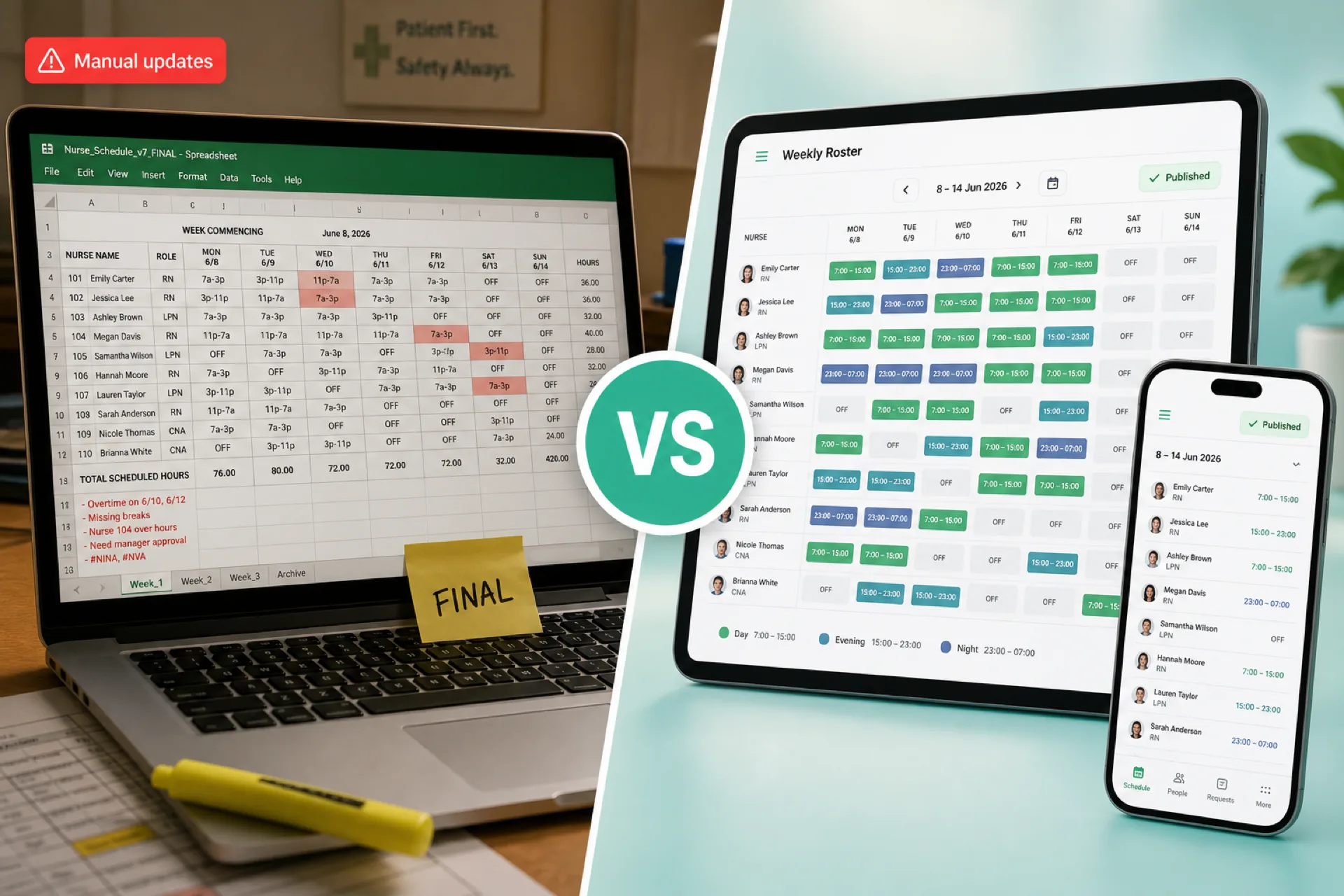
Healthcare Scheduling Software vs. Excel: Which Is Better for Managing Staff? (2026)
Compare healthcare scheduling software and Excel for staff scheduling, availability, open shifts, attendance, overtime, and multi-location workforce management. Learn when each option fits.
Read article