

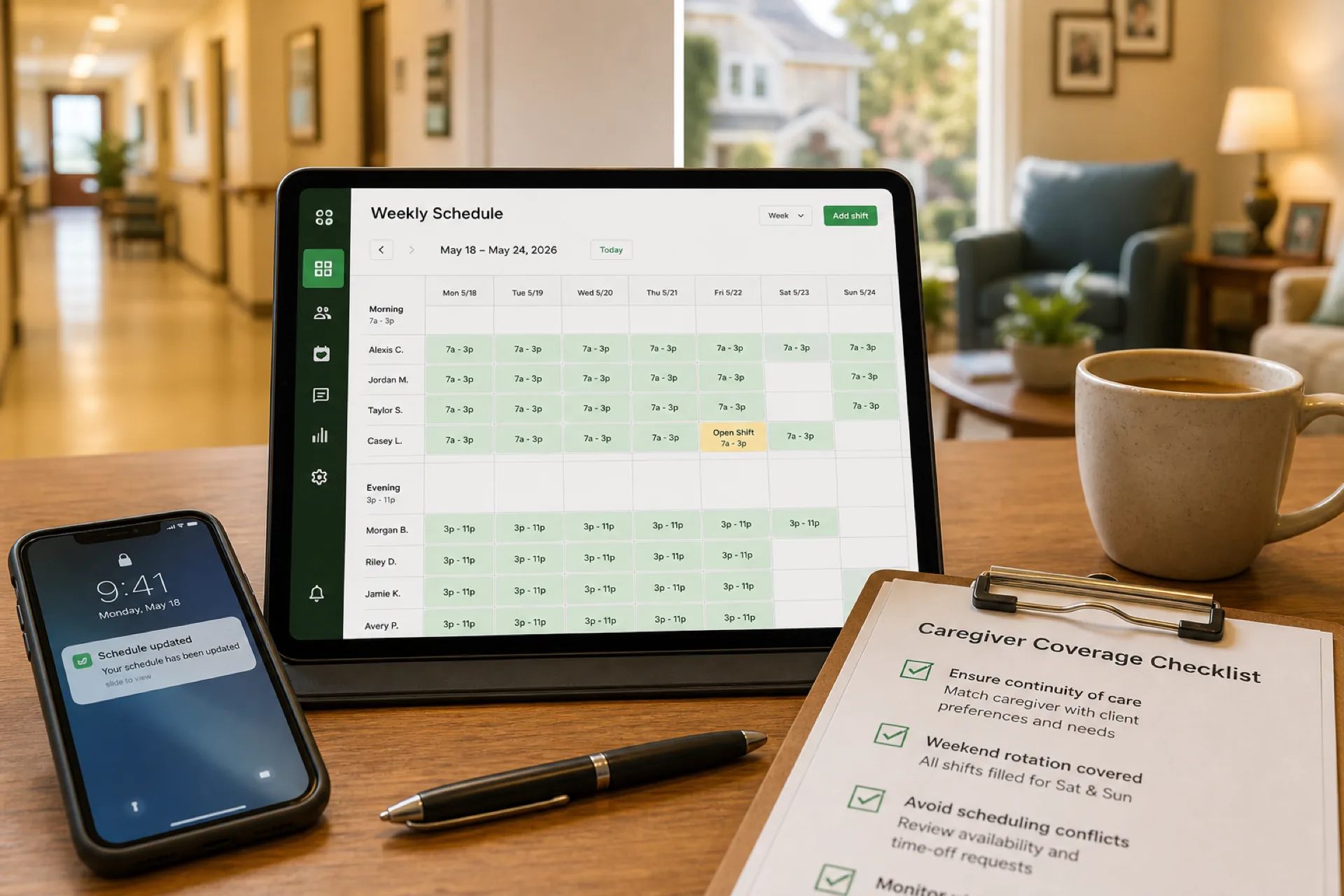
Caregiver Scheduling: Best Practices to Improve Coverage and Reduce Burnout (2026)
Learn caregiver scheduling best practices to improve shift coverage, reduce overtime, prevent burnout, and manage home healthcare, senior care, and personal care teams more efficiently with publish-first workforce software.
Caregiver scheduling: best practices to improve coverage and reduce burnout (2026)
Caregivers are the workforce patients and residents remember. They show up at the bedside, in the apartment, at the memory care wing, and in the van between client homes. When caregiver scheduling is reactive, the same ten people absorb every call-off, every holiday gap, and every double until burnout becomes your turnover strategy.
Demand for home care, senior living, and disability support keeps rising while hiring stays hard. Operators who publish early, match caregivers to care needs fairly, and give deskless staff one mobile roster spend less time in crisis texts and more time on continuity, families, and margin.
This guide covers caregiver scheduling best practices for home healthcare agencies, personal care and disability providers, assisted living communities, nursing homes, and other USA care organizations with roughly 25 to 300 caregivers evaluating caregiver scheduling software.
Featured answer: What is caregiver scheduling? Caregiver scheduling is the process of assigning caregivers to clients, shifts, or facilities based on availability, qualifications, care requirements, and labor regulations while ensuring adequate coverage and efficient workforce management.
Who should read this: Agency owners, schedulers, DONs, and operations leaders who manage caregiver-heavy teams and need practical coverage habits before they compare platforms.
Compare healthcare staff scheduling software, nurse scheduling software, and attendance management software. For setting-specific depth, read home healthcare scheduling best practices, assisted living staff scheduling best practices, how to create a nursing home staff schedule, and healthcare attendance tracking best practices. Use the overtime risk calculator before you publish.
Executive summary
Growing demand for caregivers makes caregiver workforce management a core operational skill, not a back-office afterthought. Effective scheduling protects continuity of care, reduces employee burnout, controls labor cost, and gives managers visibility across clients, wings, or counties.
In this guide you will learn:
- What caregiver scheduling includes across care settings
- Why scheduling matters for retention, compliance, and care quality
- Caregiver workforce trends shaping 2026
- Common challenges from call-offs to multi-location chaos
- Eight scheduling best practices you can apply this month
- Essential software features and scheduling method comparisons
- Benefits of digital scheduling for growing care organizations
- How a 120-caregiver agency improved coverage across three counties
- Buying checklist, common mistakes, and fifteen FAQs
Table of contents
- What is caregiver scheduling?
- Caregiver workforce trends in 2026
- Why caregiver scheduling matters
- Common caregiver scheduling challenges
- Caregiver scheduling by care setting
- Caregiver scheduling best practices
- Sample caregiver coverage model
- Handling call-offs and coverage gaps
- Scheduling methods compared
- Essential caregiver scheduling software features
- Benefits of digital caregiver scheduling
- How a home healthcare agency improved caregiver coverage
- Choosing caregiver scheduling software
- Common caregiver scheduling mistakes
- 30-day improvement checklist
- Compliance and workforce planning notes
- Frequently asked questions
- Final thoughts
What is caregiver scheduling?
Caregiver scheduling assigns direct care staff to the people and places that need them: client visits in home care, shift bands in assisted living, unit coverage in skilled nursing, or shared living sites in disability services.
Strong caregiver scheduling accounts for:
- Employee availability, PTO, and secondary jobs
- Skills and credentials required for each assignment
- Client or resident care plans and continuity preferences
- Travel time or wing assignments depending on setting
- Overtime thresholds and fair workload distribution
- Published roster discipline so mobile staff trust one official week
Caregiver scheduling differs from generic employee scheduling for caregivers only in emphasis: continuity, burnout, and coverage quality matter as much as clock time.
For home visit routing depth, see home healthcare scheduling best practices. For facility shift templates, see how to create a nursing home staff schedule.
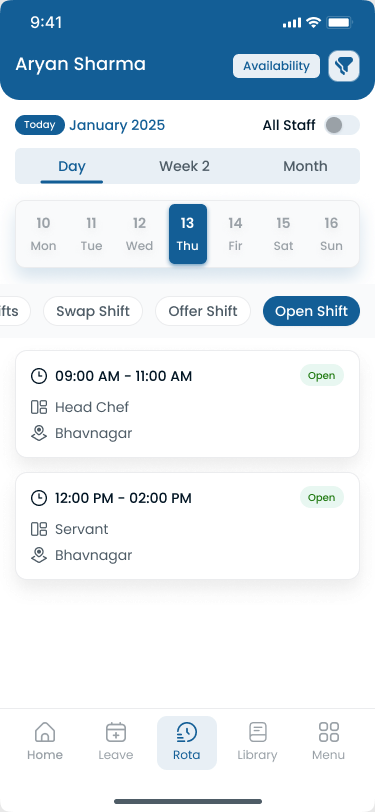
Caregivers adopt scheduling when the official week is on mobile, not in yesterday's group chat screenshot.
Caregiver workforce trends in 2026
Caregiver employers enter 2026 with rising acuity, thin applicant pools, and families who expect consistent faces, not a new stranger every week. Operators winning on retention publish earlier, balance workloads visibly, and tie attendance to the same roster caregivers already follow.
| Trend | What operators see | Scheduling implication |
|---|---|---|
| Aide and caregiver shortages | Open roles unfilled; overtime fills gaps | Publish two weeks ahead; maintain backup pools |
| Aging population | More hours of care demanded | Rebuild templates by acuity, not last year's grid |
| Burnout and turnover | Same caregivers work every holiday | Fair weekend rotation; cap consecutive heavy shifts |
| Multi-location growth | Counties, wings, or branches multiply | One account with site or area tags |
| Mobile-first caregivers | Staff ignore email and paper | Push notifications on official app |
| Payer and family scrutiny | Missed coverage triggers complaints | One published plan coordinators can defend |
Caregiver demand outpaces hiring
The BLS outlook for home health and personal care aides projects much faster than average employment growth through the decade, driven by aging populations and preference for care at home and in community settings. When requisitions outpace hires, scheduling must assume scarcity: cross-train backups, post internal open shifts first, and stop stacking overtime on the same caregivers every week.
Continuity expectations rose with acuity
Families and case managers increasingly expect familiar caregivers for high-acuity clients and memory care residents. Constant reassignment hurts outcomes and reviews. Tag continuity preferences on the roster and treat swaps as exceptions with approval, not default chaos.
Quality and documentation pressure continues
Medicare-certified home health and survey-driven residential settings operate under CMS quality programs that reward organized, reliable care delivery. Scheduling software does not replace clinical documentation. It gives coordinators one published plan field staff and healthcare attendance tracking records can reference.
Caregiver roles operators schedule:
- Home health aides and personal care aides
- Certified nursing assistants and resident caregivers
- Private duty and companion caregivers
- Disability support and direct support professionals
- Medication aides where scope allows
- Scheduling coordinators and field supervisors
Caregiver scheduling software does not replace your EMR, EVV vendor, or state licensure process. It gives you one workforce layer for publish, attendance, leave, and communication. Read best employee scheduling software for home healthcare agencies when you compare commercial platforms.
Why caregiver scheduling matters
Continuity of care: Clients and residents build trust with consistent caregivers. Scheduling is how you protect that relationship on the roster, not only in the care plan.
Patient and family satisfaction: Missed visits, late arrivals, and unfamiliar replacements drive complaints faster than clinical nuance in many settings.
Employee retention: Burnout follows uneven weekends, surprise doubles, and schedules published hours before shift start. Retention starts with fair, early, visible planning.
Compliance: State rules, payer authorizations, and internal policies assume you can show who was assigned and who worked.
Labor costs: Overtime, agency premium, and missed-visit penalties compress margin when scheduling is reactive.
Care quality: Understaffed bands delay assistance, medications, and supervision. Coverage is a quality input, not only a cost line.
Explore shift scheduling and workforce visibility when you need publish-first basics across care sites.
Common caregiver scheduling challenges
| Challenge | What breaks for caregivers and clients |
|---|---|
| Last-minute call-offs | Coverage scrambles; familiar caregivers forced into doubles |
| Staff shortages | Open shifts unfilled until overtime is the only lever |
| Split shifts | Part-time caregivers double-booked across employers |
| Overtime stacking | Same names near hour limits every week |
| Travel between clients | Late visits and rushed care in home care |
| Weekend and holiday coverage | Fairness disputes and burnout spikes |
| Multiple care locations | Parallel spreadsheets per site or county |
| Poor communication | Caregivers arrive at wrong address or wing |
| Attendance separate from schedule | Payroll and coverage stories diverge |
Pair operational fixes with healthcare attendance tracking best practices and prevent overtime before payroll.
Caregiver scheduling by care setting
Home healthcare and personal care agencies
Assign caregivers to authorized visit windows across a service area. Travel, continuity, and authorization changes reshape the day. Deep playbook: home healthcare scheduling best practices.
Assisted living and senior living
Schedule caregivers, medication aides, and support staff on morning, evening, and night bands by wing. Deep playbook: assisted living staff scheduling best practices.
Nursing homes and skilled nursing
Build unit-based CNA and caregiver coverage with nurse supervision visible on the roster. Deep playbook: how to create a nursing home staff schedule.
Disability care and shared living
Match caregivers to client ratios, behavioral support needs, and site coverage. Use role tags and backup pools per program.
The habits below apply across settings even when the grid shape changes.
Reducing caregiver burnout through scheduling discipline
Burnout in caregiver workforces is rarely one bad week. It is twelve weeks of the same caregivers absorbing every call-off, every holiday, and every hard client without a fair rotation record.
Scheduling habits that reduce burnout:
- Cap consecutive days on the same high-acuity assignment when policy allows rotation
- Track weekend and holiday history in the roster, not supervisor memory
- Publish early so caregivers can plan childcare, second jobs, and rest
- Fill open shifts through qualified internal pickup before texting overtime names
- Separate emergency coverage from planned staffing so doubles are visible in reports
- Review who appears on overtime reports monthly and rebalance assignments
Burnout shows up in turnover, tardiness, and call-offs that look random until you map them to schedule patterns. Pair roster discipline with healthcare attendance tracking best practices so hour totals and absences tell one story.
Caregiver scheduling best practices
1. Publish schedules early
Give caregivers at least one to two weeks' notice when authorizations and census allow. Early publish supports PTO planning, internal open-shift pickup, and fewer panic doubles.
Publish-first means one official roster on mobile, not a photo in a group chat.
2. Track employee availability accurately
Maintain PTO, preferred days, credential expirations, secondary jobs, and max hours in the same system you publish from. Scheduling against outdated availability creates conflicts that become burnout.
Explore people and availability.
3. Match caregivers to patient and resident needs
Tag skills, language, dementia care training, transfer assistance, and continuity preferences. Assigning "any available aide" to high-acuity cases hurts outcomes and increases incident risk.
4. Balance workloads fairly
Track who worked last weekend, last holiday, and last mandatory double. Fair rotation improves retention more than sporadic bonuses after a brutal month.
5. Minimize overtime proactively
Review hour totals while building the week. Use the overtime risk calculator before publish. Fill open shifts internally before premium pay becomes habit.
6. Use manager-approved shift swaps
Flexibility improves retention. Unstructured flexibility creates coverage holes. Route swaps and open-shift pickup through the published roster with approval.
Read employee shift swapping best practices and open shift and swap approvals.
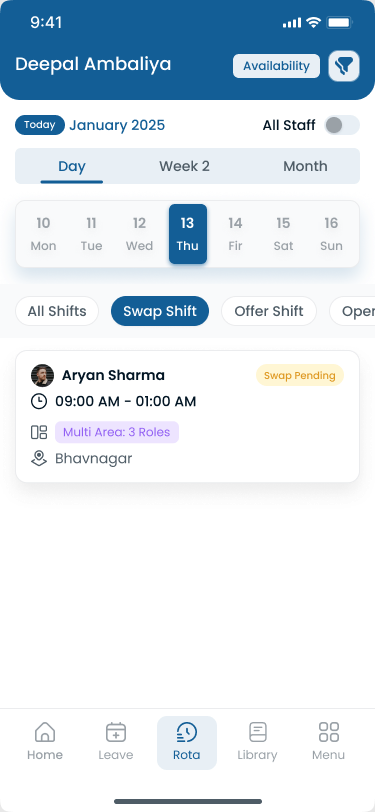
Swaps should update the same published week coordinators and payroll trust.
7. Enable mobile schedule access and notifications
Caregivers live on phone. Schedule changes, new assignments, and cancellations should hit the same app as the official week.
Use the Heyshift mobile app and location communication patterns for deskless teams.
8. Monitor staffing levels daily
Morning review beats weekly surprise. Check open shifts, call-offs, continuity gaps, and hour limits before the first client visit or med pass window.
Daily coordinator checklist
| Step | Question |
|---|---|
| Open coverage | Are any visits, wings, or ratios below minimum? |
| Call-offs | Did internal open shifts fill before overtime? |
| Continuity | Did high-acuity clients keep preferred caregivers? |
| Travel or float | Are home care routes realistic for the day? |
| Overtime | Who is near hour limits today and this week? |
Sample caregiver coverage model
Adapt counts and time bands to your setting. This table is a planning example for a mid-size personal care agency with facility float support, not legal staffing advice.
| Day band | Caregivers assigned | Open shifts | Continuity notes |
|---|---|---|---|
| Weekday morning | 18 | 2 | High-acuity clients tagged |
| Weekday evening | 14 | 1 | Overlap with med pass where applicable |
| Weeknight | 8 | 1 | On-call pool named on roster |
| Saturday day | 12 | 2 | Fair weekend rotation applied |
| Sunday day | 10 | 2 | Backup pool by skill tag |
How to use this model:
- Split home care rows by service area in the published roster, not only daily totals
- Tag facility caregivers by wing when you support assisted living or memory care
- Post open shifts to qualified caregivers before agency or mandatory overtime
- Review fill rate and OT by band every Friday before the next publish cycle
Download the home healthcare schedule template, caregiver schedule template, employee schedule template, or nurse schedule template before you move to software.
Handling call-offs and coverage gaps
Call-offs are normal in caregiver workforces. Chaos is optional.
Home and community care:
- Release the visit or block on the official roster immediately
- Notify qualified caregivers in the same service area through the app
- Prioritize continuity matches for high-acuity clients before general open pickup
- Document the approved change so attendance and payroll align
Facility and residential care:
- Post open shift to wing-qualified caregivers before supervisor texts
- Check med pass and dining coverage impacts before approving swaps
- Pull from on-call pool with explicit hour review
All settings:
- Do not rebuild parallel schedules in personal texts
- Log who approved coverage and when for audit clarity
- Review call-off patterns weekly by caregiver, site, and day band
Read reduce employee no-shows and last-minute call-offs for habits that protect coverage windows.
Scheduling methods compared
| Method | Best for | Limitations |
|---|---|---|
| Paper schedules | Very small teams, single site | Hard to update; no mobile; weak audit trail |
| Excel spreadsheets | Small agencies piloting process | Manual; version conflicts; no real-time alerts |
| Calendar apps | Basic appointment visibility | Limited workforce, OT, and leave features |
| Workforce management software | Growing care organizations | Subscription cost; requires rollout discipline |
Most organizations outgrow paper and Excel between 40 and 80 caregivers or when they add a second county, wing, or branch. Caregiver scheduling software wins when publish, attendance, leave, swaps, and reporting must stay on one timeline.
See why spreadsheets fail for workforce scheduling and workforce scheduling software vs Excel.
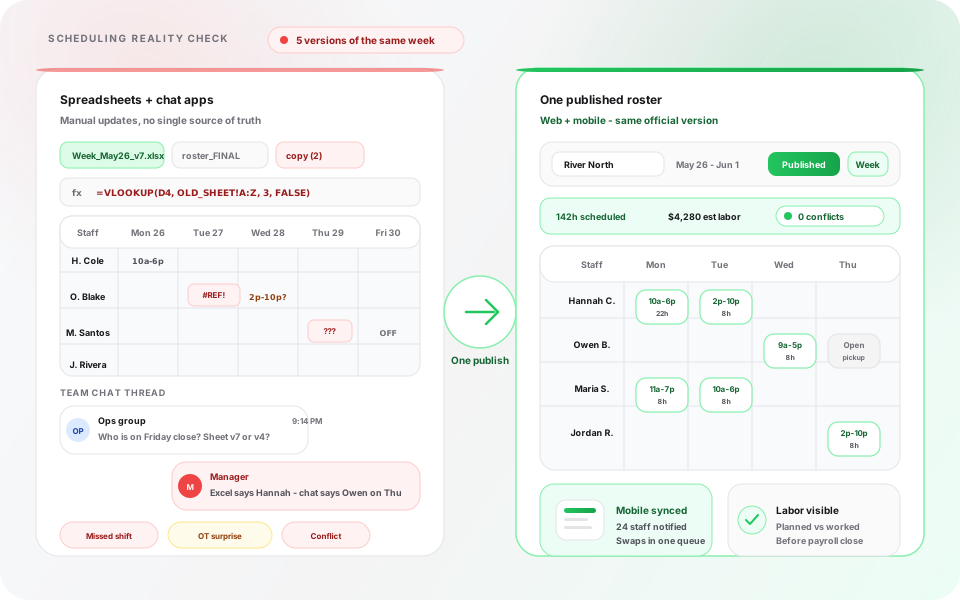
When coordinators maintain parallel tabs, caregivers always follow an unofficial version.
Essential caregiver scheduling software features
When you evaluate caregiver scheduling software, prioritize:
| Feature | Caregiver outcome |
|---|---|
| Employee scheduling | Faster build; one published roster |
| Shift planning | Templates by site, wing, or service area |
| Attendance tracking | Planned vs worked hours before payroll |
| Leave management | PTO visible before assignments go out |
| Employee availability | Skills and preferences beside the grid |
| Open shift management | Qualified pickup when call-offs hit |
| Mobile app | Deskless access and punch paths |
| Push notifications | Instant schedule change delivery |
| Multi-location scheduling | Counties, wings, or branches in one account |
| Workforce reporting | OT, attendance, and fill-rate trends |
Optional needs such as EVV, GPS route optimization, or deep HRIS integration depend on your payer mix and existing vendors. Heyshift focuses on publish-first scheduling, attendance tracker, leave management, swaps, and mobile access.
Benefits of digital caregiver scheduling
Digital home care scheduling and facility caregiver rosters help organizations:
- Reduce missed visits and coverage gaps with one official plan
- Improve communication through app notifications, not phone trees
- Fill open shifts faster with qualified internal pickup
- Increase staff satisfaction via fair rotation and early publish
- Reduce administrative workload for coordinators and supervisors
- Improve payroll accuracy when attendance ties to published shifts
- Scale operations across counties, wings, or brands without merged files
Coordinators should see who is near hour limits before the week is published.
How a home healthcare agency improved caregiver coverage
Before: 120 caregivers, three counties, manual coordination
A home healthcare agency with roughly 120 caregivers serving clients across three counties ran caregiver scheduling through Excel files, coordinator texts, and morning phone trees. Last-minute call-offs were normal. The same caregivers picked up every open shift until burnout drove turnover. Supervisors spent hours daily reconciling who was actually working versus what the spreadsheet said Friday night.
The week that forced a change
During a holiday week, two coordinators published different Tuesday routes. A client missed a bath visit while a caregiver sat in the wrong town. A case manager called. Finance flagged overtime on caregivers who had already worked six consecutive days. Leadership realized they could not answer coverage questions from one system.
After: centralized schedules, availability, and mobile alerts
The agency moved to centralized caregiver scheduling software with geographic area tags, publish-first discipline, manager-approved open shifts, mobile notifications, and attendance tied to published visit blocks.
| Challenge | Before | After |
|---|---|---|
| Schedule versions | Multiple Excel files and text screenshots | One published roster per service area |
| Call-off fill | Phone tree to the same few caregivers | Open shifts visible on mobile with approval |
| Continuity | Random reassignment on busy days | Preferred caregiver tags on high-acuity clients |
| Overtime | Discovered at payroll export | Hour totals visible while building the week |
| Coordinator time | Hours daily on manual changes | Faster publish; more time on matching and families |
| Caregiver communication | Personal texts and voicemails | Schedule changes through official app |
Software did not replace their clinical documentation or EVV process. It gave coordinators one workforce layer caregivers and payroll could trust.
Compare platforms in best employee scheduling software for home healthcare agencies and healthcare staff scheduling software.
Choosing caregiver scheduling software
Use this checklist when you demo caregiver scheduling software:
| Requirement | Why it matters |
|---|---|
| Caregiver scheduling | Role tags, areas, and shift or visit templates |
| Mobile app | Field and floor staff need phone access |
| Attendance tracking | Payroll accuracy beside published plan |
| Leave management | PTO before assignments go out |
| Shift swapping | Flexibility with coordinator control |
| Multi-location support | Counties, wings, or branches with roll-up |
| Reporting | OT, fill rate, and attendance trends |
| Payroll integration or export | Clean handoff to finance |
| Workforce communication | Official channel for schedule changes |
Demo questions for care organizations
- Can caregivers see only the official published week on mobile?
- Can coordinators filter by skill, language, or continuity preference?
- How do open shifts notify qualified caregivers without spamming the whole roster?
- Does attendance reference the published assignment?
- Can regional leads compare fill rates and OT across sites?
Scaling caregiver teams without adding coordinator headcount
When caregiver count grows from 40 to 120, coordinators often try to solve volume with more tabs and more texts. Software wins when the same team can publish once, notify through the official app, and review exceptions from a dashboard instead of rebuilding routes at dawn.
Scale signals that justify workforce software:
- Second county, wing, or brand launches within twelve months
- Call-off fill takes more than thirty minutes daily on average
- Payroll corrections cite schedule mismatches weekly
- Turnover clusters on caregivers with highest overtime hours
- Families or case managers ask for staffing answers you cannot pull from one system
As caregiver teams expand, manual scheduling becomes increasingly difficult. Heyshift helps care organizations schedule employees, track attendance, manage leave, monitor labor costs, and coordinate teams across multiple locations from one platform.
Review pricing. Start a 30-day free trial or contact Heyshift with your caregiver count and service areas.
Common caregiver scheduling mistakes
Scheduling without checking availability: guarantees conflicts and no-shows.
Relying on spreadsheets at scale: version chaos when call-offs hit hourly.
Uneven workload distribution: burnout and turnover on your best people.
Poor communication: parallel texts undermine the official roster.
Ignoring overtime: premium pay becomes the default coverage tool.
Delayed schedule updates: caregivers plan life around old screenshots.
Treating continuity as optional: families and case managers notice immediately.
No backup pool: every absence becomes a supervisor crisis.
Separating attendance from scheduling: payroll disputes and weak accountability.
Skipping daily review: yesterday's roster is not today's truth in home care.
30-day improvement checklist
| Week | Focus | Actions |
|---|---|---|
| Week 1 | Baseline | List caregivers, sites or areas, skills, current publish rhythm |
| Week 2 | One roster | Choose official publish channel; stop schedule screenshots as truth |
| Week 3 | Fairness and OT | Document weekend rotation; review hour totals every Friday |
| Week 4 | Mobile and backups | Confirm caregivers use official app; name backup pool by skill |
Pilot one county or wing before organization-wide rollout if change management is tight.
Compliance and workforce planning notes
Caregiver employers work under state licensure, payer authorization limits, and where applicable Medicare or Medicaid program rules. Scheduling supports operational discipline; it does not replace clinical supervision, EVV where required, or legal counsel on wage and hour rules.
The Occupational Safety and Health Administration publishes healthcare worker safety guidance relevant to shift length and safe work practices. SHRM workforce planning resources tie labor forecasting to retention, the same outcome fair caregiver scheduling supports.
During public health events, align schedule changes with CDC healthcare worker guidance and local health department rules.
Pair scheduling discipline with healthcare attendance tracking best practices and payroll integration planning before finance cutover.
Final thoughts
Better caregiver scheduling improves care quality, supports caregivers, reduces overtime, and simplifies operations as home care, senior living, and disability programs grow.
Organizations that publish early, match caregivers to needs fairly, track attendance digitally, and replace spreadsheet rotas with modern caregiver workforce management software gain the visibility to keep clients and residents covered without burning out the same team every holiday week.
Schedule for continuity, publish once, and review coverage every morning before caregivers start the day.
Related Healthcare Resources
Frequently Asked Questions
Continue with related topics
More articles on topics related to this one.

Healthcare Employee Availability Management: How to Build Better Staff Schedules (2026)
Learn how healthcare organizations can manage employee availability, time off, shift preferences, open shifts, and scheduling conflicts to build better staff schedules.
Read article
Home Healthcare Scheduling Software for Caregiver Management (2026)
Discover how home healthcare scheduling software helps agencies manage caregiver schedules, availability, open shifts, attendance, overtime, and multi-patient coverage.
Read article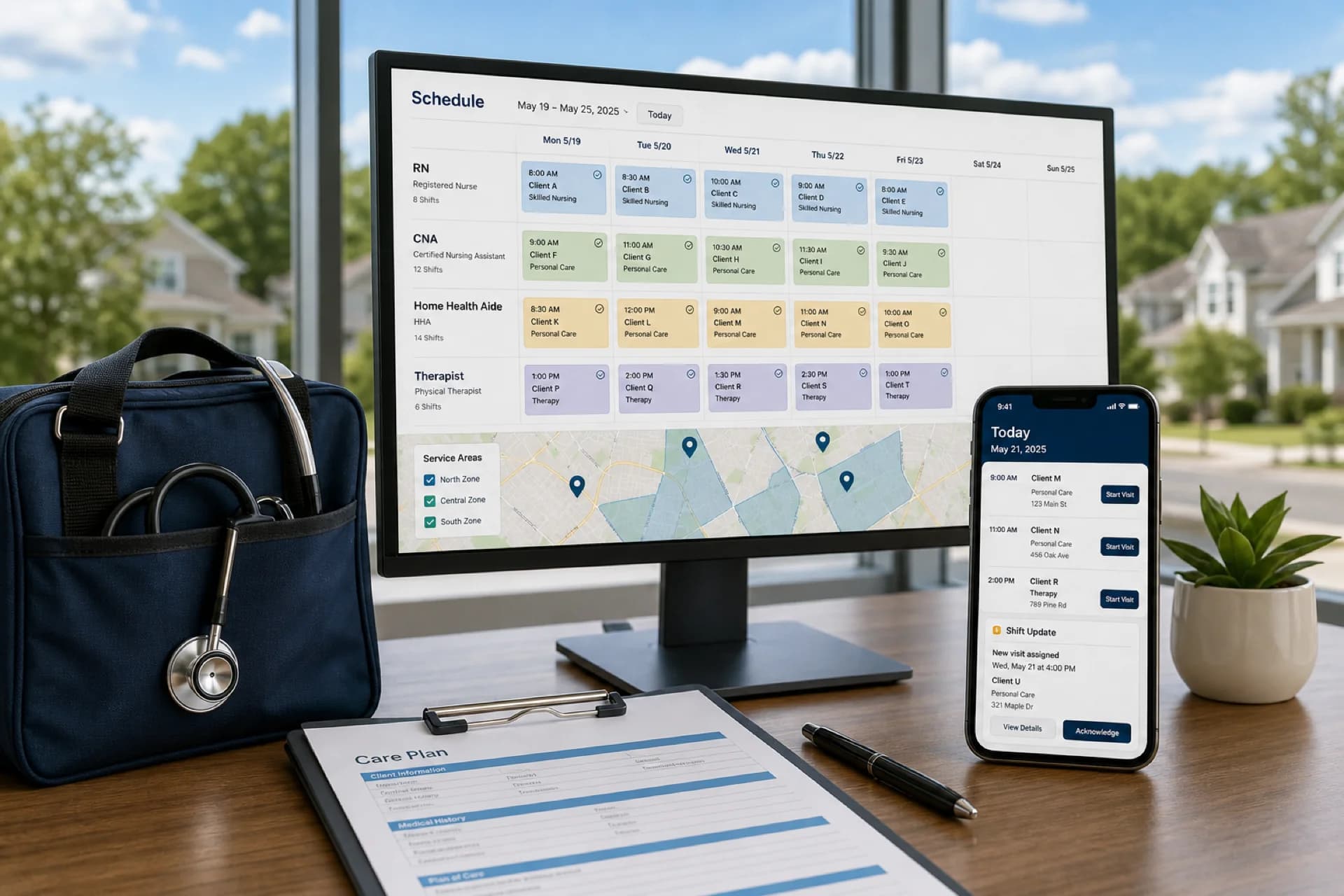
Best employee scheduling software for home healthcare agencies (2026)
Compare the best employee scheduling software for home healthcare agencies: caregiver scheduling, recurring visits, mobile access, and multi-area coverage.
Read article