

Free Healthcare Employee Schedule Template
Create weekly healthcare staff schedules in minutes with our free healthcare employee schedule template. Download it in Excel, Google Sheets, or PDF, or manage schedules online with Heyshift to automate shift planning, availability, attendance, and schedule updates.
Free download · No account required · CSV for Google Sheets
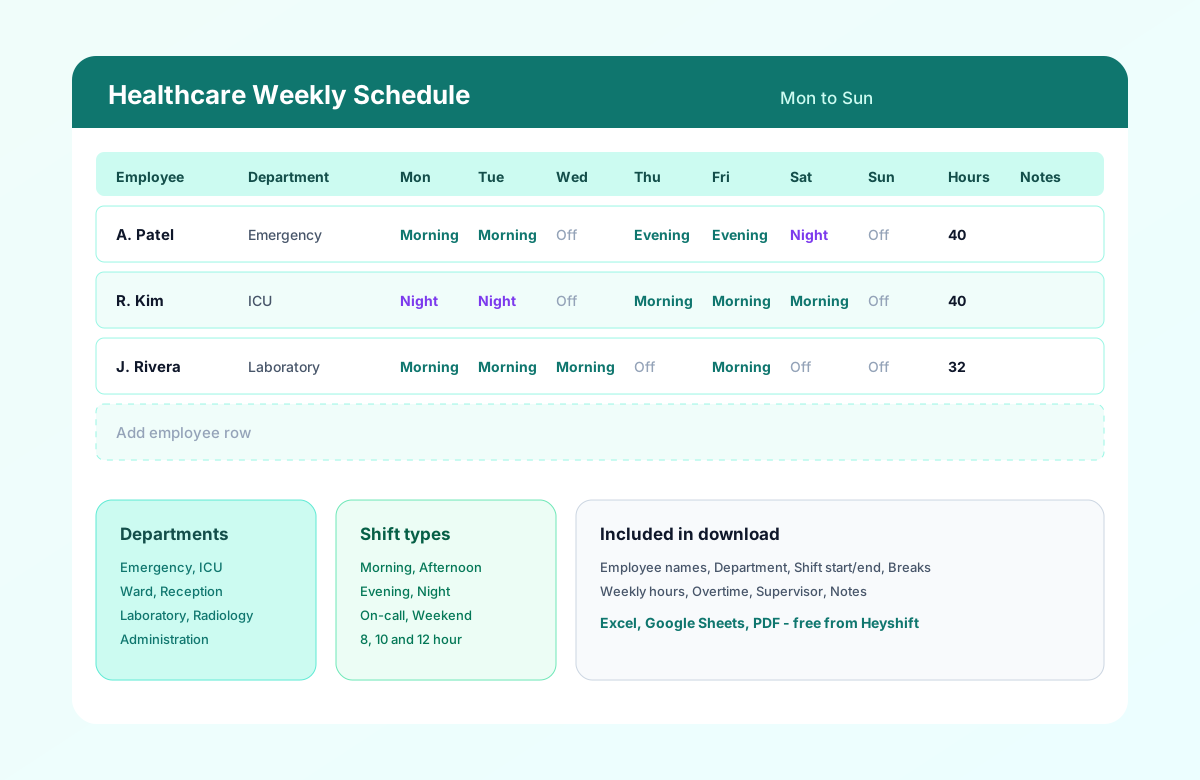
Table of contents
- Quick overview
- What is a healthcare employee schedule template?
- How to plan healthcare staffing coverage
- Healthcare schedule by department
- Who should use this template?
- Download the template
- What's included?
- Template preview
- Template features
- Why healthcare scheduling is challenging
- Common scheduling mistakes to avoid
- Healthcare scheduling best practices
- How to use the template
- Benefits of a structured healthcare roster
- Spreadsheet vs scheduling software
- Why upgrade to Heyshift?
- Frequently asked questions
Quick overview
| Best for | Hospitals, clinics, medical offices, urgent care, labs, imaging centers |
| Template type | Weekly employee schedule |
| Formats | Excel, Google Sheets, PDF |
| Editable | Yes |
| Cost | Free |
| Shift types | 8, 10 & 12 hour; morning, afternoon, evening, night, on-call |
| Printable | Yes |
| Mobile friendly | Yes (via Google Sheets or Heyshift app) |
Featured answer: A free healthcare employee schedule template gives managers a ready-made weekly grid for hospitals, clinics, and medical offices with departments, shift times, breaks, weekly hours, overtime, supervisor, and notes in Excel, Google Sheets, or PDF.
This page covers healthcare staff schedule template, healthcare shift schedule template, hospital employee schedule template, clinic employee schedule template, healthcare roster template, medical staff schedule template, and related healthcare staffing template searches in one resource, so you do not need separate pages for every keyword variant.
For nursing-specific rosters, see the nurse schedule template. For platform depth, explore healthcare staff scheduling software and shift scheduling.
What is a healthcare employee schedule template?
Hospitals, clinics, urgent care centers, dental offices, diagnostic labs, and other healthcare organizations rely on employee schedules to ensure every shift has the right mix of qualified staff.
A healthcare employee schedule template provides a structured format for planning shifts, assigning departments, tracking work hours, and organizing staffing coverage across the week. It is the practical starting point for a healthcare staff schedule template before teams adopt dedicated software.
A healthcare staff schedule organizes employees, roles, departments, shifts, and coverage requirements for a specific scheduling period. A healthcare employee schedule template provides a reusable structure for building that schedule. The same file can serve as a healthcare schedule template when managers need one official week across clinical and support roles.
Managers use the template to schedule nurses, physicians, receptionists, technicians, medical assistants, therapists, and administrative staff while maintaining visibility across departments and shift bands.
Unlike a generic work schedule, a medical staff schedule template accounts for licensed role mix, department-based coverage, rotating and overnight shifts, and break documentation supervisors review before publish.
Whether you search for a hospital employee schedule template or a clinic employee schedule template, the same weekly grid applies. You customize departments and roles to your facility.
How to plan healthcare staffing coverage
Before assigning individual shifts, managers should identify the coverage required for each department and shift.
Consider:
- Required roles
- Minimum staffing levels
- Day, evening, and night coverage
- Employee availability
- Approved leave
- Float and per-diem staff
- On-call coverage
- Expected patient or service demand
- Overtime risk
- Department-specific requirements
Then assign qualified employees to each coverage period and review the completed schedule for gaps before publishing. Collect availability first with the employee availability form template. For ratio targets beside names, use the healthcare staffing matrix template.
Healthcare schedule by department
A healthcare employee schedule can organize staffing by:
- Emergency department
- ICU
- Medical/surgical units
- Laboratory
- Radiology and imaging
- Pharmacy
- Reception
- Medical office
- Rehabilitation
- Home healthcare
Keep nursing-unit depth on the nurse schedule template. Use this page when one week includes both clinical and support departments.
Who should use this template?
This healthcare roster template fits any organization that assigns hourly and salaried support staff weekly and needs a format floor teams can read quickly.
| Setting | Why this template helps |
|---|---|
| Hospitals | Map emergency, ICU, ward, lab, and radiology coverage on one grid |
| Clinics | Schedule clinical and front-desk staff across rooms and shifts |
| Urgent care | Balance day, evening, and weekend bands with fast turnover |
| Medical offices | Coordinate nurses, MAs, and reception without double entry |
| Dental clinics | Align hygienists, assistants, and front office hours |
| Imaging centers | Schedule technologists and front desk by modality |
| Laboratories | Plan phlebotomy and processing shifts around draw volumes |
| Home healthcare | Track field staff by service area (use Location notes) |
| Nursing homes | Plan 24/7 floor coverage alongside the nurse schedule template |
| Rehabilitation centers | Align therapy support with nursing coverage |
If you manage 10 to 50 healthcare employees in one building or a small campus, this template is usually enough to publish a clear week. Larger operators can still use it for planning, but they often outgrow manual updates (covered later in this guide).
Download the healthcare employee schedule template
Choose the format that matches how your team works:
| Format | Best for |
|---|---|
| Excel (.xlsx) | Offline editing, familiar formulas, local save on a supervisor PC |
| Google Sheets (CSV import) | Shared editing with department leads and DONs |
| Printing and posting for staff without app access |
Use the download buttons at the top of this page. Each file includes Heyshift branding, sample rows across departments, and blank rows for additional staff.
Google Sheets tip: After download, open Google Sheets, choose File > Import, upload the CSV, and select Replace spreadsheet or Insert new sheet(s) depending on your workflow.
What's included?
Every column in this healthcare shift schedule template has a clear job:
| Column | Purpose |
|---|---|
| Employee Name | Identifies scheduled clinical and support staff |
| Role | Distinguishes RN, MA, Rad Tech, Reception, Admin, etc. |
| Department | Groups shifts by emergency, ICU, lab, radiology, ward, reception |
| Mon-Sun | One shift label per day, such as 7 AM-7 PM, 8 AM-4 PM, or Off |
| Weekly Hours | Excel calculates this after you enter a name |
| Overtime Hours | Hours above 40 for supervisor review |
| Supervisor | Names the manager accountable for that row's coverage |
| Notes | Certifications, training days, on-call flags, or coverage notes |
Excel also includes a Shift Times tab for start, end, and break times when you need punch-level detail.
Sample rows demonstrate realistic patterns across emergency, ICU, laboratory, and reception. Replace them with your roster, or delete samples and start from blank rows at the bottom of the sheet.
Template preview
The hero preview above shows a simplified weekly view. Excel, Google Sheets, and PDF use the same compact Mon-Sun grid. Excel also includes a Shift Times tab for start, end, and break times.
| Employee | Department | Mon | Tue | Wed | Thu | Fri | Sat | Sun |
|---|---|---|---|---|---|---|---|---|
| A. Patel | Emergency | Morning | Morning | Off | Evening | Evening | Night | Off |
| R. Kim | ICU | Night | Night | Off | Morning | Morning | Morning | Off |
| J. Rivera | Laboratory | Morning | Morning | Morning | Off | Morning | Off | Off |
Department, role, and shift on one row:
| Employee | Role | Department | Mon | Tue | Wed |
|---|---|---|---|---|---|
| Employee A | RN | ICU | 7 AM-7 PM | Off | 7 AM-7 PM |
| Employee B | Medical Assistant | Clinic | 8 AM-4 PM | 8 AM-4 PM | Off |
| Employee C | Rad Tech | Imaging | 3 PM-11 PM | Off | 3 PM-11 PM |
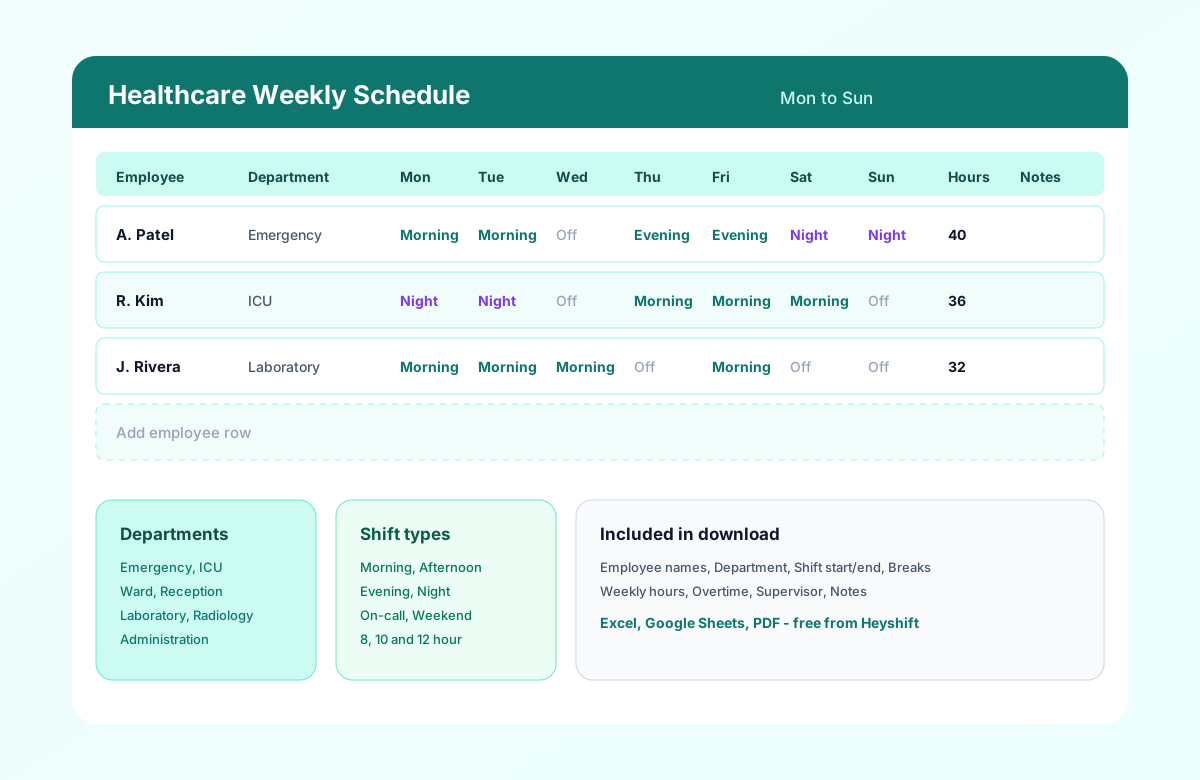
Healthcare employee schedule template with department, daily shift assignments, weekly hours, and notes.
How to use the healthcare schedule template
Follow these five steps to turn the download into a published week your healthcare team can trust, whether you run a hospital unit, clinic, or multi-department medical office.
Set the week and facility
Fill Week Of, Facility, and Supervisor fields in the header. Align dates with your payroll period if you use weekly totals for overtime review.
Add employees by department
Enter active staff in the Employee Name column. Group rows by department (Emergency, ICU, Lab, Reception) so charge nurses and office managers scan coverage quickly.
Staff managementAssign shifts and breaks
Fill start and end times by day, or use Morning, Evening, Night, and Off labels first. Document break windows where required for compliance visibility.
Review hours and coverage
Check Weekly Hours and Overtime columns before publish. Scan each day for gaps during minimum staffing windows across licensed roles.
Overtime risk calculatorPublish and share
Export PDF for posting, share a read-only Google Sheet link, or email the Excel file. Publish several days before the week starts so staff can plan commutes and childcare.
Mobile schedule access
Benefits of a structured healthcare roster
One view across departments
Emergency, ICU, lab, radiology, and admin staff share one official layout instead of scattered tabs and email attachments.
Faster weekly publish
Copy last week, adjust call-offs, and publish without rebuilding a blank grid every Sunday night.
Clear shift communication
Morning, evening, night, and on-call bands are visible on one row so part-time and per-diem staff know when they work.
Hour and OT visibility
Track scheduled hours before payroll runs. Supervisors spot overtime risk while there is still time to rebalance.
Printable for floor teams
PDF layout works for staff rooms and nursing stations where not everyone has app access during a shift.
Related resources
More templates, guides, and tools for building and running your schedule.
- TemplateHospital staff roster template
- TemplateHome healthcare schedule template
- TemplateCaregiver schedule template
- TemplateNursing home staff schedule template
- TemplateHealthcare attendance sheet template
- TemplateHealthcare staffing matrix template
- TemplateEmployee availability form template
- TemplateClinic staff schedule template
- TemplateMedical office schedule template
- Template12-hour nurse schedule template
- Template8-hour shift schedule template
- Template10-hour shift schedule template
- Template2-2-3 shift schedule template (Panama)
- Template4-On 4-Off shift schedule template
- ResourceHealthcare staff scheduling software
- ArticleHealthcare overtime management
- ArticleHealthcare attendance
- ResourceNurse scheduling software
- ResourceNursing home scheduling software
- FeatureShift scheduling
- FeatureAttendance tracker
- FeatureStaff management
- FeatureMobile app
- AnswerWhat is employee scheduling software?
- AnswerWorkforce planning
- AnswerEmployee self-service
- AnswerOvertime management
- AnswerSchedule conflict management
- TemplateNurse schedule template
- ArticleBest healthcare scheduling software
- ResourceStart 30-Day Free Trial