

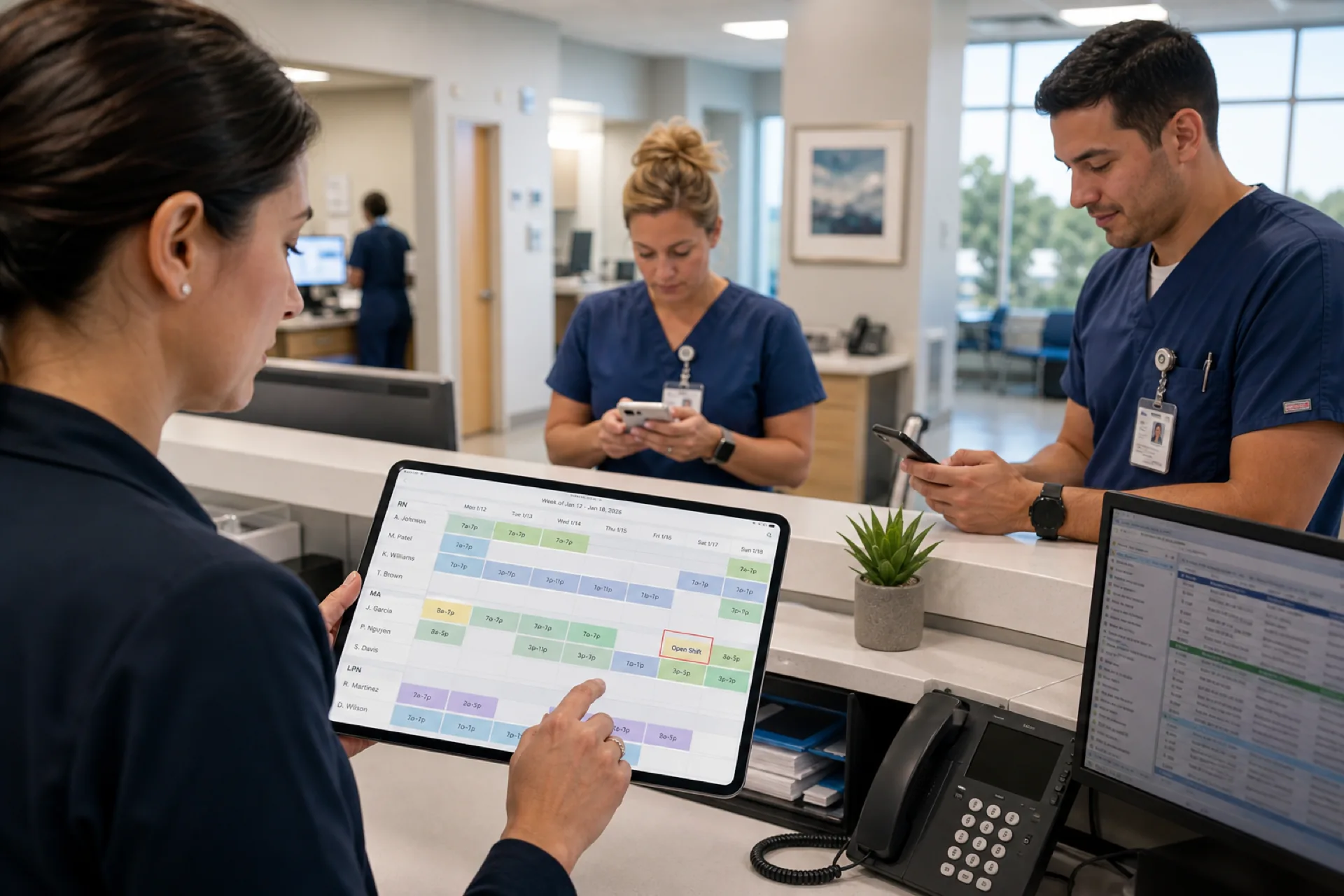
Healthcare Staff Scheduling Software for Dallas (2026)
Discover healthcare staff scheduling software for Dallas hospitals, clinics, medical practices, and healthcare agencies. Simplify scheduling, reduce overtime, and improve workforce management.
Healthcare staff scheduling software for Dallas (2026)
A Plano urgent care opens Saturday short one medical assistant because the swap lived in a group chat, not on the published roster. A multi-site specialty group runs separate Excel files for Oak Lawn, Frisco, and Fort Worth while a float MA appears on two grids the same morning. A home health coordinator in southern Dallas County learns about a missed visit when the family calls, not when the on-call block changed Wednesday night.
If you search healthcare staff scheduling software Dallas, you need more than a shared spreadsheet and a department text thread. You need credential-aware shift blocks, mobile visibility for clinical and support staff, manager-approved swaps, open shift fill, leave beside the grid, and labor hour visibility across a metro where staffing gaps hit patient access and clinic revenue quickly.
Dallas healthcare organizations manage increasingly complex workforces across hospitals, outpatient clinics, urgent care centers, specialty practices, home healthcare agencies, and multi-location groups. As teams grow, spreadsheets and manual scheduling make it harder to manage employee availability, shift coverage, overtime, leave, and last-minute changes. Healthcare scheduling software Dallas buyers in 2026 are evaluating tools that handle 24/7 operations, multi-location roll-up across the Dallas-Fort Worth area, Texas compliance visibility, and field-based care without drowning nurse managers and practice administrators in manual rebuilds.
This guide explains what medical staff scheduling software Dallas providers should prioritize: local scheduling challenges, Dallas-Fort Worth healthcare market context, why manual methods fail, essential features, benefits, organization types, a practical scheduling example, how to choose, how Heyshift helps, FAQ, and links into Heyshift's healthcare content.
Featured answer: What is healthcare staff scheduling software? Healthcare staff scheduling software helps hospitals, clinics, and healthcare organizations create employee schedules, manage availability and shift changes, track attendance, and coordinate their workforce from a centralized platform.
Who should read this: Owners, administrators, HR managers, and operations managers at Dallas-Fort Worth hospitals, medical clinics, urgent care centers, dental practices, home healthcare agencies, behavioral health providers, physical therapy clinics, and multi-location healthcare groups comparing clinic scheduling software Dallas options before demos.
Executive summary
Healthcare staff scheduling software Dallas providers trust in 2026 publishes one official week for clinical and support roles, fills call-offs through open shifts on mobile, and keeps attendance beside the roster finance exports.
Healthcare staff scheduling software gives Dallas healthcare providers a centralized way to plan shifts, manage workforce availability, track attendance, and keep employees informed as DFW teams and locations grow.
In this guide you will find:
- Healthcare scheduling challenges specific to Dallas and North Texas
- Local healthcare market context across the Dallas-Fort Worth metroplex
- Why manual scheduling creates operational problems
- Features every Dallas healthcare buyer should prioritize
- Benefits for staffing visibility, overtime control, and admin time
- Best fit by organization type
- A practical multi-clinic scheduling example
- How to choose the right platform and FAQ
Table of contents
- Healthcare scheduling challenges in Dallas
- Healthcare in the Dallas-Fort Worth area
- Why manual scheduling creates problems
- Features to look for in healthcare staff scheduling software
- Benefits for Dallas healthcare providers
- Who can use healthcare scheduling software in Dallas?
- Example: a growing Dallas healthcare group
- Why choose Heyshift?
- How to choose the right healthcare scheduling software
- Frequently asked questions
- Final thoughts
Healthcare scheduling challenges in Dallas
Dallas-Fort Worth healthcare providers run on appointment-linked coverage, department rotations, credential mix, and hourly teams that often work multiple sites across one of the largest U.S. metro areas by land area. Scheduling is not a back-office task you finish once a week. It is a patient access operation tied to every session, visit, and bed on the books.
Growing healthcare workforce
The U.S. Bureau of Labor Statistics publishes national healthcare employment trends operators use for workforce planning. Across Collin, Denton, Dallas, and Tarrant counties, new medical office buildings, urgent care strips, specialty clinics, and hospital-affiliated ambulatory sites add hourly roles faster than spreadsheet discipline scales. More locations mean more shift blocks, swap requests, and managers who need one published source of truth.
Multiple healthcare locations
Groups schedule downtown Dallas, Plano, Frisco, Arlington, Fort Worth, and southern Dallas County sites from centralized admin teams. Without multi-location scheduling, each clinic drifts into local spreadsheets and inconsistent swap approval while float staff cross county lines daily.
24/7 staffing requirements
Hospitals, emergency-adjacent clinics, urgent care centers, and home health on-call rotations need overnight and weekend coverage year-round. Gap detection before publish beats learning about holes when doors open.
Employee availability
Teams juggle per diem shifts, long freeway commutes on I-35E, I-635, and the Tollway, school calendars, and part-time second jobs. Availability captured beside the grid reduces back-and-forth texts and last-minute surprises.
Last-minute call-outs
DFW sprawl amplifies the cost of late notice. Without open shifts on mobile, managers lose hours filling holes while patients wait. Read reduce no-shows and call-offs.
Overtime management
Texas wage-and-hour rules and organizational policies make visible hour totals while building shifts essential. Pair scheduling with healthcare overtime management so published weeks align with labor targets before payroll closes.
Shift coverage and multi-department scheduling
Hospital affiliates, multi-specialty clinics, and urgent care groups coordinate nurses, MAs, front desk, imaging, and support roles on different bands. Hospital scheduling software Dallas searches often reflect the need for role clarity on one grid with mobile access for every department that touches the patient schedule.
Regulatory and documentation context
The Texas Department of State Health Services oversees licensing and facility requirements for many care settings. Scheduling tied to attendance supports staffed, documented operations employers must maintain. Confirm specific obligations with qualified HR and compliance advisors; software supports visibility, not legal advice.
Healthcare in the Dallas-Fort Worth area
Dallas healthcare is not a single downtown hospital district. It is a sprawling dual-core metro where Fort Worth and Dallas anchor separate clusters, and suburban counties add outpatient capacity faster than many legacy scheduling workflows can absorb. Healthcare workforce management Dallas teams schedule against long commutes, fierce talent competition, and home health demand across hundreds of square miles.
Hospital systems and academic medicine
Major North Texas health systems operate flagship hospitals, trauma centers, community campuses, and ambulatory networks across Dallas, Tarrant, Collin, and Denton counties. UT Southwestern and Parkland anchor academic and safety-net capacity that influences regional staffing norms. The Texas Hospital Association tracks state-level capacity and workforce trends local operators translate into daily staffing decisions.
Unlike Houston's Texas Medical Center density, Dallas inpatient and outpatient assets are geographically dispersed. Groups that standardize publish rules across acquired suburban clinics reduce patient access friction during expansion into Frisco, McKinney, and Alliance corridors.
For the Houston market comparison, read healthcare staff scheduling software for Houston.
Outpatient, specialty, and urgent care growth
DFW adds specialty practices, infusion centers, imaging sites, and urgent care strips along suburban commuter paths. Session-linked shift blocks matter as much as inpatient rotation patterns for these buyers. Clinic scheduling software Dallas evaluations should confirm appointment-aware publish workflows in trial, not only generic weekly grids.
Home healthcare and community-based care
Aging residents, post-acute demand, and large suburban footprints fuel home health and hospice growth across Dallas, Garland, Irving, and surrounding counties. Field clinicians need mobile schedules, visit-block templates, and on-call visibility more than wall-mounted rotas. Pair field operations with home healthcare scheduling best practices and best employee scheduling software for home healthcare agencies.
Fort Worth, Arlington, and the western arc
Tarrant County operators compete for the same nurses, MAs, and support staff as Dallas County groups while running different commute patterns along I-30 and I-20. Multi-location publish with roll-up hours prevents the same employee from appearing on two site grids because Plano and Fort Worth offices do not share one system of record.
Competition for clinical and support talent
The Medical Group Management Association (MGMA) consistently cites administrative burden and staffing as top practice challenges. In DFW, employers compete across hospital, DSO, independent group, and home health markets for dental assistants, medical receptionists, and therapists. Transparent schedules and mobile access become retention tools when candidates compare multiple offers.
The American Hospital Association tracks national health-system trends; locally, groups that publish early and approve swaps fairly win candidates who will not tolerate schedule chaos during 45-minute commutes.
Why manual scheduling creates problems
Spreadsheets, paper schedules, separate tools, and text-message changes worked when teams were small and single-site. Healthcare employee scheduling software Dallas buyers typically outgrow manual methods when they add a second location, pass roughly 20 hourly staff, or when field visit volume overwhelms the coordinator.
Excel spreadsheets
Multiple file versions circulate by email. Staff screenshot outdated grids. Managers re-key availability every week. One North Dallas medical group reported three "final" schedules for the same week; Tuesday front-desk coverage did not match what staff saved locally.
Paper schedules
Wall calendars do not push updates when a home health aide calls in sick at 6 a.m. Field staff who start from home never see break-room postings.
Separate scheduling tools
When each clinic uses a different app or file, regional leads merge exports every Sunday. Float staff fall through gaps between systems.
Text-message-based schedule changes
Swap agreements in SMS threads do not update the official week. Managers approve coverage they never see on the roster finance uses.
Manual attendance records
Reconciling punches against an unofficial schedule at payroll close wastes admin time and hides overtime until too late.
Common outcomes include scheduling conflicts, double-booked employees, missed schedule updates, unfilled shifts, limited overtime visibility, and excessive administrative work. Read why spreadsheets fail for workforce scheduling.
Features to look for in healthcare staff scheduling software
When evaluating scheduling software for medical practices Dallas, prioritize capabilities that match how hospital, clinic, and home health teams actually work.
Employee scheduling
Create and publish schedules quickly while maintaining visibility across departments and locations. Use templates and copy-week for recurring clinic bands.
Employee availability
Track availability and scheduling preferences before assign. See people and availability.
Shift swaps
Allow employees to request shift swaps with manager approval on the published roster. See shift scheduling and open shift and swap approvals.
Open shifts
Identify uncovered shifts and notify eligible employees on mobile instead of phone trees.
Attendance tracking
Compare scheduled hours with actual attendance beside the roster. Explore attendance tracking and the healthcare attendance sheet template.
Leave management
Manage vacation, sick leave, and approved absences alongside schedules (leave management).
Time tracking
Track working hours and monitor potential overtime before payroll close. Pair with attendance management software evaluation habits.
Mobile access
Healthcare employees should view schedules and updates on phone before long commutes or between home health visits (mobile app).
Multi-location scheduling
Manage employees across multiple clinics or facilities with site tags and district roll-up (multi-location scheduling software).
Workforce reporting
Review staffing, attendance, hours, and overtime trends by location before payroll close.
| Feature | Why Dallas teams need it |
|---|---|
| Employee scheduling | Fast publish across departments and DFW sites |
| Availability and leave | PTO beside grid prevents surprise gaps |
| Swaps and open shifts | Fill call-offs across long commutes |
| Attendance | Planned vs worked hours finance trusts |
| Mobile access | Field and suburban commute patterns |
| Multi-location | Plano, Dallas, Fort Worth roll-up |
| Reporting | Overtime pacing under Texas rules |
Strong nurse scheduling software Dallas searches often mean RNs, LVNs, MAs, and support staff on one grid with mobile access and swap discipline. Large inpatient units with acuity-based staffing may need specialized clinical workforce platforms; ambulatory and clinic buyers should confirm session-linked publish workflows in trial.
Benefits for Dallas healthcare providers
The right healthcare scheduling software Dallas platform pays back in labor cost, staff experience, and patient continuity.
Reduce administrative work
Managers spend less time building and updating schedules manually when templates, copy-week, and swap workflows replace Sunday-night rebuilds.
Improve staffing visibility
Managers quickly see who is scheduled, where coverage is thin, and which open shifts still need fill before doors open.
Control overtime
Better visibility into schedules and working hours helps managers identify potential overtime earlier. See prevent overtime before payroll.
Improve communication
Employees access schedules and updates through a centralized system instead of scattered messages.
Support growth
A centralized workforce platform scales as organizations add employees, departments, and locations across the metroplex.
Who can use healthcare scheduling software in Dallas?
Different DFW care settings share scheduling pain with different emphasis.
Hospitals
Coordinate employees across departments and shifts. Large hospitals may use specialized acuity-based nurse staffing systems for core nursing; Heyshift fits ambulatory affiliates, outpatient departments, and hourly support teams that still run on spreadsheets. Read hospital staff scheduling best practices.
Medical clinics
Manage physicians, nurses, medical assistants, reception staff, and other employees on appointment-linked grids. Read medical office scheduling best practices and clinic staff scheduling best practices.
Urgent care centers
Manage extended operating hours and changing staffing requirements during flu season and holiday peaks.
Home healthcare agencies
Coordinate caregivers and mobile healthcare workers across Dallas, Tarrant, Collin, and Denton counties. See best employee scheduling software for home healthcare agencies.
Dental practices
Manage dentists, hygienists, assistants, and administrative teams. Compare best employee scheduling software for dental practices.
Physical therapy clinics
Coordinate therapists, assistants, and support employees on session-linked calendars.
Behavioral health providers
Manage clinical and administrative teams across group sessions, telehealth blocks, and intake hours.
Multi-location healthcare groups
Centralize scheduling across facilities with consistent swap approval and roll-up reporting. Compare best healthcare staff scheduling software for national vendor criteria alongside this Dallas-specific guide.
Example: a growing Dallas healthcare group
Consider a Dallas healthcare organization operating six outpatient clinics with approximately 90 employees across Plano, Uptown Dallas, Irving, and Fort Worth. Managers previously maintained separate spreadsheets for each location. When an employee called out, site managers contacted staff individually to find coverage while regional operations had no same-day view of float availability or hour totals.
A centralized healthcare shift scheduling software Dallas workflow changes that pattern:
- View schedules across locations in one account instead of six emailed files
- Identify open shifts and post them to qualified staff on mobile
- Check employee availability before building each week's grid
- Manage shift swaps with manager approval on the published roster
- Track attendance beside published shifts for payroll reconciliation
- Monitor hours and overtime with roll-up context for regional leads
- Communicate schedule changes through publish alerts, not scattered texts
The group still lets each clinic manager publish locally, but DFW regional operations sees coverage and labor context before payroll close. That is the practical difference between a static weekly roster and publish-first workforce management.
Why choose Heyshift?
Heyshift addresses the problems discussed above with scheduling, attendance, and communication in one workflow, without unsupported superlative claims.
Employee scheduling and shift planning
Build weeks with templates and copy-week. Publish one official roster clinical and support staff open on mobile.
Employee availability, open shifts, and shift swaps
Capture constraints before publish. Fill call-offs through manager-approved swaps and open shifts on the official roster.
Attendance tracking and time tracking
Track attendance beside scheduled shifts so managers see planned vs worked hours before payroll close.
Leave management
PTO and leave requests beside the grid prevent publish surprises when approved time off was never on the schedule.
Mobile access and multi-location workforce management
Staff check shifts, request swaps, and pick up open shifts from phones before commutes or between visits. Schedule Dallas, Plano, and Fort Worth sites from one account with multi-location areas.
Workforce reporting
Hours, coverage, and overtime indicators help administrators align labor to volume across DFW locations.
Review pricing. Start 30-day free trial for multi-site rollouts.
How to choose the right healthcare scheduling software
Use this checklist when comparing clinic scheduling software Dallas vendors.
| Requirement | What to evaluate |
|---|---|
| Scheduling | Can managers build and publish next week quickly? |
| Availability | Can employee availability be managed before assign? |
| Shift swaps | Can employees request swaps with manager approval? |
| Attendance | Can actual attendance be tracked beside published shifts? |
| Leave | Can managers manage approved leave beside the grid? |
| Mobile | Can employees access schedules from phones? |
| Locations | Can multiple facilities be managed with roll-up? |
| Reporting | Can managers analyze hours and overtime by site? |
| Scalability | Can the system grow with suburban expansion? |
Run a two-week pilot with one location and one messy week: call-offs, swaps, and a high-volume clinic day. If the published roster matches attendance exports at period end, expand. National buyers should read best employee scheduling software for healthcare teams alongside this Dallas guide.
For time and attendance depth beyond scheduling, see time tracking software for NYC small businesses as a workflow reference in the broader Heyshift city cluster.
Final thoughts
Healthcare organizations in Dallas need scheduling processes that keep pace with changing staffing requirements and growing teams across one of the nation's largest metro areas.
Modern healthcare staff scheduling software Dallas teams adopt centralizes employee scheduling, availability, attendance, leave, shift changes, and workforce information, helping managers reduce administrative work and improve workforce visibility.
In Dallas-Fort Worth healthcare, scheduling software wins when the published roster is the only week your clinical team trusts before the first patient checks in, not the spreadsheet your office manager emailed on Sunday night.
National buyers should also read best healthcare staff scheduling software alongside this Dallas-specific guide.
Related Healthcare Resources
Frequently Asked Questions
Continue with related topics
More articles on topics related to this one.
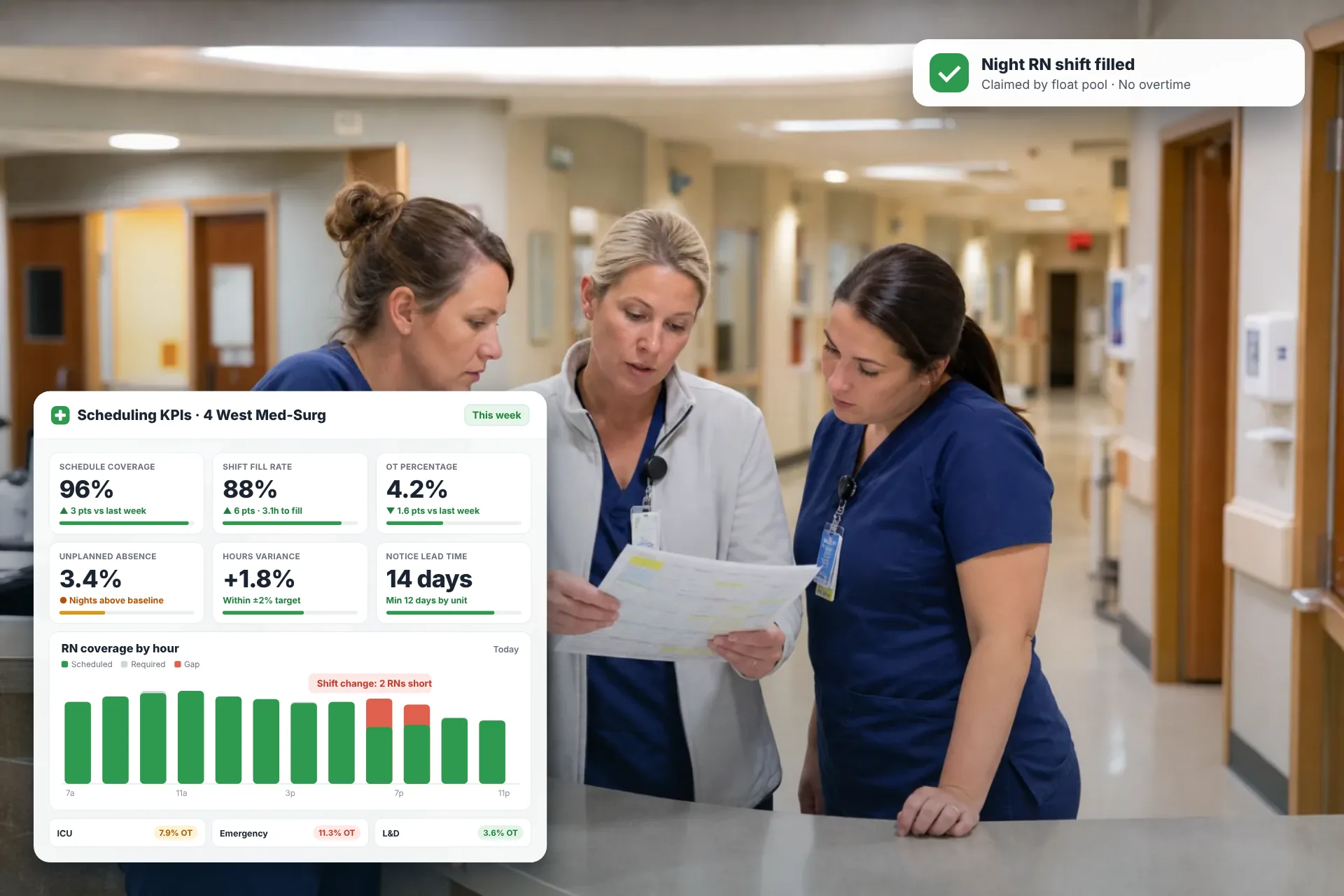
Employee Scheduling KPIs: 12 Metrics Every Operations Manager Should Track
Twelve employee scheduling KPIs with formulas, review cadences, and first actions, plus the trade-offs between them that most KPI lists skip.
Read article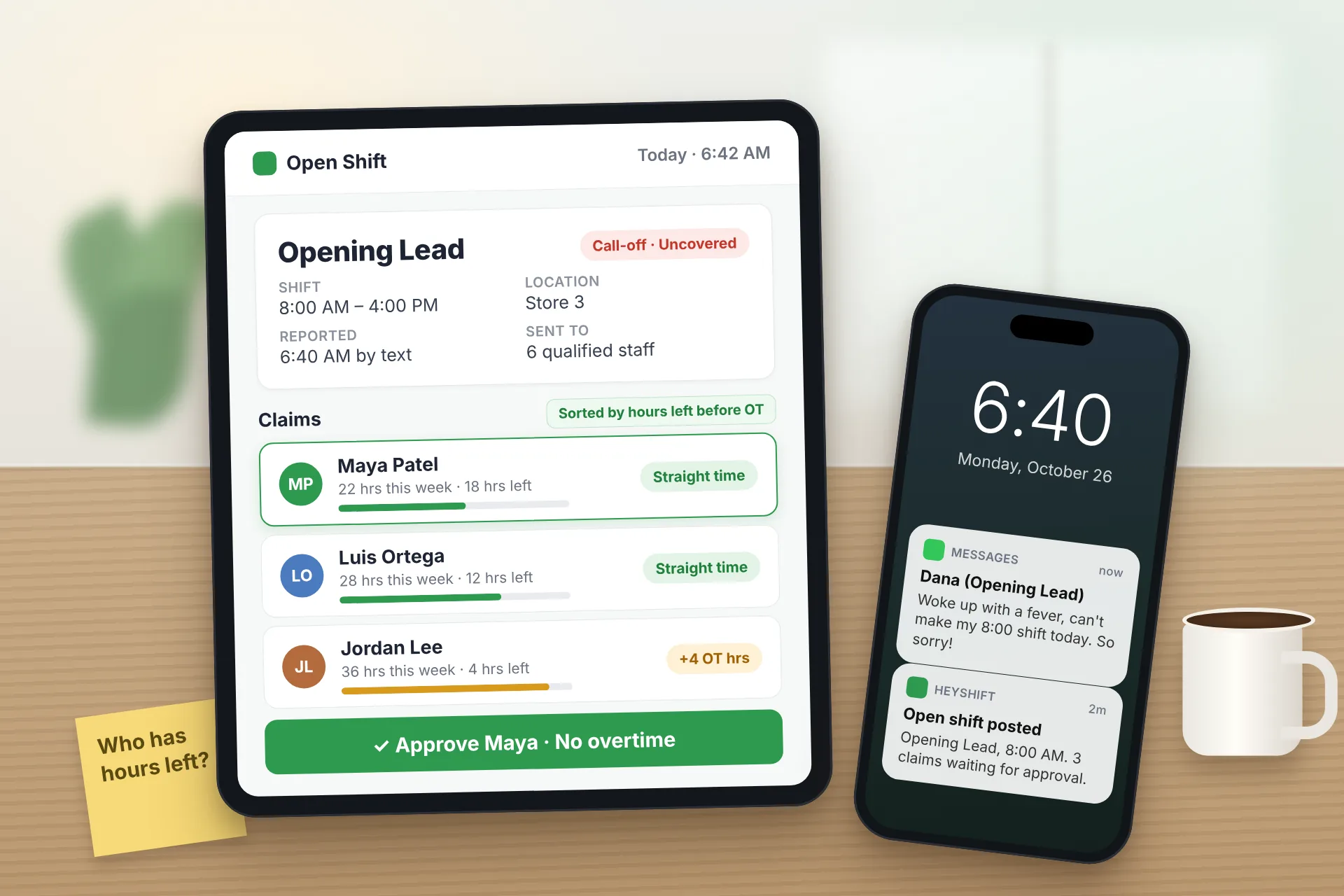
Same Day Employee Call Off Coverage: How to Handle Call-Offs Without Creating Overtime
A 30-minute response sequence for same-day call-offs: build a qualified list, post an open shift to everyone at once, and check overtime before you approve anyone.
Read article
Employee Schedule Change Management: One Official Roster
Learn employee schedule change management: a simple approval workflow, change log and notification process that keeps one official roster.
Read article