

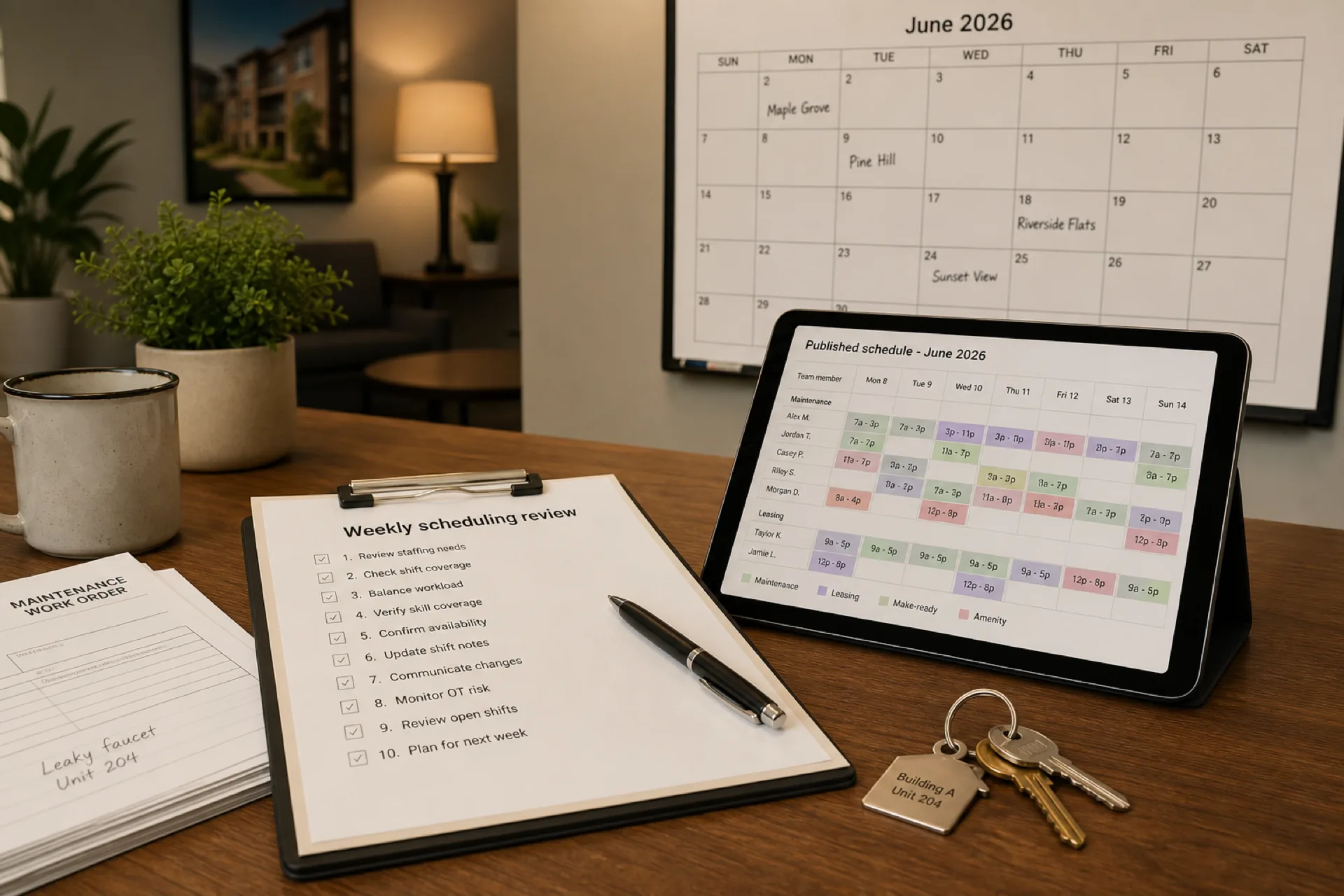
Property management scheduling best practices: 10 ways to improve team productivity (2026)
Property management scheduling best practices help managers staff multiple properties, coordinate maintenance, reduce overtime, and keep mobile teams aligned on one published roster.
Property management scheduling best practices (2026)
Efficient property management scheduling is one of the biggest levers apartment operators, HOA managers, and commercial portfolio teams have to protect resident service and labor margin at the same time.
Whether you oversee garden-style communities, high-rise apartments, mixed-use assets, or a blend of residential and commercial properties, your employees are the engine that keeps units rent-ready, work orders moving, leasing appointments covered, and buildings secure after hours.
When schedules are well planned, maintenance techs know which property they own today, leasing staff cover showings and move-ins, cleaners hit the right units, and security rounds stay staffed overnight. When schedules drift, residents wait longer, work orders stack up, overtime surprises hit payroll, and managers spend the week firefighting coverage in group chats.
As portfolios grow, property management staff scheduling must evolve beyond spreadsheets, whiteboards, and parallel text threads.
This guide explains ten proven property management scheduling best practices used by successful operators to improve team productivity, reduce overtime, streamline maintenance coordination, and keep mobile employees aligned on one official week.
Featured answer: Property management scheduling best practices help operators assign the right employees to the right properties and shifts while balancing labor costs, employee availability, maintenance demand, and resident service levels. Effective scheduling combines workforce planning, attendance tracking, real-time communication, and data-driven review so overtime is a decision during planning, not a surprise after payroll.
Who should read this: Regional operations leaders, property managers, and HR partners at USA property management companies with roughly 20 to 500 employees who coordinate maintenance, leasing, cleaning, and security across multiple communities or buildings.
Compare platforms in best scheduling software for property management companies (2026). For product depth, see property management staff scheduling software. Explore multi-location scheduling software and employee scheduling software for USA hourly teams.
Use the overtime risk calculator and manager time savings calculator to quantify labor and admin impact as you adopt these habits.
Executive summary
In this guide you will learn:
- Why workforce scheduling is critical for property management companies
- Property management workforce trends shaping 2026
- The hidden cost of poor scheduling across a portfolio
- Ten practical scheduling best practices
- How to schedule by department and season
- Common mistakes operators should avoid
- A scheduling maturity model and implementation checklist
- When it is time to replace spreadsheets with scheduling software
Table of contents
- Why property management scheduling matters
- Property management workforce trends in 2026
- Hidden cost of poor scheduling
- 10 best practices
- Schedule by department
- Seasonal staffing
- Common mistakes
- Regional operator example
- Signs it is time to upgrade
- Scheduling maturity model
- Implementation checklist
- How scheduling software helps
- Frequently asked questions
- Final thoughts
Why property management scheduling matters
Unlike many office-based businesses, property management rarely runs on a fixed nine-to-five grid.
Daily operations change because of maintenance emergencies, move-in and move-out volume, leasing appointments, seasonal weather, resident complaints, vendor access windows, occupancy shifts, and after-hours security needs. Managers must continuously adjust staffing while keeping service levels high across every property in the portfolio.
Property management scheduling is not a back-office task you finish after leasing and maintenance emails. It is the operating system for how work gets done across your communities.
Many property management companies still run property management staff scheduling through Excel tabs, whiteboards, printed grids, phone trees, and text threads. Those tools work for a single small community. They break the moment you add a second property, a seasonal leasing push, or an emergency maintenance wave.
Property management workforce planning used to mean one onsite manager and a handwritten board. Modern operators juggle multiple communities, commercial buildings, unpredictable maintenance, leasing spikes, resident expectations, and mobile employees who need the official schedule on phone.
Property management workforce management must connect who is working, where they are assigned, and whether each property has enough coverage. Read why spreadsheets fail for workforce scheduling and multi-location workforce management guide when your portfolio outgrows one file.
The U.S. Bureau of Labor Statistics overview of property, real estate, and community association managers describes ongoing demand for professionals who coordinate building operations, leasing, and maintenance across growing portfolios. When schedules drift, operators pay twice: once in overtime and delayed work orders, and again in manager hours spent rebuilding rosters in chat.
Property management workforce trends in 2026
Property management operators enter 2026 with larger portfolios, tighter resident expectations, and the same deskless workforce that never lived inside a single spreadsheet tab. The companies pulling ahead are not working harder on scheduling. They are responding to workforce trends that make publish-first roster discipline a service and margin lever, not back-office paperwork.
| Trend | What operators see | Scheduling implication |
|---|---|---|
| Portfolio growth | More communities, mixed-use assets, and regions than one regional lead can track in memory | One published roster per property plus portfolio roll-up without merged exports |
| Maintenance backlog pressure | Work orders, turns, and preventive tasks compete for the same small tech bench | Skill tags and property capacity visible before publish, not after a resident escalation |
| Leasing season volatility | Showings, move-ins, and move-outs spike certain weeks and weekends | Seasonal templates and surge bands planned in advance, not rebuilt every Sunday night |
| Labor cost scrutiny | Wages and overtime stack before finance reviews the week | Hour totals visible while building schedules, not only after payroll export |
| Mobile-first field staff | Maintenance, porters, and security ignore email and printed grids | Same mobile app for schedule, alerts, leave, and open-shift pickup |
| Resident service expectations | Faster response windows and proof of coverage on complaints | Attendance beside published shifts supports accountability and payroll alignment |
Portfolios keep growing faster than supervisor bandwidth
Regional operators add communities through acquisitions and new contracts. Supervisors who once knew every name on one property now juggle dozens of sites with different staffing ratios. Spreadsheet tabs multiply; shadow schedules appear in group chats. Centralized publish discipline is the only way to keep portfolio visibility without another coordinator layer.
Emergency maintenance still breaks static weekly grids
Turn season sets the baseline, but burst pipes, HVAC failures, and after-hours incidents inject reactive assignments daily. Operators that treat the Monday grid as fixed spend the week rebuilding coverage. Trend-leading teams plan float capacity, on-call rotations, and open-shift fill paths before the ticket arrives.
Skilled maintenance trades stay hard to fill on short notice
The BLS outlook for property, real estate, and community association managers highlights ongoing demand for professionals who coordinate building operations. Janitorial teams remain a large hourly pool; see the BLS janitors and building cleaners outlook. When the same HVAC tech appears on every emergency short list, overtime and burnout follow.
Residents and owners expect proof of coverage, not a screenshot
Owner reports and resident complaints ask whether staffing matched agreed patterns. Operators reconciling planned shifts in one tool and clock events in another struggle to answer basic coverage questions. Publish-first scheduling plus attendance on the same official week closes that gap.
Property management operators schedule across multiple role types, often in the same week:
- Maintenance and engineering techs on preventive work, turns, and emergency tickets
- Leasing consultants and resident services staff on showings, move-ins, and call volume
- Cleaners and porters on turn bands, common-area routes, and amenity coverage
- Security and front desk staff on overnight, weekend, and concierge patterns
- Regional and area managers who approve swaps, monitor hour totals, and republish when the official roster changes
Workforce scheduling software does not replace property management systems, work-order platforms, or accounting software. It does give operations managers one published roster per property, clear mobile access for deskless teams, and hour visibility while planning so overtime is a decision, not a surprise.
Read employee scheduling software ROI guide for how operators frame labor savings during vendor evaluation.
The hidden cost of poor property management scheduling
Many companies focus only on overtime line items. Inefficient scheduling affects much more than payroll.
Poor scheduling can result in understaffed maintenance during turn season, delayed work orders, employee burnout, missed leasing coverage, resident complaints, higher recruitment costs, and supervisors rebuilding rosters instead of resolving tickets.
| Impact area | What owners, residents, and staff feel |
|---|---|
| Resident experience | Slow maintenance response, missed appointments, inconsistent security coverage |
| Labor cost | Overtime from reactive staffing, duplicate coverage, or last-minute adds |
| Team morale | Unfair shift distribution, constant text-based changes, unclear expectations |
| Manager time | Hours rebuilding rosters instead of resolving work orders and leasing pipeline |
| Portfolio visibility | No roll-up view of who is staffed where across communities |
Effective workforce scheduling for property managers protects service levels and margin at the same time.
See prevent overtime before payroll and workforce scheduling software vs Excel.
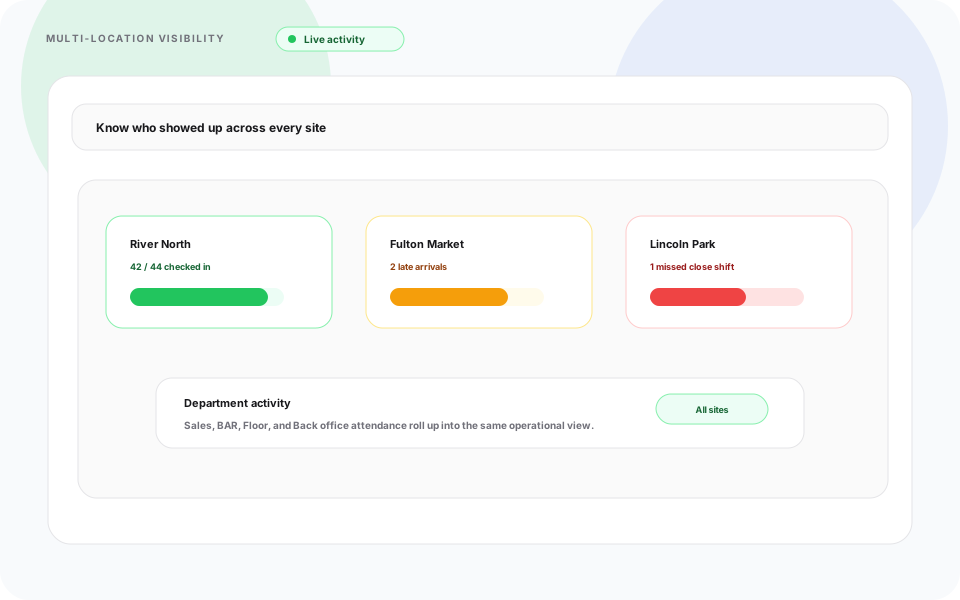
Weekly review works best when regional leads see every property in one account, not merged spreadsheet tabs.
10 property management scheduling best practices
1. Schedule based on property needs
Different properties require different staffing models. A high-rise apartment community needs overnight concierge or security coverage, frequent turn cleaning, and elevator-aware maintenance windows. Student housing spikes around move-in, finals, and summer turnover. Commercial buildings align with tenant business hours and HVAC access rules. HOA communities may bundle landscaping, pool, and common-area maintenance into predictable weekly bands.
Build templates by property type, not one generic week copied everywhere. Tag roles clearly: maintenance tech, leasing consultant, porter, cleaner, security, front desk. Compare platform fit in best scheduling software for property management companies when you need multi-property templates.
2. Centralize employee scheduling
Avoid parallel systems that contradict each other:
- Excel files per property or per manager
- Whiteboards that never match the "real" version in email
- Group chats where the latest screenshot becomes the schedule
Use one centralized schedule per property inside one account so regional leads see roll-ups without merging tabs. Publish-first discipline means managers sign off once; field staff open the same roster on mobile. Learn the workflow in shift scheduling and open shift and swap approvals on the published roster.
3. Track employee availability accurately
Maintenance technicians, leasing agents, cleaners, and office staff have different availability patterns. Track:
- PTO and vacation before you build the week
- Sick leave with a clear call-off path
- On-call rotations for after-hours maintenance
- Part-time and shared staff who float between properties
Outdated availability drives conflicts, swap chaos, and no-shows. Keep availability beside the grid in the same system you publish from. Explore people and availability and leave management.
4. Plan maintenance work in advance
Apartment maintenance scheduling works best when preventive work sits on the published week, not only emergency tickets.
- Preventive maintenance: HVAC filters, common-area checks, seasonal unit turns
- Emergency work orders: reserve float capacity or on-call techs instead of breaking the whole grid
- Seasonal inspections: fire safety, pool openings, winterization windows
Block maintenance capacity by property and skill (HVAC, plumbing, general) so dispatch does not steal from leasing coverage unnoticed. When a ticket escalates, reassign through approved open shifts rather than side texts.
5. Reduce overtime before payroll closes
Labor is a top property management expense. Maintenance scheduling best practices include labor visibility while you build the week:
- Labor forecasting: compare scheduled hours to budget by property
- Even shift distribution: avoid giving the same tech every weekend without planning
- Workload balancing: spread turn season across teams instead of one hero crew
Review hour totals and overtime risk before publish, not after export. See prevent overtime before payroll and run scenarios with the overtime risk calculator.
6. Improve team communication
Property employees spend the day in buildings, parking garages, and leasing offices. They will not reliably read long email threads.
Use mobile notifications, shift updates, and schedule changes through the same app as the official roster. Read mobile workforce management guide and Heyshift mobile app. If regional staff still assume everyone saw the group text, you have a source-of-truth problem, not a communication problem alone.
7. Allow structured shift swaps
Flexibility improves retention in property management. Unstructured flexibility creates coverage holes.
Shift swap best practices:
- Employees request swaps against the published roster
- Managers approve before the shift changes
- Open shifts fill gaps when someone calls off
Structured swaps raise employee satisfaction, reduce manager phone tag, and keep coverage auditable. Deep dive in employee shift swapping best practices.
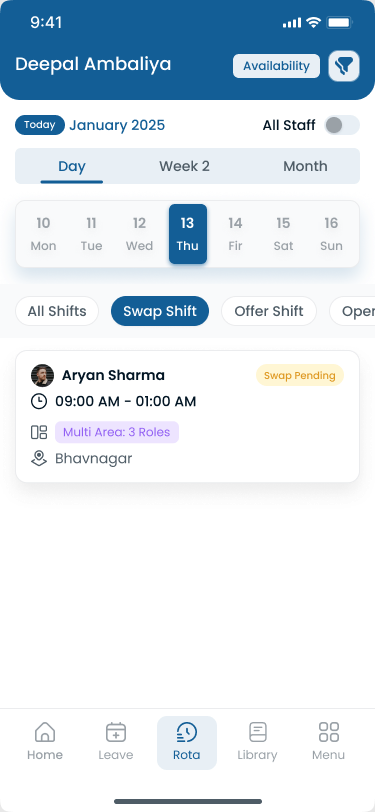
Structured swap and open-shift paths beat texting names until someone says yes.
8. Track attendance digitally
Manual sign-in sheets and disconnected time clocks create payroll disputes and weak accountability.
Digital attendance tracking tied to published shifts helps you:
- Match planned vs worked hours before close
- Spot lateness patterns by property or role
- Support performance conversations with data
- Reduce payroll errors on multi-property teams
Scheduling determines who should be working. Attendance confirms who actually worked. Explore employee attendance tracking guide and attendance tracker.
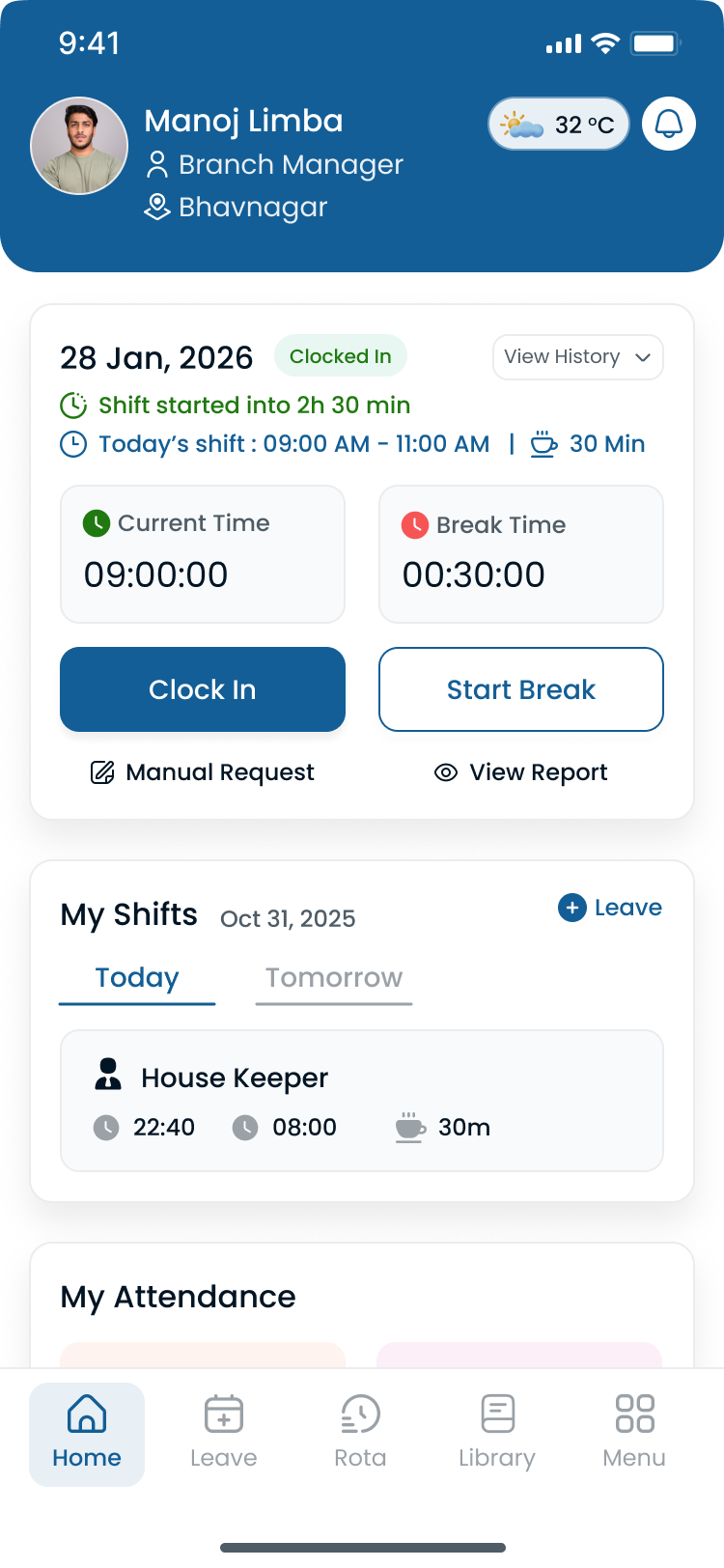
Maintenance, leasing, and security staff should clock in against the same published shift payroll and regional leads both reference.
9. Use workforce reports
Managers who only look at next week's grid miss trends that drive cost and service risk.
Review reports for:
- Overtime by property and department
- Attendance patterns and no-show rates
- Labor cost signals against budget
- Staffing trends during leasing season and turn peaks
Portfolio leads need roll-ups across communities, not CSV exports from each site. Compare plans on pricing and employee scheduling software pricing guide.
10. Review schedules weekly
A published week is not set in stone. It is the baseline you adjust with intent.
Each week, review staffing against:
- Occupancy and move-in/move-out volume
- Maintenance demand from open work order backlog
- Leasing activity including weekend showings
- Seasonal changes such as pool season, snow removal, or student housing cycles
Hold a short weekly scheduling review: confirm coverage gaps, approve pending swaps, and republish when the official roster changes. Fifteen minutes of review beats three hours of mid-week rescue texting.
Weekly scheduling review checklist
| Step | Question to answer |
|---|---|
| Coverage | Does every property have maintenance, leasing, and front-line coverage for the next seven days? |
| Maintenance backlog | Do open work orders require extra tech hours or on-call coverage? |
| Leasing pipeline | Are showings, move-ins, and move-outs staffed for peak windows? |
| Availability | Is PTO, vacation, and on-call status reflected in the grid? |
| Overtime | Who is approaching hour limits before the week ends? |
| Communication | Did every change since last publish reach mobile staff? |
Run this review at the same time each week so property managers and regional leads share one rhythm across the portfolio.
Schedule by department, not just by property
Property management rosters fail when every role is treated as interchangeable hourly staff. Each department has different peak windows and failure modes.
Maintenance and engineering: prioritize skill tags (HVAC, plumbing, general), travel time between buildings, and after-hours on-call rotation. Block turn season capacity early so make-readies do not steal from routine tickets.
Leasing and resident services: staff for weekend showings, move-in days, and evening appointment blocks. Align office coverage with call volume, not only business hours.
Cleaning and porters: route by property and unit type. High-rise turn cleaning needs different headcount than garden-style walk-ups.
Security and front desk: overnight and weekend bands need explicit coverage rules. Do not assume a day-shift porter can cover a 2 a.m. incident without a published assignment.
Department labels in the roster make swap and open-shift decisions faster when a call-off hits one lane but not another.
For related deskless patterns, see best workforce management software for facility management companies when you also manage contracted building services.
Seasonal and event-driven staffing
Property management demand is not flat year round. Plan templates for:
- Student housing: move-in, move-out, and break periods
- Summer leasing season: higher touring and application volume
- Winter weather: snow removal, pipe freeze response, reduced exterior work windows
- HOA annual meetings and inspections: temporary admin and maintenance spikes
Copy last year's peak week as a starting template, then adjust for current occupancy and work order volume. Pair seasonal planning with weekend surge staffing templates when Saturday leasing traffic drives coverage.
Block capacity by function: turns, routine maintenance, leasing office, porter routes, and overnight security. Operators who plan surge weeks in advance spend less time texting for coverage when the first heat wave or move-in weekend arrives.
Common property management scheduling mistakes
| Mistake | Why it hurts |
|---|---|
| Overstaffing quiet properties | Labor budget bleeds on low-activity days |
| Understaffing turn season | Missed make-readies, delayed move-ins, resident complaints |
| Manual scheduling at scale | Version drift across properties and managers |
| Poor communication | Staff show up to the wrong building or miss emergency coverage |
| No attendance tracking | Payroll disputes and no feedback loop into next week's plan |
| Ignoring float staff rules | Same employees scheduled at two properties without visibility |
| Building schedules too early | Creating schedules before understanding move-in volume leads to unnecessary changes later in the week |
| Relying on the same employees | Assigning overtime to the same high-performing tech every week may solve short-term staffing but often leads to burnout |
Fixing one mistake often improves three others. Centralizing the roster and attendance record is the highest-leverage start.
Read reduce no-shows and call-offs when attendance patterns undermine coverage.
How a regional property management company simplified employee scheduling
Marcus, regional director of operations at a company overseeing eighteen apartment communities and roughly 140 hourly employees, spent every Monday reconciling schedules that should have been finished Friday. Each property manager maintained a separate Excel file. Float maintenance techs received conflicting assignments through group texts. Payroll disputes followed because clock data did not match the version supervisors thought they had published.
The week that exposed the gap
During a peak turn weekend, three move-ins were delayed because the same crew was double-booked across two properties. Regional leadership could not see hour totals or on-call coverage in one view. That Monday, Marcus mandated one publish path per property and a portfolio roll-up for area managers.
| Challenge | Before | After |
|---|---|---|
| Schedule source of truth | Excel per property plus group chat screenshots | One published roster per community in a shared account |
| Maintenance float staff | Double-booked techs discovered mid-shift | Property and skill tags visible before publish |
| After-hours coverage | Phone tree until someone answered | On-call rotation and open shifts on the official week |
| Overtime visibility | Reviewed only after payroll export | Hour totals checked while building the schedule |
| Field communication | Text threads half the team muted | Mobile notifications tied to the published roster |
| Attendance alignment | Separate sign-in sheets and time clock exports | Clock events matched to published shifts before close |
Within the first month, area managers stopped merging tabs and weekly reviews took fifteen minutes instead of an hour of damage control. Marcus still runs work orders through the property management system; scheduling software gave every property one roster payroll and residents could trust.
If your portfolio faces similar friction, the practices in this guide and best scheduling software for property management companies help you evaluate tools against a real turn week.
Signs it's time to upgrade your scheduling process
If you recognize several situations below, it may be time to modernize your property management workforce management process:
- Managers spend hours updating spreadsheets every week
- Employees regularly call supervisors to confirm schedules
- Overtime continues to increase across the portfolio
- Multiple schedule versions exist across email, spreadsheets, and messaging apps
- Payroll corrections happen frequently
- Regional leads struggle to coordinate multiple communities
- Float maintenance techs are double-booked without visibility
See shift scheduling software buyer's guide and employee scheduling software cost.
Scheduling maturity model
Every property management company progresses through different stages of workforce scheduling.
| Stage | Typical process | Common challenges | Recommended next step |
|---|---|---|---|
| Level 1 | Paper schedules and whiteboards | Poor visibility across properties | Move to digital schedules per community |
| Level 2 | Excel spreadsheets by property | Manual updates, version drift, errors | Centralize scheduling in one account |
| Level 3 | Basic scheduling software | Limited reporting, attendance still separate | Integrate attendance and leave management |
| Level 4 | Workforce management platform | Continuous optimization across portfolio | Use workforce analytics for seasonal planning |
| Level 5 | Data-driven workforce planning | Ongoing improvement | Forecast labor demand by property and optimize year round |
Understanding your current stage helps determine what improvements will have the greatest impact.
Implementation checklist
Before changing your scheduling process, review the following checklist.
Workforce planning
- Forecast labor demand by property and department
- Review employee availability and on-call rotations
- Plan for seasonal demand (leasing season, turns, weather)
- Prepare backup staffing and cross-trained float employees
Schedule creation
- Balance employee workloads across properties
- Reduce unnecessary overtime before publish
- Verify maintenance, leasing, and security coverage
- Review compliance requirements for breaks and rest periods
Workforce communication
- Publish schedules digitally with one official roster per property
- Notify mobile employees instantly when plans change
- Allow leave requests through approval paths
- Support shift swaps and open shifts on the published week
Continuous improvement
- Review attendance weekly by property
- Monitor overtime and hour totals while planning
- Analyze workforce reports across the portfolio
- Improve schedules using occupancy, work order, and leasing data
Following this checklist creates a repeatable scheduling process that scales as your property management portfolio grows.
Start with one property and one publish rhythm before you migrate every community. Operators who switch all sites in one weekend often lose the template discipline that makes turn season survivable.
Estimate admin time saved with the manager time savings calculator and scheduling ROI calculator.
How scheduling software supports these practices
Modern property management scheduling software brings the ten practices above into one workflow:
| Capability | Property management outcome |
|---|---|
| Employee scheduling | Faster build and one published roster per property |
| Attendance tracking | Planned vs worked hours before payroll |
| Shift swaps and open shifts | Approved flexibility without chat drift |
| Mobile access | Field staff see assignments and alerts on phone |
| Multi-property management | Portfolio visibility from one account |
| Workforce reporting | Overtime and attendance trends across sites |
| Leave management | PTO and availability beside the grid you publish from |
Software improves productivity, visibility, communication, labor cost control, and employee satisfaction.
Platform capabilities map directly to daily operator needs:
- Shift scheduling with publish-first discipline
- Attendance tracker beside published shifts
- Multi-location areas for regional roll-up
- Mobile app for deskless maintenance, leasing, and security staff
- Workforce visibility for weekly review
Compare vendors in best scheduling software for property management companies (2026). Start 30-day free trial to pilot publish-first scheduling at one community.
How Heyshift helps property management companies
Heyshift supports property management workforce management for apartment operators, HOA firms, commercial portfolios, and mixed-use managers with scheduling by property and role, attendance linked to published shifts, leave management, open shifts and swaps, mobile app access, multi-location areas, and workforce reporting.
Property managers spend less time updating spreadsheets and more time resolving work orders, leasing pipeline, and resident issues.
Start 30-day free trial with your properties and roles, to map your first publish week across the portfolio.
Final thoughts
Efficient workforce scheduling is a competitive advantage for property management companies, not just an administrative task.
The most successful operators build repeatable processes supported by workforce data, employee availability, attendance tracking, and clear communication. By applying the practices in this guide, you can improve maintenance and leasing productivity, reduce overtime, increase portfolio visibility, and scale with greater confidence.
Ready to modernize property management scheduling?
Heyshift helps property management companies build schedules faster, track attendance in real time, manage leave and shift swaps, coordinate multiple properties, and monitor labor trends and overtime.
Start your 30-day free trial (no credit card required) to map your first publish week.
Schedule for each property's reality, publish once, review weekly, and let attendance and scheduling live in the same official roster.
Frequently Asked Questions
Continue with related topics
More articles on topics related to this one.
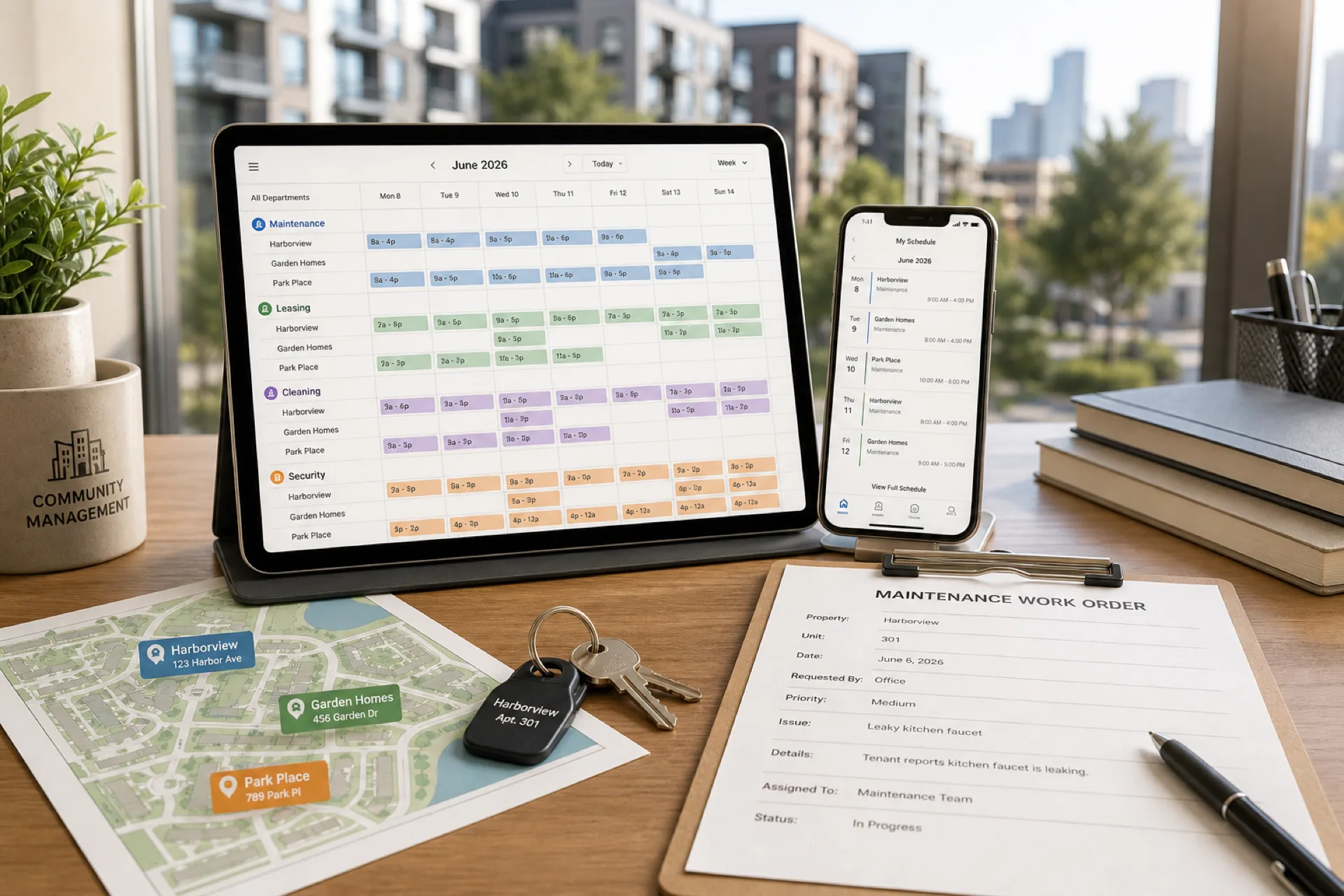
Best scheduling software for property management companies (2026 guide)
Compare the best scheduling software for property management companies in 2026: multi-property scheduling, maintenance coordination, attendance tracking, and workforce management for apartment, commercial, and HOA portfolios.
Read article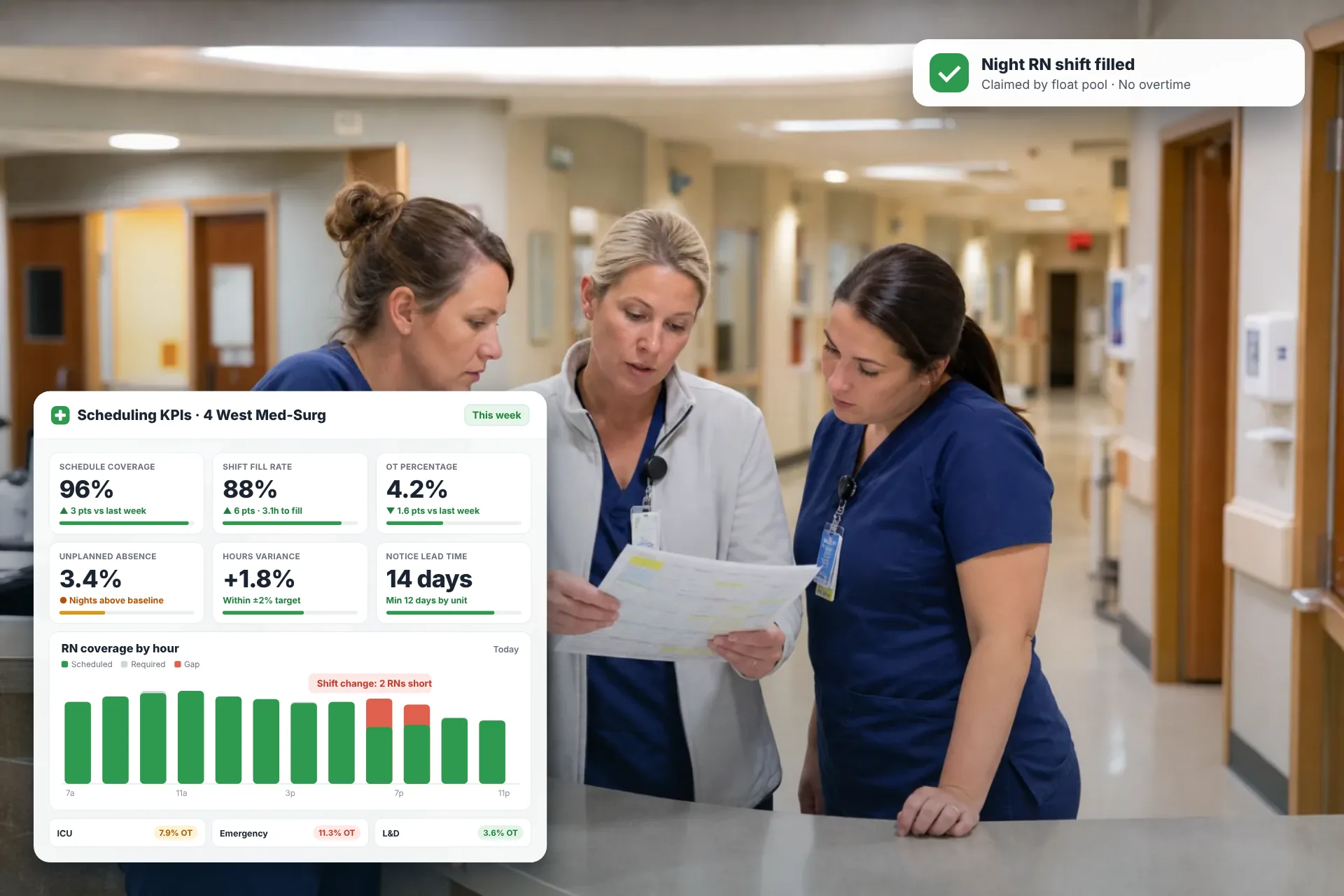
Employee Scheduling KPIs: 12 Metrics Every Operations Manager Should Track
Twelve employee scheduling KPIs with formulas, review cadences, and first actions, plus the trade-offs between them that most KPI lists skip.
Read article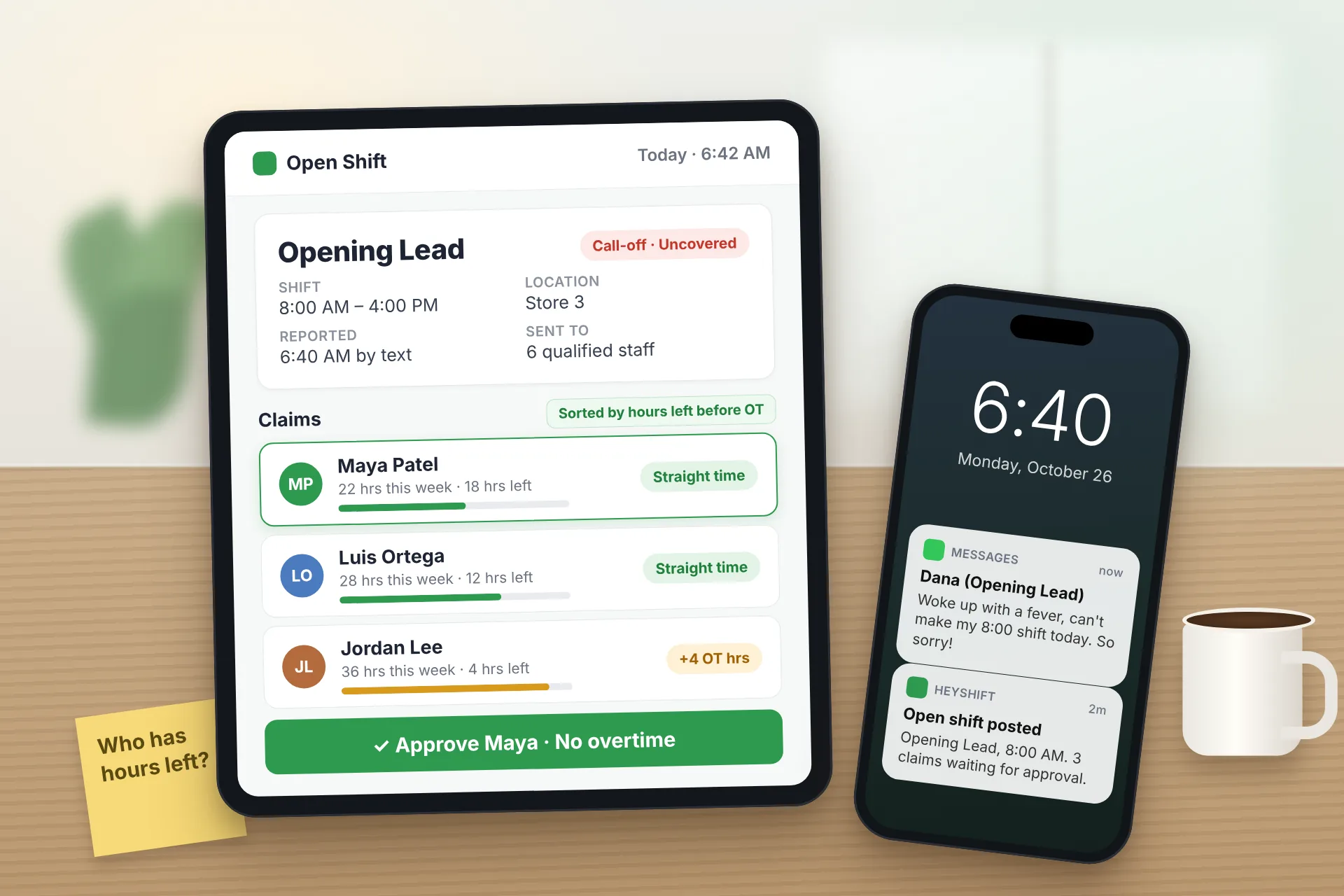
Same Day Employee Call Off Coverage: How to Handle Call-Offs Without Creating Overtime
A 30-minute response sequence for same-day call-offs: build a qualified list, post an open shift to everyone at once, and check overtime before you approve anyone.
Read article