

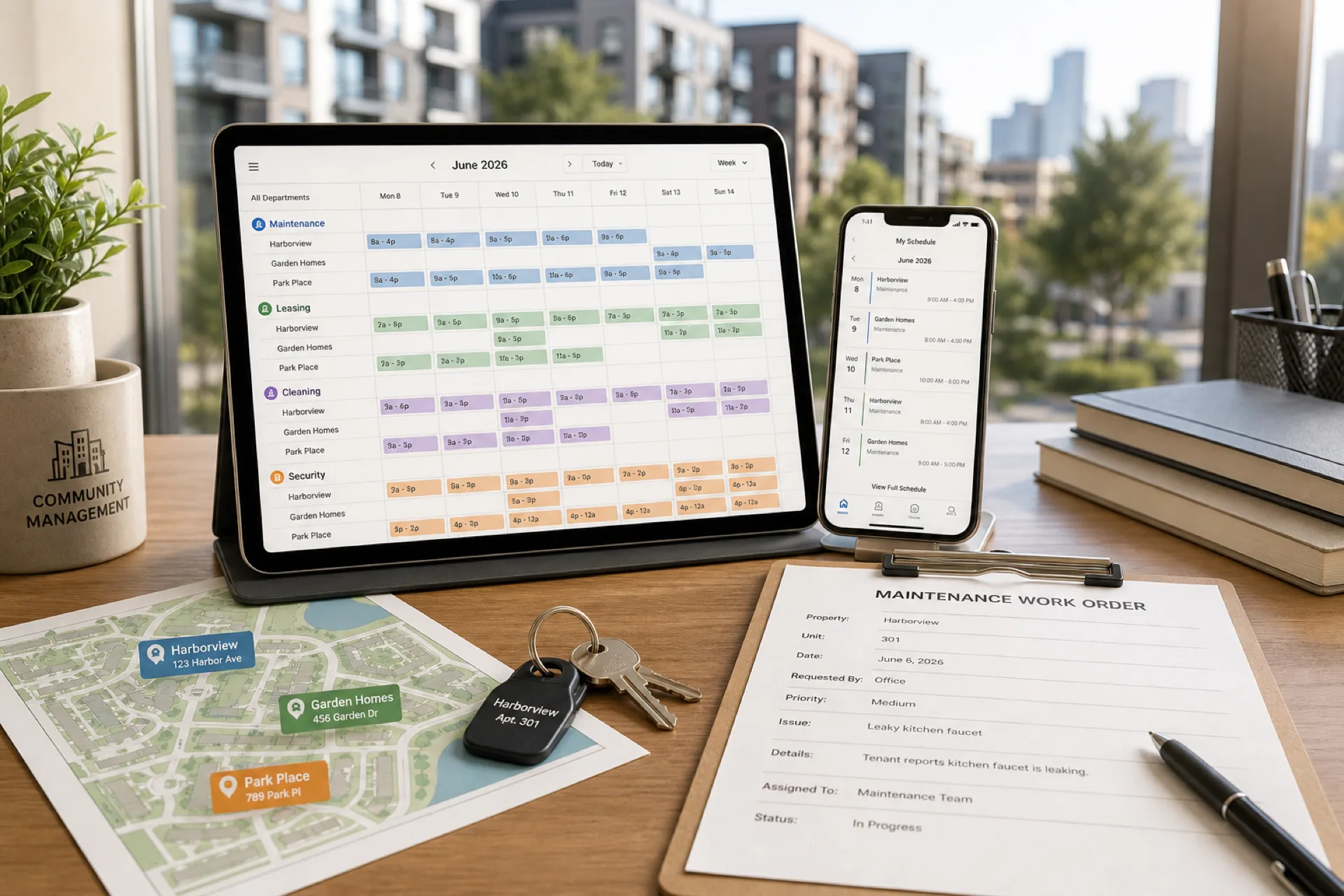
Best scheduling software for property management companies (2026 guide)
Compare the best scheduling software for property management companies in 2026: multi-property scheduling, maintenance coordination, attendance tracking, and workforce management for apartment, commercial, and HOA portfolios.
Best scheduling software for property management companies (2026 guide)
Property management companies keep buildings occupied, maintained, and responsive to owners and residents.
Whether you manage apartment communities, commercial buildings, HOA properties, or mixed-use assets, your workforce runs leasing tours, maintenance response, inspections, make-ready turns, cleaning, security, and resident support. Teams move between units, leasing offices, and common areas all day.
Managing them manually breaks down as portfolios grow. Spreadsheets, whiteboards, and group texts often lead to scheduling conflicts, missed maintenance windows, overtime surprises, and attendance disputes.
That is why operators search for scheduling software for property management companies: centralized publish-first planning, mobile access for field staff, and attendance tied to the same official week payroll uses.
This guide compares leading property management scheduling software platforms, explains which features matter most, and helps you choose the right solution based on portfolio size, property types, and operational needs.
Featured answer: The best scheduling software for property management companies combines publish-first shift planning by property and department, mobile access for maintenance, leasing, and cleaning teams, attendance tracking on the official roster, approved open-shift and swap paths, and multi-property visibility across regions. Operators should score vendors on a real property management week: maintenance call-off volume, leasing weekend coverage, mobile adoption by field staff, overtime before payroll, and portfolio roll-up clarity.
Who should read this: Operations directors, regional managers, and owners at USA property management businesses with roughly 15 to 500 employees who coordinate deskless teams across apartment, commercial, and HOA portfolios.
For operational playbooks, read property management scheduling best practices. For contracted FM across client sites, see best workforce management software for facility management companies. For multi-site rollups, read best scheduling software for multi-location businesses.
Compare labor signals with the overtime risk calculator and scheduling ROI calculator before you shortlist vendors.
Executive summary
If you are evaluating property management scheduling software for your portfolio, here is what this guide covers:
- Why manual scheduling creates hidden operational costs across properties
- The biggest workforce challenges property management companies face today
- Which scheduling features provide the greatest business value
- A detailed comparison of leading workforce scheduling platforms
- How to choose software that scales as your portfolio grows
- Common mistakes to avoid before purchasing
- Why growing property managers move to integrated scheduling and attendance platforms
Table of contents
- Why property management companies need scheduling software
- Property management workforce trends in 2026
- Common workforce challenges
- Why spreadsheets stop working
- What to look for when choosing software
- Essential features explained
- Software comparison
- How a regional property management company simplified scheduling
- Implementation checklist
- Common buying mistakes
- Frequently asked questions
- Final recommendation
Why property management companies need scheduling software
Property management teams rarely work from one fixed location. They move between units, leasing offices, maintenance shops, and inspection appointments throughout the day.
Managers need to know who is working today, which technician is assigned to each property, who is available for emergencies, and whether every building has adequate leasing, cleaning, and security coverage. Without a centralized platform, answering those questions requires spreadsheets, phone calls, and manual updates.
Property management workforce management software makes scheduling, attendance tracking, and communication much more efficient.
Operators typically adopt scheduling software when they hit portfolio growth, multi-department complexity, emergency volume, overtime drift, or mobile workforce scale where field staff stop opening roster screenshots.
Property management workforce trends in 2026
Property management operators enter 2026 with larger portfolios, tighter owner expectations, and the same deskless workforce that never lived inside a single spreadsheet tab. The companies pulling ahead are not working harder on scheduling. They are responding to six workforce trends that make publish-first roster discipline a margin lever, not back-office paperwork.
| Trend | What operators see | Scheduling implication |
|---|---|---|
| Portfolio complexity | More communities, commercial assets, and regions than one regional manager can track in memory | One published roster per property plus portfolio roll-up without merged exports |
| Maintenance and turn volume | Work orders, make-ready units, and inspection deadlines compete for the same technician bench | Availability and skills visible before publish, not after a resident escalation |
| Leasing and weekend coverage | Tour demand spikes on Saturdays while maintenance runs weekday bands | Separate department templates that still roll up to one portfolio view |
| Labor cost pressure | Wages and overtime stack before finance reviews the week | Hour totals visible while building schedules, not only after payroll export |
| Mobile-first field staff | Technicians, porters, and leasing agents ignore email and printed grids | Same mobile app for schedule, alerts, leave, and open-shift pickup |
| Owner and board visibility | Investors and HOA boards ask who was on site, when, and whether coverage met expectations | Attendance beside published shifts supports accountability and payroll alignment |
Portfolios keep growing faster than regional manager bandwidth
Regional firms add communities through acquisitions and new contracts. Managers who once knew every name on one community now juggle dozens of properties with different band patterns and department mixes. Spreadsheet tabs multiply; shadow schedules appear in group chats. Publish discipline is the only way to keep portfolio visibility without another coordinator layer.
Reactive maintenance and turn work still dominates the weekly plan
Preventive bands and leasing hours set the baseline, but burst pipes, HVAC failures, make-ready deadlines, and move-in inspections inject reactive work daily. Operators that treat the Monday grid as fixed spend the week rebuilding coverage. Trend-leading teams plan float capacity and open-shift fill paths before the emergency work order arrives.
Skilled maintenance labor stays hard to fill on short notice
The U.S. Bureau of Labor Statistics Occupational Outlook Handbook for property, real estate, and community association managers describes ongoing demand for professionals who oversee residential and commercial assets. Building maintenance and cleaning teams remain a large hourly pool (see the Handbook outlook for janitors and building cleaners). For broader U.S. employment context, review Census employment topics. When the same tech appears on every emergency short list, overtime follows. Scheduling in 2026 means balancing workloads, not maximizing hours from the most reliable few.
Owners and residents expect proof of coverage, not a screenshot
Board meetings and owner reviews ask whether staffing matched agreed service levels. Operators reconciling planned shifts in one tool and clock events in another struggle to answer basic coverage questions. Publish-first scheduling with attendance on the same official week closes that gap.
Property management operators schedule across multiple role types, often in the same week:
- Maintenance and engineering technicians on work orders, turns, and preventive tasks
- Leasing consultants and community managers on tour bands, office hours, and event coverage
- Janitorial and porter crews on fixed night bands and amenity cleaning
- Security officers on coverage patterns tied to community rules and commercial leases
- Make-ready and inspection teams on unit turnover deadlines
- Regional supervisors and coordinators who assign emergency coverage across properties
Scheduling software does not replace property management systems, work-order platforms, accounting software, or vendor portals. It does give operations managers one published roster per property, clear mobile access for deskless teams, and hour visibility while planning so overtime is a decision, not a surprise.
Read employee scheduling software ROI guide for how operators frame labor savings during vendor evaluation. For overtime habits that apply across building services, see how facility management companies can reduce overtime.
Common workforce challenges in property management
Managing multiple properties across regions
Most growing property management companies oversee numerous assets: apartment communities, commercial office buildings, retail pads, HOA neighborhoods, mixed-use developments, and parking structures. Each property has unique staffing requirements. Without centralized scheduling, visibility disappears across the portfolio.
Coordinating maintenance, leasing, and support departments
Property management involves more than maintenance technicians. Companies often manage leasing teams, cleaning crews, security officers, make-ready specialists, front desk staff, and regional coordinators. Each department runs different schedules and staffing levels.
Emergency maintenance and resident escalations
Burst pipes, HVAC breakdowns, elevator issues, lockouts, and urgent unit turns require quick assignment of available technicians without breaking the published week. See open shift and swap approvals.
Attendance tracking tied to the published week
Manual tracking creates payroll discrepancies, missed clock-ins, time disputes, and admin overhead. Attendance should sit beside shift scheduling. Read employee attendance tracking guide and attendance tracker.
Overtime management across mobile teams
Labor is one of the largest property management expenses. Without hour visibility while planning, overtime builds before managers notice. See prevent overtime before payroll and how facility management companies can reduce overtime.
Workforce communication across properties
Field employees need schedule updates, emergency assignments, shift changes, and policy announcements on mobile, not buried in email. Read mobile workforce management guide.
Multi-property roll-up without merged exports
Regional property managers run separate communities across cities or states. Leadership needs portfolio visibility: thin coverage, float staff, and hour totals without emailing spreadsheet attachments every Monday.
For similar deskless patterns, see cleaning businesses and security companies.
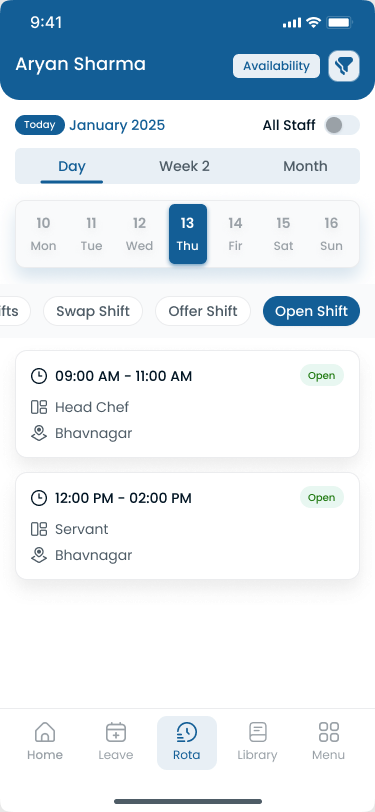
Regional property managers need department coverage and hour totals visible across properties before the week publishes.
Why spreadsheets and manual methods fail
Manual scheduling works when one property manager knows every name on one community. Portfolios outgrow that quickly.
| Manual method | What breaks at scale |
|---|---|
| Spreadsheets per property | Version drift, shadow tabs, no mobile source of truth |
| Whiteboards and printed grids | Stale the moment a maintenance call-off hits |
| Group texts and phone trees | Screenshot becomes "the schedule"; not everyone saw the update |
| Separate files by department | Leasing and maintenance rebuild coverage in parallel |
| Portfolio roll-up by email | Regional leads merge exports manually every Monday |
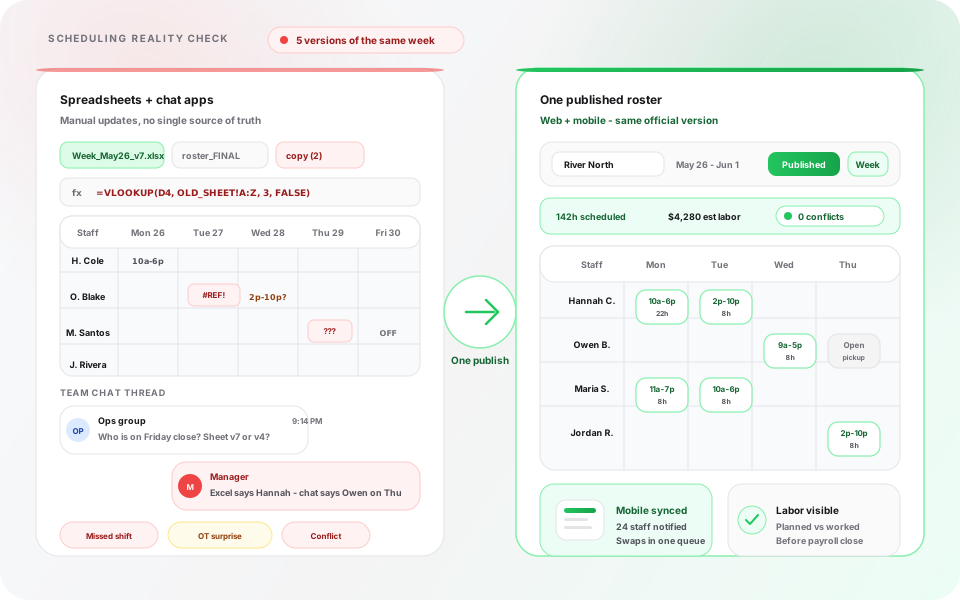
Manual tools create parallel schedules. Publish-first software gives property managers and field staff one official week per asset.
The failure pattern is predictable: a maintenance tech calls off, a leasing office runs thin on Saturday tours, the regional manager rebuilds coverage in chat, and payroll exports a week that never matched what field staff thought they were working.
Modern property management scheduling software replaces that drift with publish-first discipline, mobile access, attendance beside shifts, and approved swap paths on the official roster.
See why spreadsheets fail for workforce scheduling and workforce scheduling software vs Excel.
What to look for in property management scheduling software
Use this decision framework during demos. Score each vendor 1 to 5 on every row, then weight rows that match your portfolio (multi-property residential vs single commercial asset).
| Criteria | Why it matters | What good looks like |
|---|---|---|
| Publish-first scheduling | One official week per property | Managers publish once; mobile staff see the same roster |
| Property and department templates | PM runs maintenance, leasing, cleaning, security bands | Copy peak week, adjust by department, publish |
| Mobile adoption | Field staff are deskless | Staff open schedules on phone without per-seat mobile upsell surprises |
| Attendance beside shifts | Payroll disputes start when planned vs worked diverges | Clock events tie to published shift where applicable |
| Open shifts and swap approvals | Maintenance call-offs are daily | Approved pickup paths, not text-based favors |
| Multi-property roll-up | Regional ops need portfolio visibility | Separate property rosters, leadership dashboard without merged exports |
| Hour visibility while planning | Overtime is a planning decision | Running totals by employee while building the week |
| Implementation fit | 15 to 500 employees need speed to value | Trial with your properties, departments, and publish week in the first two weeks |
Read shift scheduling software buyer's guide and employee scheduling software cost before you finalize budget.
Essential features for property management scheduling software
1. Employee scheduling
Why it matters: Building schedules manually becomes difficult as properties and departments multiply. Managers must consider availability, tour windows, maintenance bands, leave, certifications, and labor budgets while ensuring every asset has coverage.
Look for weekly schedules in minutes, recurring templates, assignment by property and department, instant publish, and quick open-shift fill.
Business impact: Regional managers spend less time updating spreadsheets and more time improving resident response and owner reporting.
See shift scheduling.
2. Attendance tracking
Why it matters: Knowing who is actually on site is as important as knowing who was scheduled. If a maintenance lead does not arrive and supervisors do not know until a resident calls, service levels suffer immediately.
Look for clock-in and clock-out tracking, attendance history, late arrival visibility, missed shift alerts, and payroll-ready records tied to published shifts.
Business impact: Accurate attendance reduces payroll disputes and helps managers respond quickly when employees are absent.
3. Leave management and availability
Why it matters: Assigning employees who already requested leave creates unnecessary conflicts. Employees should submit vacation and sick leave digitally; managers should approve before publishing schedules.
Business impact: Fewer schedule revisions and less frustration for employees and property managers.
See leave management and people availability.
4. Shift swapping and open shift management
Why it matters: Emergency work orders and call-offs are part of every property management operation. Managers should publish open shifts that qualified employees can request from the mobile app with approval control.
Business impact: Shift swaps reduce administrative work and help maintain coverage without defaulting to the same overtime-heavy technicians every week.
Read employee shift swapping best practices.
5. Mobile workforce management
Why it matters: Maintenance techs, leasing agents, cleaners, and security officers rarely sit at a desk. They need schedule access, notifications, and leave requests wherever they are working.
Business impact: Real-time communication reduces missed shifts and keeps the workforce aligned on the official roster.
See mobile app.
6. Multi-property management
Why it matters: Property management companies expand across communities, cities, and regions. Managers need centralized visibility without losing property-level publish discipline.
Business impact: Portfolio roll-up improves float staffing decisions and reduces double-booking across assets.
7. Workforce reporting and labor visibility
Why it matters: Good scheduling decisions use data. Reporting helps managers answer which properties generate the most overtime, which departments see the highest absenteeism, and which shifts are hardest to fill.
Business impact: Insights reduce labor costs while improving operational planning.
See workforce visibility and cost and labor insights.
Publish-first still wins in property management: one authoritative roster per property beats a photo of a whiteboard in a community manager group chat.
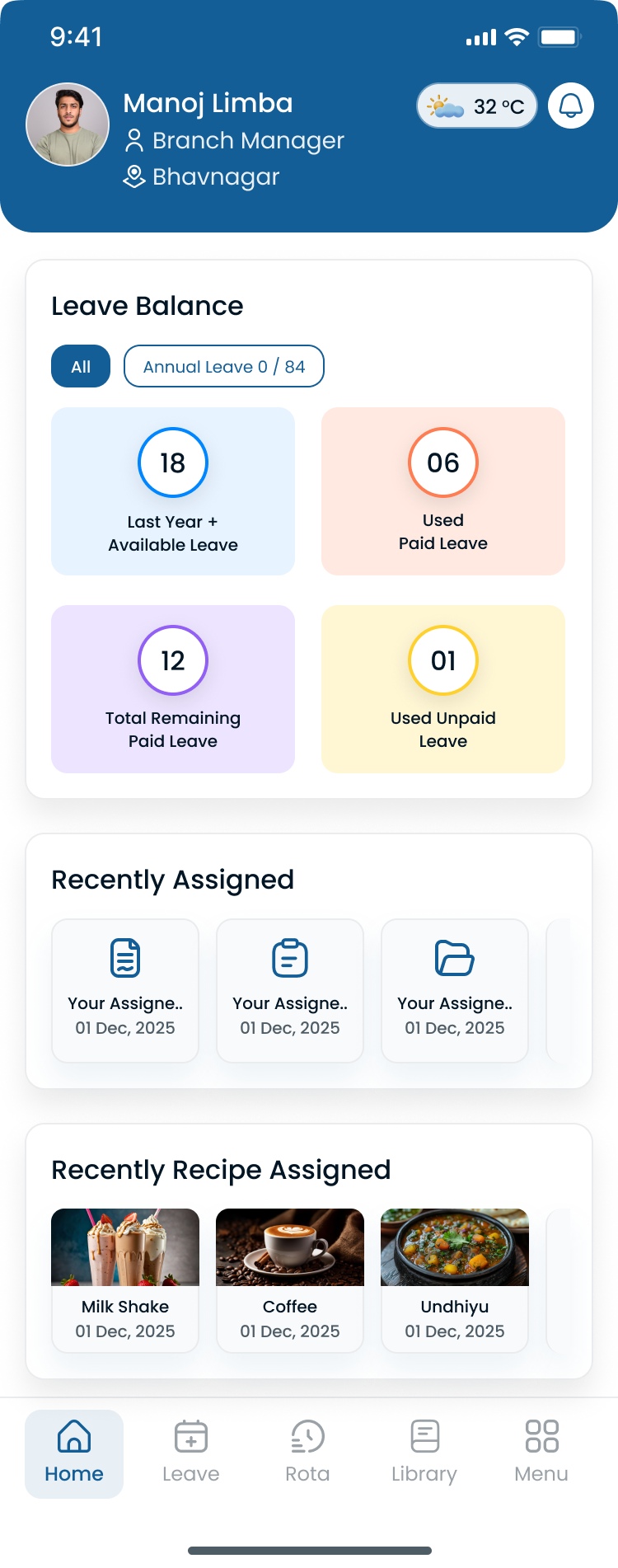
Regional managers should see properties, departments, and hour totals in one grid while building the week, not after payroll export.
From schedule creation to payroll: a modern property management workflow
- Forecast labor demand by property and department
- Review employee availability and certifications
- Build weekly schedule
- Manager review for coverage and hour totals
- Publish schedule
- Employee mobile notifications
- Emergency open shifts and swap requests
- Attendance tracking
- Overtime monitoring
- Payroll preparation and workforce reporting
Instead of separate spreadsheets, printed grids, messaging apps, and attendance exports, property management companies manage the workflow from one platform.
What business results should you expect?
| Operational challenge | How scheduling software helps |
|---|---|
| Managers spend hours creating schedules | Build and publish schedules faster with property and department templates |
| Field staff miss schedule updates | Instant mobile notifications on the official roster |
| Overtime continues to increase | Visibility into employee hours before publish |
| Payroll corrections are common | Accurate attendance records improve payroll accuracy |
| Multiple properties are hard to coordinate | Centralized scheduling across the portfolio |
| Employees call supervisors about shifts | Self-service access through a mobile app |
Use the scheduling ROI calculator when building an internal business case.
Best scheduling software for property management companies compared
Below are five platforms USA property management operators commonly evaluate. Score them on a real property management week: maintenance call-off volume, leasing weekend coverage, mobile adoption, overtime before payroll, and portfolio roll-up visibility.
1. Heyshift
Best for: growing property management companies (15 to 500 employees) that want scheduling, attendance, and multi-property workforce management together.
Heyshift combines scheduling, attendance, leave management, communication, and reporting in one platform. Managers coordinate maintenance, leasing, cleaning, security, and make-ready teams from one dashboard.
Ideal for: apartment management companies, HOA management firms, commercial property managers, residential portfolios, mixed-use developments, and multi-property operators.
Key features
- Department-based schedules (maintenance, leasing, cleaning, security, front desk)
- Property templates with copy-week publish
- Publish-first week views for regional managers
- Mobile app for field staff on every plan
- Attendance tracking tied to published shifts
- Open shifts and swap approvals on the official roster
- Multi-location areas for regions and portfolios
Pros
- Easy to learn with modern interface
- 30-day free trial with all features unlocked
- Attendance included, not a separate bolt-on
- Staff mobile access included without billing every hourly worker as a separate mobile seat
- Multi-property support on paid plans
Consider
- Larger enterprise organizations with thousands of employees may require specialized workforce planning beyond most mid-sized property management needs
Start 30-day free trial for multi-property rollouts.
2. Deputy
Best for: large enterprise property operations prioritizing automated scheduling and compliance tooling.
Strengths: automated scheduling, labor compliance, time tracking, enterprise reporting, strong integrations.
Considerations: pricing can increase as headcount and property count grow; validate publish-first habits and portfolio roll-up on your highest call-off week.
See Deputy alternative.
3. Connecteam
Best for: mobile-first property teams that prioritize communication, tasks, and field coordination alongside scheduling.
Strengths: excellent mobile experience, employee communication, digital forms, task management.
Considerations: advanced workforce analytics and multi-property roll-up may require higher-tier plans; confirm hour visibility while planning on the tier you need.
4. Sling
Best for: budget-friendly scheduling for small property teams replacing spreadsheets.
Strengths: affordable entry pricing, easy scheduling, team communication.
Considerations: basic reporting, limited workforce analytics, fewer advanced capabilities as you add properties.
See Sling alternative.
5. Homebase
Best for: small single-property or single-community operations with straightforward weekly patterns.
Strengths: easy implementation, time tracking, simple scheduling.
Considerations: better suited to single-location businesses; limited scalability for growing portfolios.
See Homebase alternative.
For field-heavy maintenance patterns, also read best employee scheduling software for field service teams.
Comparison matrix
| Evaluation criteria | Heyshift | Deputy | Connecteam | Sling | Homebase |
|---|---|---|---|---|---|
| Best team size | 15 to 500 | 100+ | 15 to 300 | Small | Small |
| Multi-department PM operations | Strong | Strong | Good | Good | Basic |
| Emergency open-shift fill | Strong | Good | Good | Good | Limited |
| Multi-property portfolio | Excellent | Excellent | Good | Limited | Limited |
| Employee scheduling | Yes | Yes | Yes | Yes | Yes |
| Attendance tracking | Yes | Yes | Yes | Basic | Yes |
| Leave management | Yes | Yes | Yes | Basic | Basic |
| Shift swapping | Yes | Yes | Yes | Yes | Limited |
| Mobile workforce | Excellent | Excellent | Excellent | Good | Good |
| Ease of setup | Easy | Moderate | Easy | Easy | Easy |
| Best for | Growing PM companies | Enterprise PM | Mobile field teams | Budget teams | Small operations |
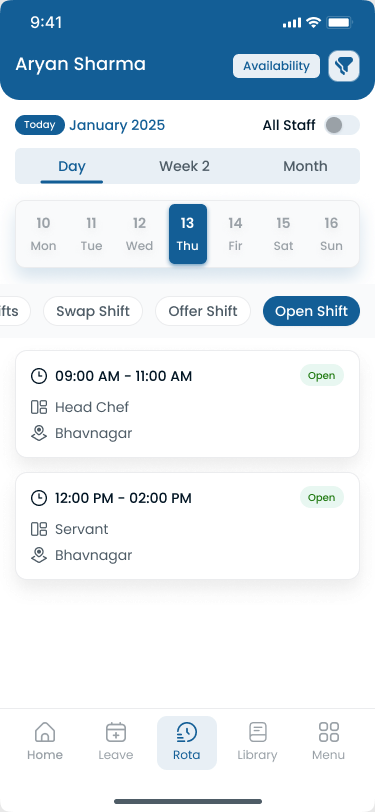
Property scheduling software fails adoption when field staff keep checking a shadow schedule in group chat instead of the official mobile view.
Which software should you choose?
Choose Heyshift if you have 15 to 500 employees, manage multi-department teams across properties, want scheduling and attendance in one platform, and need software that is easy to implement.
Choose Deputy if you manage a large enterprise workforce, compliance and forecasting are major priorities, and you will validate total cost at your headcount and property count.
Choose Connecteam if mobile communication and task coordination beside scheduling are your highest priorities.
Choose Sling if you are replacing spreadsheets on a limited budget and your scheduling needs are relatively simple.
Choose Homebase if you operate a small single-property team with straightforward patterns and limited near-term growth.
No vendor wins every property portfolio. A regional apartment operator with 25 communities has different priorities than a 12-person commercial management team.
How a regional property management company simplified employee scheduling
Marcus directs operations for a regional property management company with 142 employees across 31 properties in two metro areas. His portfolio mixes apartment communities, a handful of commercial assets, and three HOA neighborhoods. Maintenance, leasing, cleaning, and weekend security coverage run on different bands every week. On paper the business was growing. In practice, scheduling was the bottleneck.
Before: every community manager ran a parallel schedule
Each on-site manager maintained a spreadsheet tab per property. Emergency calls were filled through group text. Payroll exported hours that did not always match the roster the regional office used that morning. Leadership merged files every Monday just to see who was on site.
Marcus spent more time proving coverage than improving it. Community managers rebuilt grids after every call-off. Owner walkthroughs surfaced gaps nobody saw until the owner did.
The week that exposed the gap
During a quarterly review at a flagship apartment community, the owner asked a simple question: who was on site Saturday for the emergency plumbing call, and did leasing coverage match the agreed tour band? Marcus's team had answers in three different places. The published spreadsheet showed one technician. Dispatch text threads showed another. Payroll clock data showed a third.
That week Marcus stopped treating scheduling as an admin task and started treating it as an owner retention risk.
He evaluated property management scheduling software with four questions:
- Can each property publish one official week that field staff and community managers both open on mobile?
- When a maintenance tech calls off, can approved open shifts fill the band without rebuilding the grid in chat?
- Can he see running hour totals for technicians before he publishes overtime-heavy bands?
- Can regional leadership view all 31 properties without merging files every Monday?
What changed in the first 30 days
Marcus piloted publish-first scheduling at eight apartment communities. He built templates for maintenance, leasing, cleaning, and security bands, moved publish to Tuesday for the following week, and had field staff install the mobile app.
Week one surfaced overtime-heavy bands spreadsheets had hidden. Week two, open shifts filled through the app with manager approval. Dispatch stopped maintaining a parallel roster in text.
| Challenge | Before | After |
|---|---|---|
| Source of truth | Spreadsheet tabs plus group texts per property | One published roster per property on mobile |
| Emergency fill | Supervisor texts names until someone says yes | Approved open shifts on the official roster |
| Overtime visibility | Hour stacking noticed after payroll export | Running totals visible while building the week |
| Portfolio roll-up | Regional merge of 31 files every Monday | Leadership dashboard across properties in one account |
| Owner coverage questions | Answers split across three systems | Planned shifts and attendance on the same week |
| Manager time | Hours rebuilding schedules after call-offs | Time redirected to resident response and owner reporting |
Results operations could measure
Payroll corrections on pilot properties dropped. Community managers reported fewer shift confirmation calls. Regional reviews took less time because coverage was visible without a manual merge. That is the outcome this guide is built around: employee scheduling discipline that protects owner trust and labor cost across a growing portfolio.
If your property management company still runs parallel schedules across spreadsheets and texts, use the implementation checklist below to replicate Marcus's pilot path at one region before you roll out portfolio-wide.
Read property management scheduling best practices for the operational habits that pair with publish-first scheduling.
Implementation checklist
Use this rollout path for a 15 to 500 employee property management network:
- Document properties and departments: list assets, departments (maintenance, leasing, cleaning, security), and publish owners per region
- Import or enter employees: assign properties, departments, certifications, and managers before building templates
- Build two template weeks: standard week plus surge week from your highest turn or tour period
- Configure publish rhythm: target publish 7 to 14 days ahead; name who publishes each region
- Pilot one region for two weeks: validate mobile adoption, open shifts, and attendance beside shifts
- Train community managers on swap approvals: unstructured text favors create coverage holes and payroll disputes
- Enable portfolio roll-up: confirm leadership sees hour totals and thin coverage without exports
- Review labor signals weekly: use prevent overtime before payroll habits and the overtime risk calculator
Compare platform tiers on pricing before you commit past the pilot.
Common buying mistakes to avoid
Buying on feature count alone: property managers need publish discipline, mobile adoption, and hour visibility on a real maintenance call-off week, not a generic demo grid.
Ignoring mobile seat economics: per-employee mobile fees inflate quickly on 100+ hourly field staff. Validate how technicians and leasing agents access the roster on every plan you consider.
Skipping the publish workflow: if community managers still treat chat or Excel as the real schedule after go-live, you paid for another tab, not workforce management.
Running separate attendance and scheduling systems without alignment: payroll disputes start when planned shifts and clock events live in different tools.
Underestimating portfolio roll-up: six properties become thirty faster than spreadsheets adapt. Test regional visibility before you sign a single-community contract.
No emergency open-shift plan: maintenance volume is reactive. Operators who only template an average week rebuild manually every time work orders spike.
Choosing software field supervisors will not use: if community managers keep rebuilding in text, adoption failed. Involve on-site leads in the pilot, not only HR.
Benefits of scheduling software for property management companies
Modern property management scheduling software helps companies:
- Reduce administrative work by publishing once instead of rebuilding tabs
- Improve maintenance coordination with clear property assignments on mobile
- Increase workforce visibility across communities and commercial assets
- Reduce overtime costs with hour signals while planning
- Improve communication through the same app as the schedule
- Simplify attendance tracking beside published shifts
- Support business growth as properties and headcount scale
Read reduce no-shows and call-offs and multi-location workforce management guide.
How Heyshift helps property management companies
Heyshift helps property management companies:
- Build employee schedules in minutes by property, department, and shift
- Track attendance accurately on the published roster
- Manage leave requests with approval paths
- Coordinate multiple properties and regions
- Reduce overtime with visibility while planning
- Improve workforce communication without text drift
- Monitor labor patterns through workforce reporting on higher tiers
Whether you manage 15 employees or 500 across a portfolio, Heyshift simplifies workforce scheduling while giving operations leaders visibility across every property.
Managers gain workforce visibility while reducing administrative work across assets. Heyshift fits operators who want publish-first scheduling and attendance in one platform without billing every hourly worker as a separate mobile seat.
Start 30-day free trial to map your first publish week across properties.
Final thoughts
Property management companies keep assets maintained, leased, and responsive to owners and residents. As portfolios grow, manual scheduling methods become inefficient and hard to scale.
The best scheduling software for property management companies in 2026 is the platform regional managers publish every week and field staff actually open on mobile before their shift.
The right platform improves workforce visibility, streamlines communication, reduces labor surprises, and helps every property stay staffed with the right departments at the right time.
Why growing property management companies choose Heyshift
Heyshift is designed for businesses that need a simple, scalable workforce management platform without the complexity often associated with enterprise software.
With Heyshift, property management companies can build schedules in minutes, track attendance in real time, manage leave requests, support shift swaps, coordinate multiple properties, keep employees informed through a mobile app, and improve workforce visibility from one centralized dashboard.
Start your 30-day free trial (no credit card required) to map your first publish week.
Aim for one published roster per property, one portfolio view operations trusts before the next maintenance emergency lands.
Frequently Asked Questions
Continue with related topics
More articles on topics related to this one.
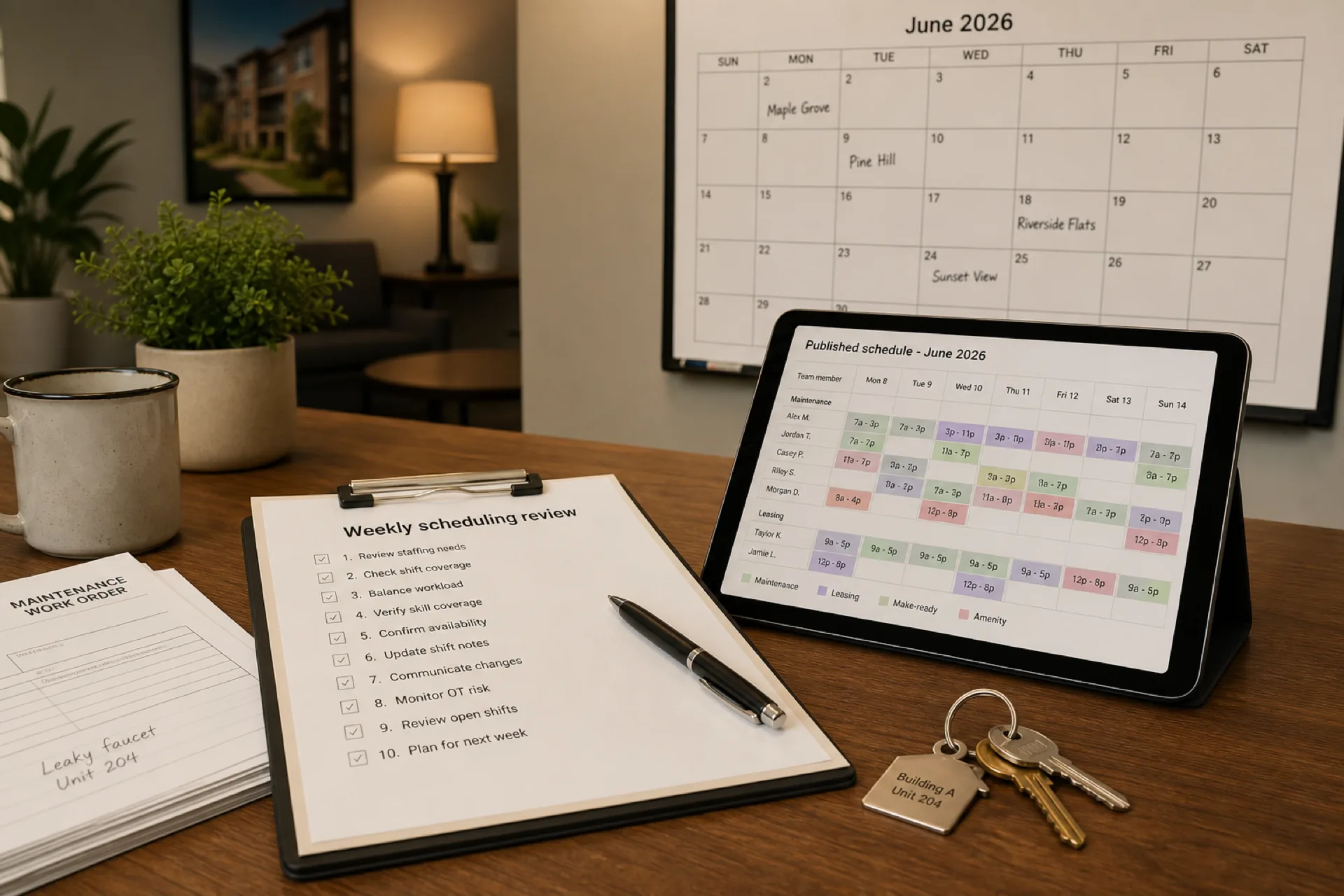
Property management scheduling best practices: 10 ways to improve team productivity (2026)
Property management scheduling best practices help managers staff multiple properties, coordinate maintenance, reduce overtime, and keep mobile teams aligned on one published roster.
Read article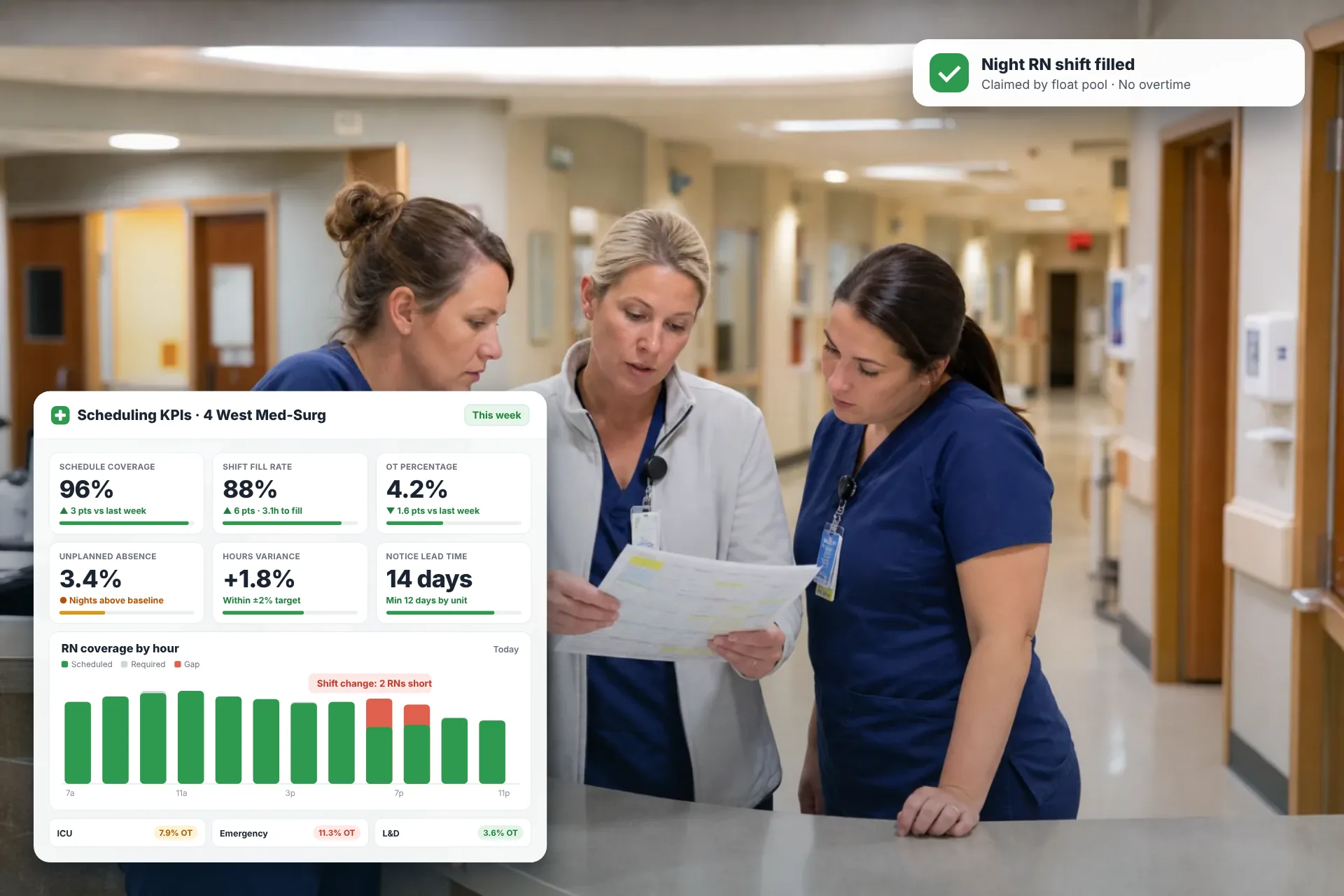
Employee Scheduling KPIs: 12 Metrics Every Operations Manager Should Track
Twelve employee scheduling KPIs with formulas, review cadences, and first actions, plus the trade-offs between them that most KPI lists skip.
Read article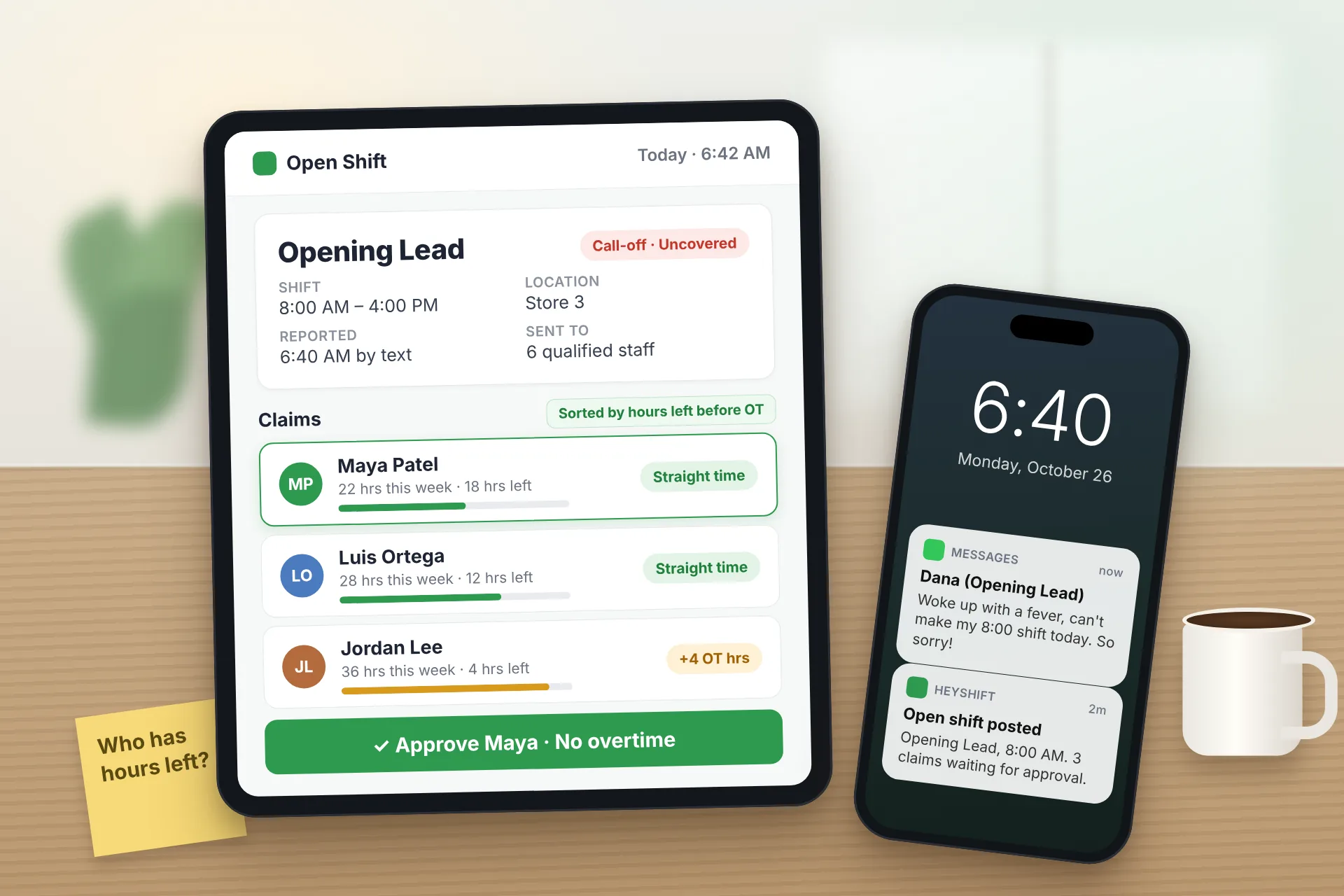
Same Day Employee Call Off Coverage: How to Handle Call-Offs Without Creating Overtime
A 30-minute response sequence for same-day call-offs: build a qualified list, post an open shift to everyone at once, and check overtime before you approve anyone.
Read article