

Healthcare Staff Scheduling Templates: Free Templates for Hospitals, Clinics, and Care Teams (2026)
Explore healthcare staff scheduling templates for hospitals, clinics, nurses, home healthcare, and care teams. Learn what to include, how to build weekly schedules, and when to move beyond spreadsheets.
Healthcare staff scheduling templates: free templates for hospitals, clinics, and care teams (2026)
A nurse manager copies last week's Excel tab, renames it "Week 32," and starts dragging cells. By Friday, three availability changes sit in text messages, a per diem float never got added to the grid, and the printed roster on the unit board still shows Tuesday's old assignment.
Healthcare staff scheduling templates give managers a repeatable starting point for weekly or monthly coverage. They work well when teams are small and shifts are relatively stable. They break down when availability, leave, open shifts, and multi-site coverage need to update in real time.
Featured answer: What is a healthcare staff scheduling template? A healthcare staff scheduling template is a structured document, usually a spreadsheet or printable grid, used to organize employee names, roles, shifts, dates, locations, and working hours before a schedule is published to staff.
Who should read this: Nurse managers, clinic administrators, scheduling coordinators, and operations leads who need a practical healthcare staff schedule template today and want to know when spreadsheets stop scaling.
Executive summary
Healthcare staff scheduling templates help small and mid-size care teams standardize shift bands, document coverage, and share one weekly view before they adopt scheduling software.
In this guide you will find:
- What belongs in a healthcare staff schedule template
- Daily, weekly, and shift-based template examples
- Nurse, home health, and clinic-specific layouts
- A nine-step process to build a healthcare staff schedule
- Common template limitations and when to move to software
- Template vs scheduling software comparison table
- FAQ and links to free downloadable templates
What is a healthcare staff scheduling template?
A healthcare staff scheduling template is a pre-built layout for organizing who works when, where, and in what role.
A basic healthcare employee schedule template often includes:
- Employee name
- Role or license level
- Department or unit
- Date
- Shift band (day, evening, night)
- Start and end time
- Location or facility
- Break or meal period
- Total scheduled hours
- Notes (on-call, float, training)
More advanced medical staff schedule template versions add columns for availability, approved leave, overtime flags, and open or uncovered shifts.
Templates are not a substitute for a published roster staff trust on mobile. They are a bridge: a shared format managers can fill before call-outs, swaps, and payroll exceptions pile up.
For a ready-made file, download the healthcare employee schedule template in Excel, Google Sheets, or PDF.
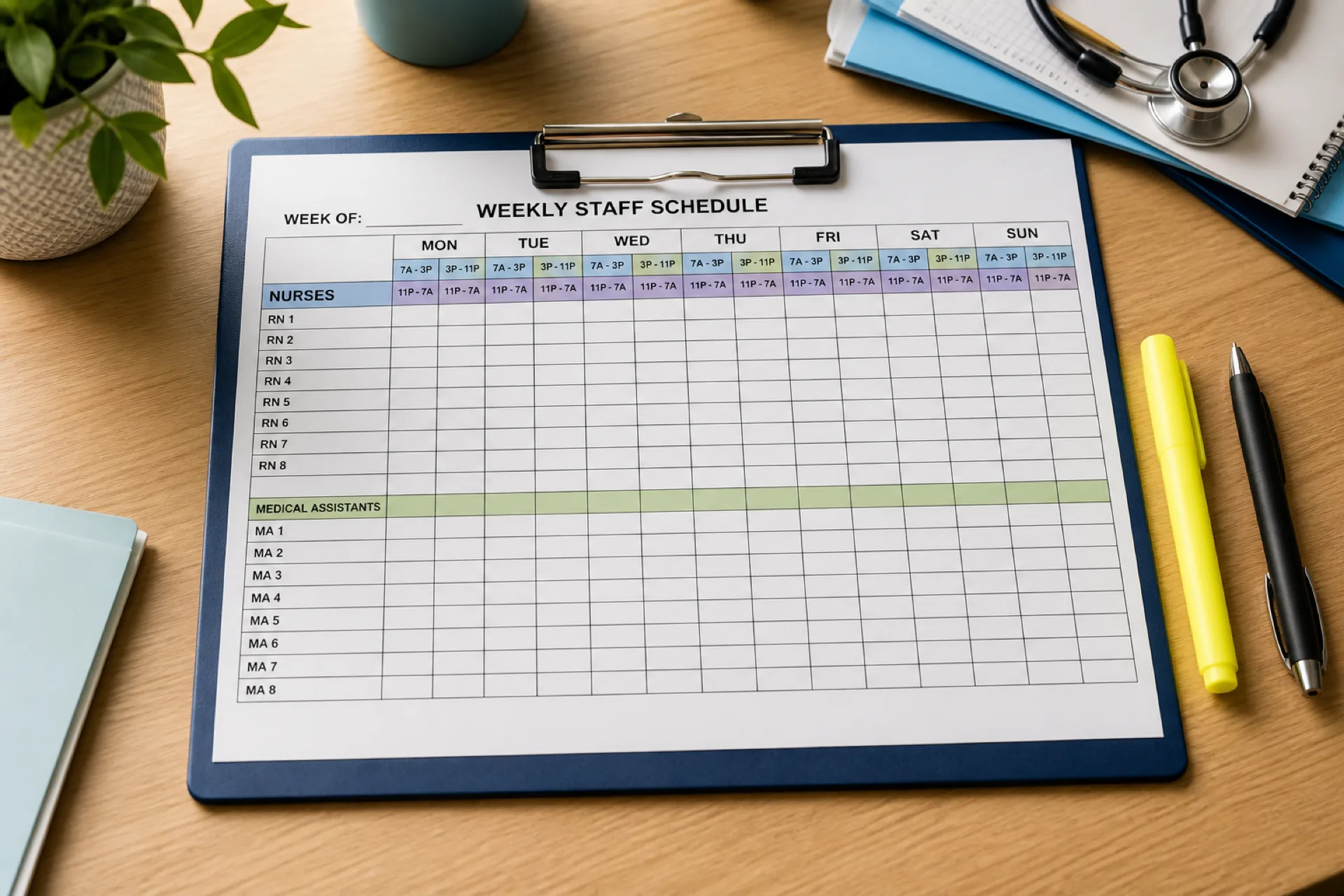
Healthcare staff schedule template (daily view)
A daily grid works when you assign one date at a time or run short-cycle staffing (urgent care, residential care, home health dispatch).
| Employee | Role | Date | Shift | Start | End | Location | Hours | Notes |
|---|---|---|---|---|---|---|---|---|
| Employee 1 | Nurse | Monday | Day | 7:00 AM | 3:00 PM | Clinic A | 8 | |
| Employee 2 | Medical assistant | Monday | Day | 8:00 AM | 4:00 PM | Clinic A | 8 | |
| Employee 3 | Nurse | Monday | Evening | 3:00 PM | 11:00 PM | Clinic A | 8 | |
| Employee 4 | Caregiver | Tuesday | Day | 8:00 AM | 4:00 PM | Home care | 8 | Visit route |
Adapt columns to your workforce: add credential tags for float pools, acuity notes for inpatient units, or patient assignment fields for home health.
Weekly healthcare staff schedule template
A weekly healthcare staff schedule template maps each employee across seven days. Smaller clinics, dental practices, and outpatient teams often prefer this view.
| Employee | Mon | Tue | Wed | Thu | Fri | Sat | Sun |
|---|---|---|---|---|---|---|---|
| Nurse 1 | 7-3 | 7-3 | Off | 7-3 | 7-3 | Off | Off |
| Nurse 2 | 3-11 | Off | 3-11 | 3-11 | Off | 7-3 | 7-3 |
| MA 1 | 8-4 | 8-4 | 8-4 | Off | 8-4 | Off | Off |
Tips for weekly grids:
- Use consistent shift labels (7-3, 3-11, 11-7) so hour totals stay comparable week to week.
- Add a row for daily coverage minimums by role.
- Highlight weekends and holidays before you publish.
- Keep one master file per location if you operate multiple sites.
The healthcare employee schedule template includes a weekly layout you can duplicate per department.
Healthcare shift schedule template
Organizations that run continuous coverage need a healthcare shift schedule template organized by shift band and unit.
| Employee | Role | Day | Shift | Start | End | Location |
|---|---|---|---|---|---|---|
| Employee 1 | Nurse | Monday | Day | 7 AM | 3 PM | Unit A |
| Employee 2 | Nurse | Monday | Evening | 3 PM | 11 PM | Unit A |
| Employee 3 | Nurse | Monday | Night | 11 PM | 7 AM | Unit A |
This format fits:
- Hospitals and health systems
- Urgent care centers
- Long-term care and assisted living
- Behavioral health programs
- Residential treatment facilities
Pair shift templates with rotation rules from nurse shift rotation best practices. For inpatient rosters, see the hospital staff roster template.
Nurse schedule template
Nursing teams need templates that reflect department, license level, and rotation fairness.
Include at minimum:
- Nurse name and credential (RN, LPN, CNA)
- Department or unit
- Shift date and band
- Start and end time
- Location or patient assignment area
- Total scheduled hours
- Notes (preceptor, charge, on-call)
Managers use nurse schedule template files to plan day, evening, night, weekend, and holiday bands before the official week publishes. When swaps and call-outs start stacking, static grids fall behind quickly.
Download the nurse schedule template or the 12-hour nurse schedule template for hospital and LTC lines. For software evaluation, read nurse scheduling software.
Home healthcare staff schedule template
Home healthcare and home care agencies schedule differently from fixed-facility teams. Caregivers move between client locations, and coverage depends on visit windows, travel time, and assignment availability.
Useful columns:
- Caregiver name and role
- Patient or assignment identifier
- Date
- Start and end time
- Service location or address
- Visit type or service line
- Total hours
- Notes (mileage, supervisor, missed visit)
Caregiver availability and assignment coverage matter more here than in a clinic grid. When availability lives in a separate tab, dispatchers assign visits blind and overtime shows up late.
Use the home healthcare schedule template for visit-based weekly planning. For agency workflow depth, see home healthcare scheduling software and home healthcare scheduling best practices.
Clinic staff schedule template
Outpatient clinics staff to session volume: physicians, nurses, medical assistants, front desk, and lab or imaging support.
| Employee | Role | Day | Start | End | Location | Hours |
|---|---|---|---|---|---|---|
| Employee 1 | Physician | Mon | 9 AM | 5 PM | Clinic A | 8 |
| Employee 2 | Nurse | Mon | 8 AM | 4 PM | Clinic A | 8 |
| Employee 3 | Reception | Mon | 8 AM | 4 PM | Clinic A | 8 |
This layout works for:
- Medical and specialty clinics
- Dental practices
- Physical therapy clinics
- Urgent care and outpatient centers
Download the clinic staff schedule template or medical office schedule template. Buyers comparing platforms should read medical clinic scheduling software and clinic staff scheduling best practices.
What should a healthcare staff schedule include?
A useful schedule, whether template or software, should answer five questions for every shift: who, when, where, how long, and whether coverage is complete.
Employee information
Name, role, department, and credential tags for float or per diem staff.
Shift information
Date, start time, end time, and shift type (day, evening, night, on-call).
Location
Facility, unit, department, or service area. Multi-site groups should never merge locations into one ambiguous tab without site labels.
Working hours
Total scheduled hours per employee and per day. This feeds overtime pacing before payroll.
Availability
When employees can and cannot work. If availability sits outside the template, managers assign shifts that staff already said they cannot cover.
See healthcare employee availability management for how availability should connect to publish.
Leave
Approved vacation, sick leave, and other absences removed from assignable rows before publish.
Coverage
Open or uncovered shifts flagged before the week goes live. Pair template discipline with healthcare open shift management habits when you move to software.
Notes
Charge nurse, preceptor, training, agency, or special assignment details managers need at handoff.
The healthcare staffing matrix template helps map roles to minimum coverage by daypart when you outgrow a simple name grid.
How to create a healthcare staff schedule
Use this nine-step rhythm whether you stay in Excel or migrate to healthcare staff scheduling software.
Step 1: List your employees
Record active staff, roles, departments, and employment type (full-time, part-time, per diem).
Step 2: Identify staffing requirements
Define how many employees each shift needs by role and location.
Step 3: Collect availability
Gather when employees can and cannot work before you assign bands.
Step 4: Add approved leave
Remove employees on approved absence from relevant dates.
Step 5: Assign employees
Fill the template based on requirements, availability, and fairness rules.
Step 6: Check coverage
Scan for uncovered shifts, single-person departments, or missing credentials.
Step 7: Review working hours
Total hours per employee and watch for unintended overtime.
See healthcare overtime management before you publish heavy weeks.
Step 8: Publish the schedule
Share the official week through one channel staff recognize (email, portal, printed board, or app).
Step 9: Manage changes
Handle call-outs, healthcare shift swapping, and open shift fill without letting shadow versions multiply.
Common problems with healthcare scheduling templates
Templates help teams start. They create friction as complexity grows.
Manual updates
Every call-out, swap, or leave change requires someone to edit the file and re-share it.
Availability is difficult to maintain
Availability often lives in a second spreadsheet, form, or message thread.
Shift swaps are manual
Employees text managers; the master grid updates late or not at all.
Open shifts require manual communication
Managers call or message down a list instead of posting to qualified staff.
Overtime requires extra calculation
Hour totals and premium thresholds sit in separate formulas or mental math.
Multiple locations become difficult
Each site maintains its own file; leadership lacks one roll-up view.
These limits mirror why growing groups adopt healthcare staff attendance tracking and centralized scheduling together instead of patching spreadsheets forever.
When should you move from templates to scheduling software?
A healthcare staffing template can work when:
- The team is small (often under 25 to 40 employees)
- Shifts change infrequently
- One manager owns the grid
- Attendance and payroll exceptions are rare
Scheduling software becomes more valuable when you have:
- Many employees or high hourly headcount
- Frequent schedule changes and call-outs
- Multiple shift bands or 24/7 coverage
- Multiple locations or float pools
- Regular shift swaps and open shifts
- Significant overtime tracking needs
- Complex employee availability
- Large attendance and correction volume
- Several managers editing the same workforce
Multi-location healthcare workforce management is especially hard to run from disconnected template files.
Healthcare scheduling template vs. scheduling software
| Requirement | Template | Scheduling software |
|---|---|---|
| Basic schedule | Yes | Yes |
| Employee availability | Manual, often separate file | Centralized beside the grid |
| Open shifts | Manual outreach | Structured post and fill workflow |
| Shift swaps | Manual texts and edits | Request, approval, publish update |
| Attendance | Separate sheet or paper | Integrated with published shifts |
| Overtime visibility | Manual formulas | Visible while building shifts |
| Mobile access | Limited (PDF, screenshot) | Designed for staff phones |
| Multiple locations | Separate files per site | Roll-up with site-level control |
| Reporting | Manual pivots | Workforce and labor reports |
| Schedule updates | Manual re-send | One published roster |
Templates teach column discipline. Software keeps the published roster current when reality changes on Wednesday.
Why choose Heyshift?
Heyshift helps healthcare organizations move beyond static employee scheduling template healthcare files by connecting scheduling to the workflows templates cannot maintain alone.
With Heyshift, teams can manage:
- Employee scheduling and published rosters
- Employee availability and leave beside the grid
- Open shifts and shift swaps with manager approval
- Attendance tracking and time tracking aligned to scheduled hours
- Overtime visibility before publish
- Mobile access for clinical and field staff
- Multi-location workforce visibility and reporting
Heyshift fits growing hospitals, clinics, home health agencies, and multi-site care groups that outgrew spreadsheets but do not need a multi-year enterprise rollout to get one official week.
Review pricing. Start a 30-day free trial or contact Heyshift with your locations, shift bands, and roles.
Final thoughts
Healthcare staff scheduling templates are a practical starting point for organizing shifts, roles, and coverage across hospitals, clinics, home health, and care teams.
For small groups with stable schedules, a well-built weekly grid may be enough for months. As availability, open shifts, swaps, attendance, overtime, and multiple locations compound, templates become the bottleneck.
That is when a centralized scheduling process, not another duplicated tab, keeps staff aligned on one official week.
Browse free downloads on the templates hub, or start a 30-day free trial when you are ready to move beyond spreadsheet maintenance.
Related Healthcare Resources
- Healthcare Scheduling Software vs Excel
- Healthcare Employee Availability Management
- Healthcare Open Shift Management
- Healthcare Shift Swapping
- Healthcare Staff Attendance Tracking
- Healthcare Overtime Management
- Multi-Location Healthcare Workforce Management
- Best Healthcare Staff Scheduling Software
- Healthcare Staff Scheduling Software
Frequently Asked Questions
Continue with related topics
More articles on topics related to this one.
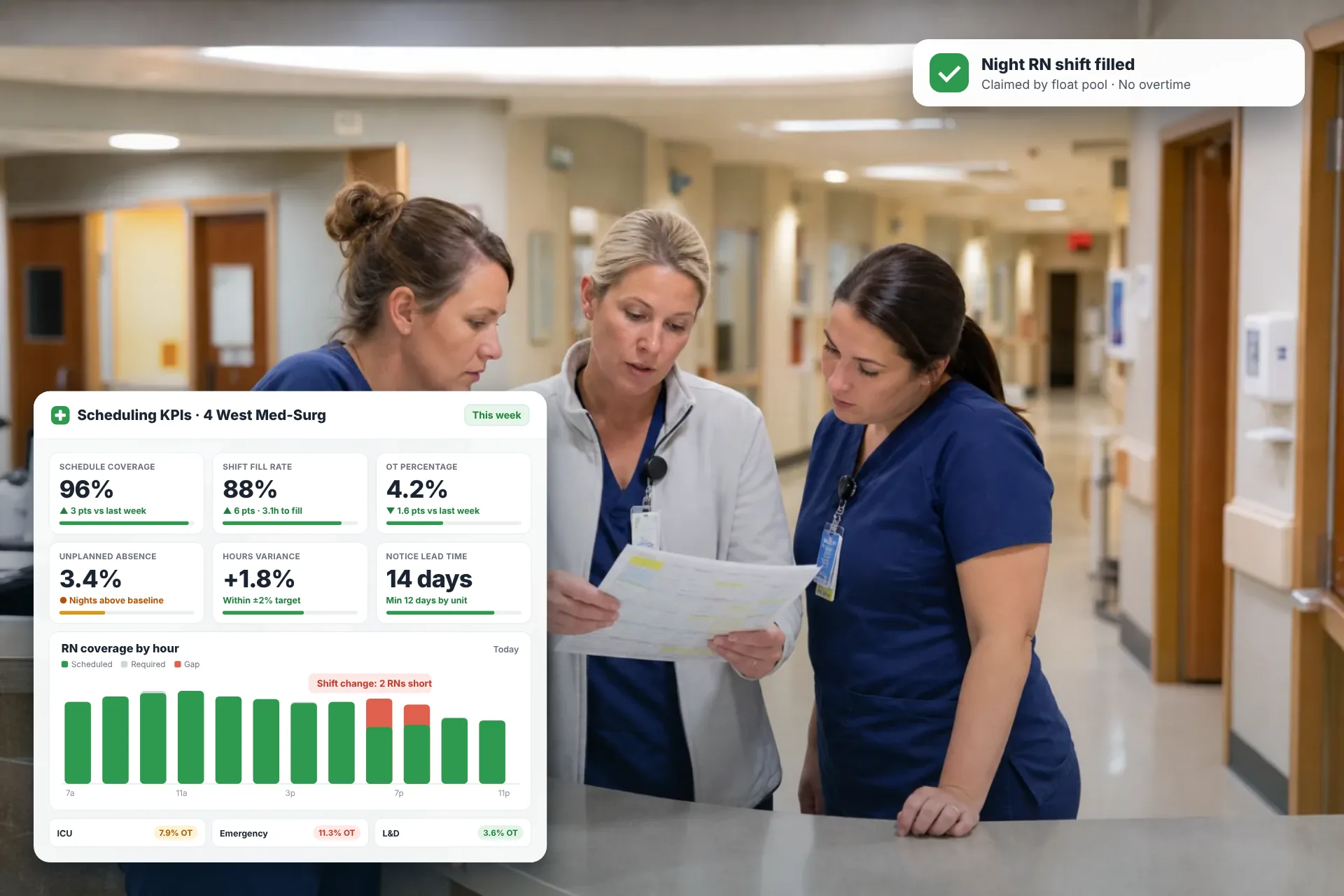
Employee Scheduling KPIs: 12 Metrics Every Operations Manager Should Track
Twelve employee scheduling KPIs with formulas, review cadences, and first actions, plus the trade-offs between them that most KPI lists skip.
Read article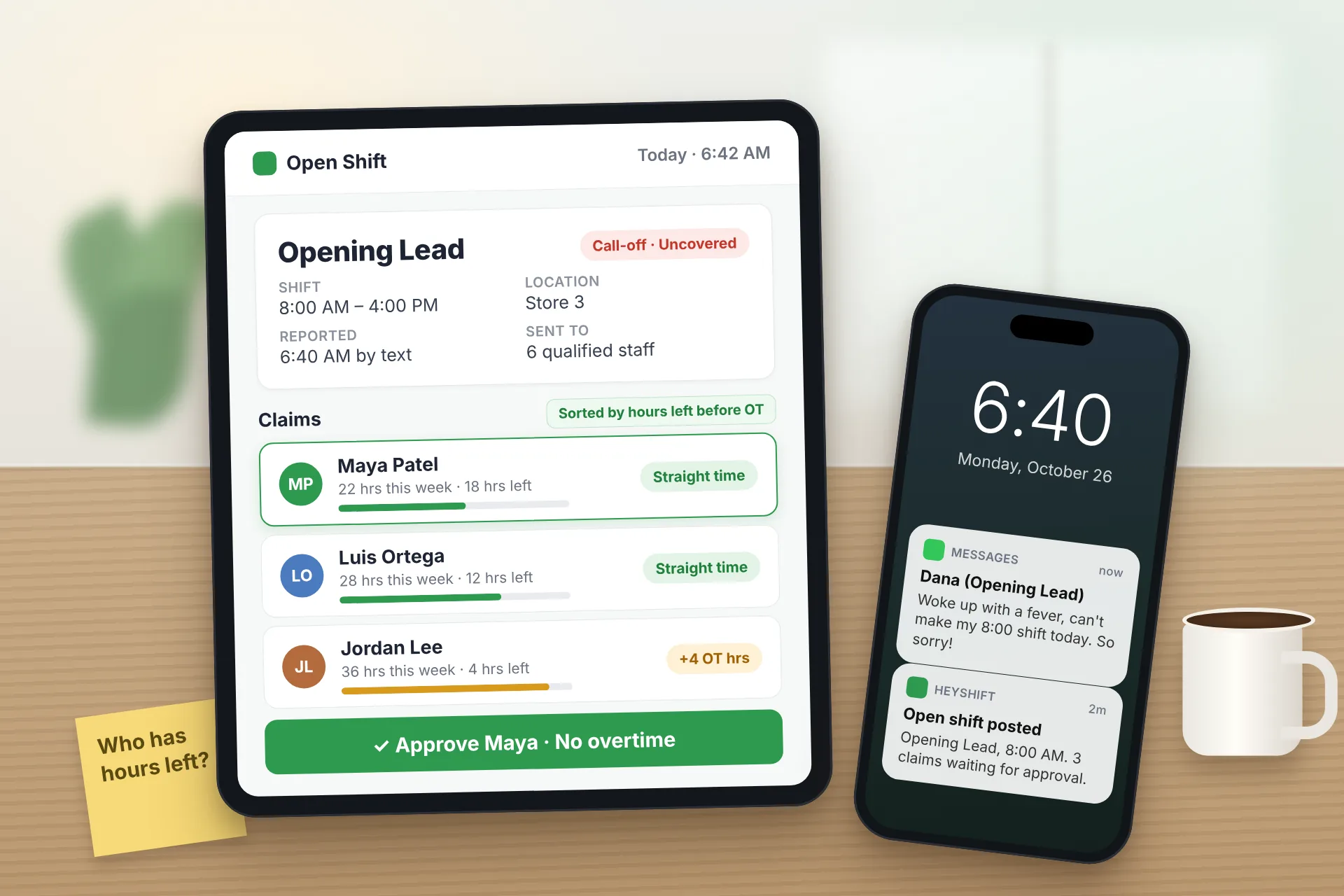
Same Day Employee Call Off Coverage: How to Handle Call-Offs Without Creating Overtime
A 30-minute response sequence for same-day call-offs: build a qualified list, post an open shift to everyone at once, and check overtime before you approve anyone.
Read article
Employee Schedule Change Management: One Official Roster
Learn employee schedule change management: a simple approval workflow, change log and notification process that keeps one official roster.
Read article