

Free Nurse Schedule Template
Create fair, compliant, and organized nurse schedules with our free Excel, Google Sheets, and PDF templates. Plan day, evening, night, rotating, weekend, and on-call shifts while balancing staffing levels, reducing overtime, and improving patient coverage.
Free download · No account required · CSV for Google Sheets
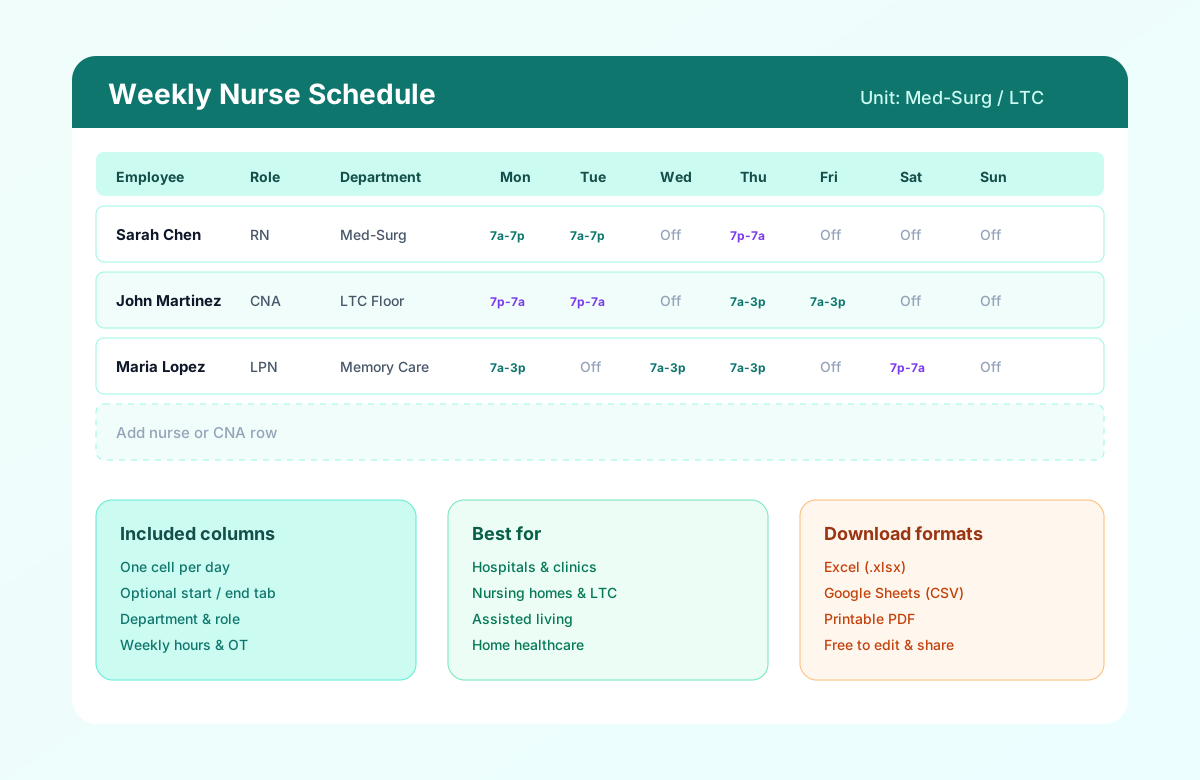
Table of contents
- Quick overview
- What is a nurse schedule template?
- What is a nursing duty roster?
- Nurse availability for scheduling
- Who should use this template?
- Roles included
- Shift types for nursing teams
- How to plan nurse shift coverage
- Open shifts and nurse scheduling
- Shift bidding and shift swaps
- Nurse schedule examples
- Nurse scheduling by healthcare setting
- Download the template
- What's included?
- Template preview
- How to build your first nurse schedule week
- Benefits of a structured nurse schedule
- Common nursing scheduling challenges
- Best practices for nurse scheduling
- Common mistakes
- Spreadsheet vs Heyshift
- Nurse schedule vs hospital staff roster
- Related templates
- Frequently asked questions
Quick overview
| Feature | Details |
|---|---|
| Best for | Hospitals, clinics, long-term care, rehabilitation, home healthcare |
| Schedule | Weekly and monthly planning |
| Formats | Excel, Google Sheets, PDF |
| Shift types | Day, evening, night, rotating, weekend, on-call |
| Editable | Yes |
| Printable | Yes |
| Cost | Free |
Featured answer: A free nurse schedule template (also searched as nurse roster template, nursing schedule template, nurse duty roster template, nursing duty roster, and RN schedule template) gives nurse managers a weekly grid for RN, LPN, CNA, and support roles with departments, shift times, breaks, weekly hours, and overtime notes in Excel, Google Sheets, or PDF. Use it as the official nursing roster after you collect an availability sheet and plan shift coverage.
Unlike the hospital staff roster template, which covers all hospital departments, this page focuses entirely on nursing workforce scheduling for nurse managers, nursing supervisors, chief nursing officers, and HR teams in acute and post-acute care.
What is a nurse schedule template?
A nurse schedule template is a structured weekly or monthly grid nurse managers use to assign clinical staff to shifts while maintaining safe patient coverage.
Nurse schedules differ from general employee schedule templates because nursing operations require:
| Factor | Why it matters |
|---|---|
| 24/7 patient care | Units never close; gaps in night or weekend bands affect safety |
| Shift handovers | Day, evening, and night transitions need overlap and continuity |
| Skill mix | RN, LPN, and CNA ratios vary by unit acuity and census |
| Staffing ratios | Minimum licensed coverage must be documented before publish |
| Overtime | Doubles and extra shifts inflate labor cost quickly |
| Compliance | Breaks, rest periods, and consecutive hours may be regulated |
A standardized nursing roster template saves charge nurses and DONs from rebuilding blank grids every week. It also creates one official version the floor can trust instead of conflicting spreadsheet tabs and group-chat screenshots.
For operational depth, see how to create a nursing home staff schedule, healthcare attendance tracking best practices, and nurse scheduling software.
What is a nursing duty roster?
A nursing duty roster is a structured schedule that shows which nurses and nursing staff are assigned to each shift, unit, department, or location. A roster typically includes the employee's role, shift date, start and end time, assigned unit, and total scheduled hours.
Managers searching for a nurses duty roster, nursing roster, or nurse duty roster template are usually looking for the same thing: one official assignment list the floor can trust.
A nursing duty roster can help managers organize:
- Day, evening, and night shifts
- RN, LPN/LVN, and CNA coverage
- Weekend and holiday assignments
- On-call and backup coverage
- Nurse availability and approved leave
- Shift swaps and open shifts
- Weekly scheduled hours and overtime
Nursing roster vs. nurse schedule: A nursing roster generally emphasizes who is assigned to each duty or shift, while a nurse schedule can provide a broader view of an employee's hours across the week or month.
Use this template as the weekly nursing roster for a single unit. Use the hospital staff roster template when the staffing office needs every hospital department on one sheet.
Nurse availability for scheduling
Before creating a nurse schedule, collect each employee's:
- Available days
- Preferred shifts
- Unavailable days
- Maximum or preferred weekly hours
- Weekend availability
- Holiday availability
- On-call availability
- Approved PTO or leave
- Unit or department eligibility
A simple availability sheet can be used before building the weekly roster. For larger teams, keeping availability connected to the scheduling workflow reduces the need to reconcile separate spreadsheets.
Start with the employee availability form template. For the operational process, see healthcare employee availability management and people availability.
Who should use this template?
This nurse staffing schedule layout fits any setting that assigns hourly nursing and direct-care staff weekly.
| Setting | Typical users |
|---|---|
| Hospitals | Nurse managers, charge nurses, staffing offices |
| Community hospitals | Unit supervisors balancing float pools |
| Specialty hospitals | Perioperative, cardiac, or behavioral health nurse leads |
| Clinics | Clinical managers scheduling RNs and MAs across rooms |
| Rehabilitation centers | DONs aligning nursing with therapy schedules |
| Long-term care facilities | Floor supervisors planning 24/7 CNA and LPN coverage |
| Home healthcare | Field nurse coordinators tracking visit windows |
| Surgical centers | Pre-op and PACU nurse scheduling |
| Emergency departments | Shift coordinators balancing trauma coverage |
Target audience: Nurse managers, nursing supervisors, chief nursing officers, hospital HR, and scheduling coordinators who need a nursing-specific grid before adopting software.
If you need a campus-wide roster that includes physicians, lab, radiology, and housekeeping, use the hospital staff roster template. If you need a broad healthcare grid for mixed clinical and admin staff, start with the healthcare employee schedule template.
Roles included
Use the Role column to distinguish licensed and unlicensed titles on one sheet:
| Role | Typical assignment |
|---|---|
| Registered Nurse (RN) | Primary clinical coverage, charge duties |
| Licensed Practical Nurse (LPN/LVN) | Med pass, treatments, supervised care |
| Nurse Practitioner (NP) | Advanced practice where applicable |
| Charge Nurse | Shift lead (note in Role or Manager Notes) |
| ICU Nurse | Critical care unit assignment |
| ER Nurse | Emergency department bands |
| Float Nurse | Cross-unit coverage (document home unit in Notes) |
| Nursing Assistant (CNA) | Direct care, ADLs, vitals support |
| Ward Clerk / Unit Secretary | Clerical support on the unit |
Sample rows in the download show RN, LPN, and CNA patterns you can replace with your roster.
Shift types for nursing teams
Nursing units combine multiple shift lengths and rotation styles. This template supports all of them through one cell per day on the week grid, plus an optional Shift Times tab in Excel.
| Shift type | Typical hours | When nursing teams use it |
|---|---|---|
| Day shift | 7 AM to 3 PM or 7 AM to 7 PM | Med-surg, clinics, LTC days |
| Evening shift | 3 PM to 11 PM | Handoff coverage, LTC evenings |
| Night shift | 11 PM to 7 AM | ICU, ED, LTC overnight |
| 8-hour | Three bands per day | Many LTC and clinic models |
| 10-hour | Compressed bands | Some outpatient and rehab units |
| 12-hour | Day and night lines | Hospitals, ED, ICU (see 12-hour nurse schedule) |
| Rotating | Cycle through bands | Fairness across undesirable hours (rotating shift hub) |
| Weekend | Sat/Sun minimums | Document in daily columns or Notes |
| On-call | Backup coverage | Document in Manager Notes until on-call template ships |
Named rotation templates for 24/7 nursing and plant-style coverage:
DuPont, Pitman, dedicated night shift, and weekend shift templates are planned next in the healthcare and shift pattern series.
How to plan nurse shift coverage
Start with the coverage requirement for each unit and shift rather than assigning employees first.
- Define minimum staffing requirements by unit and shift.
- Identify required roles and skill mix.
- Check nurse availability and approved leave.
- Assign regular staff first.
- Fill remaining gaps with float, per-diem, or on-call staff.
- Review consecutive shifts and overtime.
- Publish the official roster.
- Create a process for call-offs and open shifts.
Coverage planning belongs with healthcare staff scheduling software and the healthcare staffing matrix template when a unit needs ratio targets next to names. For overtime after coverage is filled, use healthcare overtime management.
Open shifts and nurse scheduling
An open shift is a shift that still needs qualified staff coverage after the initial schedule is published.
Common causes include:
- Employee call-offs
- PTO
- Unexpected patient demand
- Vacant positions
- Schedule changes
- Staff reassignment
A manager can handle an open shift by checking qualified employee availability, offering the shift to eligible staff, approving a pickup or swap, and updating the official roster.
See healthcare open shift management and open shift and swap approvals for the approval path after publish.
Shift bidding and shift swaps
Shift bidding allows eligible employees to express interest in available shifts, while shift swapping allows employees to request an exchange with another qualified employee.
A controlled process should include:
- Employee eligibility
- Availability
- Required qualifications
- Manager approval
- Updated official roster
- Attendance synchronization
Read what is shift bidding for the policy language, then keep the published week in sync with healthcare attendance.
Nurse schedule examples
These examples show how a weekly nurse schedule template looks once names, times, and days off are filled. Copy the pattern into the download, then replace names with your roster.
Example: 8-hour nurse schedule
| Nurse | Mon | Tue | Wed | Thu | Fri | Sat | Sun |
|---|---|---|---|---|---|---|---|
| RN 1 | 7–3 | 7–3 | Off | 7–3 | 7–3 | Off | Off |
| RN 2 | 3–11 | 3–11 | Off | Off | 3–11 | 3–11 | Off |
| RN 3 | 11–7 | Off | 11–7 | 11–7 | Off | 11–7 | Off |
The 8-hour pattern keeps three bands (day, evening, night) on one unit. Use the 8-hour shift schedule template when you want a generic three-band grid without nursing role columns.
Example: 12-hour nurse schedule
A common 12-hour hospital pattern uses:
- Day: 7 AM to 7 PM
- Night: 7 PM to 7 AM
- 3×12 pattern: three 12-hour shifts in the week, then rest days
- Weekend coverage: at least one weekend day or night assigned per nurse on a rotating basis
Do not duplicate a full 12-hour article here. Use the dedicated 12-hour nurse schedule template for day/night lines, sample weeks, and print layouts.
Nurse scheduling by healthcare setting
Nursing coverage changes by setting even when the same roster columns stay in use.
Hospitals
- 24/7 coverage
- Unit-based staffing
- RN/LPN/CNA skill mix
- Day and night shifts
See nurse scheduling software and the hospital staff roster template when the staffing office also covers non-nursing departments.
Long-term care
- 24/7 coverage
- CNA/LPN/RN scheduling
- Weekend coverage
- Resident-care requirements
See nursing home scheduling software and the nursing home staff schedule template.
Clinics
- Appointment-driven staffing
- Business-hour shifts
- RN and medical assistant coverage
See the clinic staff schedule template.
Home healthcare
- Visit windows
- Travel time
- Patient assignments
- Caregiver availability
See the home healthcare schedule template.
Emergency departments
- Variable demand
- 24/7 coverage
- High-acuity staffing
- Open-shift management
For systems that run several sites, keep the same availability and open-shift rules in multi-location healthcare workforce management and healthcare workforce management.
Download the nurse schedule template
| Format | Best for |
|---|---|
| Excel (.xlsx) | Offline editing on a nurse station PC, familiar formulas |
| Google Sheets (CSV) | Shared editing with charge nurses and regional leads |
| Printing for nurse stations, LTC wings, and break rooms |
Use the download buttons at the top of this page. Each file includes a compact week grid with sample RN, LPN, and CNA rows. Excel also includes a Shift Times tab.
Google Sheets tip: Open Google Sheets, choose File > Import, upload the CSV, and share read-only with supervisors before you publish the official week.
What's included?
| Column / field | Purpose |
|---|---|
| Employee Name (Nurse Name) | Who is scheduled |
| Role | RN, LPN, CNA, NP, charge nurse, etc. |
| Department | Unit or service line |
| Unit / Floor | Wing, floor, or site within the building |
| Mon through Sun | One cell per day: 7 AM-7 PM, 7 AM-3 PM, 7 PM-7 AM, or Off |
| Weekly Hours | Calculated in Excel from the day cells (12-hour or 8-hour) |
| Overtime Hours | Calculated in Excel as hours over 40 |
| Manager Notes | Supervisor comments, certifications, on-call flags |
| Shift Times tab (Excel) | Optional start, end, and break times when you need punch-level detail |
Header fields: Week Of, Unit / Floor, DON / Manager.
The CSV and PDF use the compact week grid. Excel adds the Shift Times tab plus hour formulas. Use Manager Notes for on-call and float assignments until dedicated on-call templates are published.
Template preview
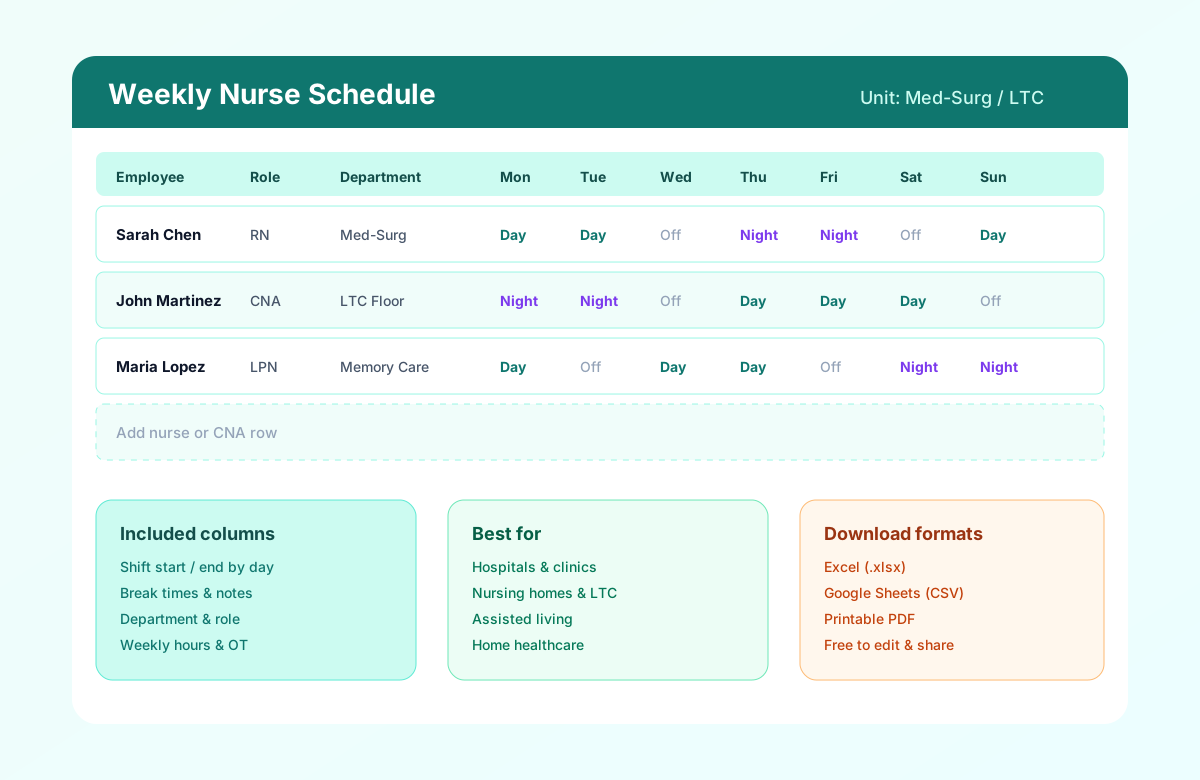
The preview matches the download: one cell per day, then weekly hours. Excel also includes a Shift Times tab for start, end, and break times.
| Employee | Mon | Tue | Wed | Thu | Fri | Sat | Sun | Hours |
|---|---|---|---|---|---|---|---|---|
| Sarah (RN) | 7 AM-7 PM | 7 AM-7 PM | Off | 7 PM-7 AM | Off | Off | Off | 36 |
| John (CNA) | 7 PM-7 AM | 7 PM-7 AM | Off | 7 AM-3 PM | 7 AM-3 PM | Off | Off | 40 |
| Maria (LPN) | 7 AM-3 PM | Off | 7 AM-3 PM | 7 AM-3 PM | Off | 7 PM-7 AM | Off | 36 |
How to build your first nurse schedule week
Follow these five steps to publish a nursing schedule your charge nurses, DON, and floor staff can trust.
Set the week and unit
Fill Week Of, Unit / Floor, and DON / Manager in the header. Align dates with payroll if supervisors review weekly hours before submit.
Add nurses by role and department
Enter Employee Name, Role (RN, LPN, CNA), Department, and Unit / Floor. Group rows by unit so skill mix and ratios are visible at a glance.
Staff managementAssign shifts and breaks
On the main week grid, type one value per day such as 7 AM-7 PM, 7 AM-3 PM, or Off. Use the Shift Times tab in Excel only when you need exact start, end, and break times.
Review hours, ratios, and overtime
Check Weekly Hours and Overtime Hours before publish. Confirm minimum licensed coverage for each shift band.
Overtime risk calculatorPublish and communicate
Export PDF for nurse stations, share read-only Google Sheets, or email Excel to charge nurses. Publish two or more weeks ahead when possible.
Mobile schedule access
Benefits of a structured nurse schedule
Fair shift distribution
Document day, evening, night, and weekend assignments so rotations stay visible and defensible when staff compare schedules.
Skill mix visibility
Role and department columns show RN, LPN, and CNA coverage on one official grid before you publish.
Overtime control
Weekly Hours and Overtime Hours columns help nurse managers spot heavy weeks before payroll export.
Faster weekly publish
Copy last week, adjust call-offs, and publish instead of rebuilding from a blank spreadsheet every Sunday.
Printable for the floor
PDF export works for nurse stations, break rooms, and LTC wings where staff check the official week on paper.
Related resources
More templates, guides, and tools for building and running your schedule.
- ResourceNurse scheduling software
- ResourceHealthcare staff scheduling software
- ArticleHealthcare workforce management
- Template12-hour nurse schedule template
- TemplateHospital staff roster template
- TemplateHealthcare employee schedule template
- TemplateEmployee availability form
- AnswerShift bidding
- ArticleHealthcare open shift management
- ArticleHealthcare overtime management
- ArticleHealthcare attendance
- ArticleMulti-location healthcare workforce management
- TemplateHome healthcare schedule template
- TemplateNursing home staff schedule template
- TemplateHealthcare attendance sheet template
- TemplateHealthcare staffing matrix template
- TemplateClinic staff schedule template
- Template8-hour shift schedule template
- ResourceNursing home scheduling software
- ArticleNursing home scheduling guide
- ResourceOvertime risk calculator